
Mit BetterDocs Documentation Block, you can embed the documentation on any of your Shopify store’s pages to reduce support tickets and improve customer experience. Today, we will show you how to embed documentation block in your Shopify store.
How To Embed BetterDoc Documentation In Shopify? #
Before you embed the ‘Documentation Block’ on your Shopify store with BetterDocs, you need to install BetterDocs for Shopify app for your shop. Then follow the step-by-step instructions below:
Step 1: Open The Theme Customizer #
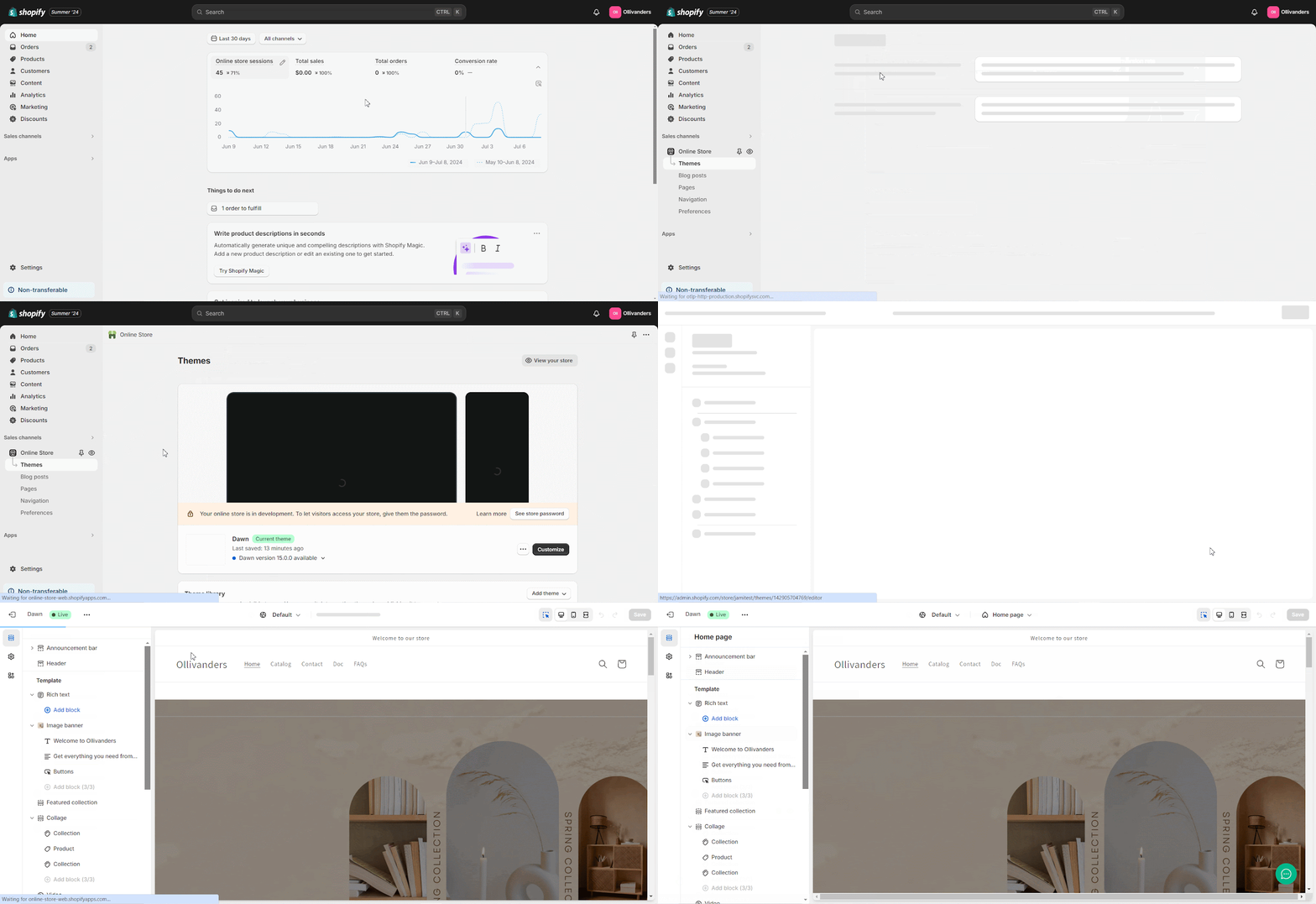
You must customize your store’s theme to embed ‘Documentation Block’ on your Shopify store. To do that, navigate to ‘Sales Channels‘→ ‘Online Store ‘→’Themes’. Now click on your theme’s ‘Customize’ option, as shown below.
Step 2: Navigate To Any Page #
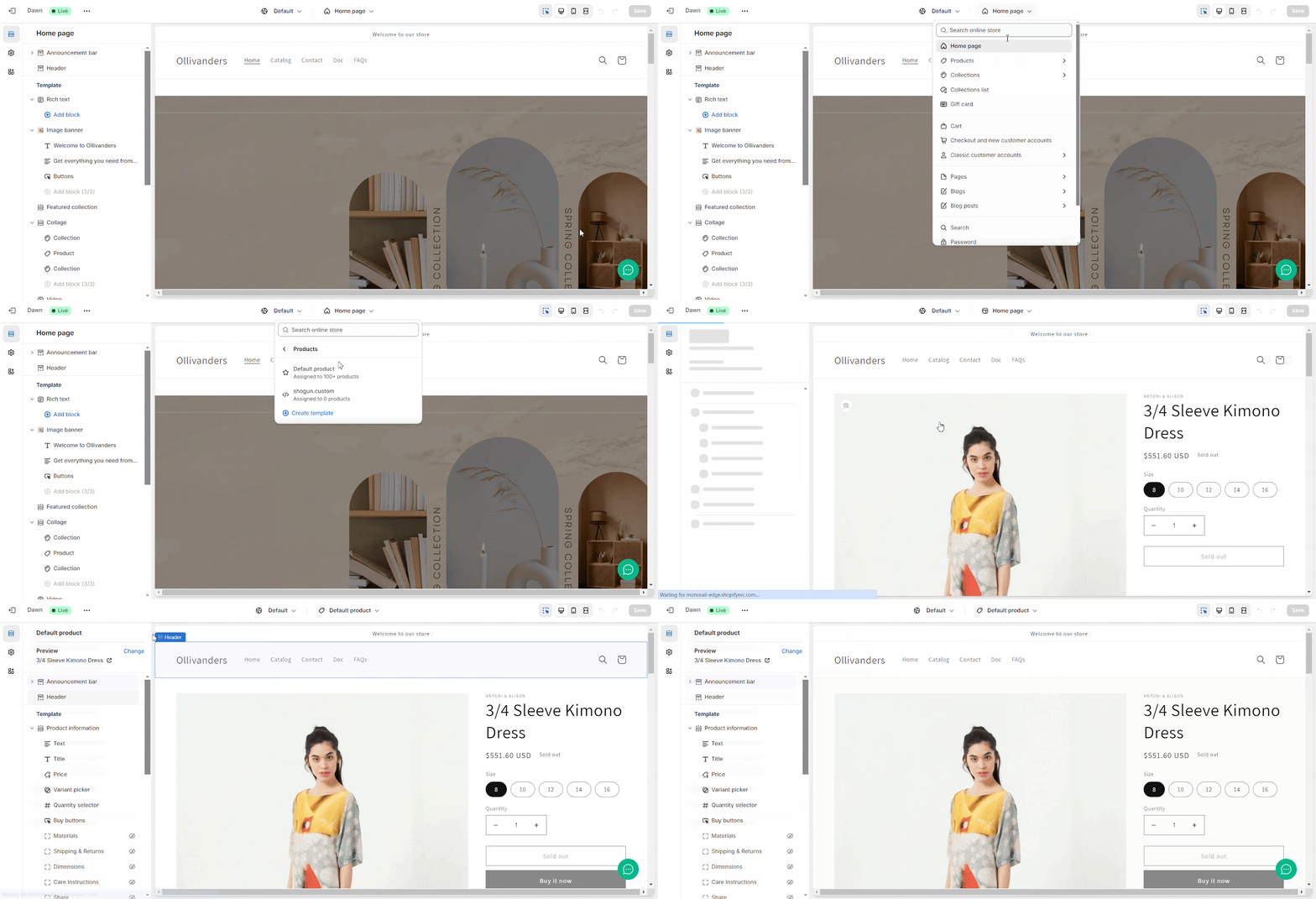
Go to the page where you want to embed the Documentation Block, as shown below. From there, you will find the option to embed the BetterDocs Documentation Block.
Step 3: Embed Documentation Block #
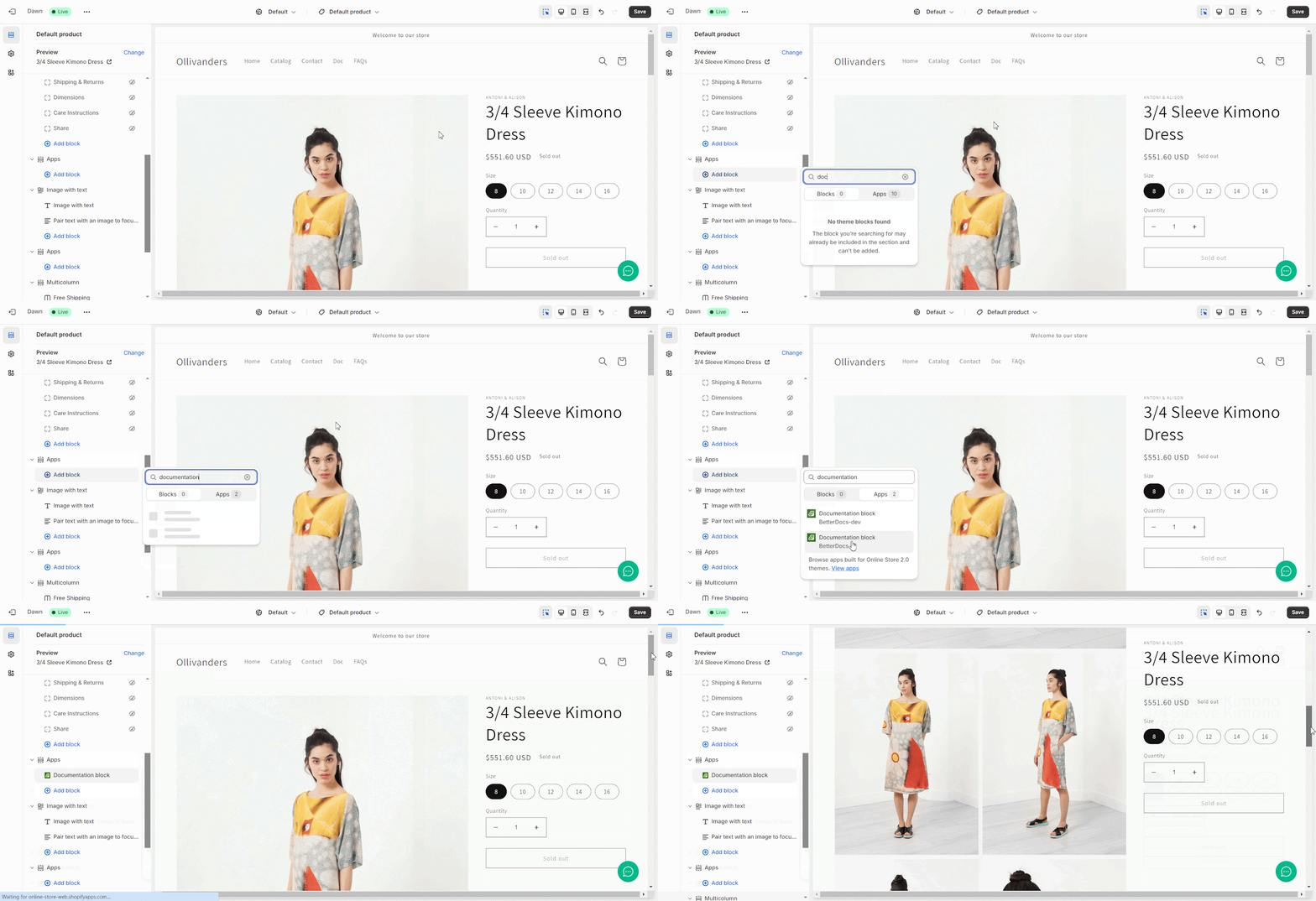
Now, click ‘Add Block’ from the page template and search for ‘Documentation Block’ by BetterDocs. Select that, and your Documentation section will automatically be added to your desired page.
Alternatively, you can embed ‘Documentation Block’ by clicking the ‘+’ button. You will find this button in the left side panel and both at the bottom and between the blocks. Click on ‘Save’ before you exit.
Endergebnis #
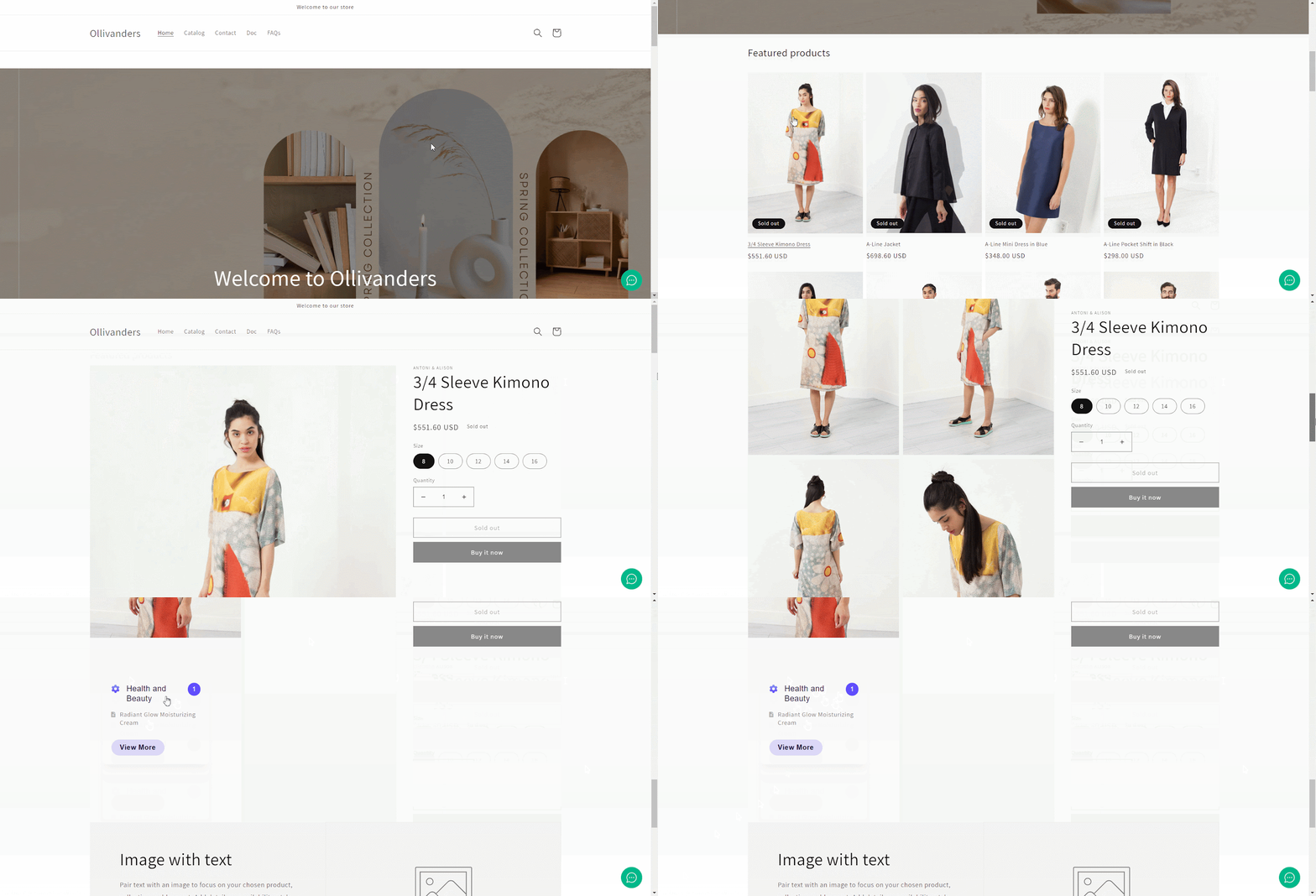
Once you embed Documentation Block on your Shopify store page, visitors can see your Documentation section on the website.
This is how you can embed Documentation Block on Shopify store with BetterDocs. For any difficulties, feel free to contact our dedicated support team.




