
If you are using a free version, you do not need to activate the BetterDocs Lizenz. Um zu überprüfen, wie BetterDocs PRO installiert wird, können Sie dies überprüfen Dokumentation. Wenn Sie die verwenden Profi version, follow the steps below :
Holen Sie sich Ihren BetterDocs-Lizenzschlüssel: #
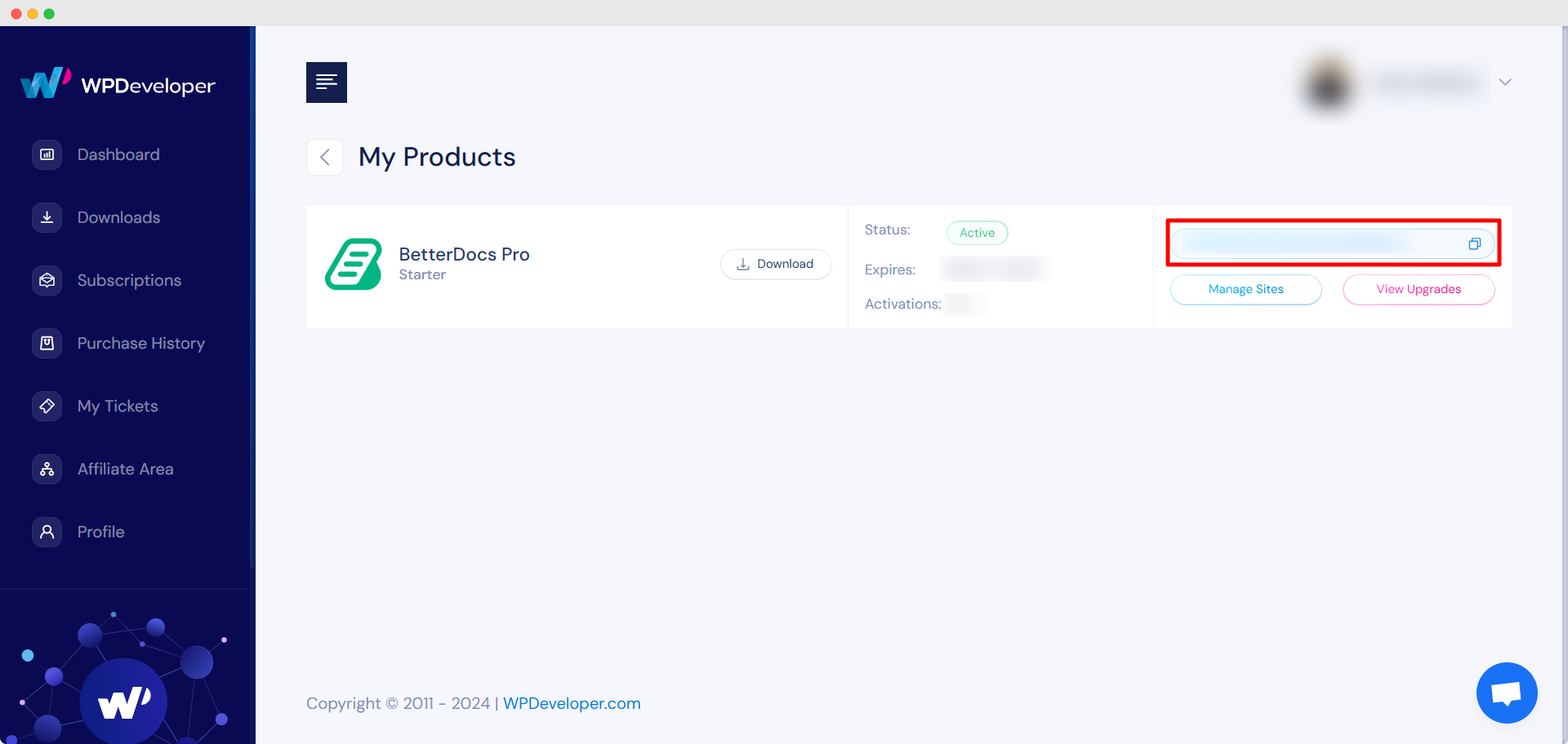
Gehen Sie zu Ihrem WPDeveloper-Konto. Von dem ‘Dashboard’ tab go to ‘My Products’ → ‘All Products’, here you can see the BetterDocs plugin which you have purchased. Simply just copy the License Key from there.
Activate License Key:
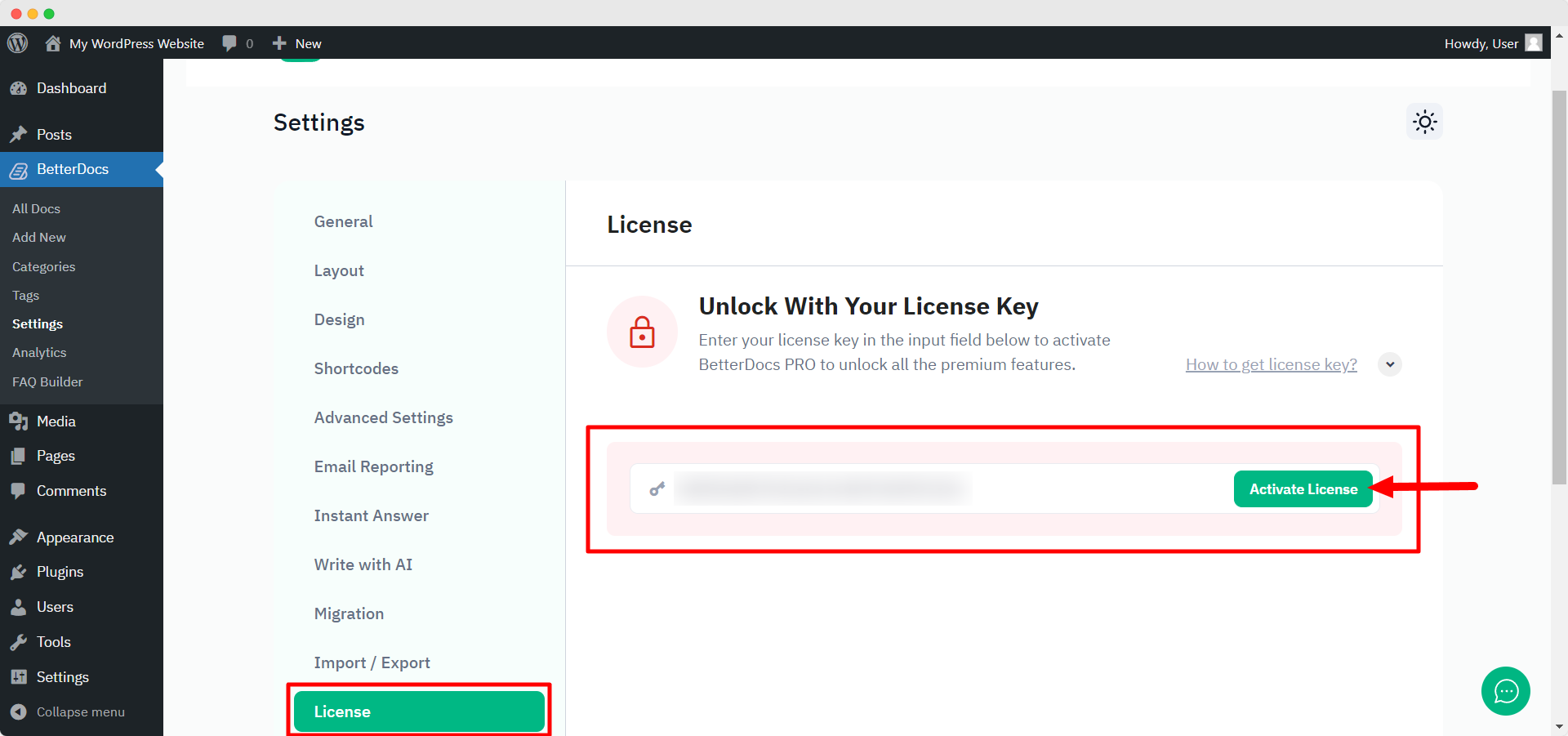
Wechseln Sie jetzt zurück zu Ihrer WordPress-Website. Navigieren Sie dann zu wp-admin → BetterDocs → Settings. Von dem ‘License’ tab, paste your license key and click on the ‘Lizenz aktivieren‘ button.
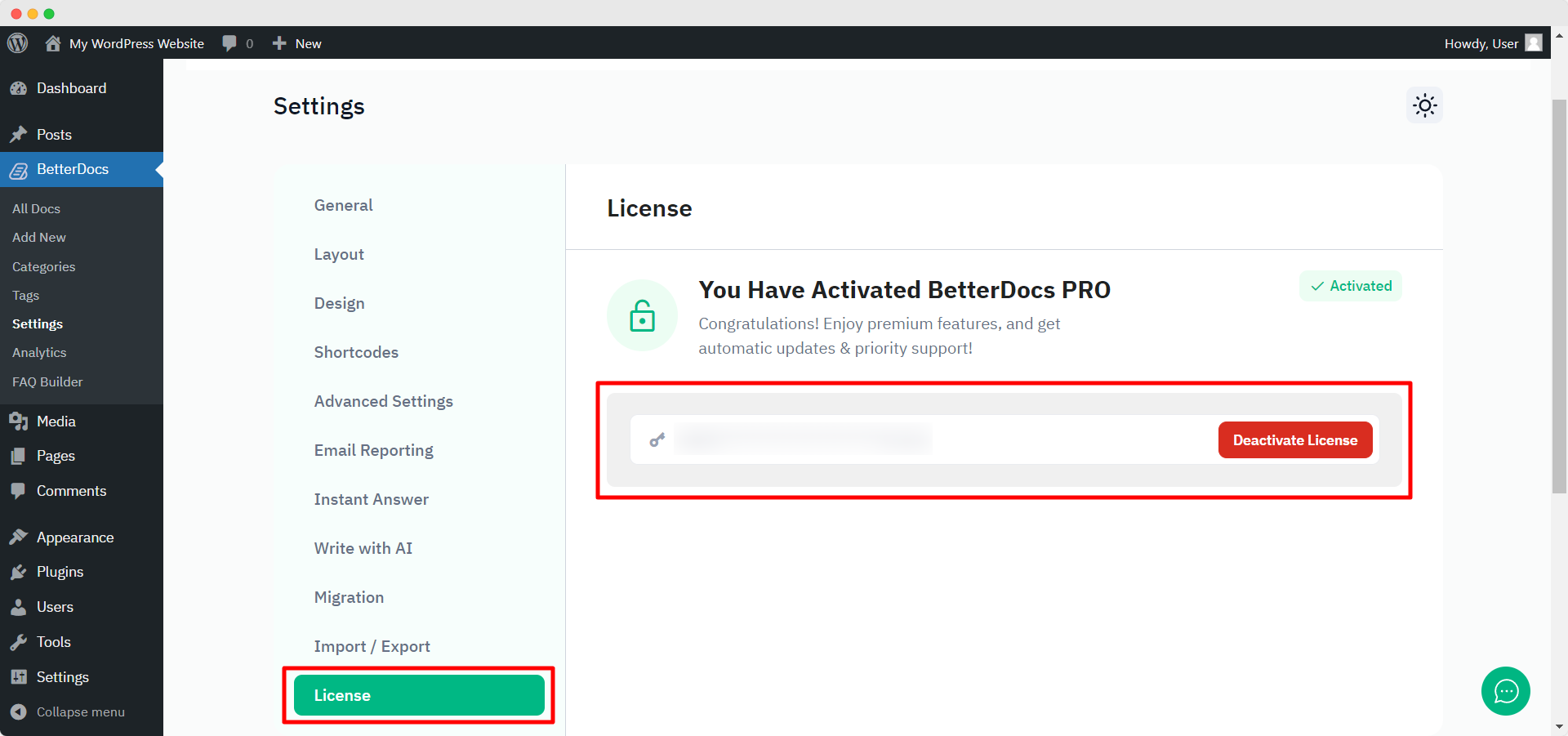
After you have successfully activated your License Key, this is how the ‘License’ Die Registerkarte wird folgendermaßen aussehen:
Fehlerbehebung : #
- If you face any issue, you should see an admin notice describing the error such as “Invalid License” oder “License Expired”. So, you can understand the license status.
- If you see it’s not activating or not showing any notice, hard refresh the page and clean your cache if you have any caching plugin. Then try again.
If you still can not figure it out, no worries, Wenden Sie sich an unser Support-Team und wir werden Ihnen helfen, das Problem zu lösen.




