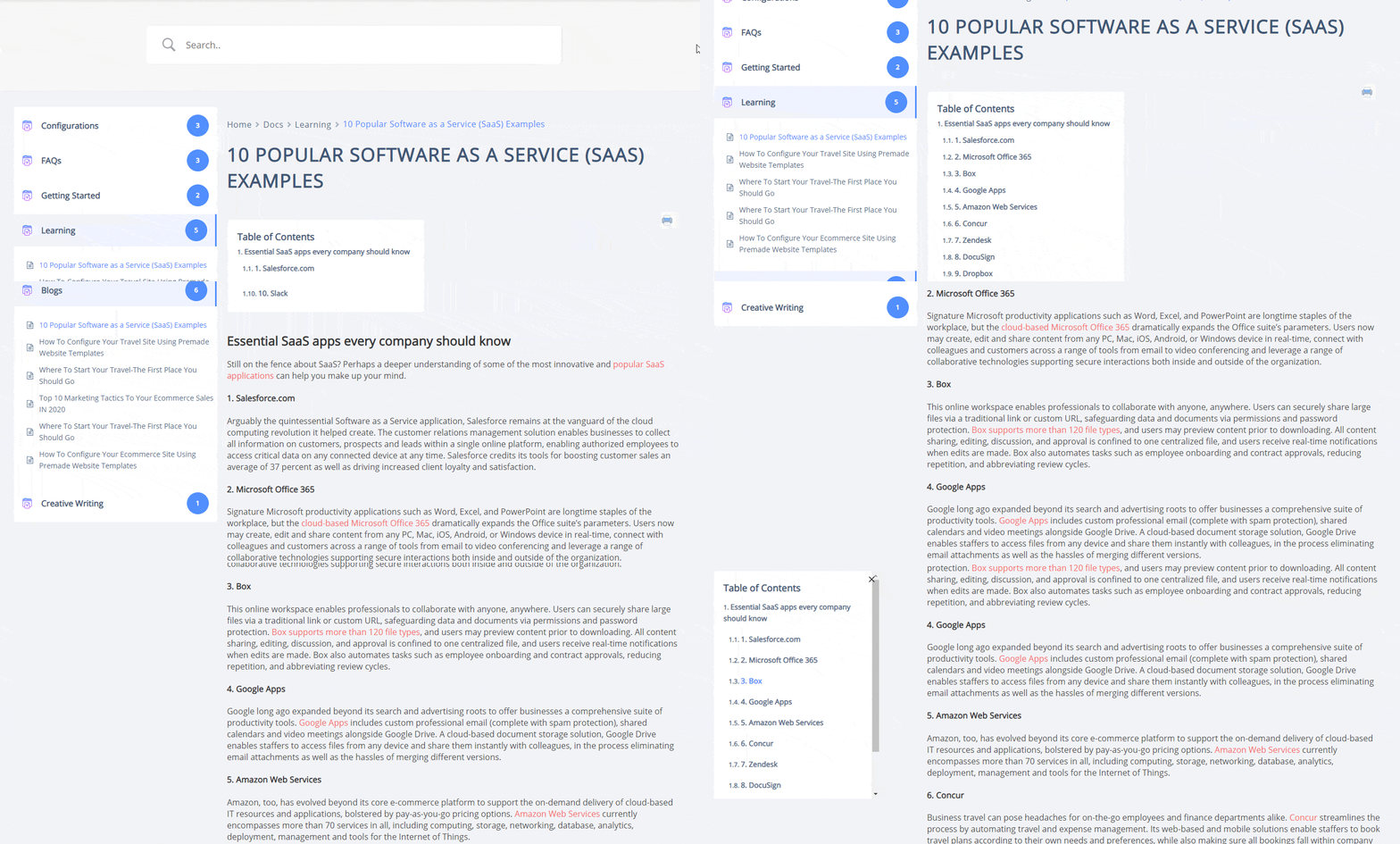
What Is Sticky Table Of Contents (TOC)? How To Enable It? #
TOC stands for Table of Contents. In many instances, you might need to use different Heading Tags inside your Doc. If you use multiple headings, BetterDocs enthält die Überschriften in einem Inhaltsverzeichnis (TOC), das über der Dokumentationsseite über Wasser bleibt.
Der Vorteil des Inhaltsverzeichnisses besteht darin, dass Ihre Benutzer problemlos zwischen den Überschriften in Ihrem Dokument hin und her springen können.
How To Enable BetterDocs TOC? #
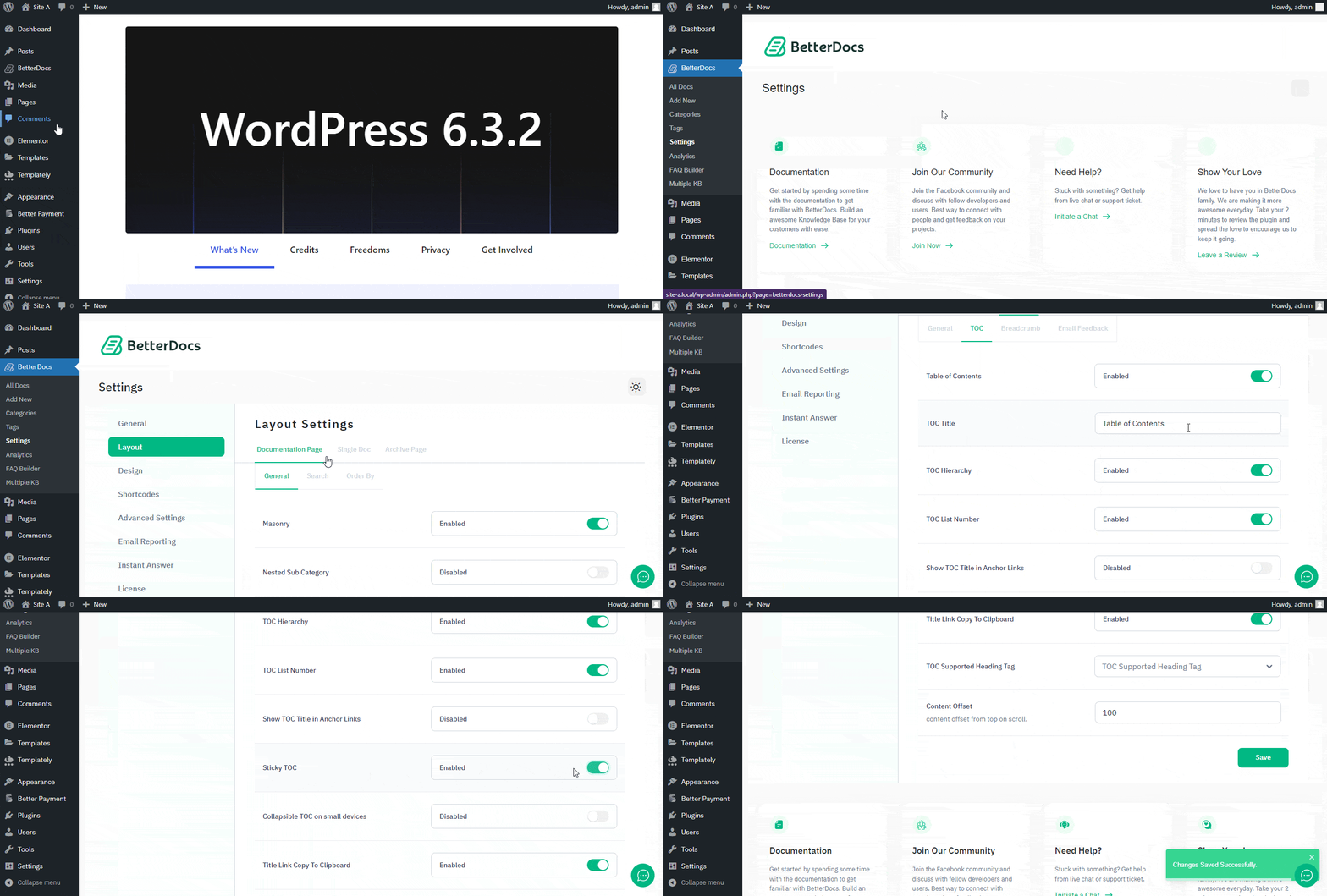
To enable the TOC option, first open your WordPress Dashboard and navigate to BetterDocs → Settings → Layout → Single Doc → TOC.Von dort aus sicherstellen to enable Table of Content (TOC) und ‘Sticky TOC’.