As products become more complex, delivering fast and consistent support becomes increasingly challenging. The challenge is no longer treating customers differently; it is making sure every issue reaches the right level of expertise without overwhelming your support team.
Customer service tiers solve this by routing issues based on complexity and technical depth. Simple questions are handled through self-service or frontline agents, while advanced problems move directly to specialists. This creates a structured, efficient, and scalable support system.
In this guide, we will explain how operational customer service tiers work, from Tier 0 to Tier 3, and how to design a tiered support system that improves resolution times for both customers and support teams.
What Are Customer Service Tiers & Why Do They Matter?
Customer support tiers are structured levels of support that businesses offer to different customer segments. These tiers allow companies to allocate resources efficiently while ensuring every customer receives appropriate attention. More importantly, they create a clear pathway for customers to access more specialized support as their relationship with your business grows.
A well-designed tier system does not mean abandoning customers in lower tiers. Instead, it means being intentional about how time, expertise and tools are distributed so that every customer gets the help they need, at the right level.
The reality is that not all customers require the same type or depth of support. For example, a customer who makes a $50 purchase once a year may mostly need help with basic setup, billing questions, or general how-to guidance. In contrast, a customer spending $5,000 every month, especially one using advanced features or bringing referrals, often faces more complex, technical, or business-critical challenges. These might include API integrations, advanced configurations, performance optimization, or troubleshooting edge-case issues that directly impact their operations.
When no service tiers exist, every request enters the same queue and is often handled by the same general support agents. This creates a core problem: complex, high-impact issues are treated the same as routine questions. For instance, in a SaaS product, a premium customer struggling to add or troubleshoot an API key, an advanced feature, may first reach a regular support agent who does not have the technical expertise to resolve it. The issue then has to be escalated to a specialist or technical team, increasing resolution time and causing unnecessary back-and-forth.
Without tiers, this escalation process slows everything down. Premium customers wait longer for solutions to critical problems, regular agents get blocked by issues they are not equipped to solve, and the entire support system becomes less efficient. Over time, this leads to frustration on both sides.
Customer service tiers solve this by introducing structure and clarity. They ensure that advanced or high-impact queries are routed directly to experienced agents or technical specialists, reduce wait times for complex issues, prevent unnecessary overload on general support teams and allow businesses to deliver the right level of expertise where it matters most.
Common Types of Customer Service Tiers
Before creating your own support system, it is important to understand how customer service tiers work in practice. Unlike pricing tiers or premium membership levels, support tiers define the operational structure of your support team, ensuring that customer issues are handled by the right agent with the right expertise. This helps improve resolution times, customer satisfaction and efficiency across your support operations.
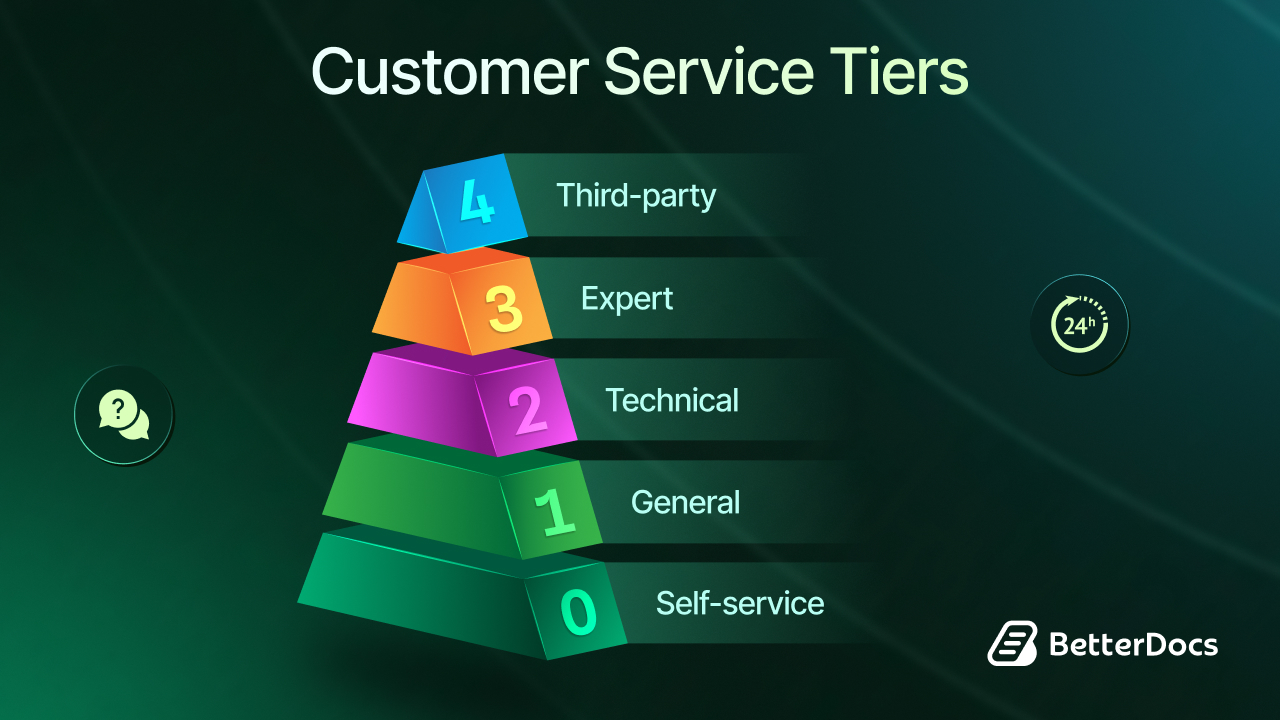
Most organizations use a standard framework ranging from Tier 0 to Tier 3, with Tier 4 included in some industries. Each tier is designed to handle a specific type of customer issue, from simple questions to highly complex, technical problems.
Tier 0: Self-Service Support
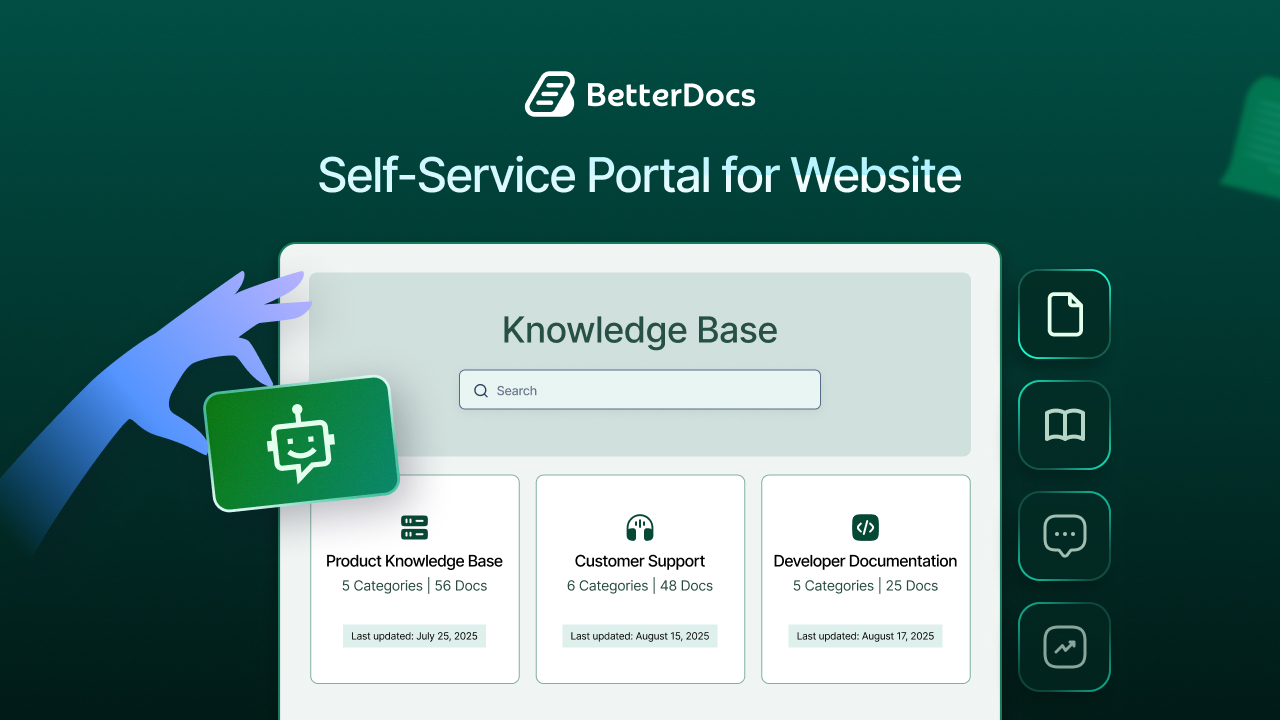
Tier 0 is the foundation of scalable customer support. It consists of all self-service resources that allow customers to solve issues independently without involving a human agent.
Even though there is no direct human interaction, Tier 0 is essential for improving efficiency and reducing the workload of your support team. Customers get instant access to answers for common issues, which improves satisfaction and frees up agents to handle more complex cases. Here are a few examples of Tier 0 support,
- Knowledge bases, help centers, or FAQ pages
- Automated chatbots or virtual assistants
- Tutorial videos and step-by-step guides
Typical tasks handled at this level are password resets, basic billing questions, general product guidance, etc. Implementing this empowers customers to solve simple problems quickly while letting support teams focus on higher-level issues.
✨ [Bonus] If you use WordPress and want to build an efficient knowledge base support system, you can use solutions like BetterDocs. It is a powerful knowledge base documentation plugin for WordPress that allows you to create organized documentation & FAQ pages with AI-powered features.
Tier 1: General Support (Help Desk)
Tier 1 represents the first level of human interaction. Agents at this tier are trained to handle straightforward, frequently asked questions. They act as the first line of defense, aiming to resolve issues quickly or escalate them when necessary. A few examples of Tier 1 tasks are,
- Account setup or password recovery
- Basic product or feature questions
- Guiding customers to documentation or self-service resources
Tier 1 agents are essential for ensuring that common issues do not overwhelm higher-tier teams. They also help monitor patterns in customer inquiries, providing valuable feedback on product usability or frequently faced issues.
Tier 2: Technical Support
Tier 2 is where complex and technical problems are addressed. Agents at this level possess a deeper knowledge of the product and its functionality, allowing them to handle issues that Tier 1 cannot resolve.
In SaaS companies or tech-driven businesses, Tier 2 support is crucial for customers using advanced features or integrations. By having specialized knowledge, Tier 2 agents can provide solutions without unnecessary delays. Below are some examples of Tier 2 tasks,
- Configuring APIs or advanced features
- Troubleshooting software bugs or glitches
- Optimizing integrations or companion tools
Proper implementation of this support tier enables faster resolution of complex issues while preventing general support agents from being bottlenecked. For instance, a premium SaaS customer struggles to connect an external tool via an API. A Tier 1 agent may not have the expertise to troubleshoot the integration. The ticket is escalated to Tier 2, where a technically trained agent resolves the issue efficiently, reducing customer frustration and wait time.
Tier 3: Expert or Specialized Support
Tier 3 represents the highest level of in-house support expertise. Agents here are specialists who handle rare, high-impact, or unprecedented issues. These problems often require collaboration with engineering or product development teams. Examples of Tier 3 tasks may include,
- Debugging complex software bugs
- Designing custom solutions for enterprise customers
- Validating fixes with the development team before deployment
A Tier 3 agent might work on a one-off issue affecting a critical client account, such as resolving a complex integration conflict or troubleshooting a previously unknown software bug. Unlike lower tiers, Tier 3 tickets may take longer to resolve because they require investigation, testing and coordination with multiple teams. This acts as the final internal escalation point for the toughest, most technical customer problems.
Tier 4: Third-Party Support (Optional)
Tier 4 is not common in all organizations. It is used when issues involve external vendors or partners. This tier ensures that problems outside your control, such as third-party hardware, software dependencies, or logistics, are handled efficiently. Here are some examples of Tier 4 tasks:
- Contacting a vendor to troubleshoot a component (e.g., a software library or hardware module)
- Coordinating issue resolution with partner companies
Managing this tier ensures customers get a solution even when the issue originates outside your organization. Before you create your own system, it is important to understand what is already working in the marketplace.
How to Create Your Customer Service Tiers

Creating an effective customer service tier structure is not about copying what competitors are doing or simply labeling support levels. It is about designing a clear, operational framework that routes customer issues to the right level of expertise, at the right time, with minimal friction.
A well-built tier system improves resolution speed, reduces internal bottlenecks and ensures complex issues are handled by appropriately skilled agents.
Start by Understanding Your Current Support Reality
Before defining any tiers, you need a clear picture of how your support currently operates. This means analyzing what types of issues your team handles, how complex they are, and where delays occur. Look at questions such as:
- Which issues are resolved through documentation or FAQs?
- What percentage of tickets require technical or specialist involvement?
- Where do tickets get stuck or escalated repeatedly?
- Which issues consume the most time and expertise?
For example, you may find that simple “how-to” questions or password resets dominate your ticket volume, while a smaller number of technical issues, such as API setup or feature configuration, consume a disproportionate amount of time due to repeated escalations.
Review support tickets from the past several months and categorize them by complexity and resolution path, not just by customer type. This analysis will help you identify where Tier 0, Tier 1, Tier 2 and Tier 3 boundaries should naturally exist.
Define the Scope And Responsibilities of Each Support Tier
Once you understand your support patterns, clearly define what each tier is responsible for. At this stage, tiers should be based on issue type and required expertise, not customer spending or plan names. For example:
- Tier 0 handles issues that customers can solve independently through documentation or automation.
- Tier 1 addresses common, repeatable questions that require human interaction but minimal technical depth.
- Tier 2 resolves advanced, technical, or configuration-related problems.
- Tier 3 handles rare, high-impact, or previously unseen issues that may require engineering involvement.
Each tier should have:
- Clear issue boundaries
- Defined escalation rules
- Ownership over specific types of problems
This clarity prevents confusion, reduces unnecessary escalations and ensures tickets move efficiently through the system.
Build the Right Infrastructure to Support Tiered Operations
A tier system only works if it is supported by the right tools and workflows. This is where operational execution matters. You will need:
- A support platform or CRM that allows ticket categorization and escalation
- Clear routing rules that assign tickets to the correct tier based on issue type
- Internal documentation outlining how and when to escalate tickets
- Well-maintained knowledge base content to strengthen Tier 0 support
For example, tickets involving advanced features like API keys or integrations should be automatically routed to Tier 2, rather than passing through multiple Tier 1 agents. This reduces wait time and frustration for customers while protecting your team’s efficiency.
Train Your Team on Tier Responsibilities And Escalation Paths
Even the best-designed tier structure will fail if your team does not understand how it works. Training should focus on roles, boundaries, and collaboration, not just scripts. Make sure agents understand:
- What types of issues are they expected to resolve?
- When and how to escalate tickets?
- Why do tiers exist, and how do they improve outcomes for both customers and agents?
Use real-world scenarios during training, such as handling a basic setup issue versus a complex technical configuration problem. This helps agents recognize when an issue exceeds their scope and ensures smoother handoffs between tiers. When agents trust the tier system, they work more confidently, customers get faster resolutions, and complex issues reach the right experts without unnecessary delays.
Review, Measure And Refine Continuously
Customer support tiers are not a one-time setup. As your product evolves and customer behavior changes, your tier structure should evolve as well. Track metrics such as:
- Escalation rates between tiers
- Resolution time per tier
- Repeat tickets for the same issue
- Customer satisfaction after escalations
These insights will help you refine responsibilities, improve documentation, and adjust staffing levels across tiers to keep your support operation efficient and scalable.
Common Pitfalls to Avoid While Building Customer Service Tiers
Even well-designed customer service tier structures can fail if they are not implemented thoughtfully. When tiers are misunderstood or poorly executed, they introduce friction instead of clarity. Below are some common pitfalls to avoid when building operational support tiers.
Do Not Create Too Many Support Levels
While it may be tempting to add more layers to handle every possible scenario, too many tiers often create confusion rather than efficiency. In practice, three to four operational tiers (Tier 0 to Tier 3) are sufficient for most businesses.
Adding unnecessary tiers increases handoffs, slows down resolution, and makes it harder for agents to know when and how to escalate an issue. Instead of solving problems faster, tickets bounce between teams, frustrating both customers and support staff. Focus on clear boundaries between tiers, not an excessive number of levels.
Avoid Unclear Responsibilities And Escalation Rules
One of the biggest causes of tiered-support failure is ambiguity. If agents are unsure which issues they own or when they should escalate, the tier system breaks down. Each tier should have:
- Clearly defined issue types
- Explicit escalation triggers
- Ownership over resolution at that level
For example, if Tier 1 agents attempt to troubleshoot advanced technical issues instead of escalating them to Tier 2, resolution times increase and customers experience unnecessary delays. Clarity is far more important than rigid hierarchy.
Do Not Make Unrealistic Commitments Across Tiers
Support tiers should be designed around what your team can consistently deliver, not aspirational response times.
If Tier 2 or Tier 3 issues require investigation or engineering collaboration, setting aggressive response or resolution targets can create internal pressure and poor customer experiences. It is better to set realistic expectations and meet them consistently than to promise speed and miss it repeatedly. Well-functioning tiers prioritize accuracy and proper routing over artificial speed.
Do Not Over-Automate at the Expense of Escalation
Automation and self-service are critical at Tier 0, but they should not become dead ends. Customers must always have a clear path to human support when self-service fails. A common mistake is forcing customers to exhaust chatbots, FAQs, or workflows before allowing escalation, especially for complex or technical issues. When this happens, automation increases frustration instead of efficiency.
Use automation to deflect simple issues, not to block access to human judgment, technical expertise, or empathy.
Do Not Treat All Issues the Same
Operational tiers exist to differentiate issue complexity, not just ticket volume. Treating all requests identically, regardless of technical depth, negates the purpose of having tiers in the first place.
Simple questions should be resolved quickly at lower tiers, while complex or high-impact issues should move swiftly to specialists. When everything follows the same path, higher-tier teams get overloaded and resolution times suffer across the board.
Review And Adjust as Your Product Evolves
Support tiers are not static. As your product grows and introduces new features, the nature of customer issues will change as well.
Failing to revisit tier definitions, escalation rules and documentation leads to outdated workflows and inefficient support. Regular reviews help ensure that each tier continues to serve its intended purpose.
Avoiding these common mistakes ensures your tier system remains a tool for clarity and efficiency, not an additional layer of complexity.
Provide Efficient Support With Thoughtful Customer Service Tiers
Customer service tiers are not about offering “better” support to some customers and less to others. They are about building a structured, scalable support system that ensures every issue is handled by the right level of expertise.
When designed around operational tiers, such as self-service, general support, technical support and expert escalation, customer service becomes faster, more consistent, and far less chaotic. Simple issues are resolved quickly, complex problems reach specialists without unnecessary delays, and support teams can focus on what they do best.
That said, customer support tiers are not a set-it-and-forget-it solution. As your product, customer base, and technical complexity evolve, your support structure must evolve as well. Regularly review ticket data, escalation patterns, and resolution times to ensure each tier is still serving its purpose.
When implemented thoughtfully and refined continuously, customer service tiers become more than an operational framework; they become a competitive advantage, helping you deliver reliable, efficient support at scale while keeping both customers and support teams satisfied.
Thanks for reading! If you would like to explore more blogs like this, subscribe to our blog. Also, we would love to hear from you – is there anything you think is crucial for effective user manuals? Do let us know in our Facebook community.