
Datorită diferitelor teme, puteți întâlni o Cuprins lipicios suprapunerea cu meniul antet sau subsol. In orice caz, BetterDocs gives you the flexibility to increase the z-index of Sticky TOC so that it doesn’t overlap any section of your WordPress Knowledge Base website.
To increase the z-index of Sticky TOC, go to your wp-admin →BetterDocs → Settings → Design tab. Then, click on the ‘Customize in BetterDocs’ option under the ‘Legacy Customizer’ section.
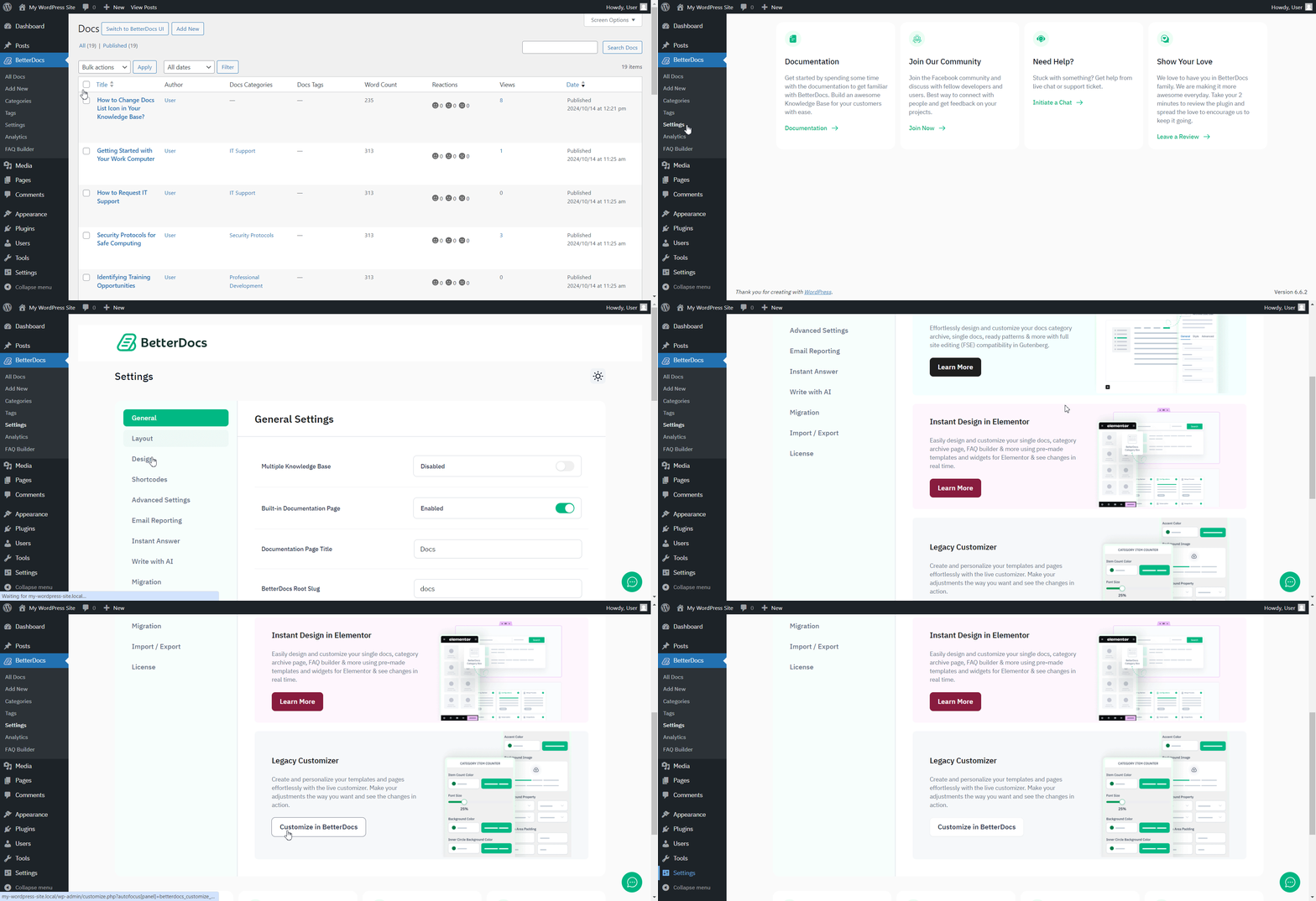
Afterwards, go to the ‘Single Doc’ page. From the 'Cuprins' section, you will find options to increase the z-index of the Sticky Table of Content. Simply use the ‘Sticky TOC z-index’ option to increase the value, and you will be good to go.
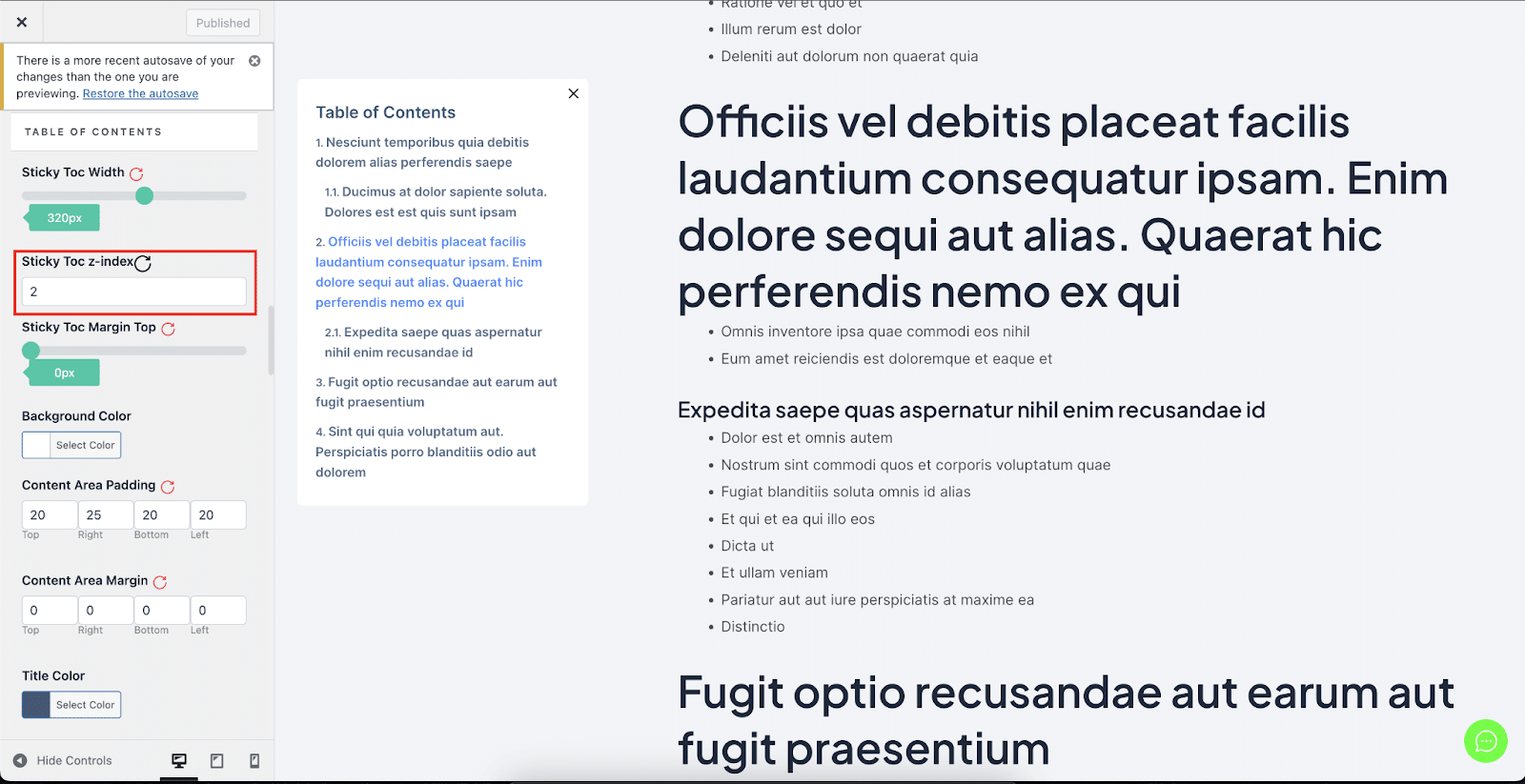
Astfel puteți evita Cuprins lipicios de la suprapunerea cu alte secțiuni ale site-ului dvs. web WordPress în BetterDocs.




