
If you are using a free version, you do not need to activate the BetterDocs Licence. Pour vérifier comment installer BetterDocs PRO, vous pouvez consulter ce Documentation. Si vous utilisez le Pro version, follow the steps below :
Obtenez votre clé de licence BetterDocs: #
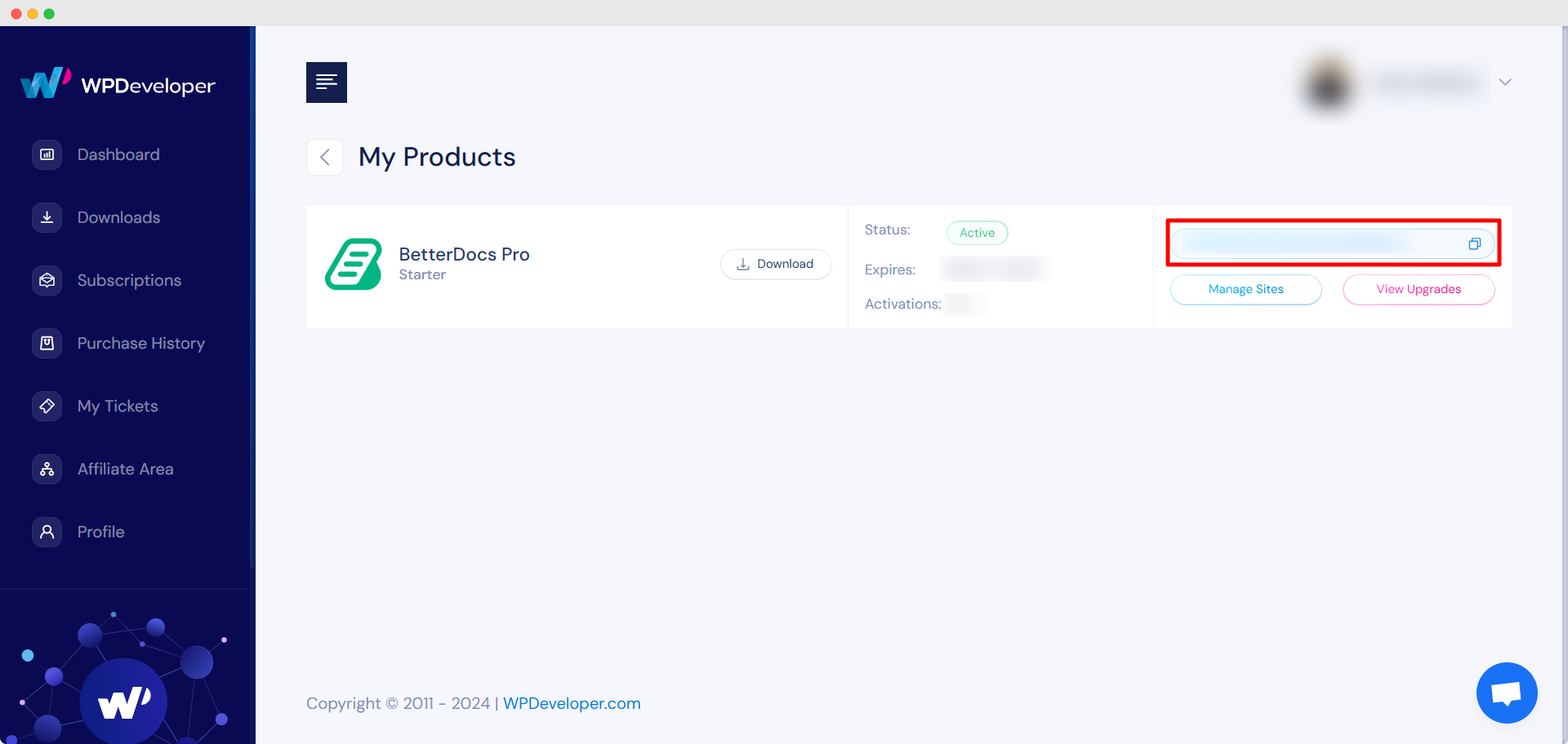
Allez à votre Compte WPDeveloper. Du ‘Dashboard’ tab go to ‘My Products’ → ‘All Products’, here you can see the BetterDocs plugin which you have purchased. Simply just copy the License Key from there.
Activate License Key:
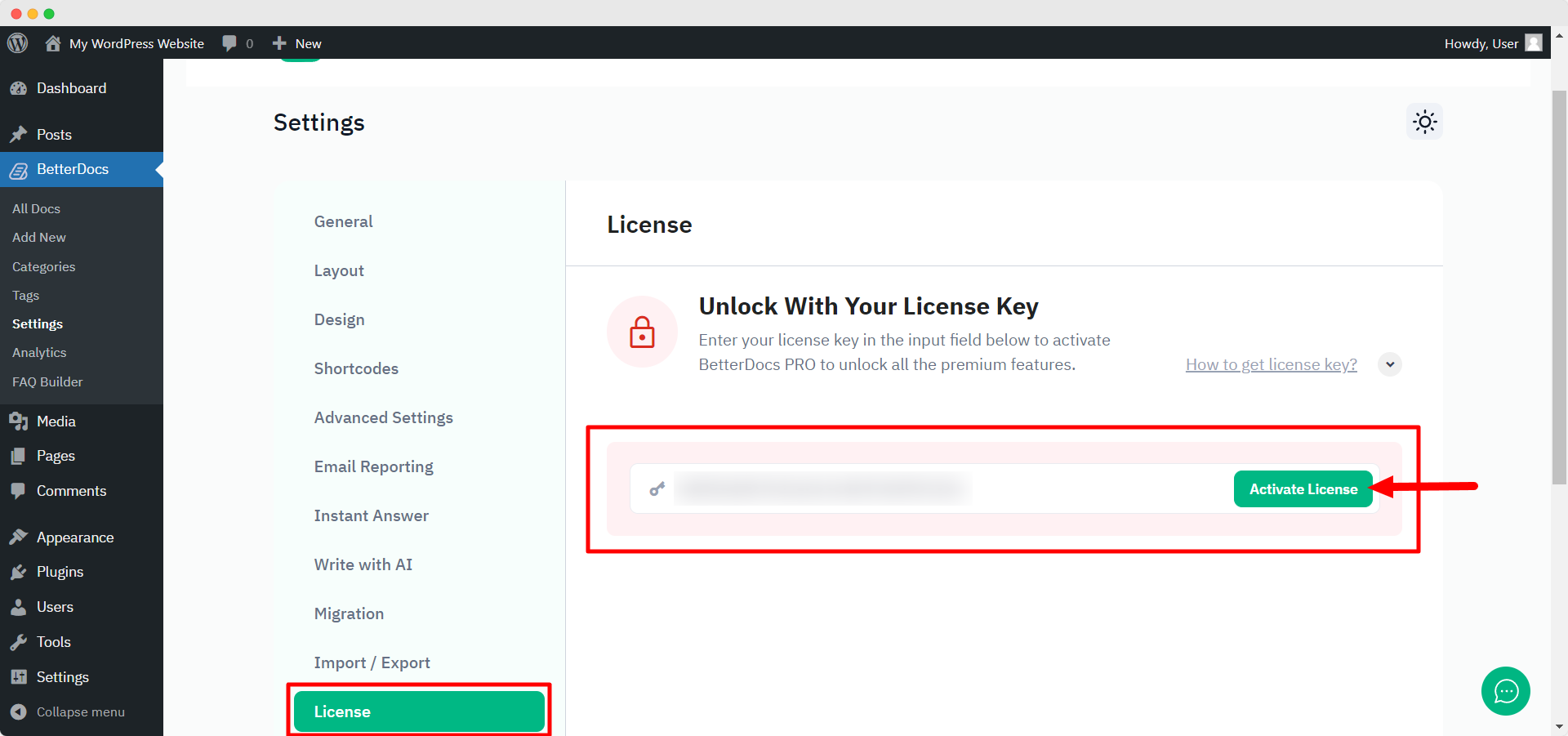
Maintenant, revenez à votre site Web WordPress. Ensuite, accédez à wp-admin → BetterDocs → Settings. Du ‘License’ tab, paste your license key and click on the ‘Activer la licence‘ button.
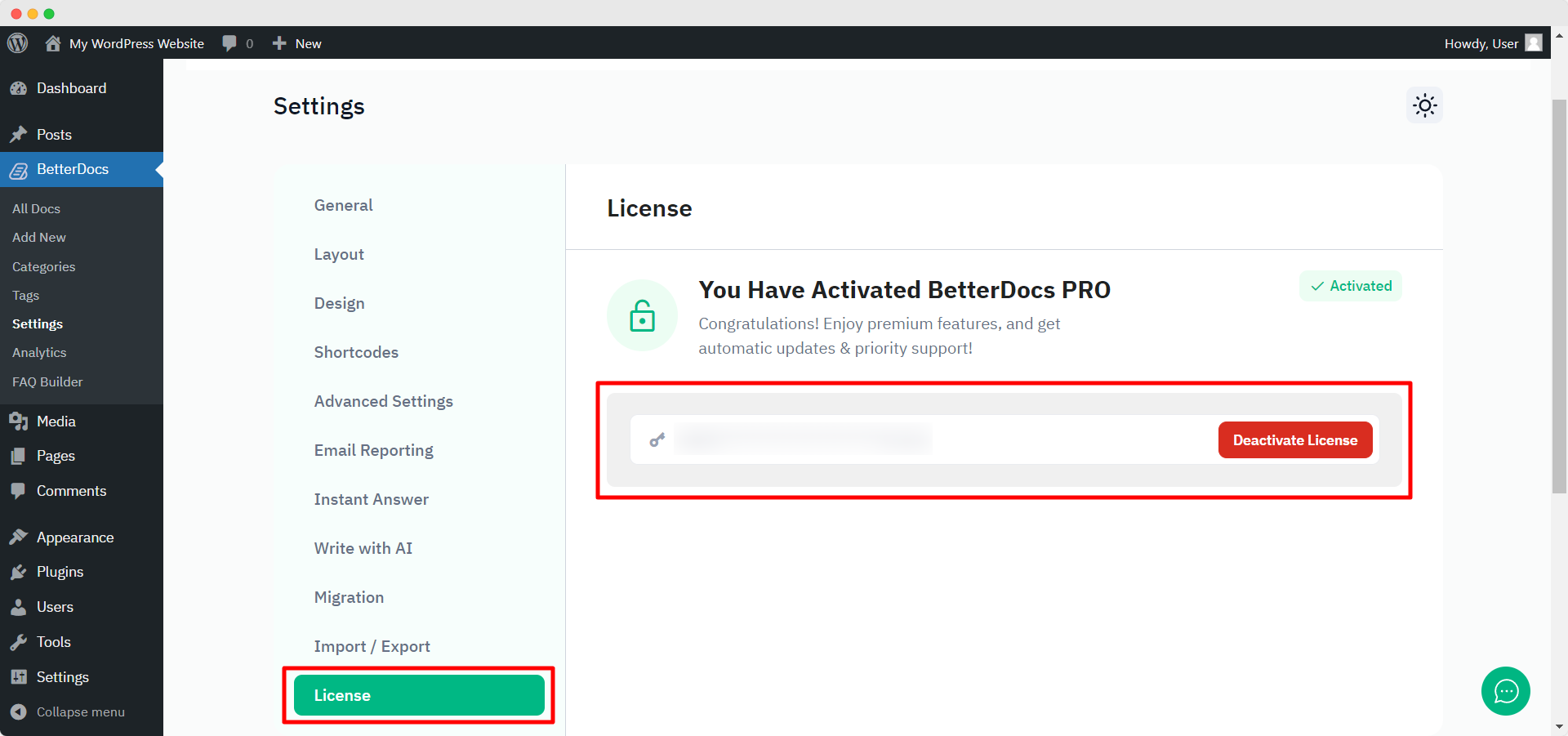
After you have successfully activated your License Key, this is how the ‘License’ l'onglet va ressembler à:
Dépannage : #
- If you face any issue, you should see an admin notice describing the error such as “Invalid License” ou “License Expired”. So, you can understand the license status.
- If you see it’s not activating or not showing any notice, hard refresh the page and clean your cache if you have any caching plugin. Then try again.
If you still can not figure it out, no worries, contactez notre équipe d'assistance et nous vous aiderons à résoudre le problème.




