
BetterDocs For Shopify lets you integrate WhatsApp into your Shopify store to help your customers communicate instantly with your support representative. This improves customer satisfaction even more.
How To Integrate WhatsApp On Shopify Store? #
Before following this guideline, configure the ‘BetterDocs Instant Answers’ on your Shopify store. After that, follow the below guideline to integrate WhatsApp with BetterDocs For Shopify app.
Step 1: Go To the ‘Display WhatsApp Chat’ Option #
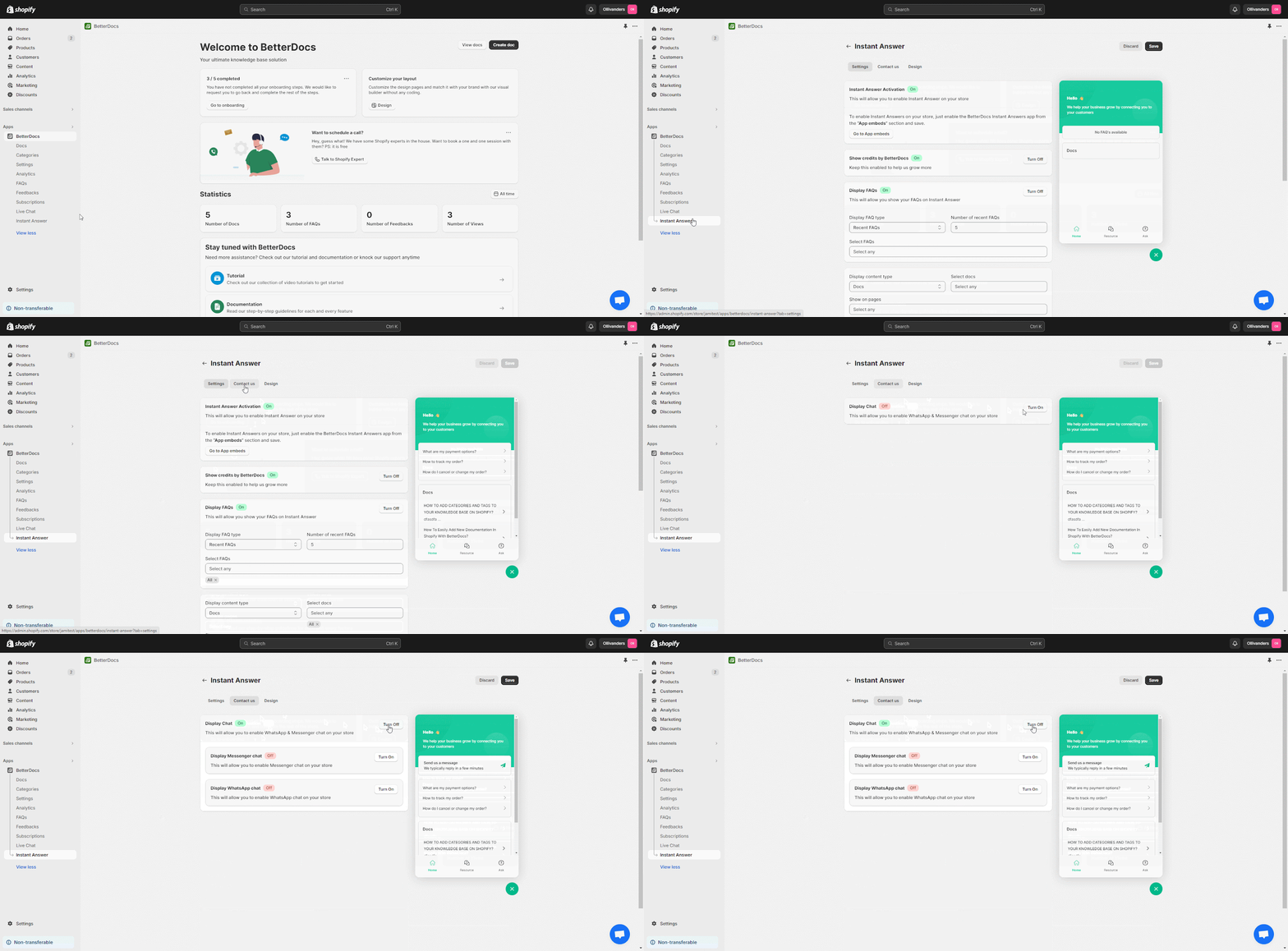
First, go to BetterDocs’s ‘Apps’ section and select ‘Instant Answers’ from the left panel. Now click on ‘Contact Us’ tab and turn on the ‘Display Chat’ option.
Step 2: Provide Your WhatsApp Number #
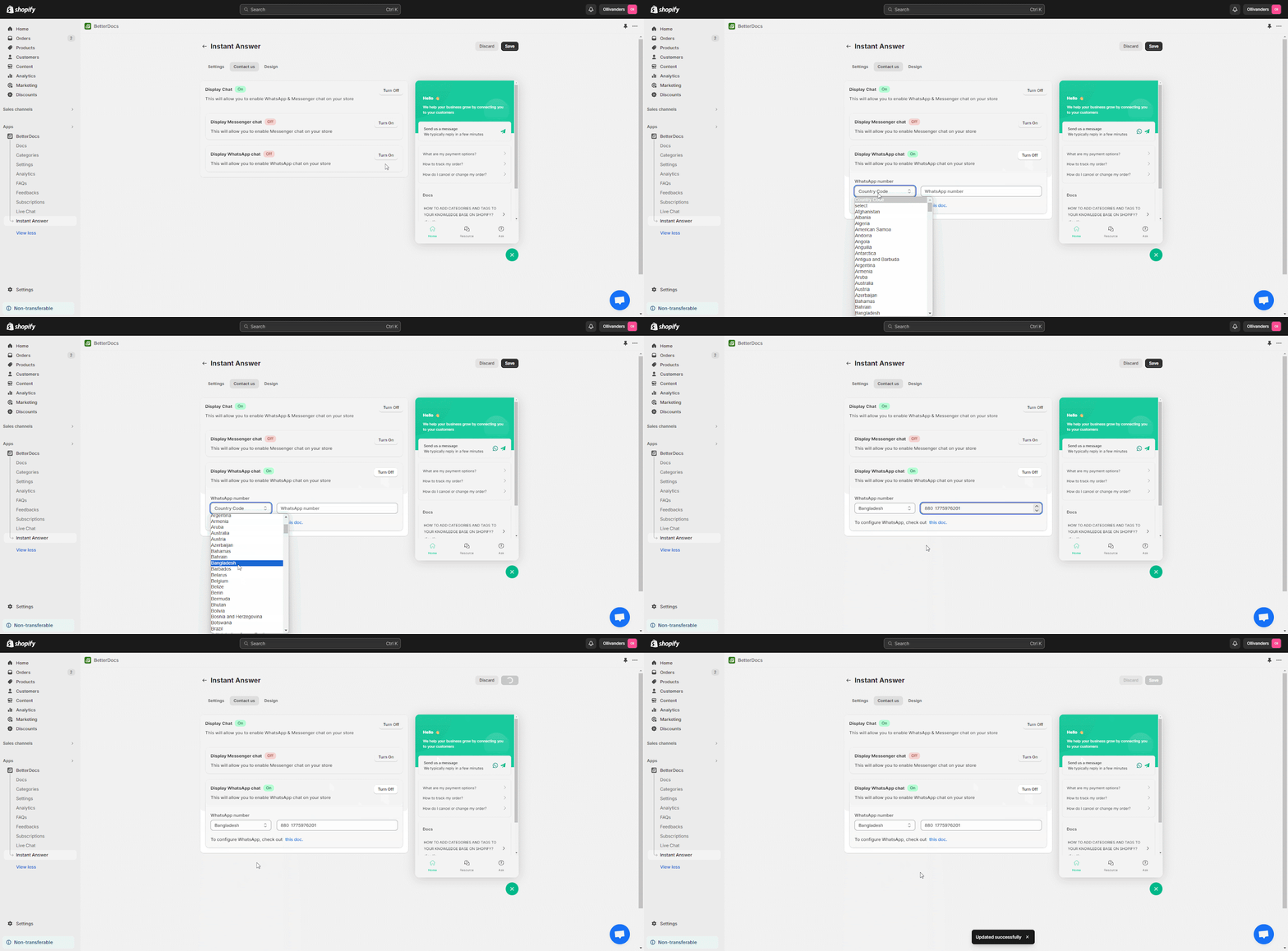
Now, turn on ‘Display WhatsApp Chat’ and input your number in the ‘WhatsApp Number‘ field. Make sure to choose your country before your number. Then click the ‘Save’ button.
Résultat final #
After the WhatsApp integration, customers can find it under the ‘Contact Us’ area in the ‘Réponse instantanée’ box, both for the ‘Answers’ and ‘Ask’ tabs.
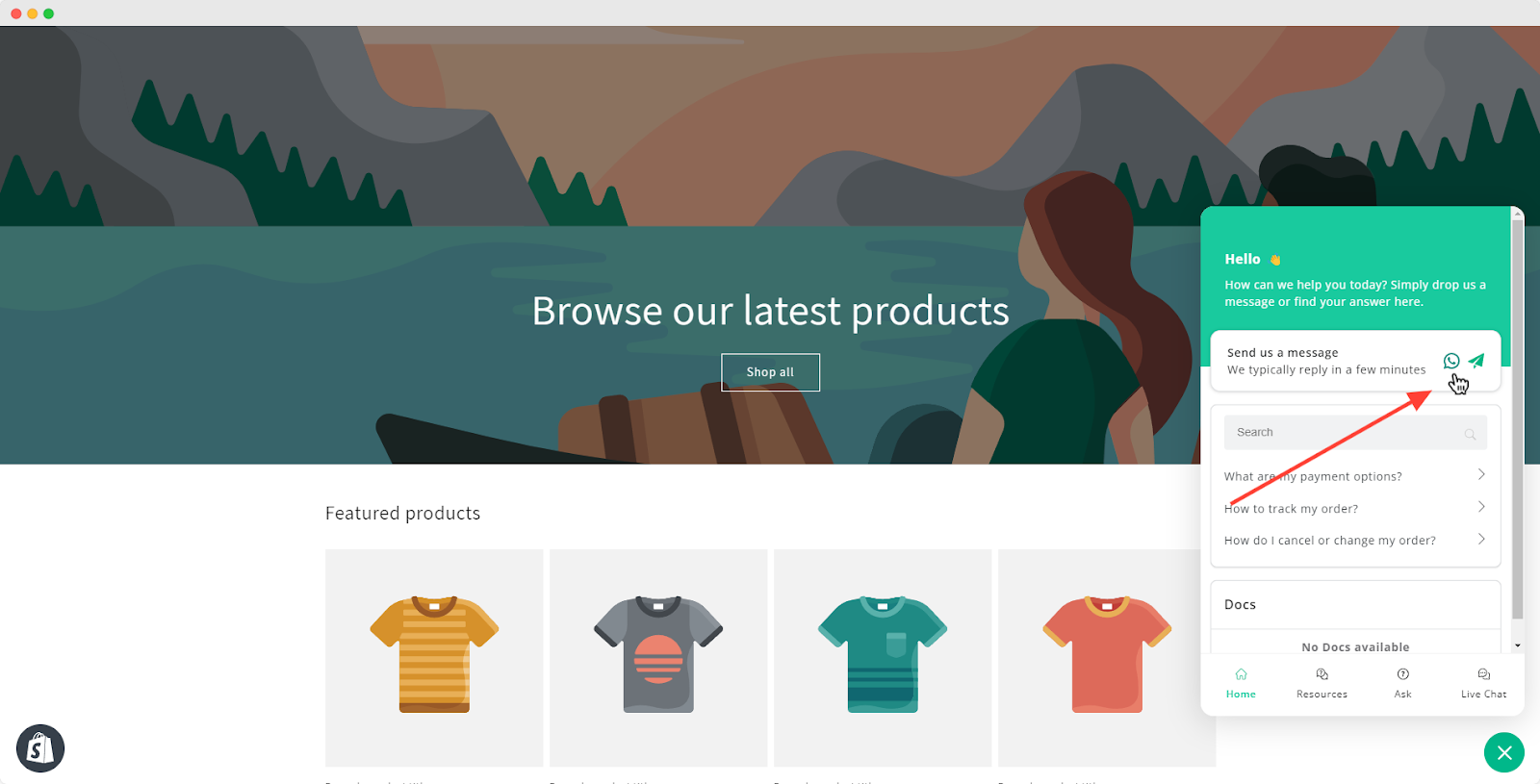
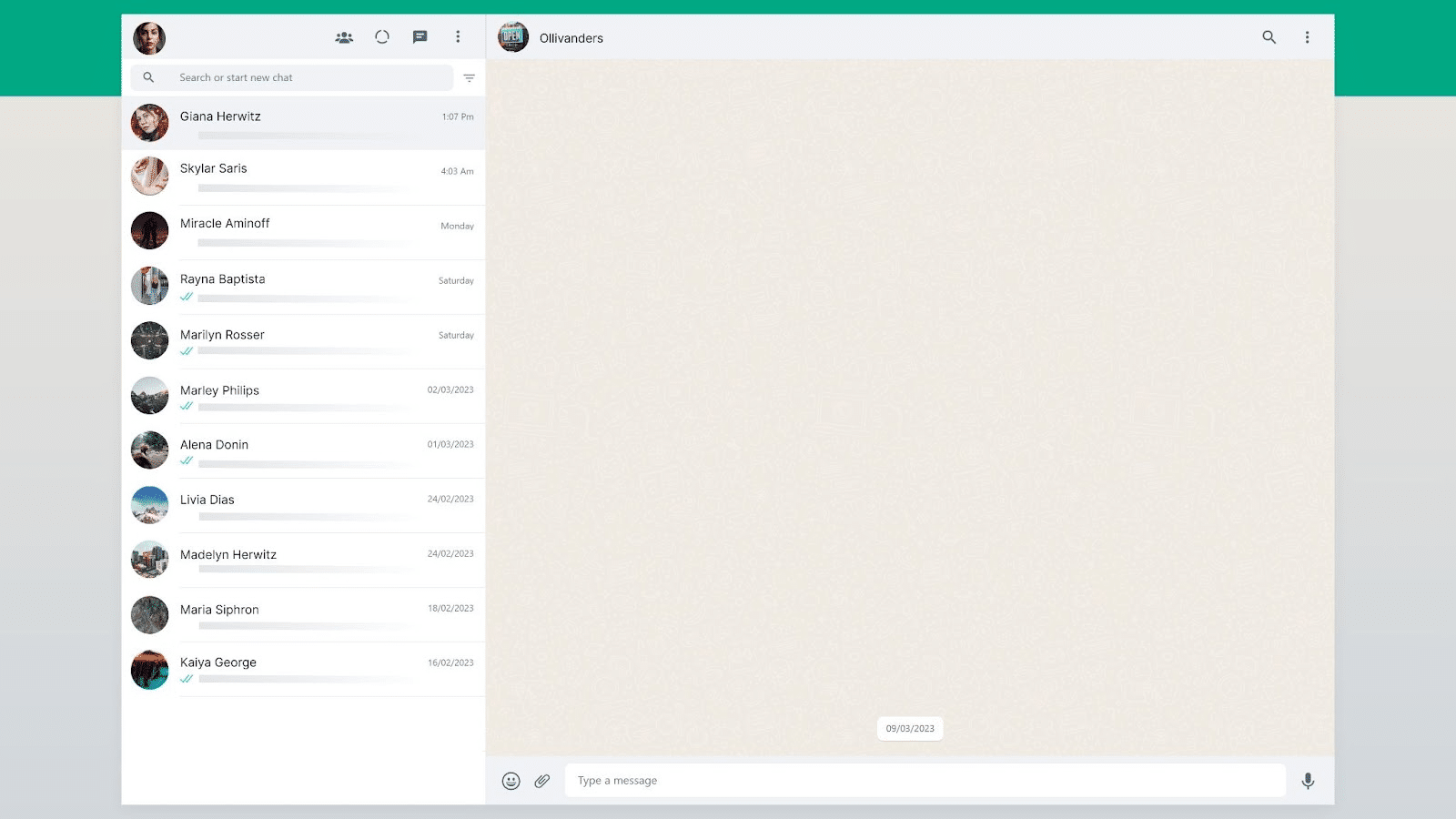
When customers click on the WhatsApp icon while visiting your Shopify store, they will be taken to the WhatsApp app or web version to talk to your support team.
This is how you can integrate WhatsApp with BetterDocs for your Shopify store. For any difficulties, feel free to contact our dedicated support team.




