
BetterDocs comes with advanced order tracking features to help your customers get real-time updates on their purchased products. This advanced feature can improve your customer satisfaction and prevent them from purchasing the same product at a time.
How To Enable BetterDocs Order Tracking Feature For Shopify? #
Before following the step-by-step guideline, make sure you have installed BetterDocs For Shopify app on your store.
Note: To use this feature, you need to subscribe to our PRO plans.
Step 1: Go To The Order-Tracking Option #
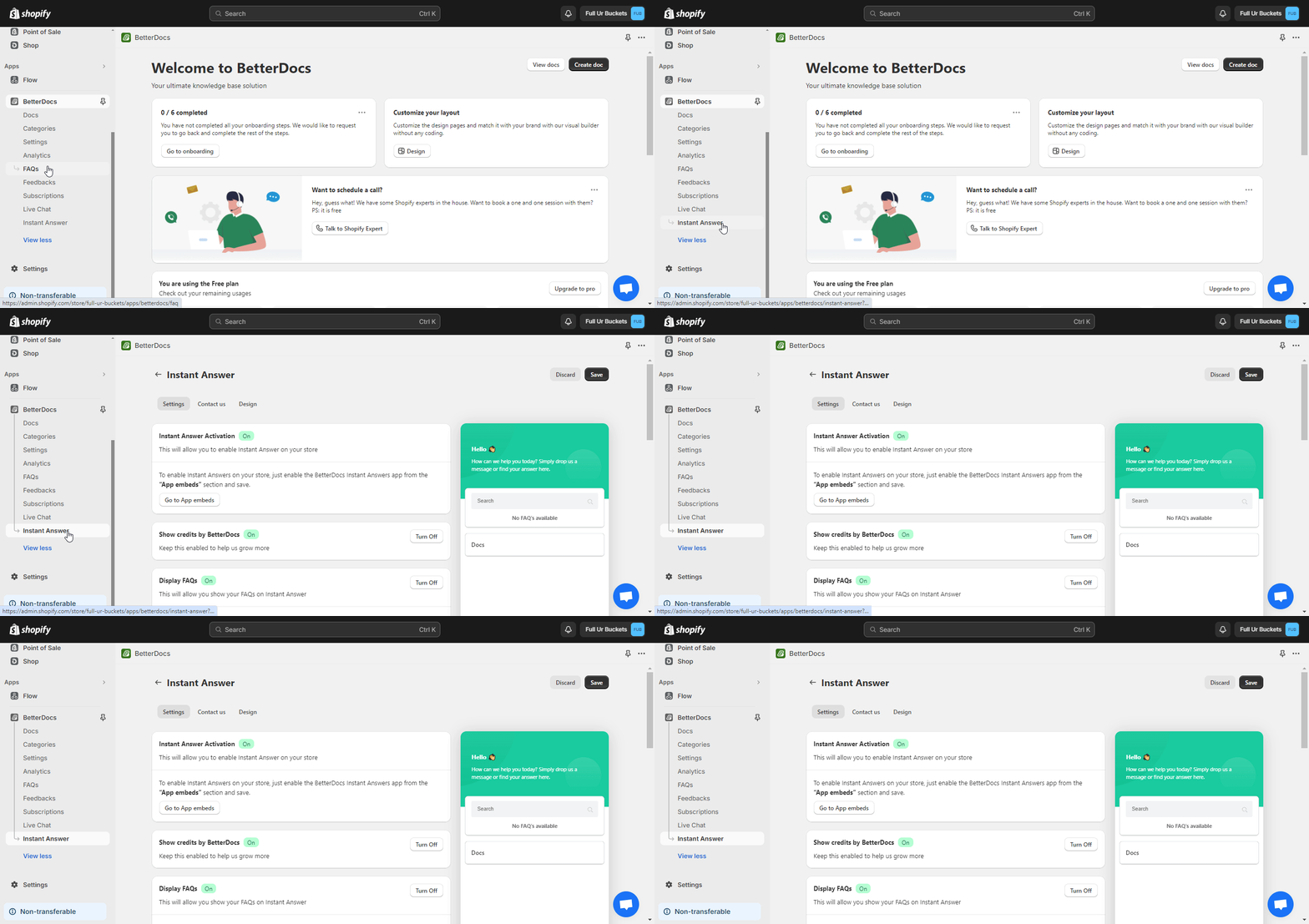
First, navigate to the BetterDocs app and click on the ‘Réponses instantanées‘ from the left panel.
Step 2: Configure The Order Tracking Feature #
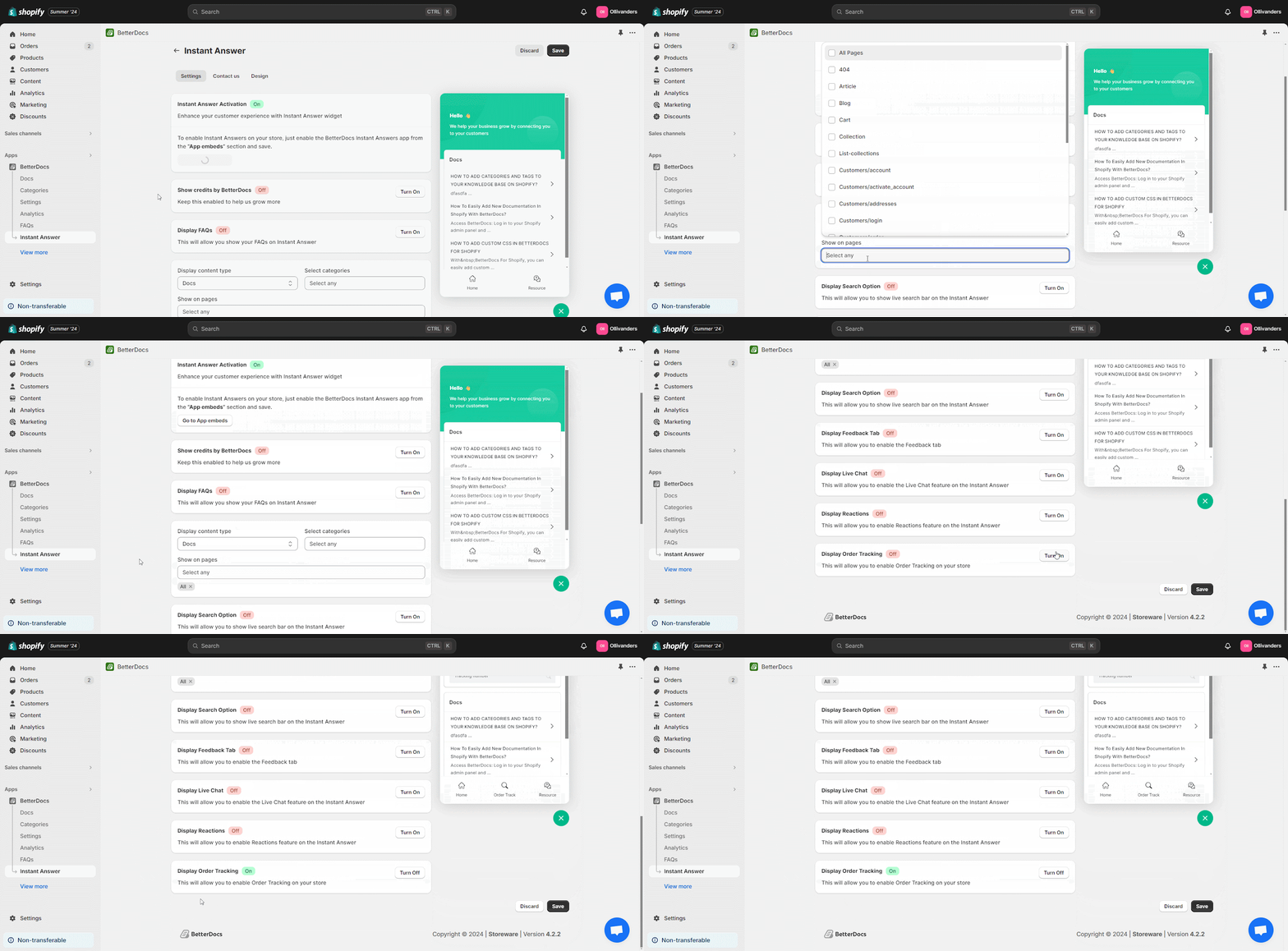
Now, find the ‘Show on Pages’ option and set where you want your customers to see their tracking order. Then roll down a bit to Turn on the ‘Display Order Tracking’ option and click on the ‘Save’ bouton.
Résultat final #
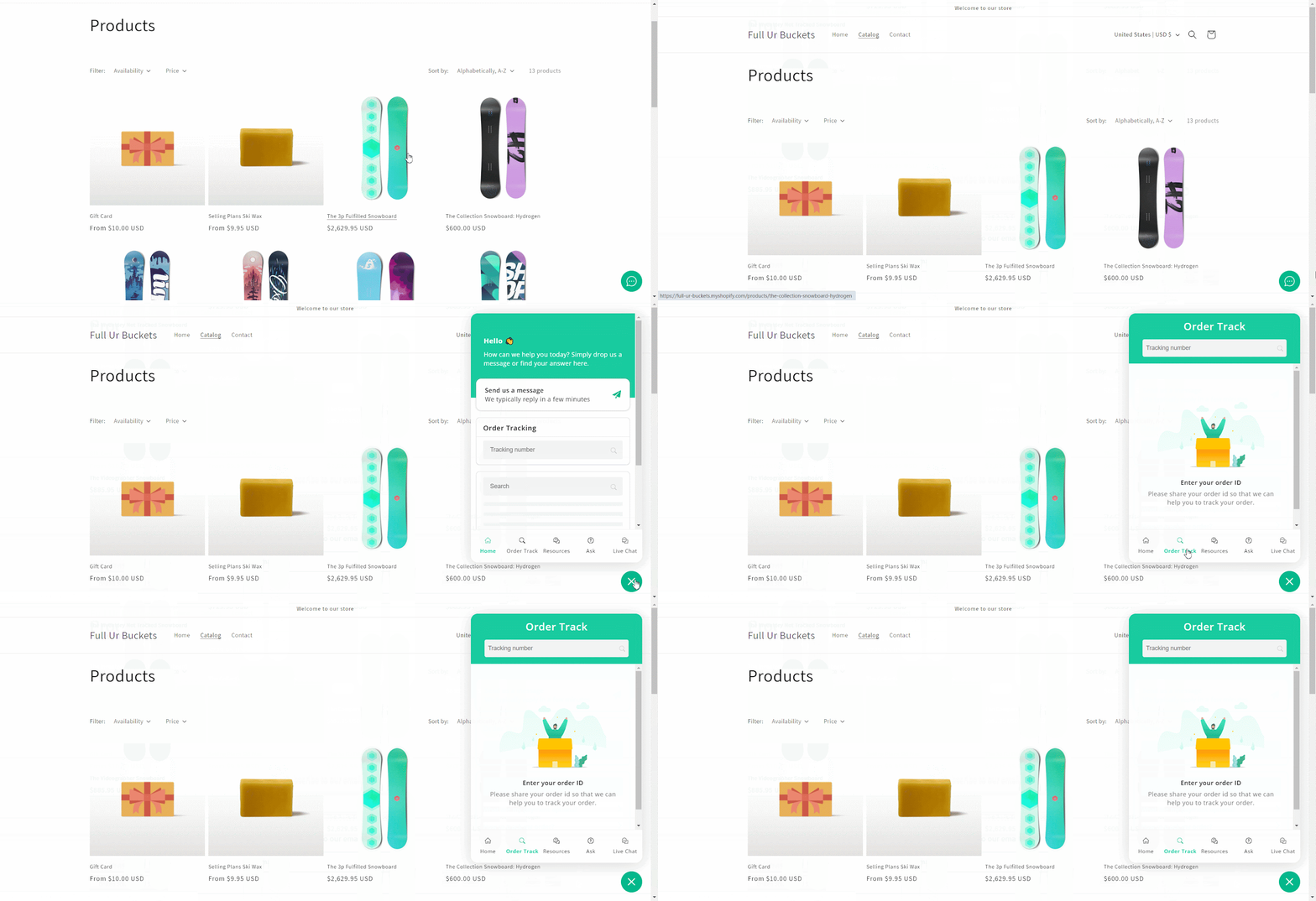
After you enable Order Tracking on the Shopify store, customers can easily find it in the instant answer box. When they input their ‘Tracking Number’ in the ‘Order Tracking’ field, it will show the order status.
This is how you can easily enable the Order Tracking feature with BetterDocs for your Shopify store.
For any difficulties, feel free to contact our dedicated support team.




