
BetterDocs For Shopify features a unique FAQ builder tool that enables you to simply add a FAQ section to the documentation pages of your website. Follow the instructions to discover how to configure the BetterDocs FAQ builder in Shopify.
How To Configure FAQ Builder With BetterDocs? #
Follow the step-by-step guide below to learn how to configure the FAQ builder in just a few steps.
Note: You must have BetterDocs for Shopify app installed on your store.
Step 1: Go To The FAQ Tab From The Homepage #
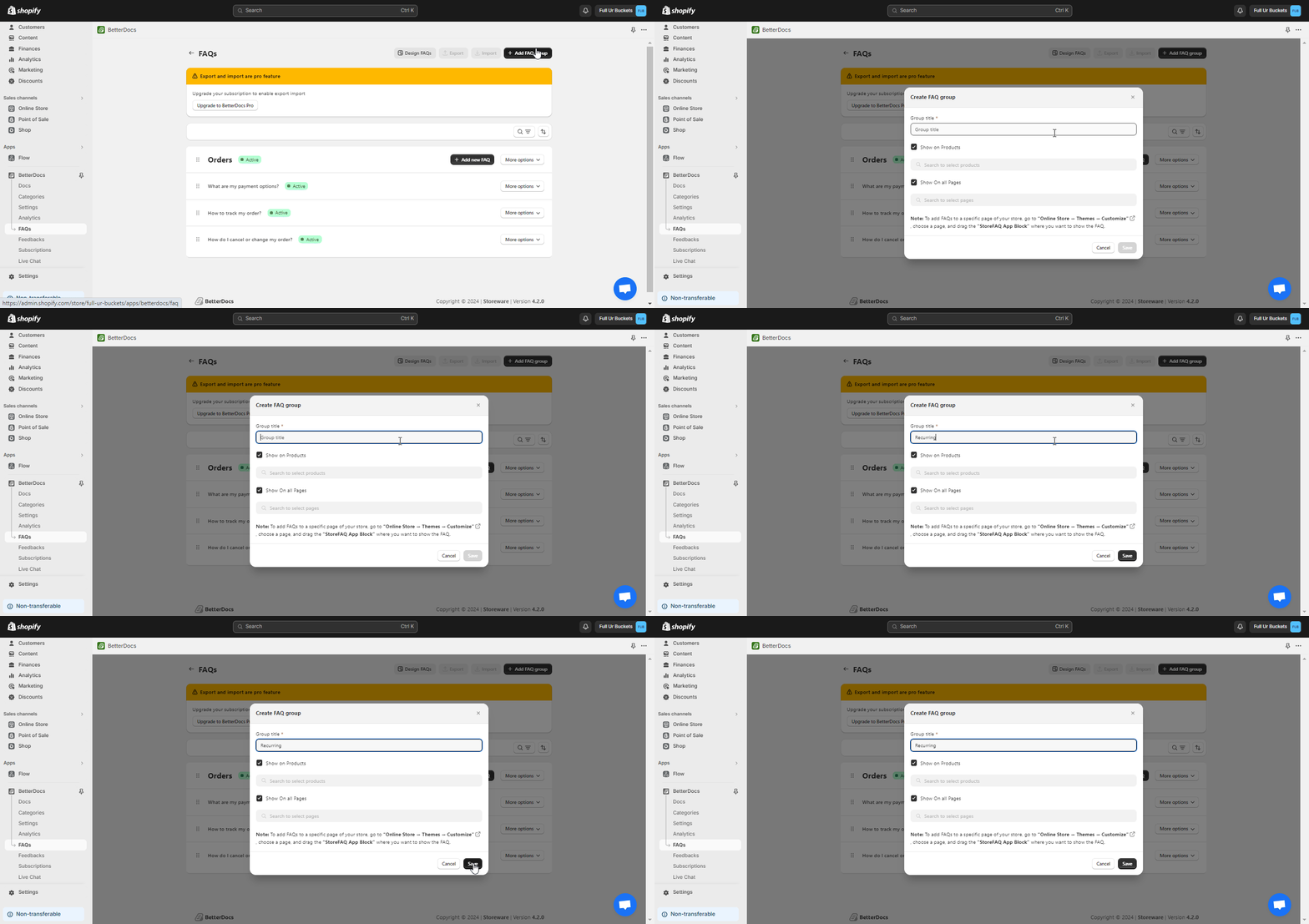
To create a new FAQ section or explore the existing ones, first navigate to the ‘BetterDocs’→ FAQs en klik op de ‘Add FAQ Group’ tab to create a new FAQ group. Make sure to add your FAQ from the themes page to work on your website.
Step 2: Sort The FAQ Sections #
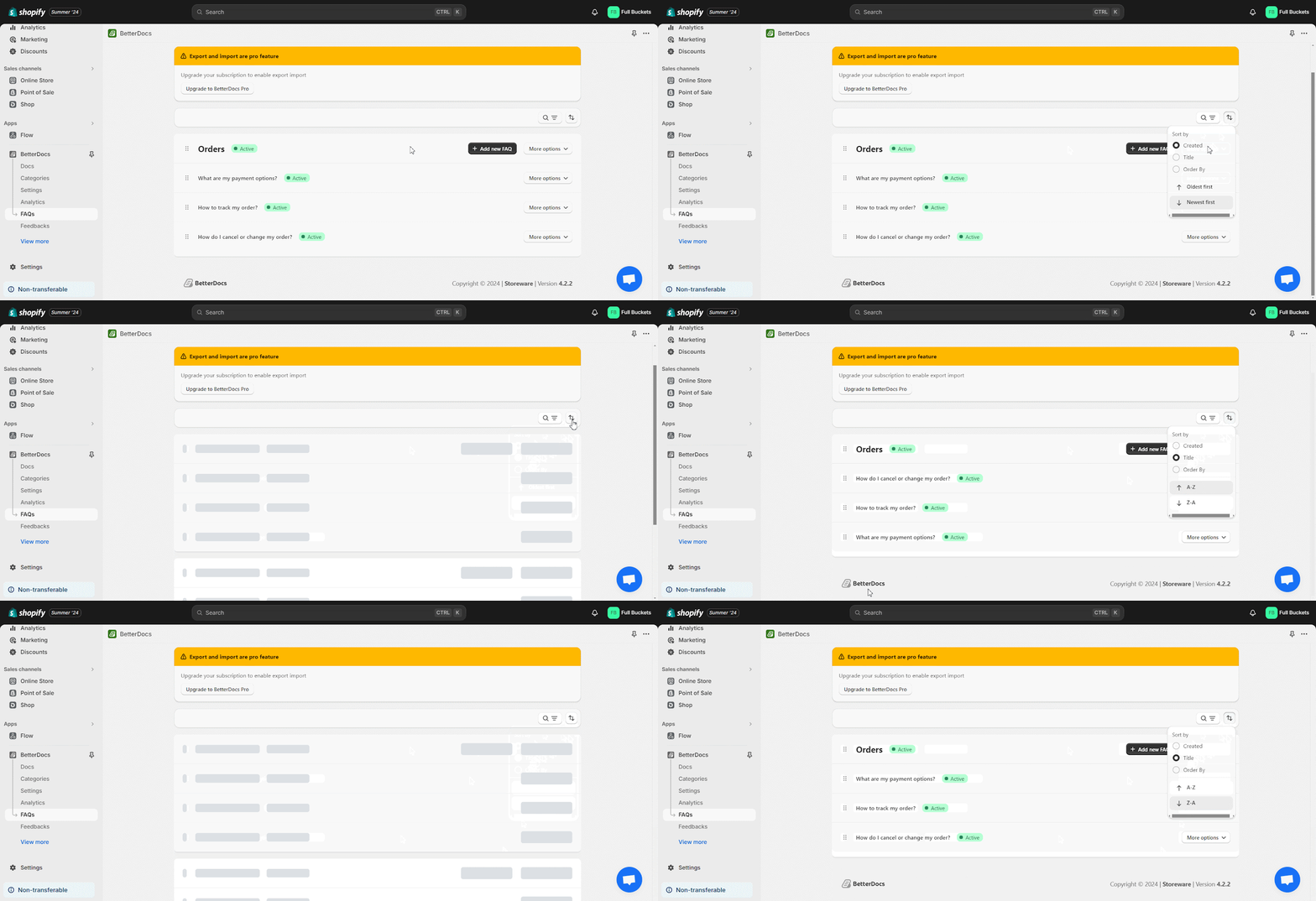
You can properly sort out your FAQ sections based on their ‘Title’ and ‘FAQ Status’. Simply click on the sorting icon from the upper right corner, and choose from the parameters of ‘Created Date’, ‘Title’ en ‘Order’ from the dropdown and the FAQs will be sorted immediately.
Step 3: Fully Customize The FAQs #
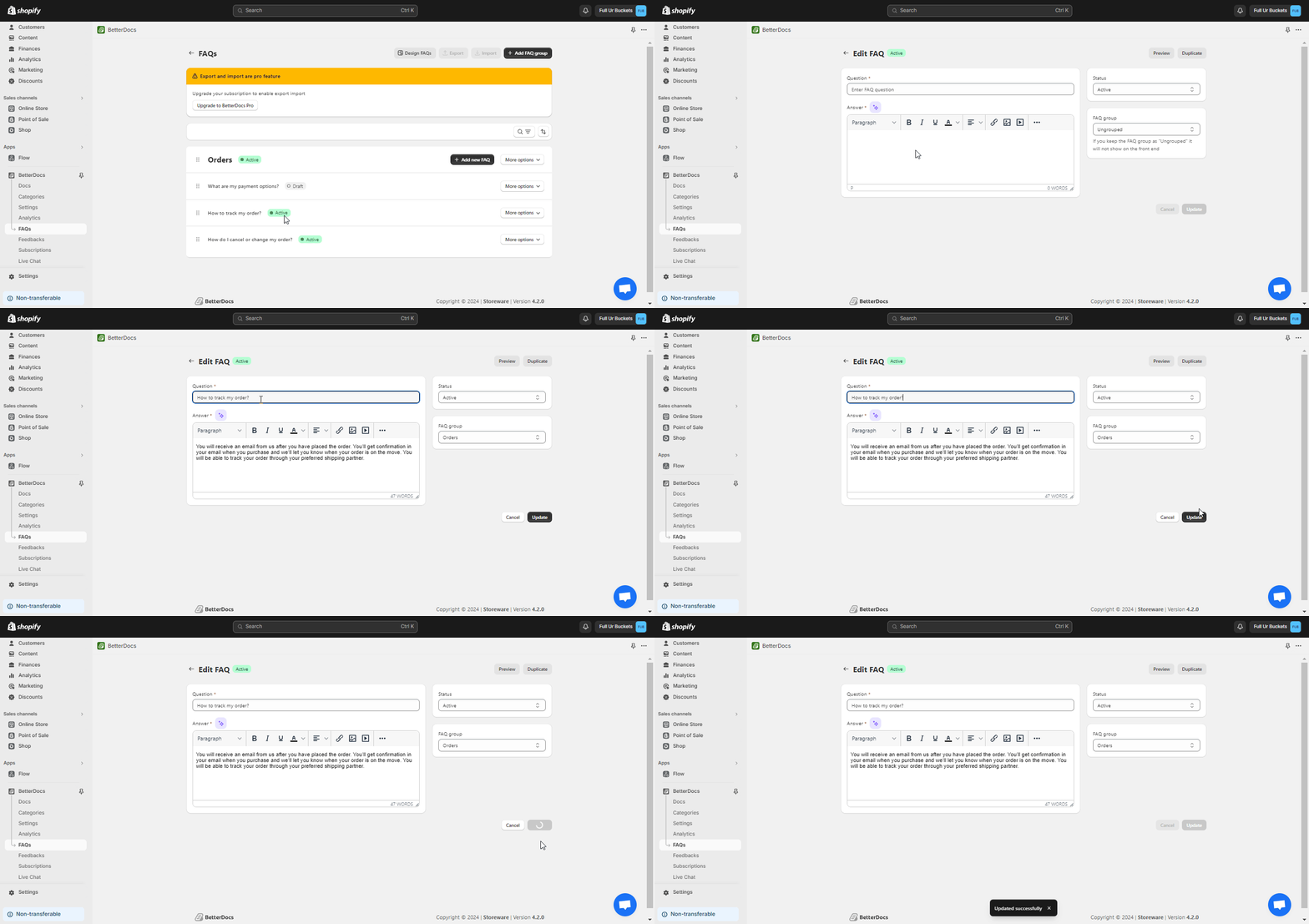
BetterDocs for Shopify allows you to apply thorough customization on your FAQ builder. First, click on any FAQ adjust the FAQ title and description of your FAQ en klik op de ‘Update’ knop.
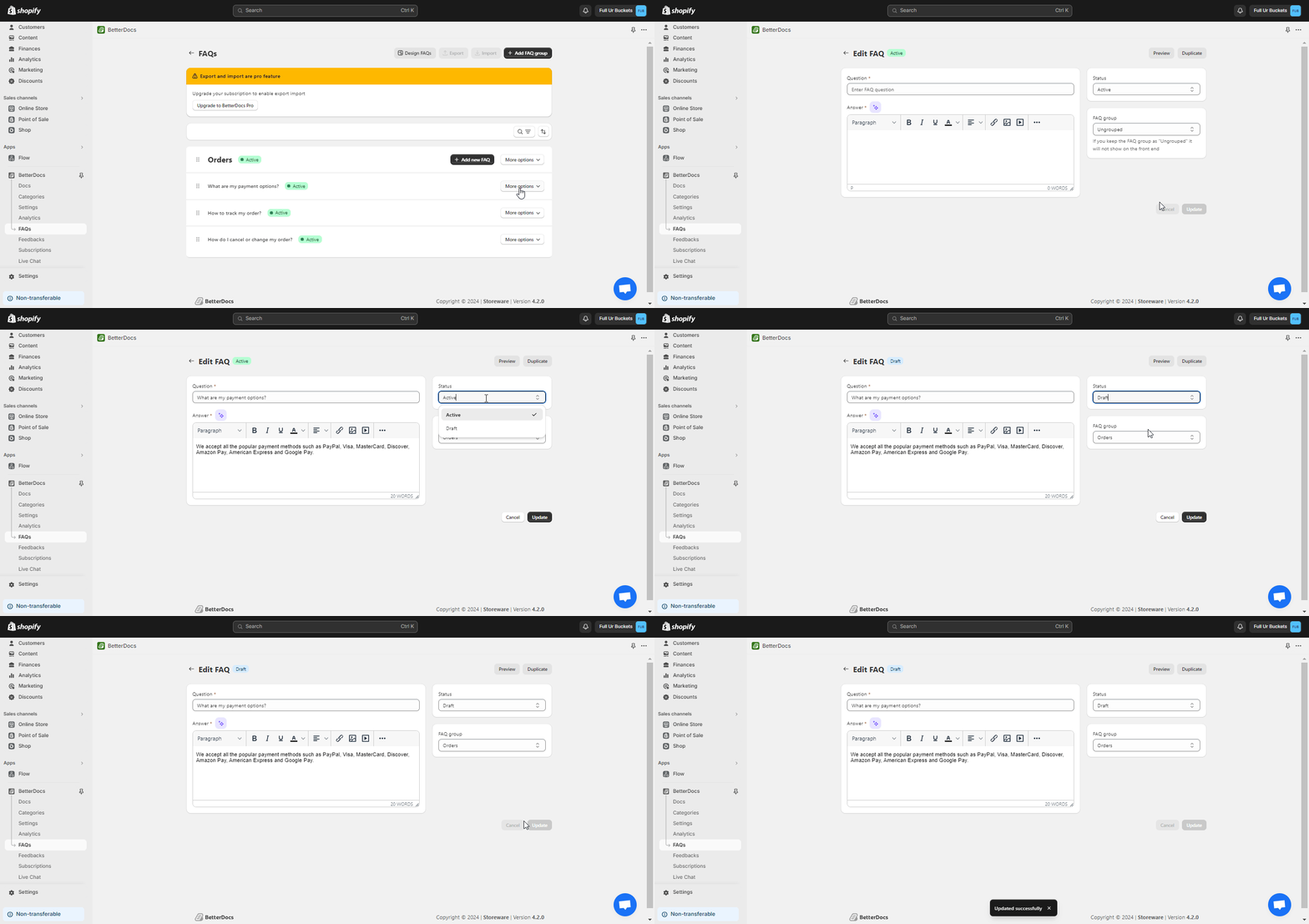
To temporarily disable your FAQ, click on the doc and change the ‘FAQ Status’ to the ‘Draft’ and hit on the ‘Update’ button.
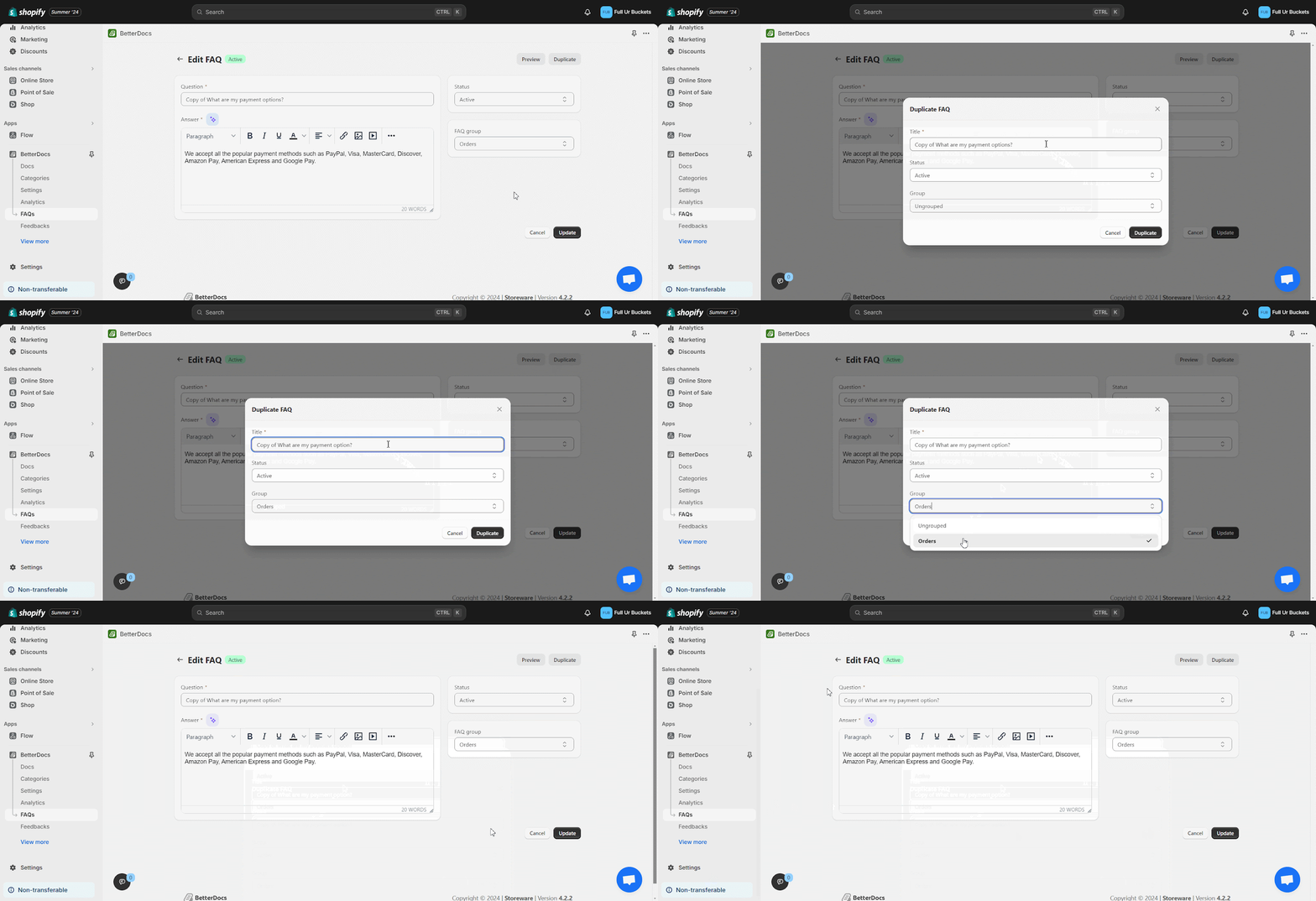
You can also duplicate the FAQ, just choose a FAQ, then find the ‘Duplicate’ button from the interface. Click on it and adjust the name from 'Titel' , choose the ‘Status’, ‘Group’ and Press on the ‘Duplicate’. This way your FAQ will be duplicated easily.
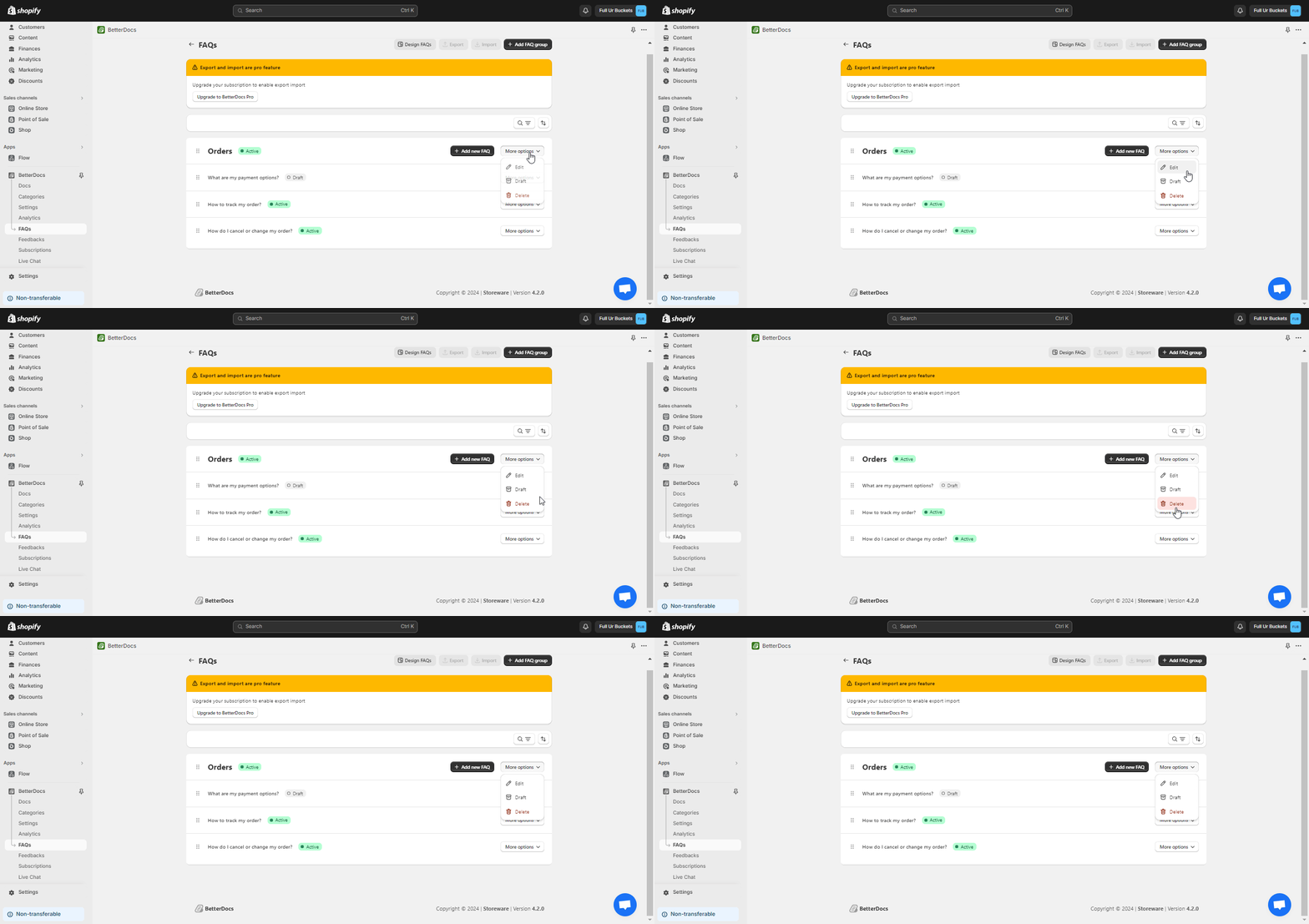
If you want to delete your FAQ simply click on the Three dot icon of the FAQ and select the ‘Delete’ option from the menu and your FAQ will be erased instantly.
Uiteindelijke uitkomst #
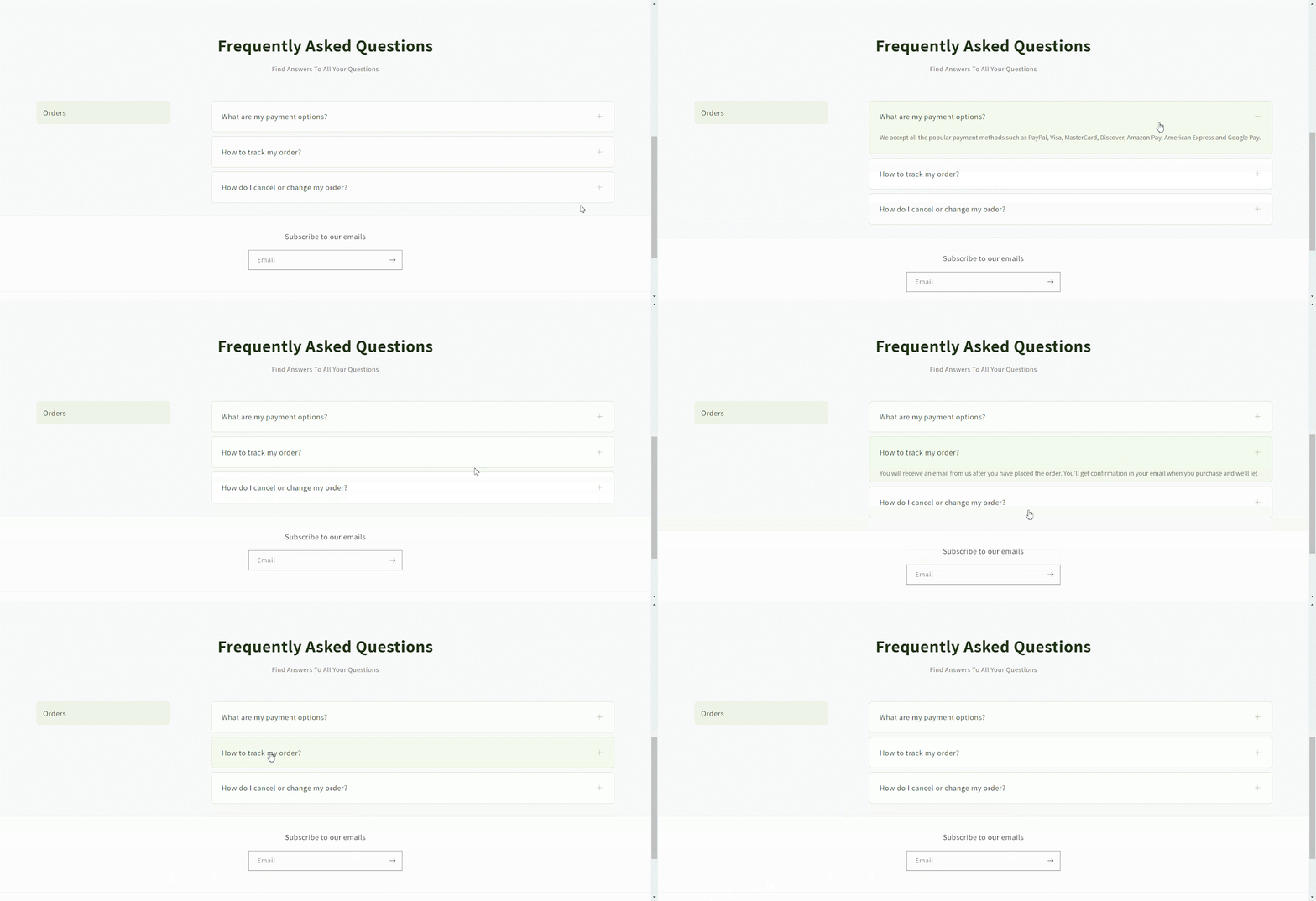
After all your changes, just visit your store and explore all of your FAQs on your store without any complexity.
This is how you can easily configure FAQ Builder in BetterDocs For Shopify. Still, facing difficulties? Feel free to contact our dedicated support team.




