
How to Sort & Organize Documentations in BetterDocs? #
Om documenten te sorteren, moet u de juiste categorieën aan hen toewijzen. Als je dat eenmaal hebt gedaan, BetterDocs weet dat bepaalde documenten homogeen zijn en plaatst ze in één doos.
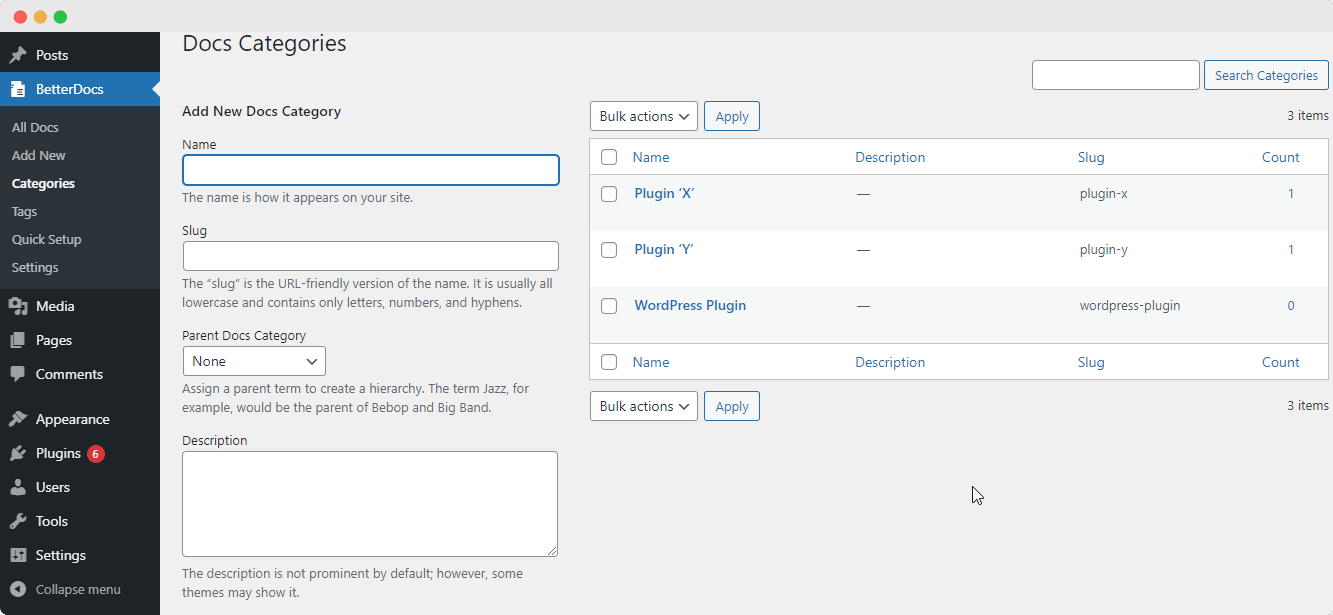
- Om sorteren in te schakelen, opent u eerst uw WordPress-dashboard en navigeert u naar BetterDocs>> Categorieën. Maak zoveel categorieën als je nodig hebt.
- Wijs daarna, terwijl u nieuwe documenten schrijft en publiceert, de juiste categorieën toe. Bezoek nu de Docs-pagina en u zult alle Docs zien gesorteerd onder toegewezen categorienamen.
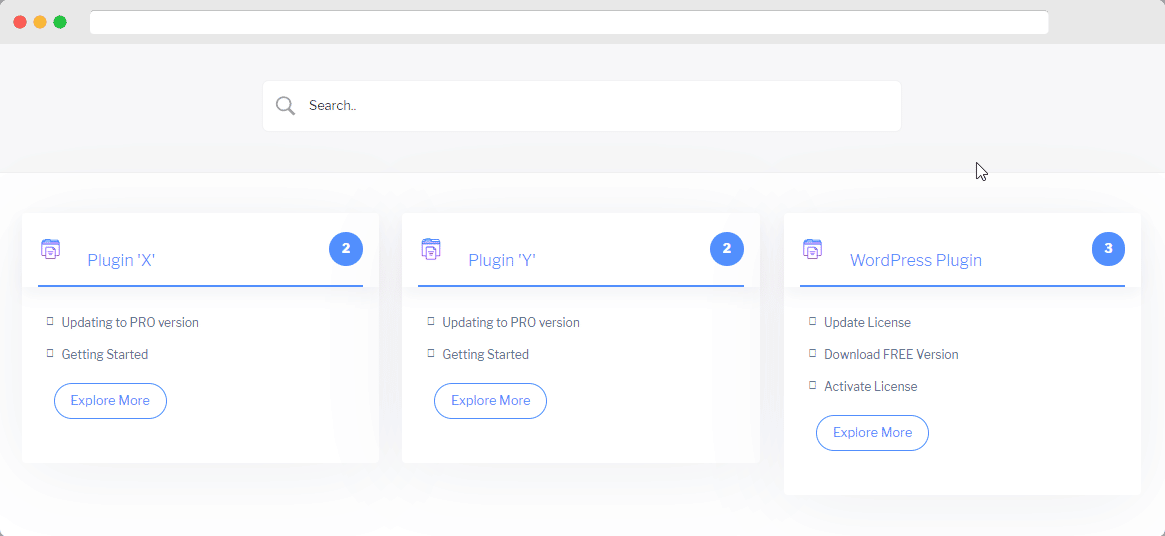
This is how easily you can sort & organize all documentation categories with BetterDocs and make your knowledge base more user-friendly for the audience.
If you face any difficulties, feel free to contact our support team.




