
If you are using a free version, you do not need to activate the BetterDocs licență. Pentru a verifica cum să instalați BetterDocs PRO, puteți verifica acest lucru documentație. Dacă utilizați Pro version, follow the steps below :
Obțineți cheia de licență BetterDocs: #
Mergeți la dvs. Cont WPDeveloper. De la ‘Dashboard’ tab go to ‘My Products’ → ‘All Products’, here you can see the BetterDocs plugin which you have purchased. Simply just copy the License Key from there.
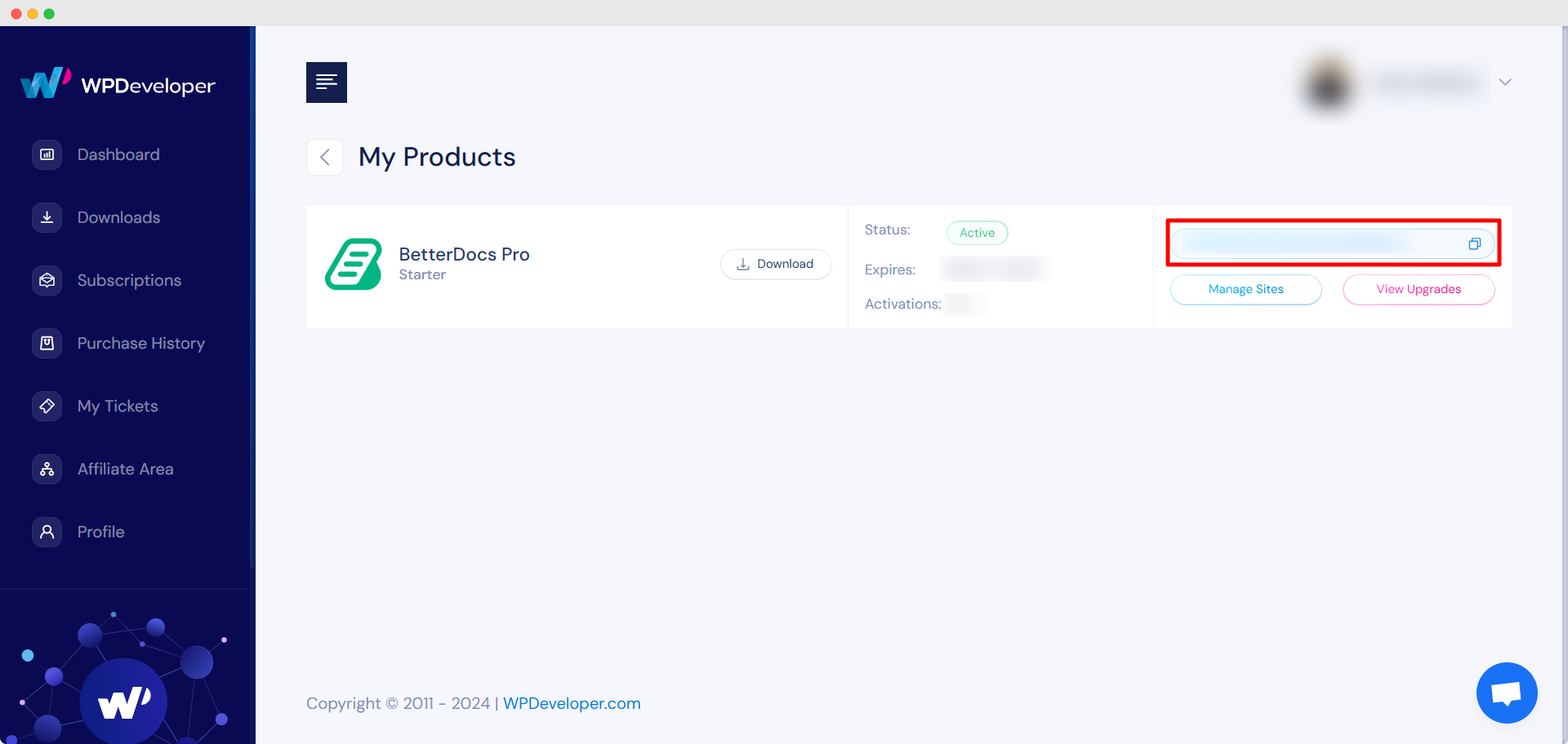
Activate License Key:
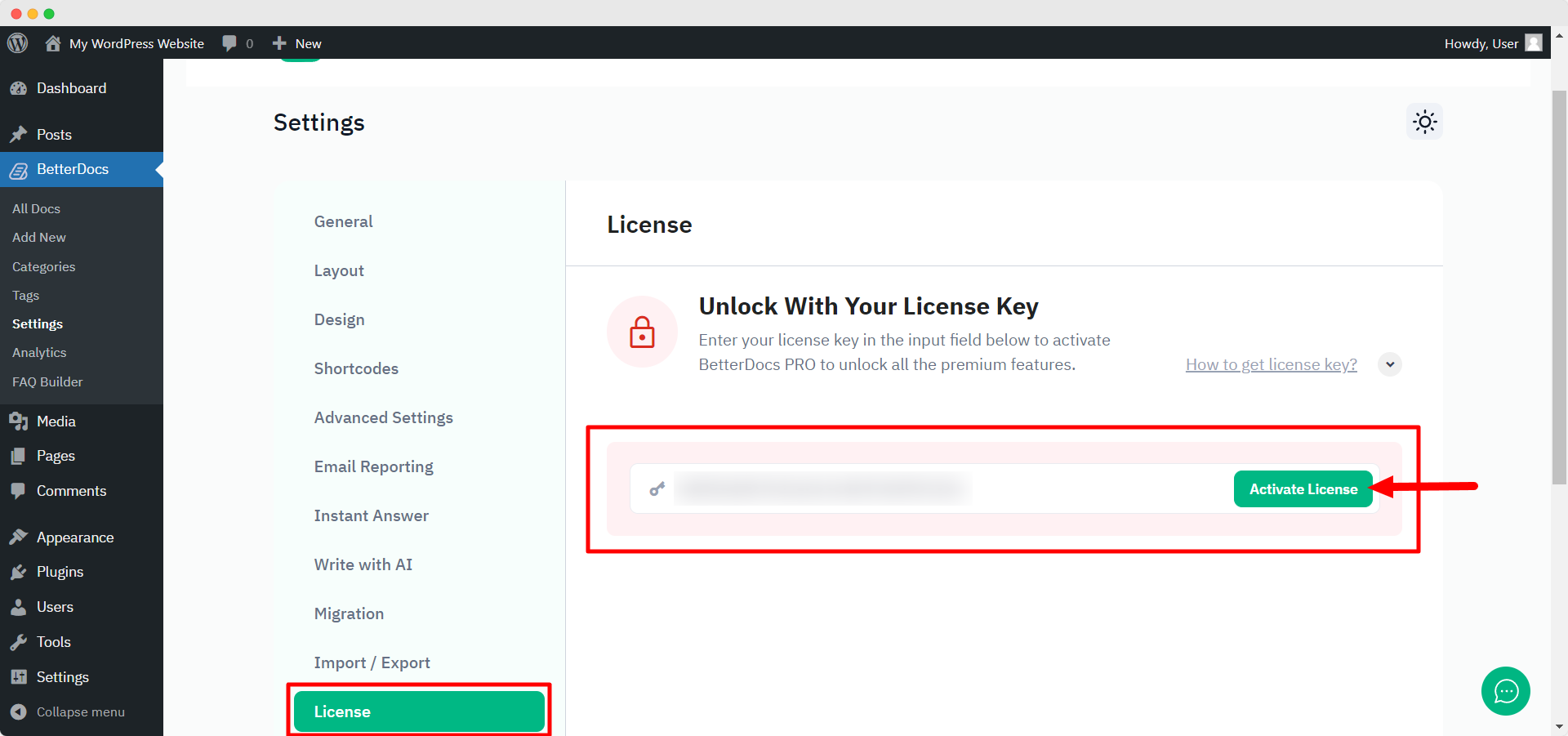
Acum, treceți la site-ul dvs. web WordPress. Apoi, navigați la wp-admin → BetterDocs → Settings. De la ‘License’ tab, paste your license key and click on the ‘Activați licența‘ button.
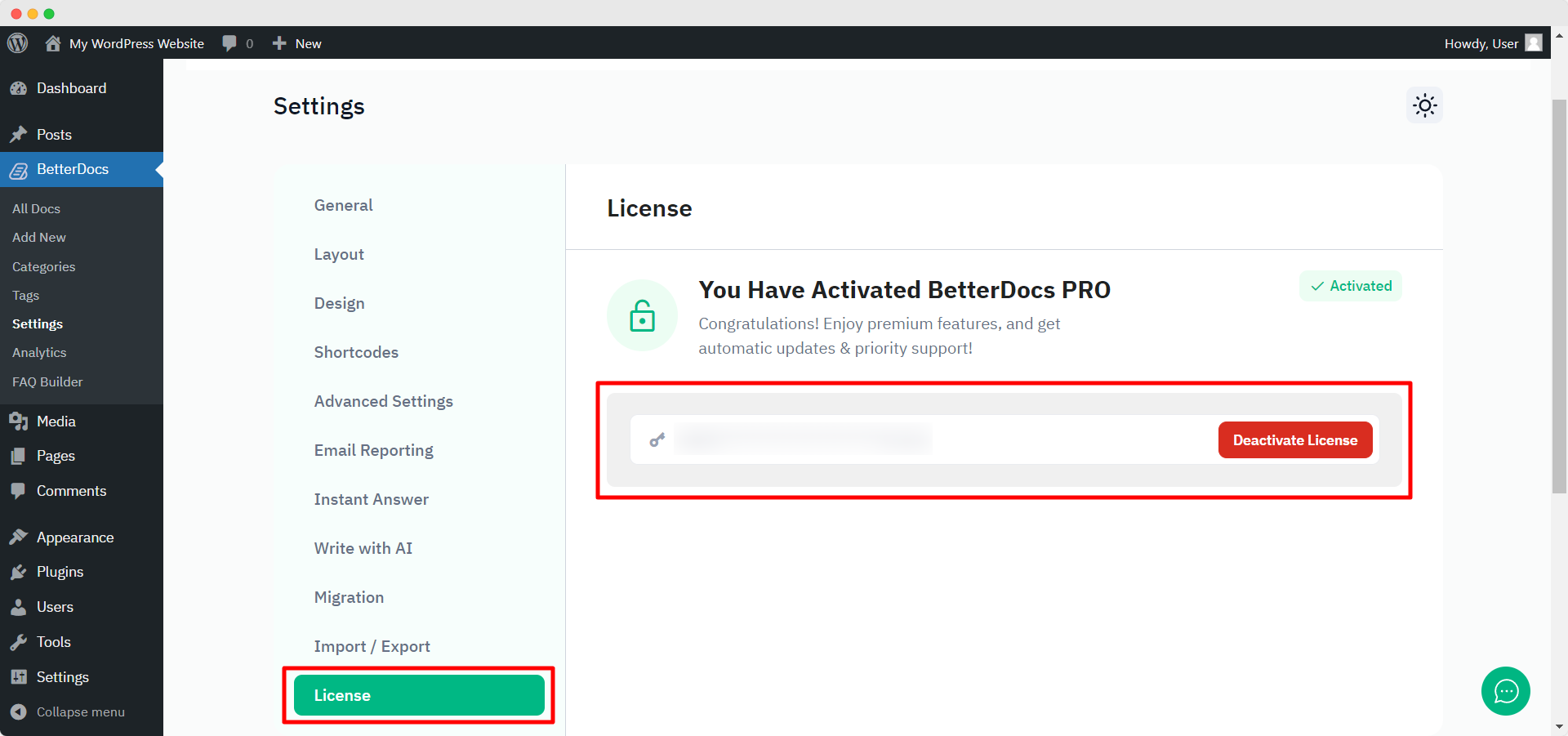
After you have successfully activated your License Key, this is how the ‘License’ fila va arăta astfel:
Depanare : #
- If you face any issue, you should see an admin notice describing the error such as “Invalid License” sau “License Expired”. So, you can understand the license status.
- If you see it’s not activating or not showing any notice, hard refresh the page and clean your cache if you have any caching plugin. Then try again.
If you still can not figure it out, no worries, contactează echipa noastră de sprijin și vă vom ajuta să rezolvați problema.




