
BetterDocs te lasa create and publish new documentation easily by following some simple step by step guidelines. Let’s follow the instructions below to create and publish new documentation in BetterDocs.
Step 1: Install & Activate BetterDocs #
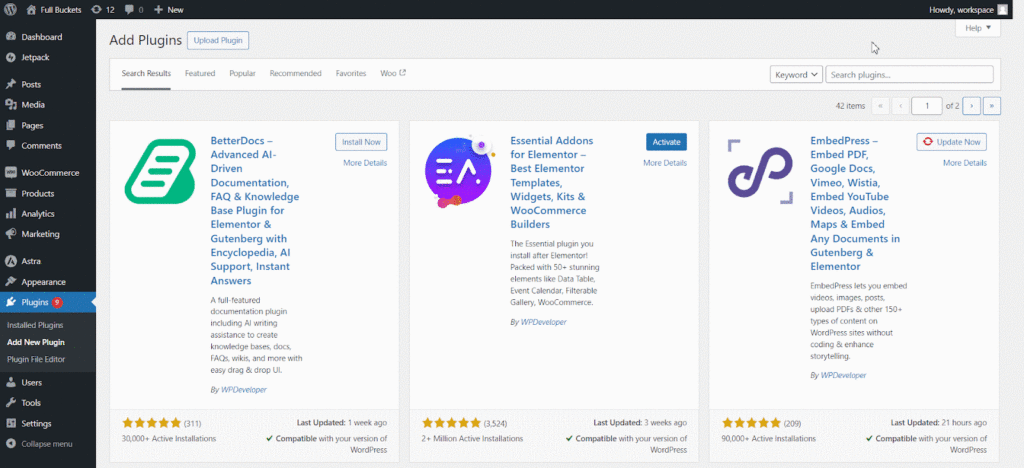
Before start creating new documentation in BetterDocs, you have to first make sure, you have to install and activate BetterDocs on WordPress.
Step 2: Add New Documentation #
Deschideți tabloul de bord WordPress și navigați la BetterDocs → Add New. Create the Documentation just like any other WordPress Post/Page.
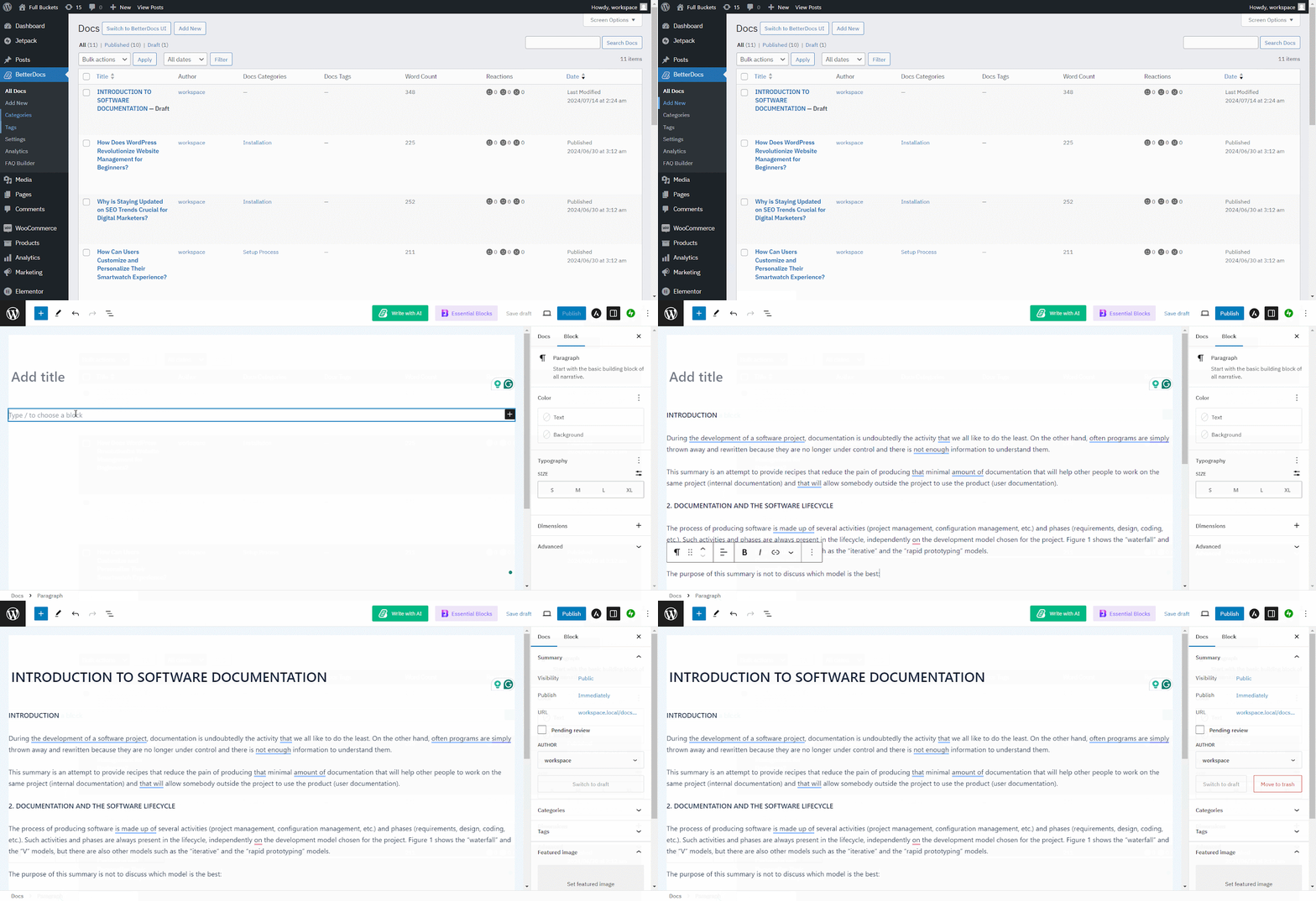
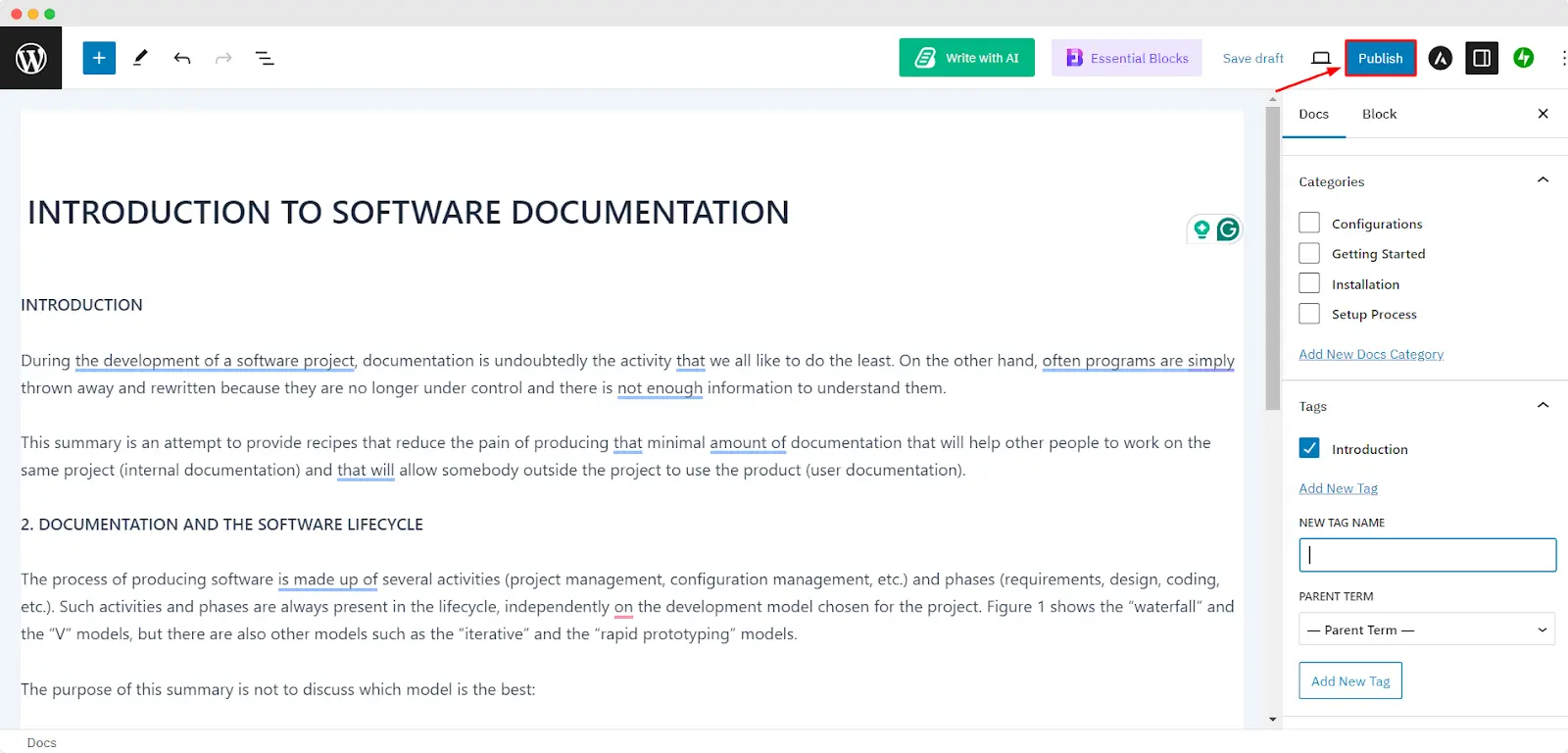
Once you have the Doc ready you need to assign a Category and Tag to it before publishing. From the right sidebar navigate to Document → Categories. From there you can assign an existing Category or create a new one. From the same place, you can assign Tags.

Step 3: Publish New Documentation #
Odată ce ai terminat de scris documentul cu BetterDocs, hit the Blue Button labeled 'Publica' at the top-right corner of the screen.
Rezultat final #
By simply following all the above steps, you will be able to create and publish your new documentation easily with BetterDocs on your WordPress website.
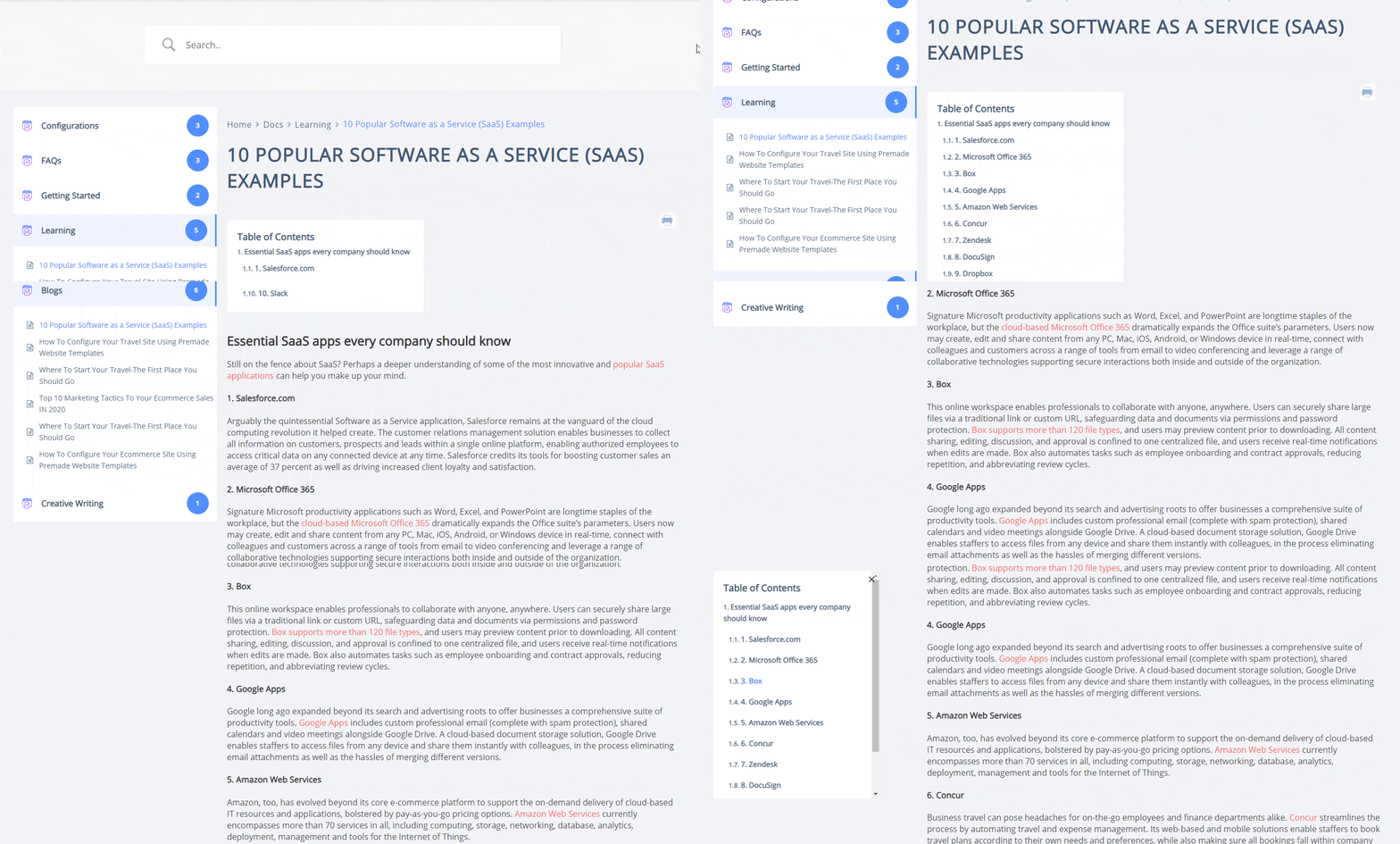
That’s how you can simply create and publish new documentation with BetterDocs just within a few steps.
Getting Stuck? Feel free to contact our dedicated echipa de suport pentru asistență suplimentară.




