
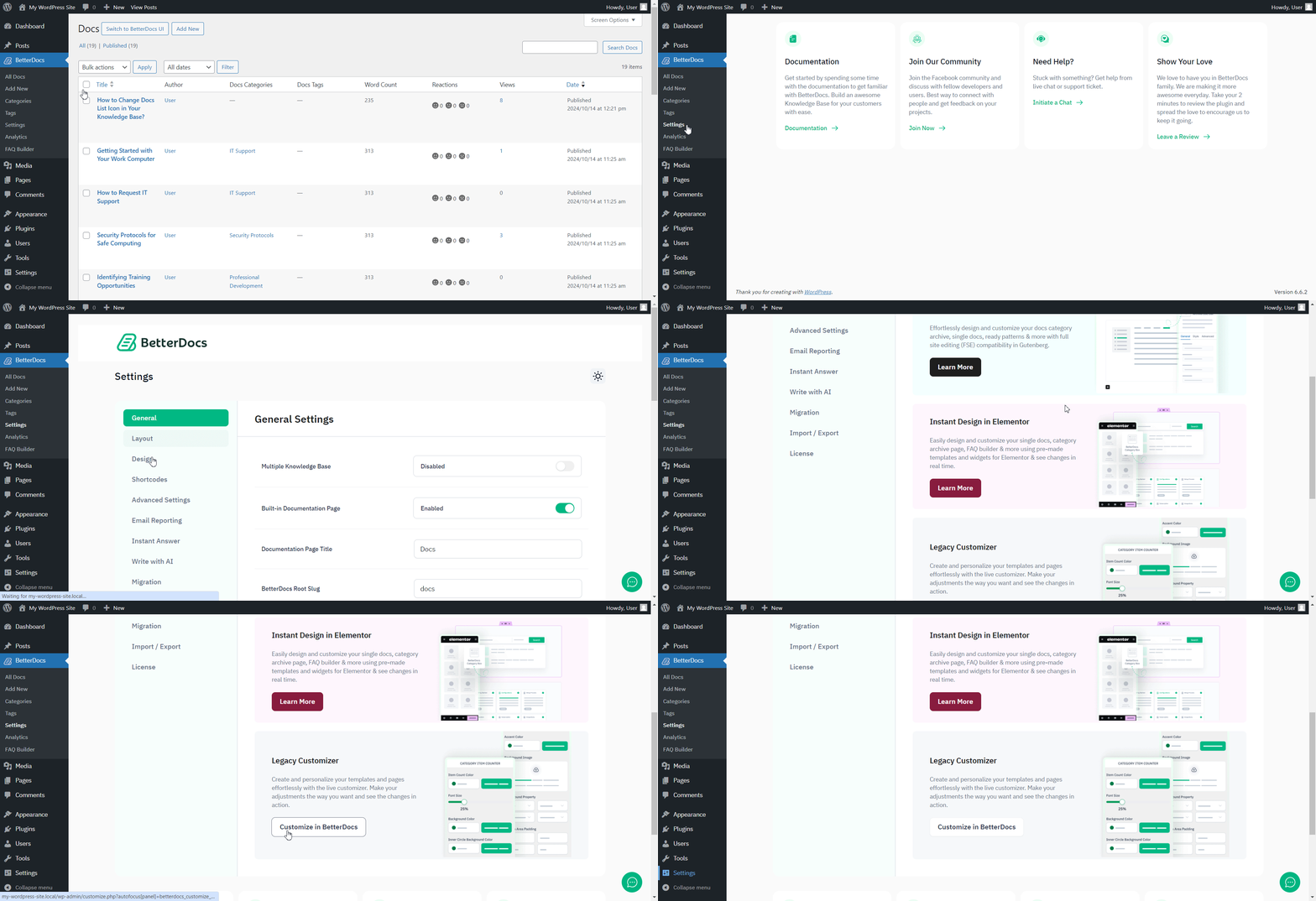
Да, ты можешь отключить обратную связь Emojis that appear in Single doc pages in BetterDocs. To do that, simply just go to wp-admin → BetterDocs → Settings → Design tab. Then, click on the ‘Customize in BetterDocs’ option under the ‘Legacy Customizer’ section.
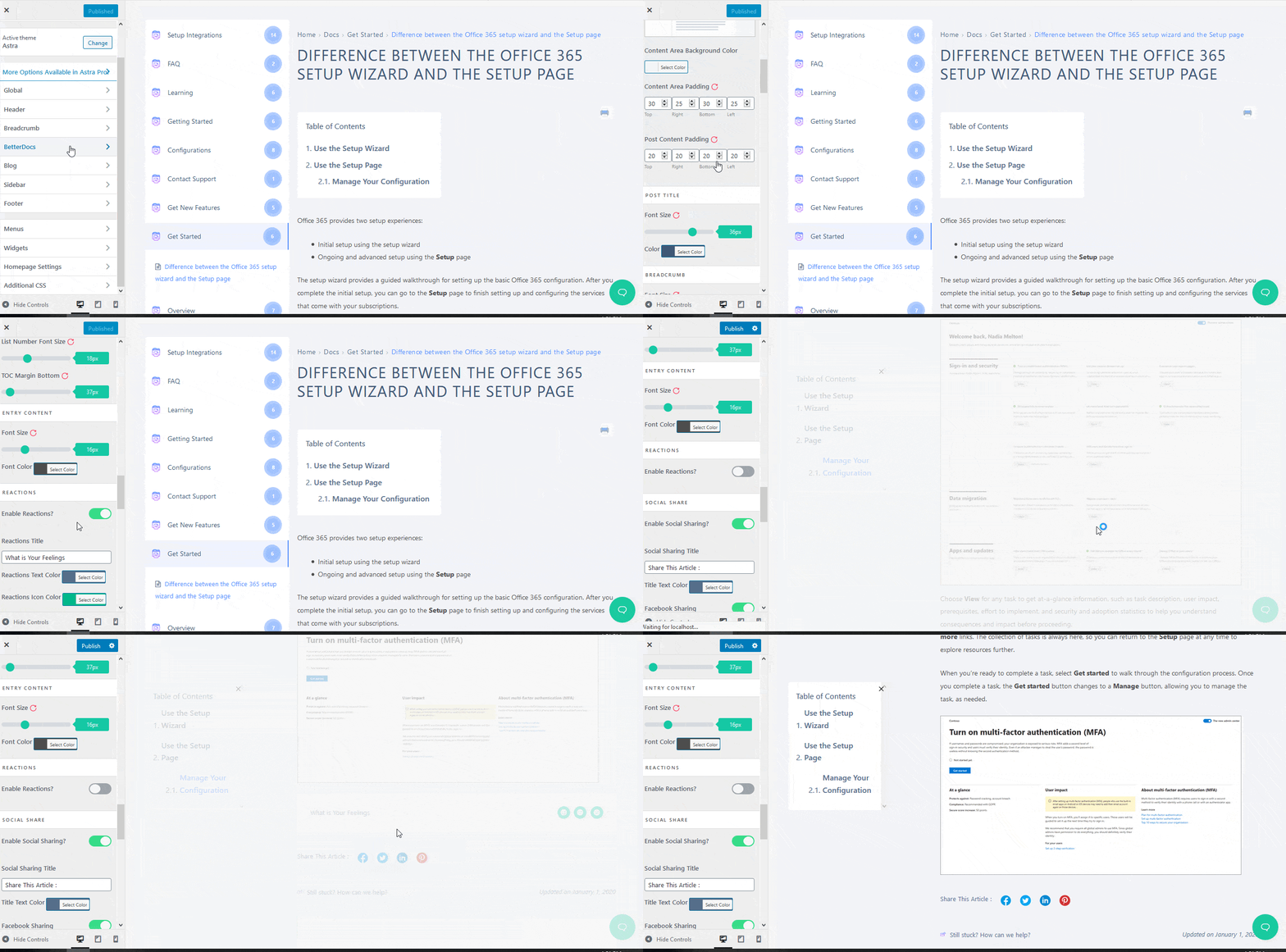
После нажатия на него, перейдите к BetterDocs → Single Doc → Reactions раздел и нажмите на переключатель, чтобы отключить его. Отзывы смайликов will no longer appear in the BetterDocs single doc page as a result.
This is how you can enable and disable feedback emojis in BetterDocs. Feel free to reach out to our dedicated support team и мы поможем вам с вашими запросами.




