Knowledge base SEO is where good documentation goes to die. Every support team has seen the same tea leaves: you have published 200 articles, yet a site:yoursite.com/docs search shows 40 indexed and only a dozen rank for anything a customer would actually type. The gap usually is not in content quality. Your writers know the product better than anyone. Knowledge bases have their own quirks, thin pages, near-duplicate titles, sprawling taxonomies, JavaScript-heavy doc viewers, custom post types crawlers can’t see. General SEO checklists just weren’t built to catch any of that. That is the real gap.
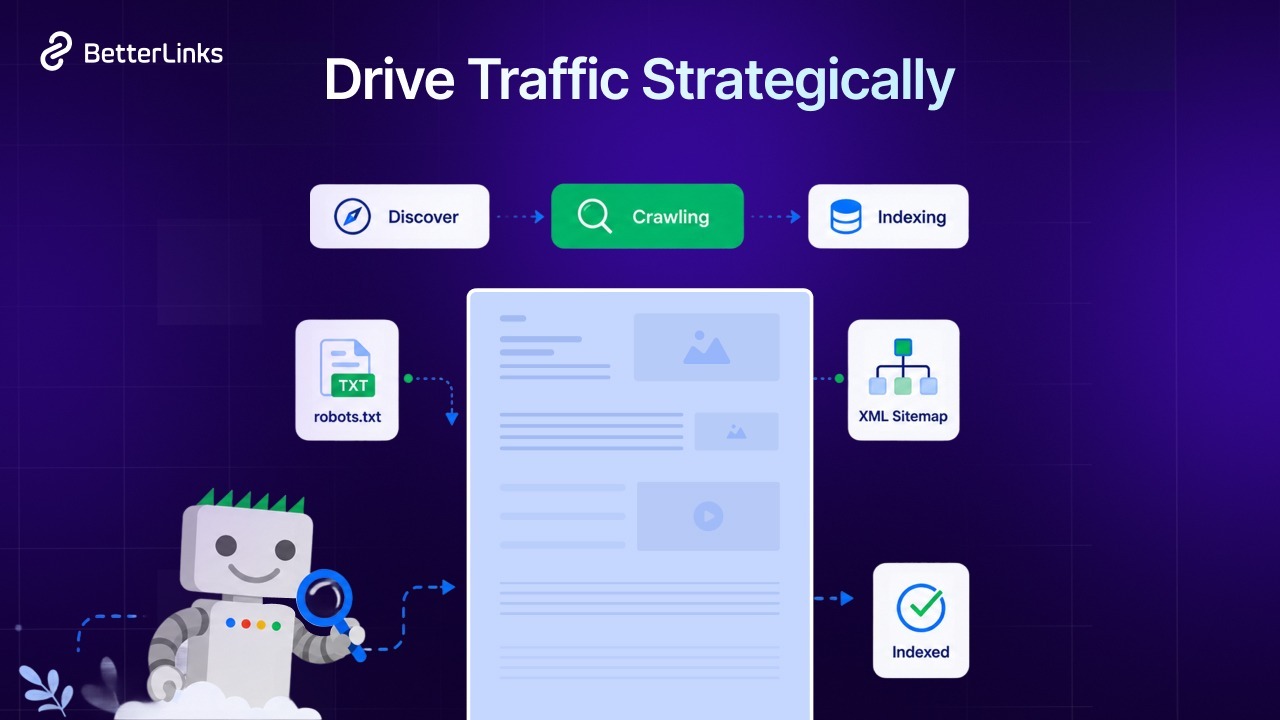
This is a checklist built specifically for documentation, not a repurposed site-wide audit. It walks through each layer where docs sites normally break, in the order Google’s crawler actually moves through them: crawlability, indexability, on-page structure, schema, internal linking, performance, and finally AI-search citation.
Why Knowledge Base SEO Is Different from Regular Site SEO
Documentation breaks the assumptions almost every general checklist is built on. A typical marketing audit assumes pages carry meaningful word counts, rank for keyword-shaped queries and convert by keeping visitors engaged. Docs invert all three. You have hundreds of pages, many only a few sentences deep. People search for them as questions, not keywords. And a fast “bounce” user lands, reads the answer and leaves; this is the successful outcome, not a failure signal.
The Thin-Content Trap
A 180-word “How to activate your license key” article is genuinely useful and genuinely thin at the same time. Google’s guidance warns against “thin” pages with little added value and an automated content auditor will flag exactly that doc as low-quality. Resist two reflexes:
- Padding the doc with filler to hit a word-count floor (you will dilute the answer that made it useful)
- Deleting it (you will orphan a real support query).
The correct move is consolidating related micro-docs into a single task-complete guide while keeping a clear, answer-first lead on any page that stands alone.
Docs Are Queried as Questions
Customers do not search “documentation shortcodes.” They search “betterdocs shortcode not working,” “how to reset my password,” o “why won’t my plugin activate.” This is the single biggest on-page shift: documentation SEO runs on question-matching and task-matching, not keyword density. Your titles, headings and answer-first paragraphs should mirror the exact phrasing people use when something is broken.
Success Looks Different
Measure docs not by sessions but by impressions and support-ticket deflection. A doc that ranks #1 for a troubleshooting query and resolving it in 20 seconds will show a brutal bounce rate (often 70-90%) and near-zero time on page and it is doing its job perfectly. Pair Search Console query data with your support desk CSV: when a doc starts absorbing a question that used to generate tickets, that’s the win.
Crawlability Checklist: Can Google Reach Your Docs at All?
Nothing below matters if the crawler never arrives. Crawlability is about permission and access, whether Googlebot (and the AI crawlers) can find the URLs in the first place. Docs sites fail here more than any other content type because docs are often staged behind a plugin, a subdomain, or a “private” toggle long after launch.
- Confirm /docs/ or /knowledge-base/ is not disallowed in robots.txt, common when docs were staged behind a plugin during development and the block was never removed
- Verify the docs post type is public and has_archive is set correctly. A post type registered with ‘public’ => false is silently un-crawlable
- Include the docs post type in your XML sitemap. Many SEO plugins exclude custom post types by default; BetterDocs’ docs type is the classic casualty
- Keep <lastmod> accurate so freshness signals fire the moment a doc is updated
- Audit doc-specific taxonomy pages (categories, tags) and make a deliberate index vs. no-index decision; do not leave it accidental
- Check crawl depth: every doc should be reachable within 3 clicks of the docs homepage
- Do not block AI crawlers by default if you want docs cited. GPTBot, ClaudeBot, PerplexityBot, and Google-Extended are separate allow/deny decisions, not a single switch
Example callout: a correctly configured robots.txt that allows the docs directory and declares the sitemap:
User-agent: *
Allow: /docs/
Allow: /knowledge-base/
Disallow: /docs/private/

# AI crawlers decide deliberately, don't inherit the block above
User-agent: GPTBot
Disallow:

User-agent: ClaudeBot
Disallow:

User-agent: PerplexityBot
Disallow:

User-agent: Google-Extended
Disallow:

Sitemap: https://yoursite.com/sitemap_index.xml
The empty Disallow on each AI bot is intentional; it overrides any earlier default and explicitly permits them. The point isn’t to allow everyone by reflex; it is that blocking AI crawlers is now a business decision, not a default. If you want your docs cited in AI answers, those four bots (among others) need to get through.
Indexability Checklist: Crawled Is Not Indexed
This is the most common and most invisible knowledge base failure. Google fetches the page but declines to keep it, so it sits in GSC under “Crawled – currently not indexed.” Crawlability was the front door; indexability is the bouncer deciding whether the page earns a seat.
Meta Robots on Doc Pages
Noindex on doc pages is usually inherited, not intended, from a parent post type, a theme default, or a “private docs” setting someone enabled during a soft launch and forgot. Audit the rendered <head> of a live doc page (not the editor view) and confirm the robots meta tag is either absent or index, follow.
Canonical Tags Across Multiple Knowledge Bases
If you run separate Knowledge Bases per product or version 1.0 vs. 2.0 doc sets, canonicals are non-negotiable. Without them, “How to install [Product]” duplicated across three product sites becomes near-duplicate competition and Google picks one winner at random. Point each doc’s canonical to itself (self-referencing) unless there’s a legitimate parent version you want to consolidate.
Duplicate And Near-Duplicate Docs
“How to install via the WordPress dashboard,” quietly existing three times across three products, is the classic. De-duplicate at the source: one canonical version per task, with product-specific steps either merged or split into clearly differentiated articles. If two docs answer the same query, Google’s index has no reason to keep both.
Orphan Docs
Articles reachable only through the on-site search, or never linked from a category page, are the hidden waste in most knowledge bases. If internal search is the only ingress, the crawler often never finds them, or finds them and sees no internal links pointing to them. Every doc needs a category, a breadcrumb and at least one inbound internal link.
Checklist:
- Run GSC’s Page Indexing report, filtered to the docs directory, and bucket every “Crawled, currently not indexed” entry
- Fix soft 404s on empty category pages (return real content, add a real archive, noindex and remove)
- Self-referencing canonicals on every doc page
- Merge or 301 redirect retired docs instead of deleting them; a 301 preserves equity; a 404 wastes it
Structure & On-Page Checklist for Documentation Pages
Docs have their own on-page pattern: a title that mirrors the user’s question, one clear answer up top, then the steps below. Everything on the page should serve feature extraction, both Google’s featured snippets and the AI answers scraped from them.
Title Tags That Match How People Search
Lead with the task (“How to…”), include the product name, keep it under ~60 characters. “How to Activate a License Key in BetterDocs” beats “License Key Activation”; it matches the question form people actually type and gives Google the product signal.
One H1 And a Mirror-Steps Heading Hierarchy
One H1, then H2 per stage and H3 per sub-step, mirroring the actual procedure. This clean hierarchy is exactly what gets extracted into featured snippets and AI answers, a paragraph under an H2 titled “Step 3: Configure the Table of Contents” is liftable, citable content.
The Answer-First Paragraph
Resolve the question in the first 2–3 sentences before the walkthrough. Do not pad with “Welcome to our help center; this guide will explain…”. That is a meta-paragraph that helps no one and gives a snippet nothing to quote.
Screenshots with Real Alt Text
“BetterDocs settings panel with the Table of Contents toggle enabled”, not “screenshot-4.” Alt text is how Google (and screen readers, and image search) understands what’s inside a doc’s most valuable asset. Docs that are 40% screenshots with generic alt text are throwing away their hardest-working words.
Table of Contents for Jump Links
A table of contents gives readers jump links and gives search engines section anchors. It’s one of the cheapest wins in docs SEO: it reinforces the heading hierarchy and earns sitelinks on the SERP.
Schema Markup Your Knowledge Base Should Be Using
Structured data does disproportionate work for docs because Google can only feature what it can parse as a discrete thing: an article, a set of steps, a question, a crumb trail. But the eligible types have moved, so check what’s still live.
FAQPage for Troubleshooting Docs
Google restricted FAQ rich results in August 2023 to well-known, authoritative government and health sites, and has since fully deprecated the FAQ rich result. That does not make FAQ markup useless; it still structures your content cleanly, but a knowledge base should not mark up FAQs expecting a rich result it will no longer get.
BreadcrumbList
This one still pays. BreadcrumbList surfaces your KB → Category → Doc path directly in the SERP, reinforcing the hierarchy for users and crawlers alike.
Validating
Run new pages through the Rich Results Test and watch GSC’s Enhancements report for warnings. If a type no longer produces rich results, don’t chase errors on it, prune it and move the effort to the on-page structure that actually feeds snippets. On WordPress, an AI-native SEO plugin like ThinkRank can audit your schema and metadata and fix issues straight from a chat prompt, handy when you’re validating a few hundred docs, not a handful.
Internal Linking Architecture for a Knowledge Base
Docs are the densest internal-linking opportunity on any site: a few hundred closely-related pages, all referencing the same features and most teams link them badly or not at all.
Hub-and-Spoke
Category landing pages are the hubs; individual docs are the spokes. Every category page should link to all its docs (with a short blurb for each), and every doc should link back up to its category. This concentrates topical authority at the category level and keeps crawl depth shallow.
Related Docs Blocks
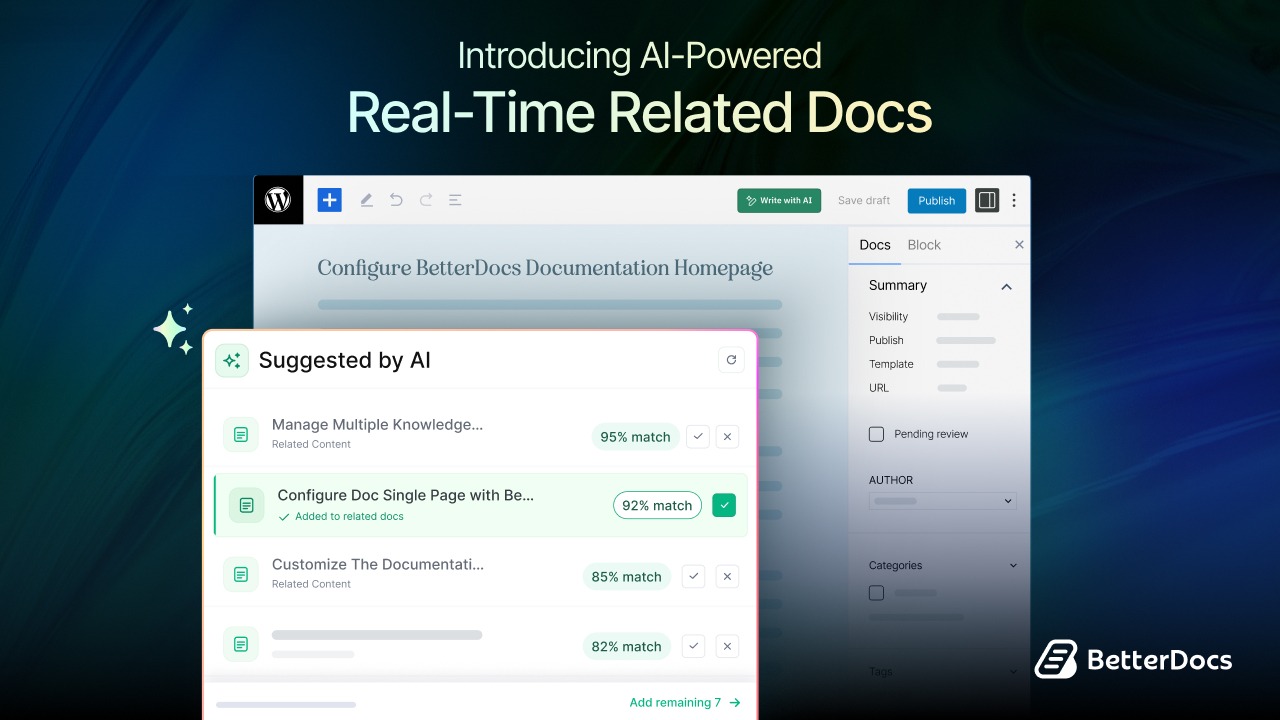
Contextual, not random, the “Related” block should surface docs that share a task flow, not just whatever else is in the category. This is where AI-powered related docs shine: they read the actual content and surface the relevant continuation (“you might also need to configure the shortcode you just installed”), which is both better UX and a stronger relevance signal to crawlers.
Breadcrumbs as a Structural Signal
Breadcrumbs aren’t just a UX nicety; they are a repeatable, sitewide link pattern that tells crawlers exactly where each doc sits in the hierarchy. Every level is an internal link.
Anchor Text Using the Actual Feature Name
Consistently, sitewide, use the real feature name as anchor text: “Table of Contents settings,” not “click here.” Consistent anchors teach both Google and users what a given string is.
Technical Performance Checklist for Docs Sites
Docs pages are performance-sensitive in a specific way: they’re screenshot-heavy and often loaded on mobile mid-troubleshooting, when patience is zero.
- Core Web Vitals targets: LCP < 2.5s, INP < 200ms, CLS < 0.1 note INP, not FID. Interaction to Next Paint replaced First Input Delay as the responsiveness Core Web Vital on March 12, 2024, and it’s the metric that penalizes sluggish doc search boxes and lazy menus.
- Compress screenshots to WebP: The single biggest LCP win on doc pages, since the hero screenshot is usually the largest paint-blocking element
- Lazy-load below-fold images, never the first screenshot: The step-1 image should be in the first paint
- The JavaScript Problem: Instant-search doc viewers that render content client-side are invisible to most AI crawlers (and flaky for Googlebot). Server-rendered doc content is non-negotiable if you want the words, not just the page shell, indexed.
- HTTPS, no mixed content on embedded video tutorials
- Mobile-first indexing: confirm the mobile doc layout contains the full content, not a collapsed subset hidden behind an accordion
Getting Your Docs Cited in AI Overviews And LLM Answers
Indexing into the AI answer engines is now the second front and it has one hard prerequisite: your docs must be indexed in Google first, because the answer engines pull from that same crawlable, structured, linked web.
- Being indexed in Google is a prerequisite for AI citation; if a doc can not be crawled and indexed, no LLM is citing it
- Self-contained sections: Each paragraph should make sense lifted out of context, because that’s exactly what happens when an AI quotes it
- Define the product term before using it to avoid unresolved “this” and “it” that refer to an acronym introduced three sentences earlier
- Include specifics: version numbers, exact menu paths, actual error strings AI models are much likelier to cite a doc that carries concrete, verifiable facts
- Keep lastmod and visible “Updated on” dates current; freshness is a trust signal in both systems
- llms.txt, worth testing but note it is not a confirmed signal: Google has stated llms.txt has no effect on Search rankings or AI Overviews, and no major engine treats it as a ranking factor yet. Experiment with it as an agent-discovery aid, not an SEO lever. If you want to test it, the llms.txt generator in ThinkRank gives allowed AI crawlers a machine-readable index of your docs without any manual file editing.
Your Knowledge Base SEO Audit Workflow
A checklist becomes maintenance only when it’s scheduled. This is the repeatable routine that keeps a docs site from drifting back into “crawled, not indexed.”
- Monthly: GSC Page Indexing report filtered to /docs/ catch new crawl/index failures before they pile up
- Monthly: Query report which doc questions get impressions but no clicks, the classic “answer is on page 2” signal
- Quarterly: crawl with Screaming Frog to surface orphan docs and redirect chains
- Quarterly: content-refresh pass on the top 20 docs by impressions
- Ongoing: cross-reference support tickets against existing docs to find content gaps every recurring ticket is a doc that should exist
| Check | Frequency | Tool | What “Passing” Looks Like |
| Page indexing for /docs/ | Monthly | Google Search Console | No unfixed “Crawled – currently not indexed” entries |
| Impressions vs. position for doc queries | Monthly | GSC Performance → Pages | No high-impression doc query stranded on pages 2–3 |
| Orphan docs & redirect chains | Quarterly | Screaming Frog | Every doc has ≥1 inbound internal link; no 3xx loops |
| Top-20 doc freshness | Quarterly | Manual / CMS | lastmod and “Updated on” within the last 12 months |
| Ticket-to-doc gap analysis | Ongoing | Support CSV + KB | New recurring tickets have a matching doc URL |
If you are on WordPress, an AI-native SEO plugin like ThinkRank can automate much of this routine, auditing your docs, flagging schema and metadata problems and fixing them straight from a chat prompt, so the monthly pass takes minutes, not an afternoon.
Turn Your Knowledge Base Into a Search Asset
A knowledge base is not a support cost center; it is the highest-intent content on your entire site, the only pages where a visitor arrives already wanting your exact answer. Structured, crawlable, and linked correctly, those same “thin” pages become the decisive reason a prospect finds you instead of a competitor, and a machine-citable source of truth for the AI engines answering their questions next. Run the checklist top to bottom, and your docs stop being the 160 pages Google never saw.
Getting the crawl, index, schema, and internal-linking layers right is mostly mechanical and a plugin like BetterDocs handles the heavy lifting (schema, breadcrumbs, TOC, AI-powered related docs) out of the box on WordPress. Build the docs, let BetterDocs handle the plumbing, and spend your energy on the decisions only your team can make: what to index, what to consolidate, and what your customers are actually searching for.
If you have found this blog helpful, share your opinion with our Facebook community. Puoi subscribe to our blogs for valuable tutorials, guides, knowledge, tips and the latest WordPress updates.