
If you are using a free version, you do not need to activate the BetterDocs licentie. Om te controleren hoe u BetterDocs PRO installeert, kunt u dit bekijken documentatie. Als u de Pro version, follow the steps below :
Ontvang uw BetterDocs-licentiesleutel: #
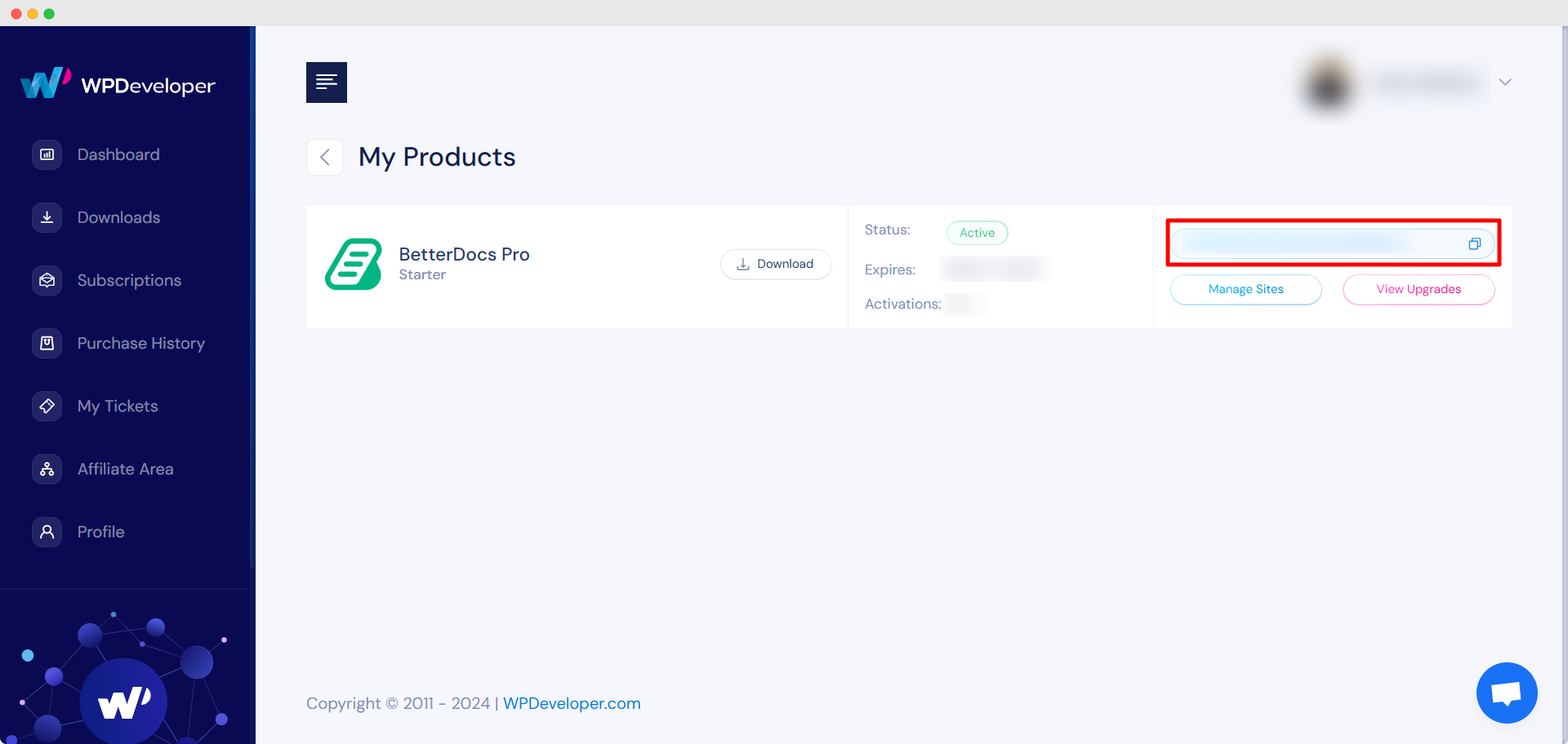
Ga naar je WPDeveloper-account. Van de ‘Dashboard’ tab go to ‘My Products’ → ‘All Products’, here you can see the BetterDocs plugin which you have purchased. Simply just copy the License Key from there.
Activate License Key:
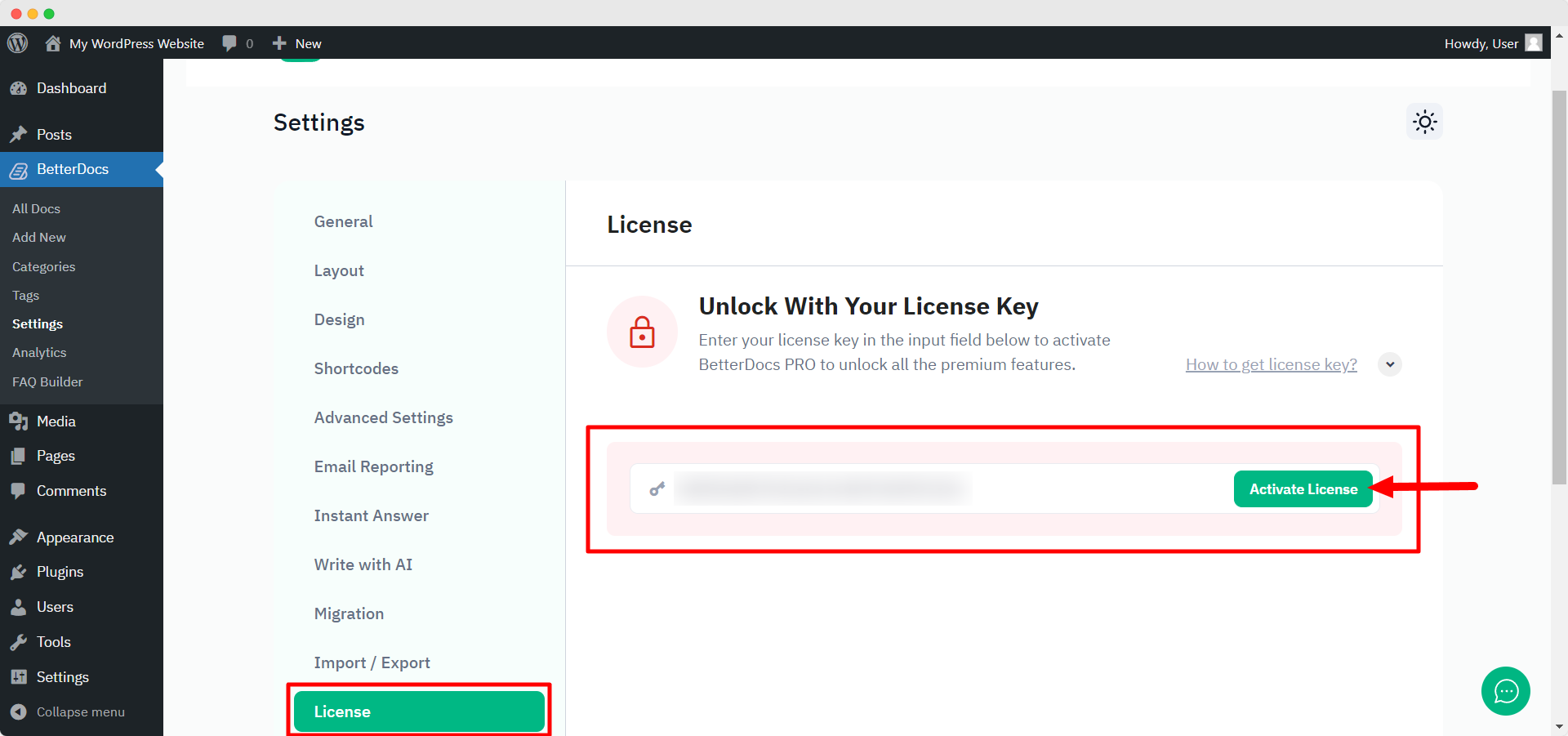
Schakel nu terug naar uw WordPress-website. Navigeer vervolgens naar wp-admin → BetterDocs → Settings. Van de ‘License’ tab, paste your license key and click on the ‘Activeer licentie‘ button.
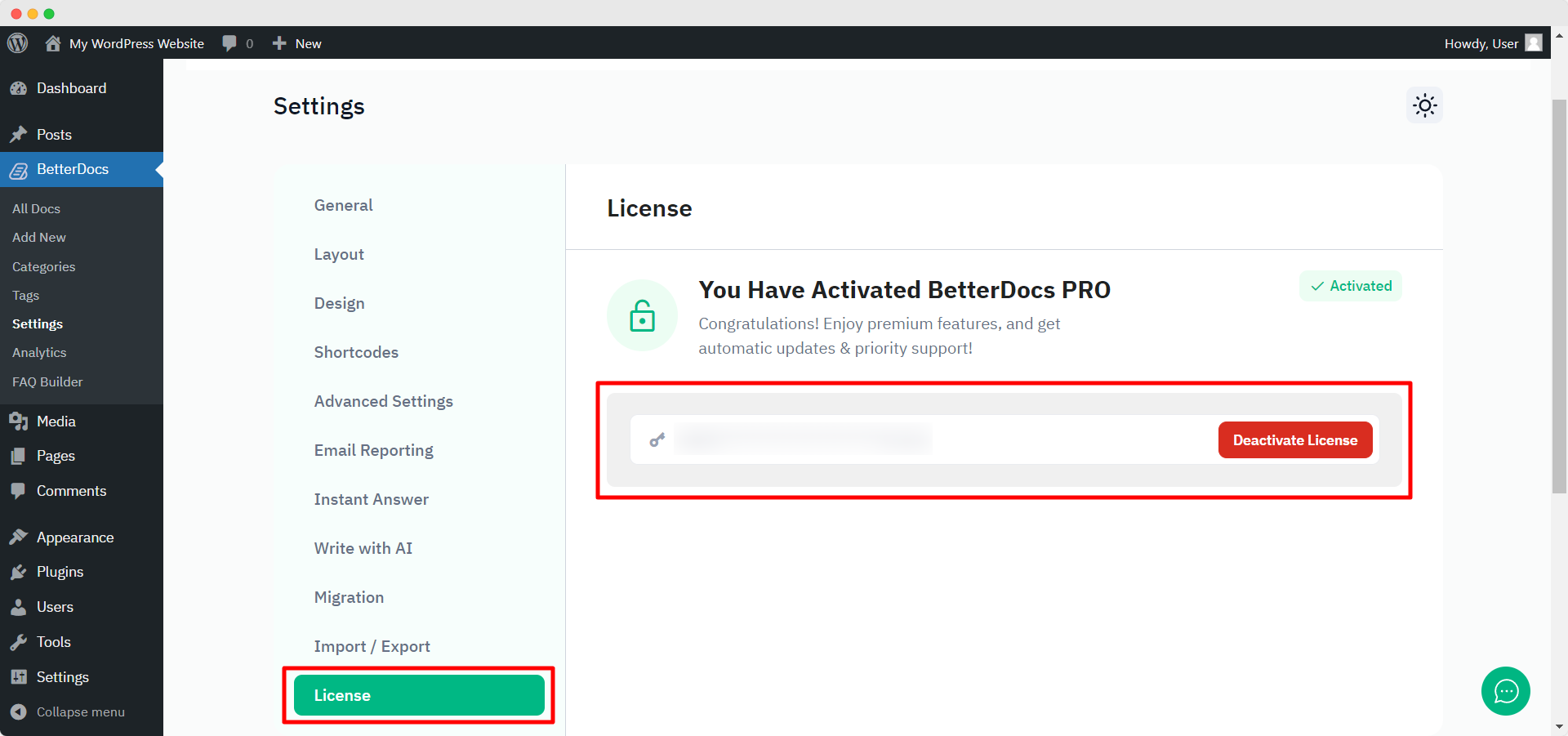
After you have successfully activated your License Key, this is how the ‘License’ tabblad ziet er zo uit:
Probleemoplossen : #
- If you face any issue, you should see an admin notice describing the error such as “Invalid License” of “License Expired”. So, you can understand the license status.
- If you see it’s not activating or not showing any notice, hard refresh the page and clean your cache if you have any caching plugin. Then try again.
If you still can not figure it out, no worries, neem contact op met ons ondersteuningsteam en we zullen u helpen het probleem op te lossen.




