
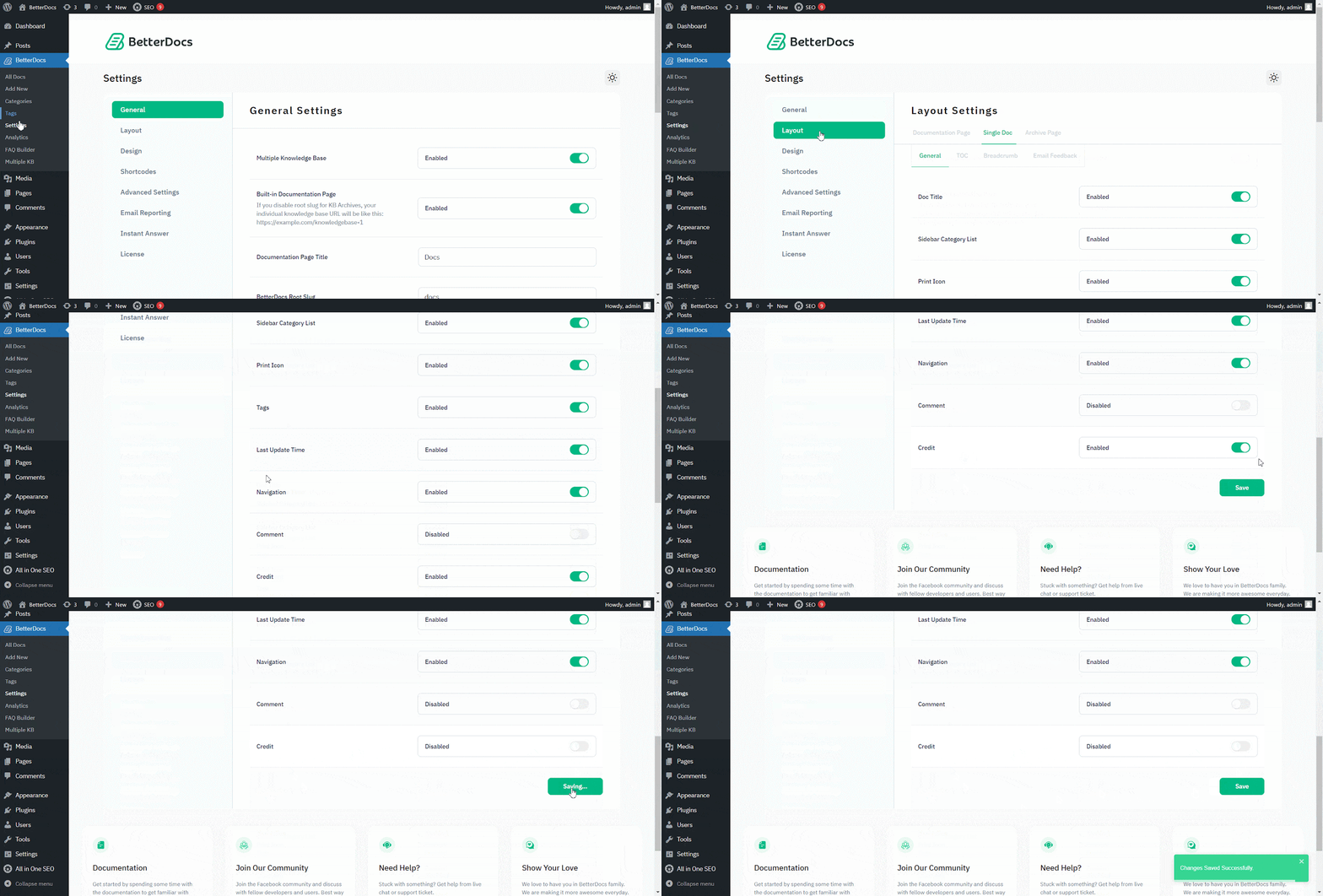
BetterDocs offers the white-labeling option. So, you can easily Branding verwijderen voor elk pakket in BetterDocs. Voor één artikel kunt u dit uitschakelen via Lay-outinstellingen.
Ga naar WordPress Dashboard → BetterDocs → Settings → Layout → General. Van the 'Algemeen' sectie, kunt u Credit hier uitschakelen. Zorg ervoor dat je op de 'Instellingen opslaan'.
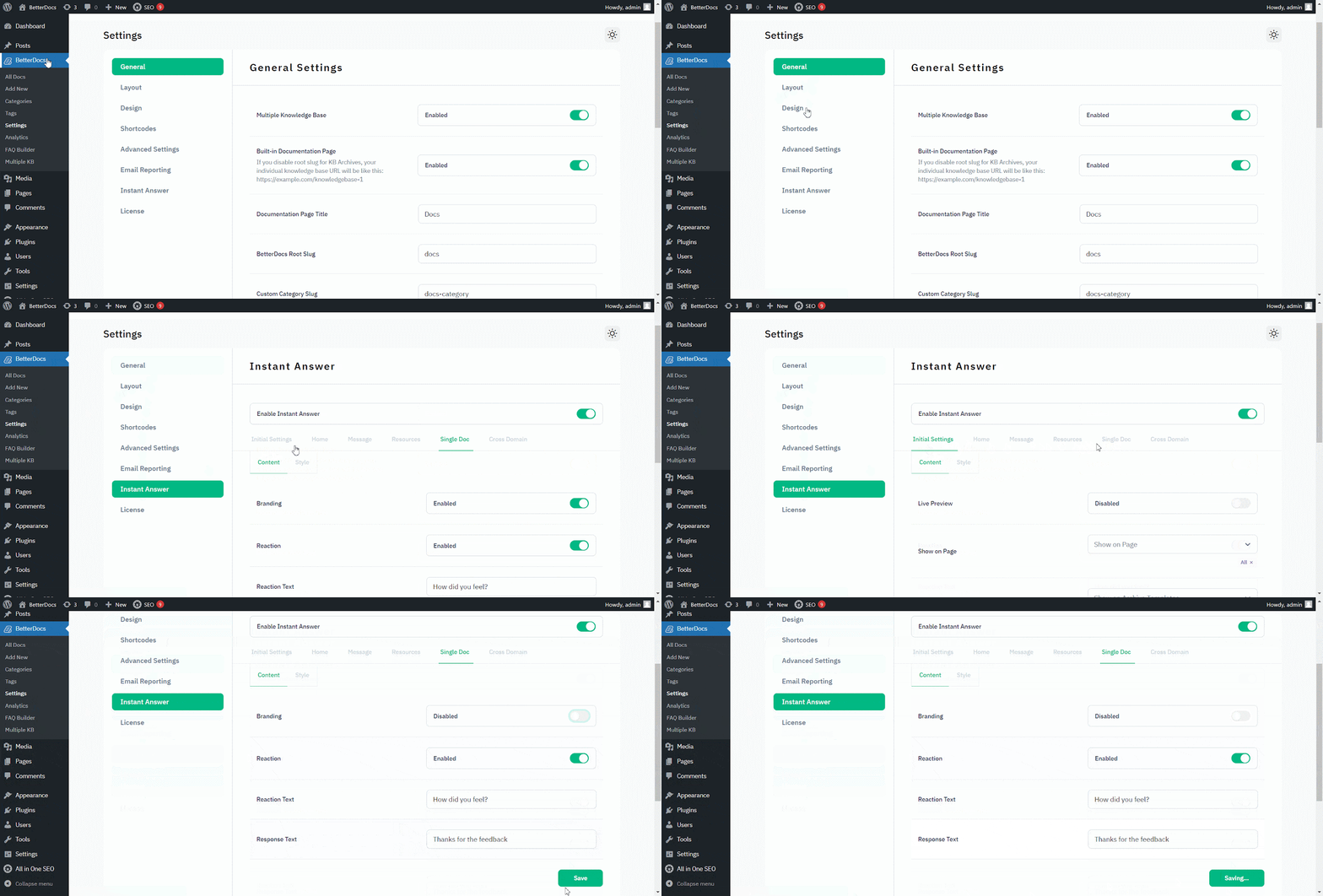
Naar branding verwijderen van 'Direct antwoord', ga naar WordPress Dashboard → BetterDocs → Settings → Instant Answer → Single Doc.
Vervolgens van de 'Enkele doc', make sure to turn off the Branding toggle to make it ‘Disabled.’ Druk op de 'Instellingen opslaan'. Hierdoor wordt de BetterDocs-branding verwijderd uit Instant Answer.
That’s how you can simply remove branding within a few steps. Getting Stuck? Feel free to contact our dedicated ondersteuningsteam voor verdere assistentie.




