
Door verschillende thema's zou je een Sticky inhoudsopgave overlappen met uw koptekstmenu of voettekst. Echter, BetterDocs gives you the flexibility to increase the z-index of Sticky TOC so that it doesn’t overlap any section of your WordPress Knowledge Base website.
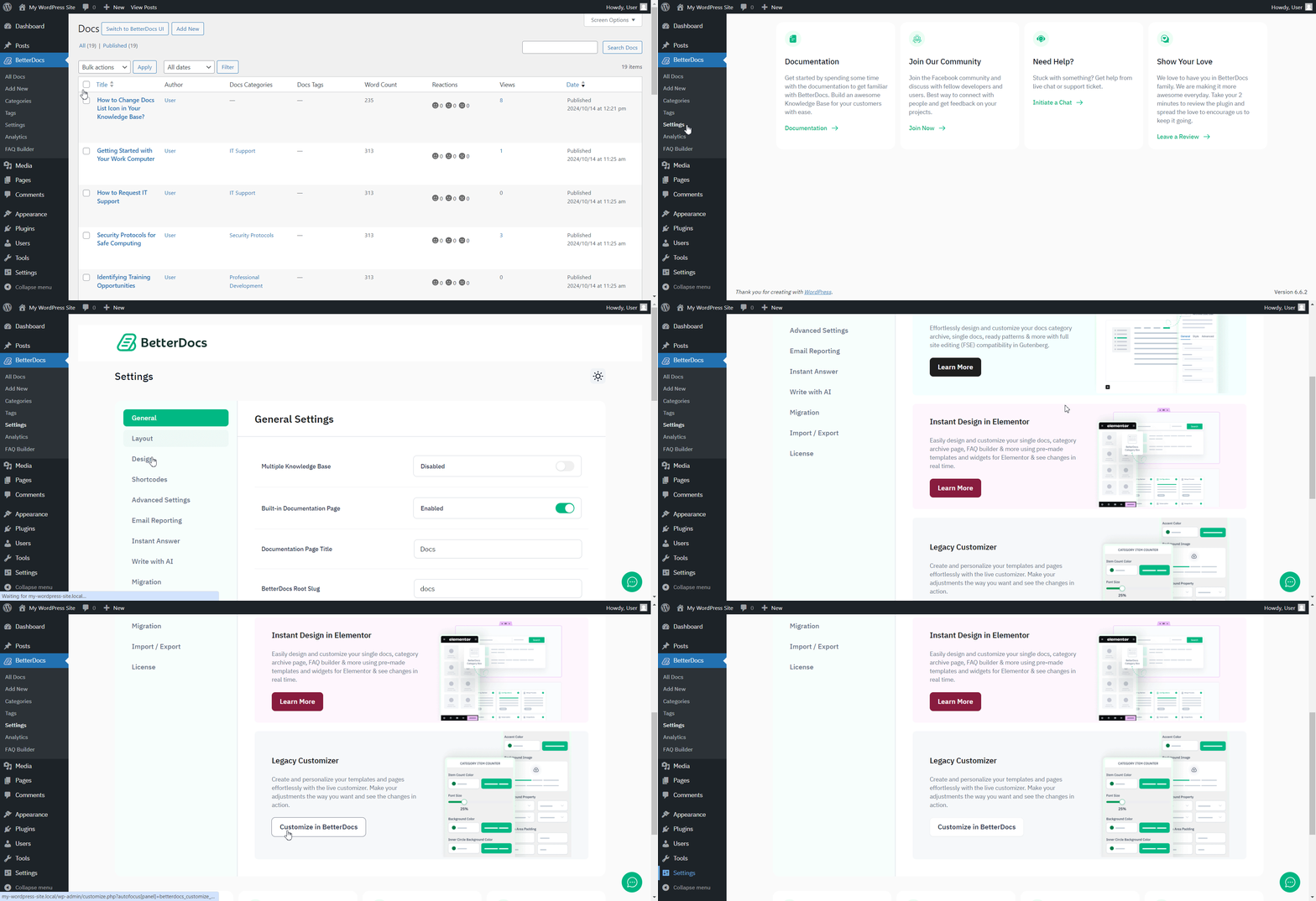
To increase the z-index of Sticky TOC, go to your wp-admin →BetterDocs → Settings → Design tab. Then, click on the ‘Customize in BetterDocs’ option under the ‘Legacy Customizer’ section.
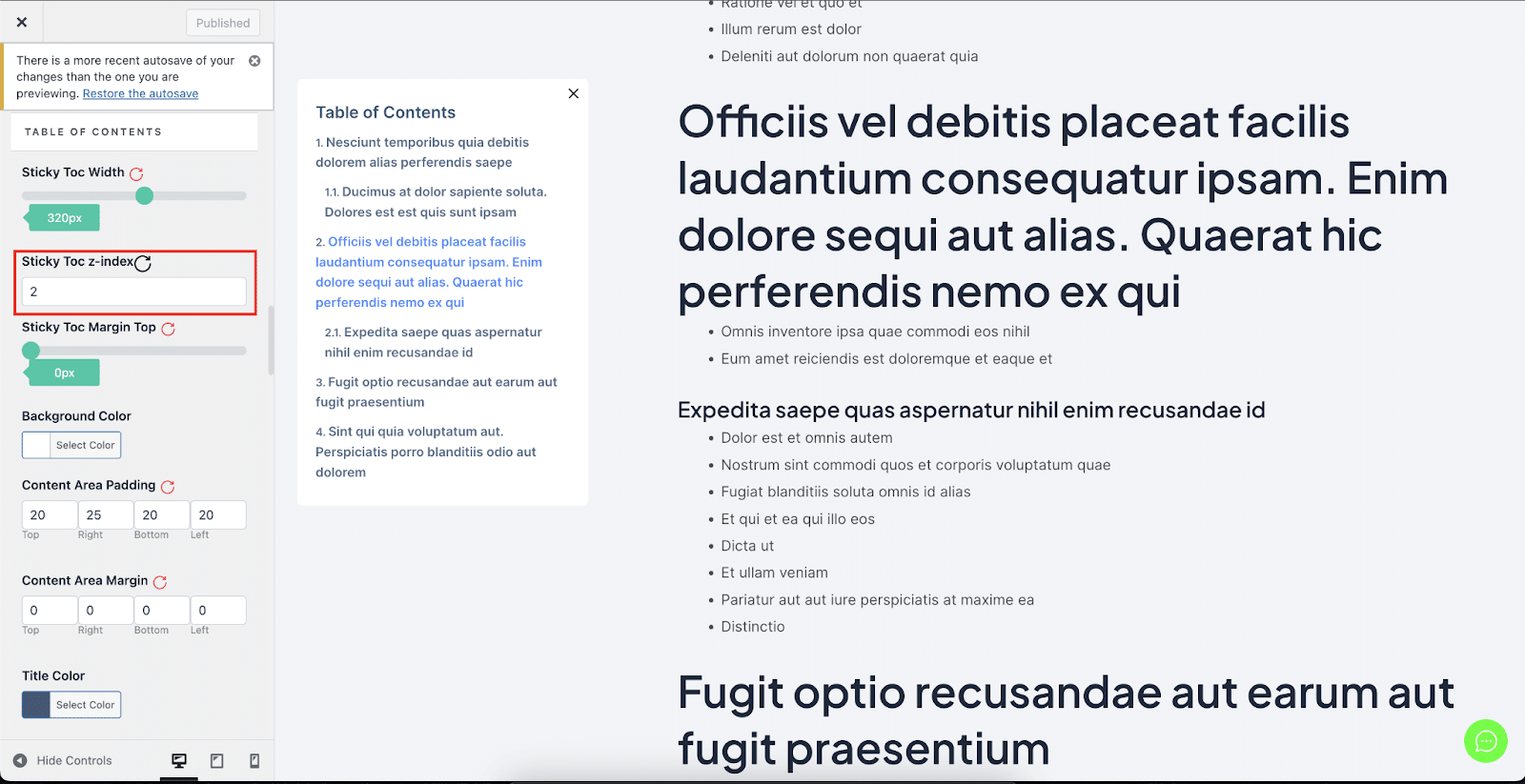
Afterwards, go to the ‘Single Doc’ page. From the 'Inhoudsopgave' section, you will find options to increase the z-index of the Sticky Table of Content. Simply use the ‘Sticky TOC z-index’ option to increase the value, and you will be good to go.
Dit is hoe je kunt vermijden Sticky inhoudsopgave overlappen met andere secties van uw WordPress-website in BetterDocs.




