
Ze względu na różne tematy możesz spotkać Przyklejony spis treści nakładające się na menu nagłówka lub stopkę. Jednak, BetterDocs gives you the flexibility to increase the z-index of Sticky TOC so that it doesn’t overlap any section of your WordPress Knowledge Base website.
To increase the z-index of Sticky TOC, go to your wp-admin →BetterDocs → Settings → Design tab. Then, click on the ‘Customize in BetterDocs’ option under the ‘Legacy Customizer’ section.
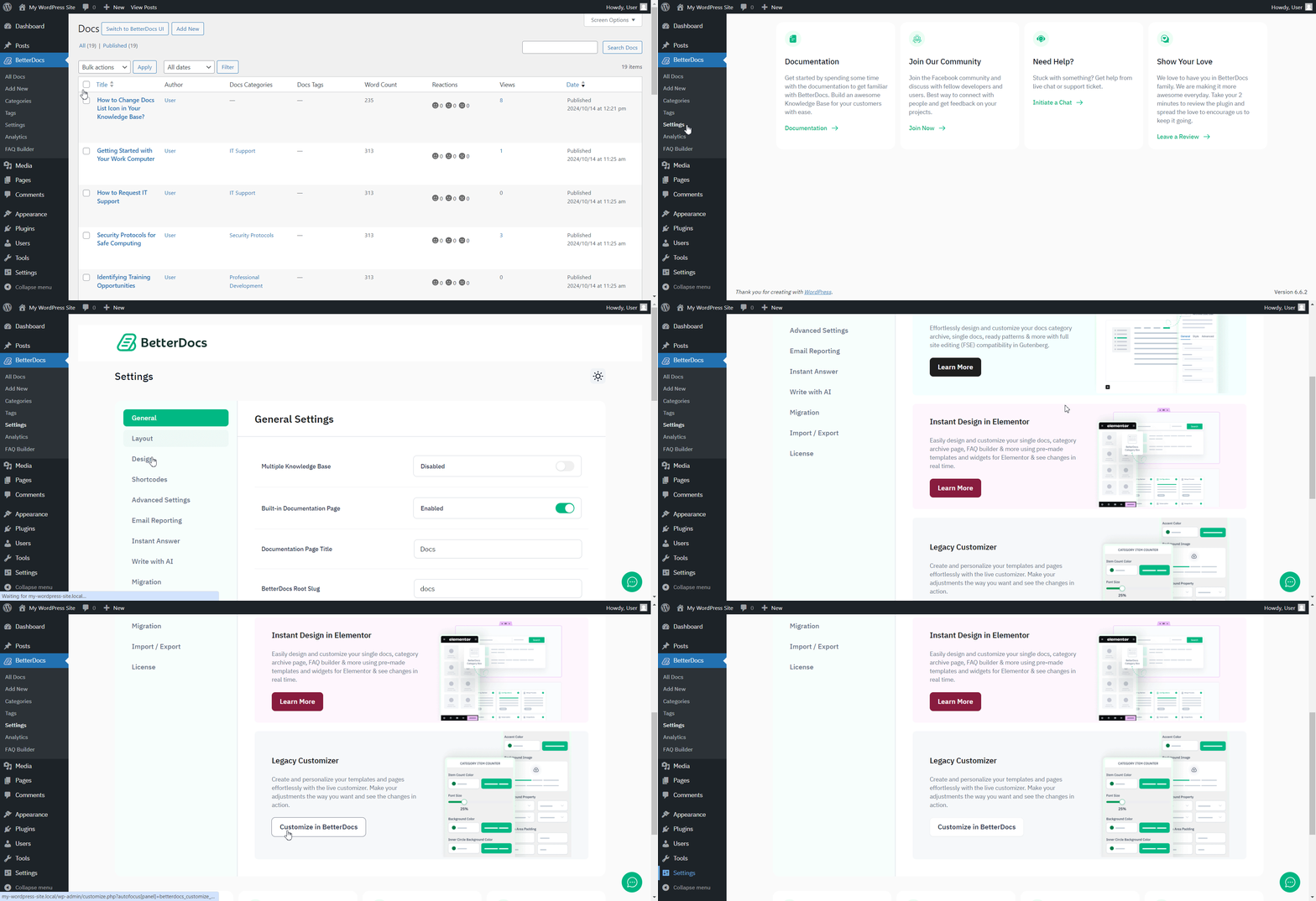
Afterwards, go to the ‘Single Doc’ page. From the 'Spis treści' section, you will find options to increase the z-index of the Sticky Table of Content. Simply use the ‘Sticky TOC z-index’ option to increase the value, and you will be good to go.
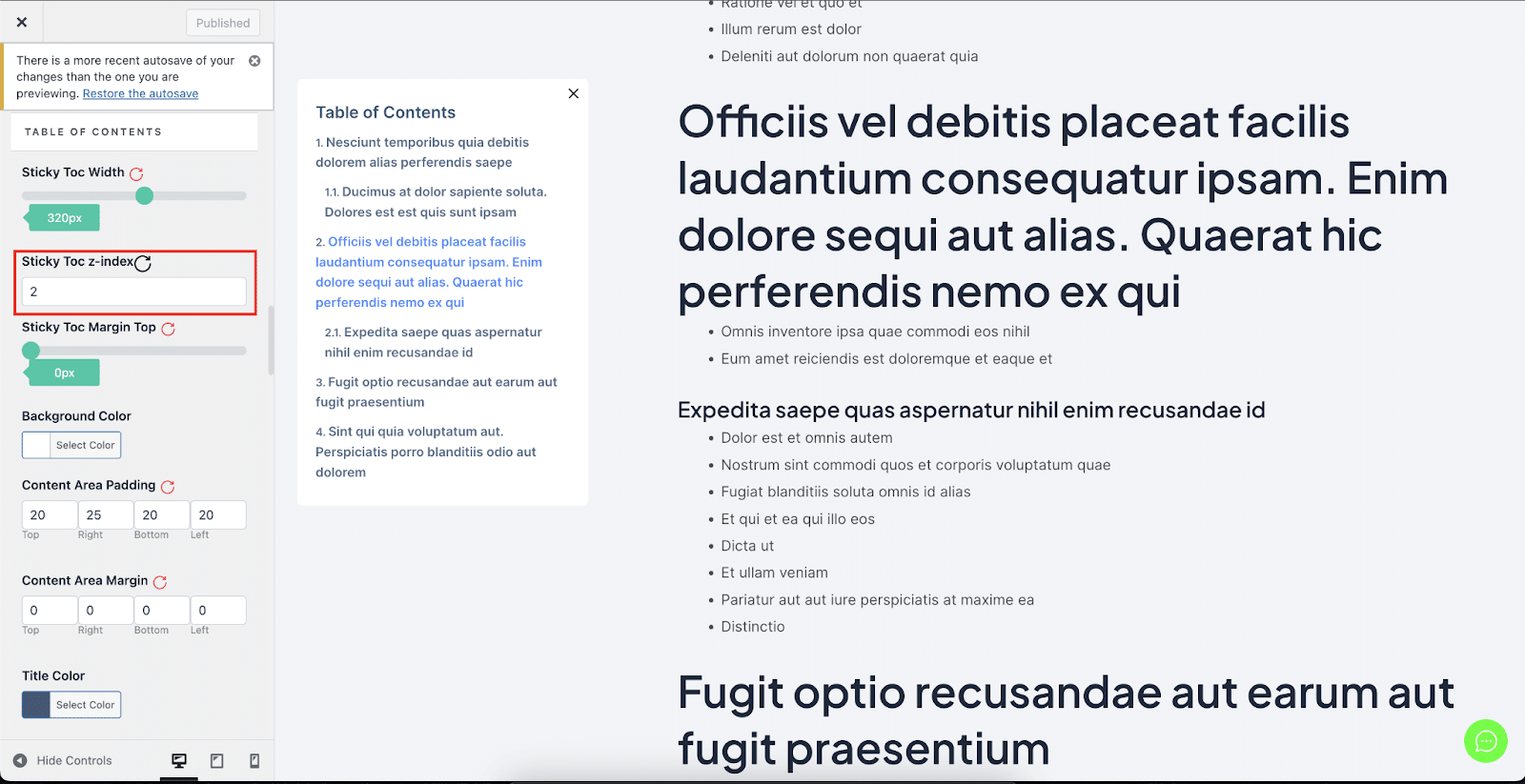
W ten sposób możesz uniknąć Przyklejony spis treści od nakładania się na inne sekcje witryny WordPress w BetterDocs.




