
BetterDocs PRO helps to take your Knowledge base management system to the next level. Follow these simple steps for purchasing the PRO version of BetterDocs.
How To Purchase BetterDocs PRO #
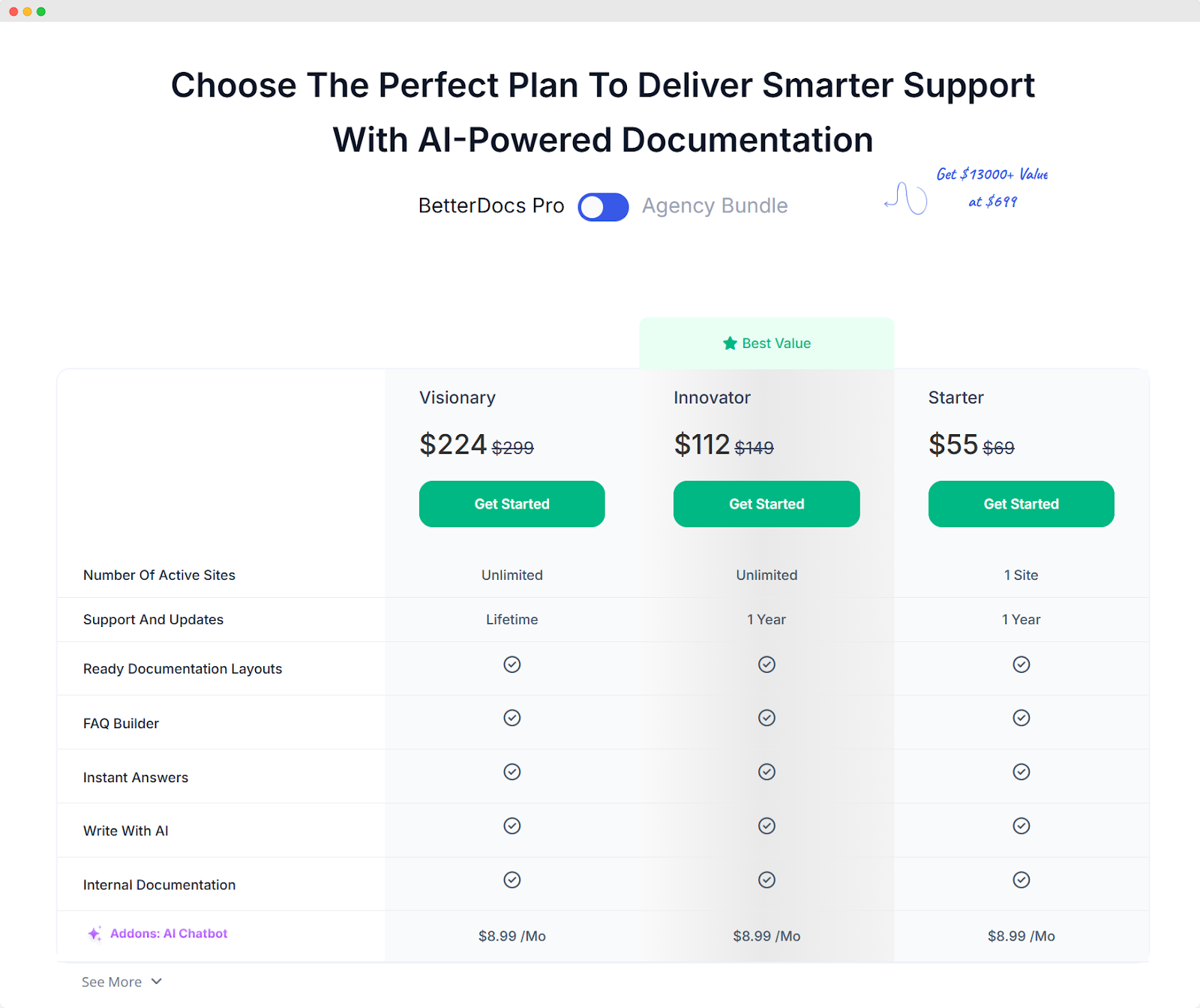
步骤1: 转到 BetterDocs 我们网站的页面。然后,只需导航到 '价钱' section or hit the “入门” Button. Then, simply pick a pricing plan and click on the “入门” 按钮
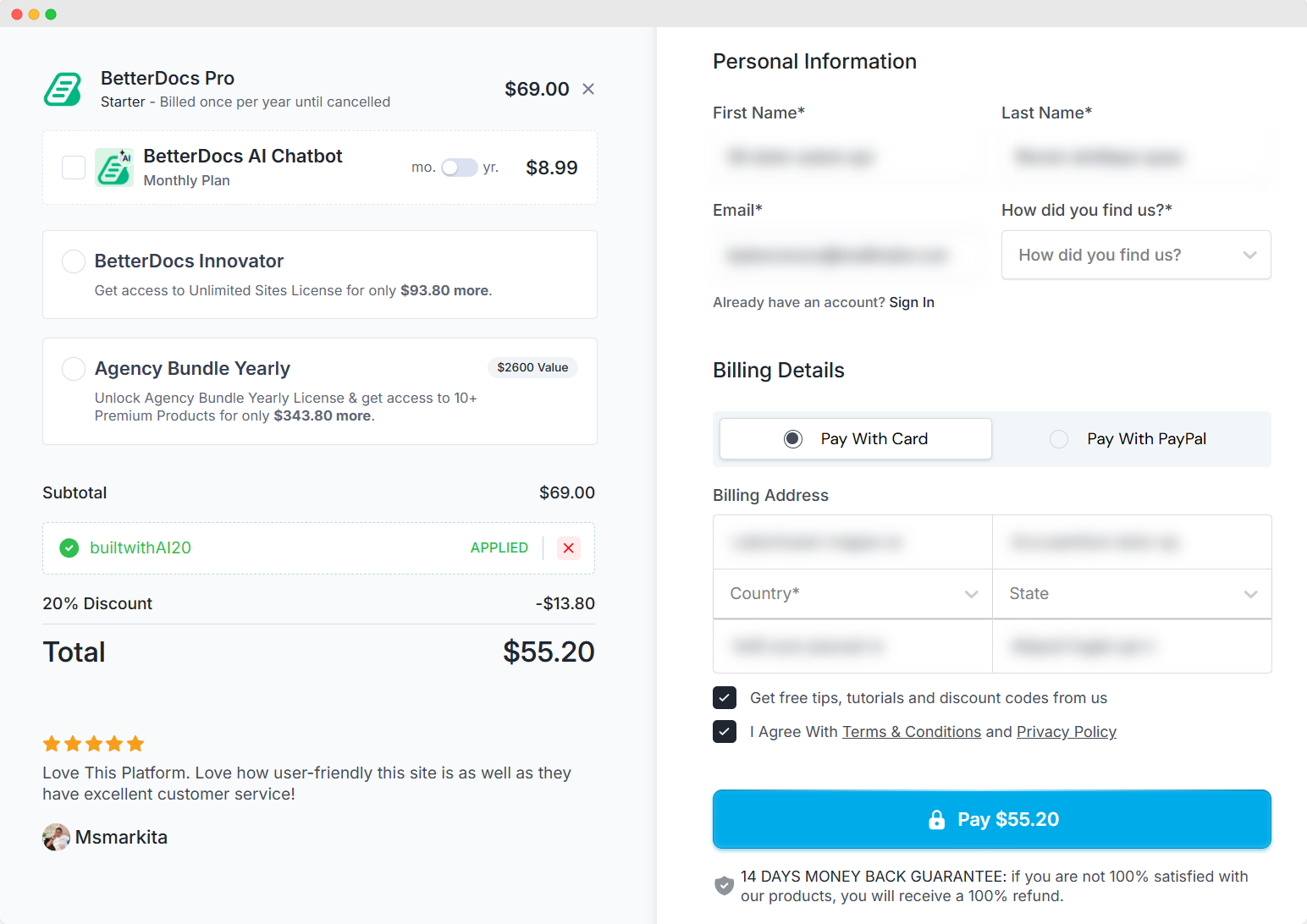
第2步: 您将被重定向到 '退房' Page, and BetterDocs will be “已添加到购物车”.
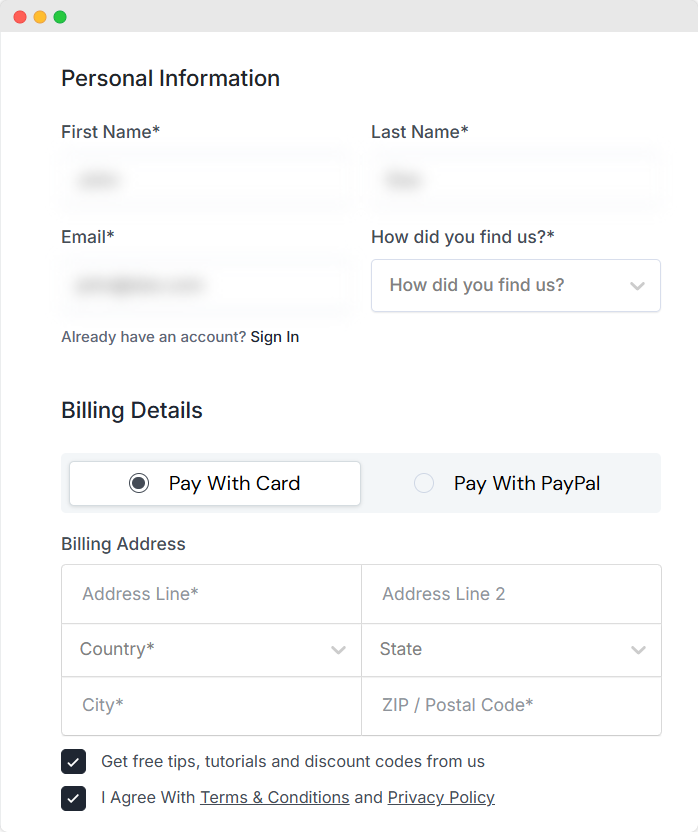
第三步: 选择一个 '付款方法'。然后,填写 '个人信息' 然后点击 '工资' 按钮。
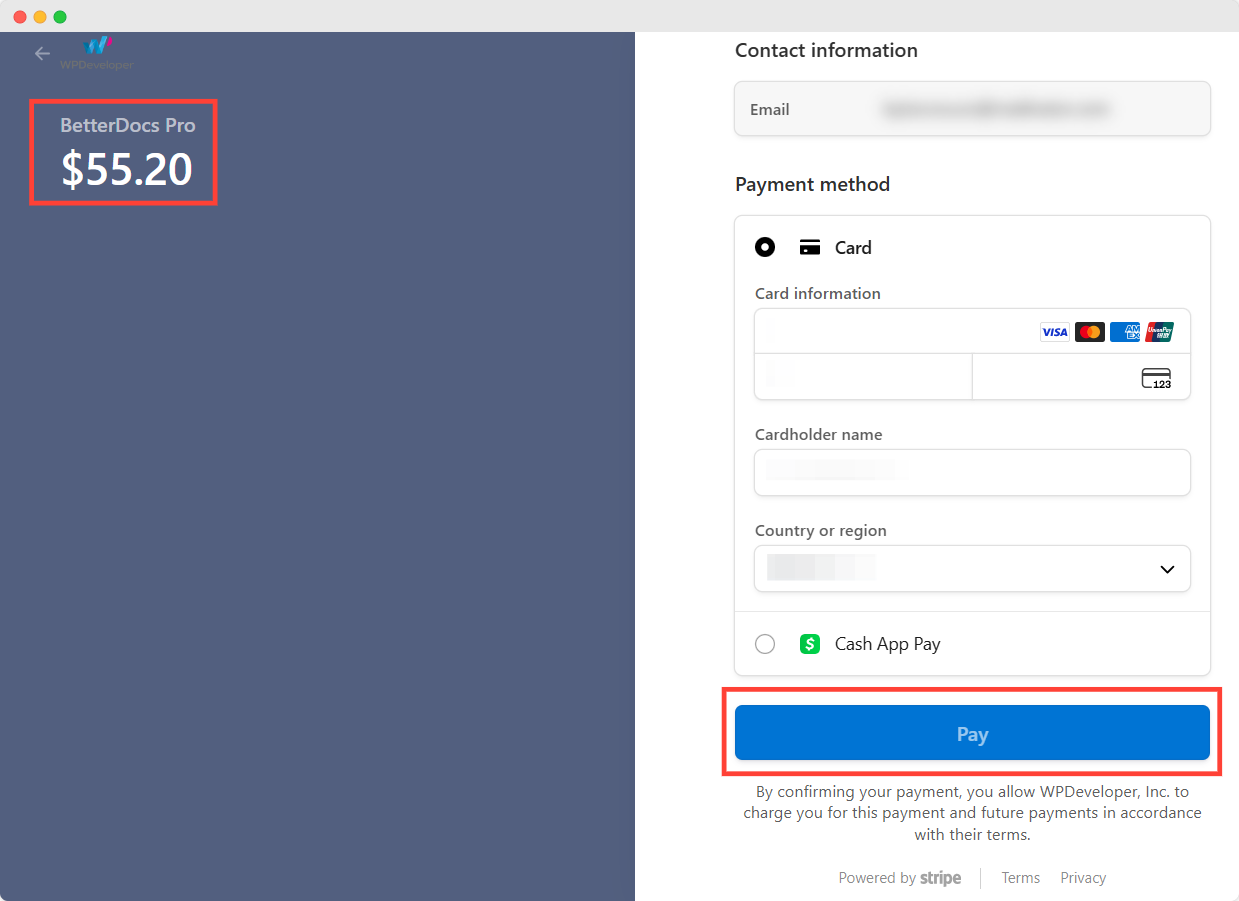
第四步: Once you click the ‘Pay’ button, you will be redirected to the payment pages. If you have chosen the ‘Credit Card’ option as the payment method you will be redirected to the Stripe payment page. Now, you need to fill up the payment information and hit the '工资' 按钮。
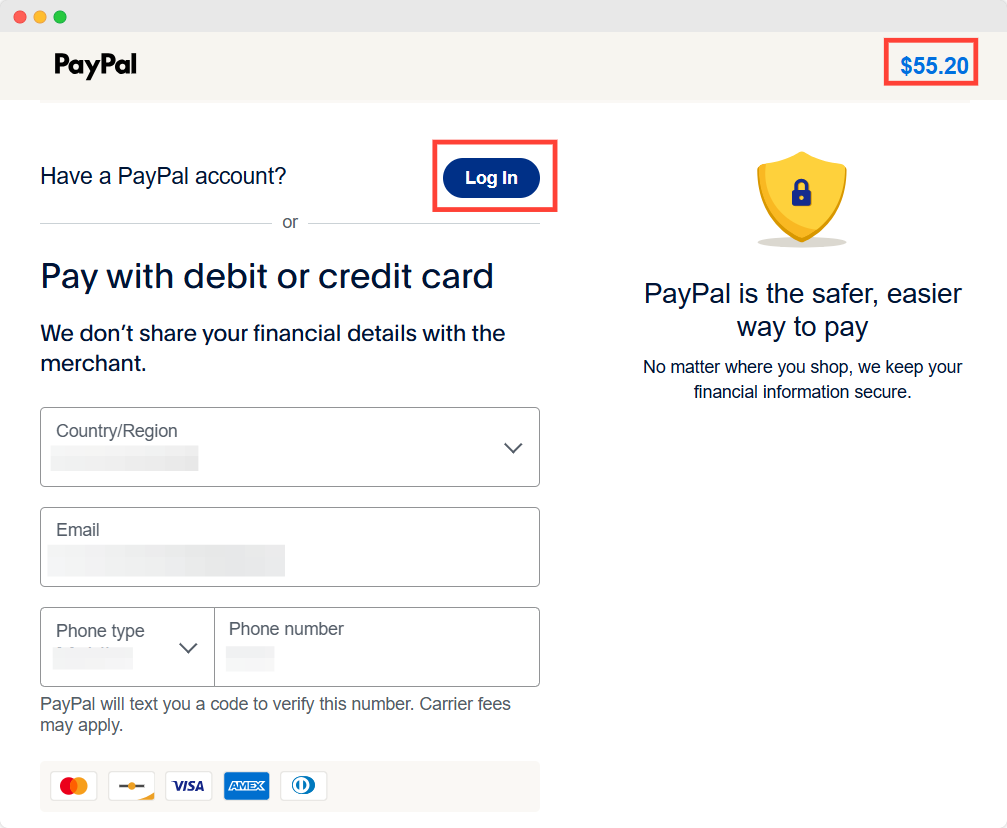
If you choose ‘PayPal’ as the payment option, you will be redirected to PayPal’s payment page. Now you have to login to your PayPal account and finish the purchase.
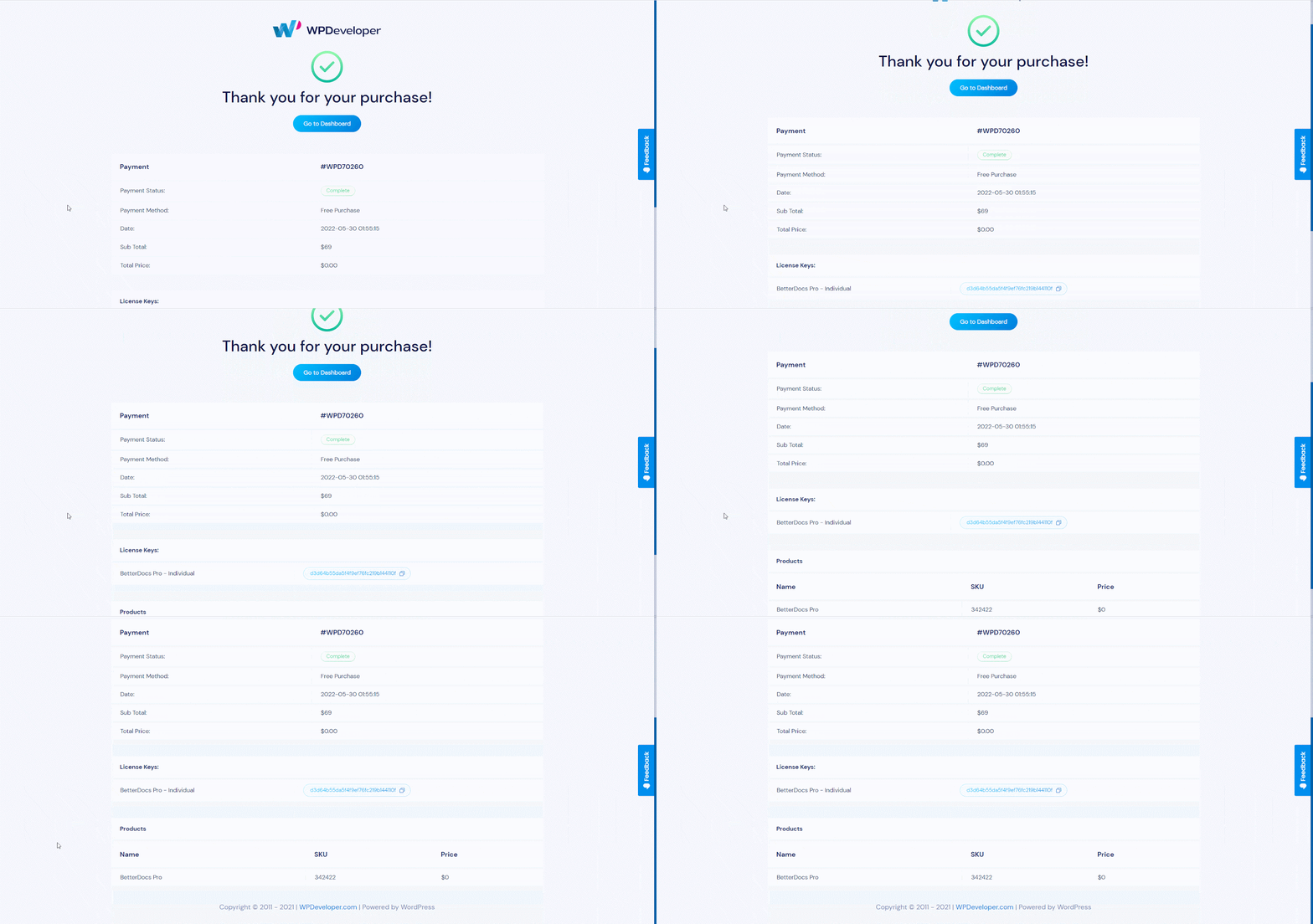
步骤5: After your payment is successfully completed, you will be redirected to the “购买确认” page. You can download the BetterDocs plugin from this page.
By following these simple steps, you can easily purchase BetterDocs PRO for any plan. Getting Stuck? Feel free to contact our dedicated support team for any further assistance.




