
If you are using a free version, you do not need to activate the BetterDocs 执照。要检查如何安装BetterDocs PRO,可以检查一下 文件资料。如果您正在使用 专业版 version, follow the steps below :
获取您的BetterDocs许可证密钥: #
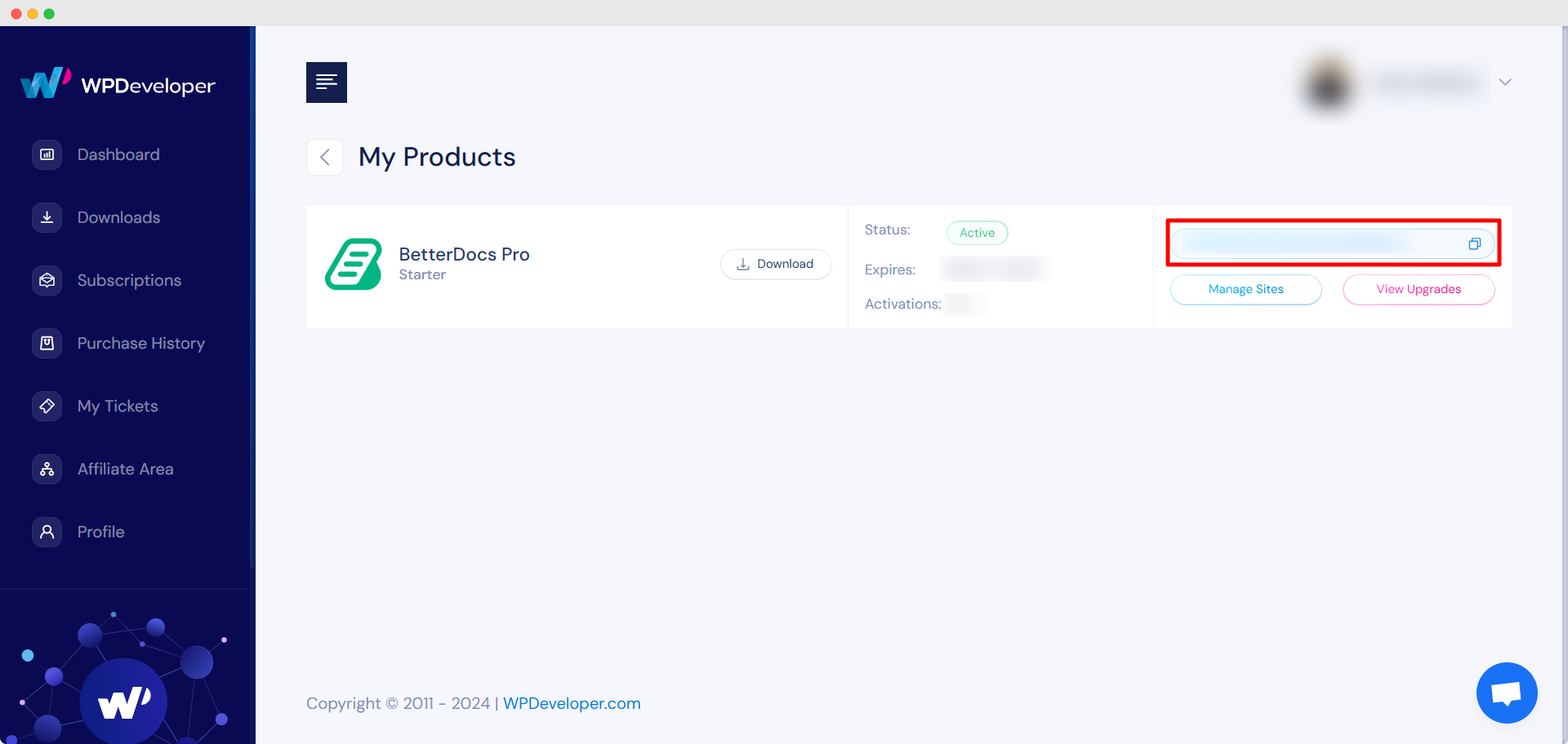
去你的 WPDeveloper帐户。来自 ‘Dashboard’ tab go to ‘My Products’ → ‘All Products’, here you can see the BetterDocs plugin which you have purchased. Simply just copy the License Key from there.
Activate License Key:
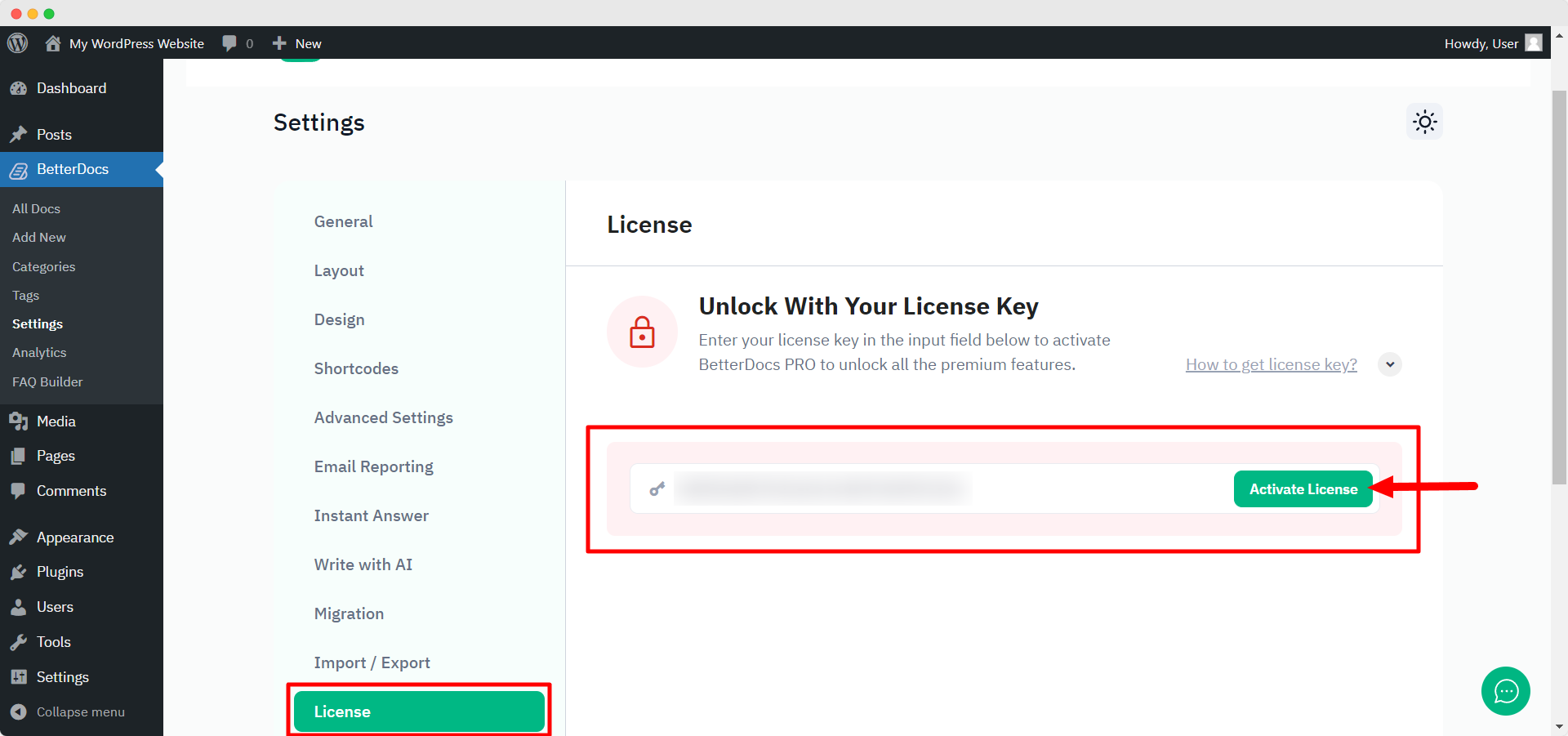
现在,切换回您的WordPress网站。然后,导航至 wp-admin → BetterDocs → Settings。来自 ‘License’ tab, paste your license key and click on the ‘激活许可证‘ button.
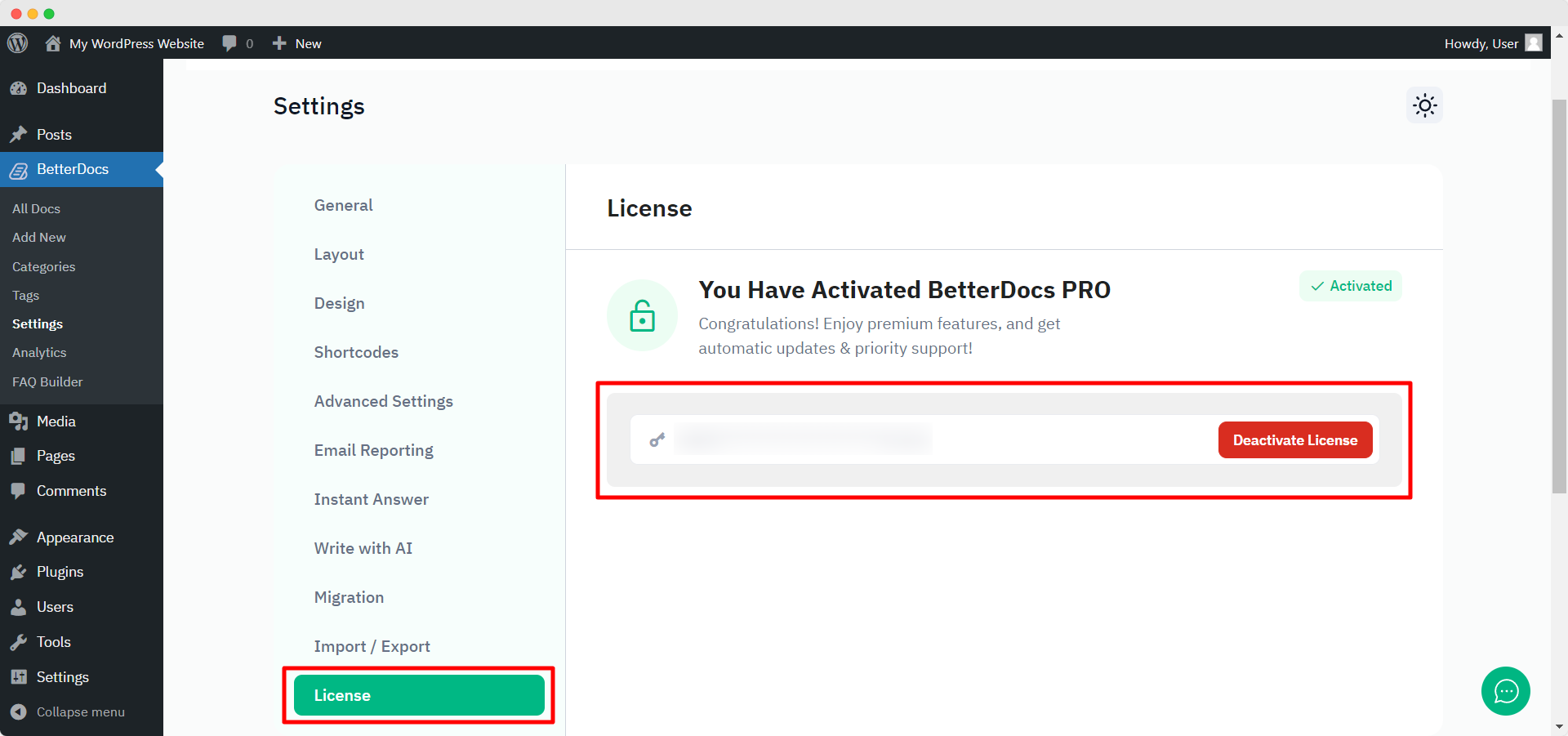
After you have successfully activated your License Key, this is how the ‘License’ 标签将如下所示:
故障排除 : #
- If you face any issue, you should see an admin notice describing the error such as “Invalid License” 要么 “License Expired”. So, you can understand the license status.
- If you see it’s not activating or not showing any notice, hard refresh the page and clean your cache if you have any caching plugin. Then try again.
If you still can not figure it out, no worries, 与我们的支持团队联系 我们将协助您解决问题。




