
如果你想改变 BetterDocs中的面包屑设置,您可以轻松地从 WordPress Dashboard → BetterDocs → Settings → Layout。在下面 “单文档” section, you’ll get four options; one of them is ‘Breadcrumb’ from where you can enable or disable the BreadCrumbs from your documentation page.
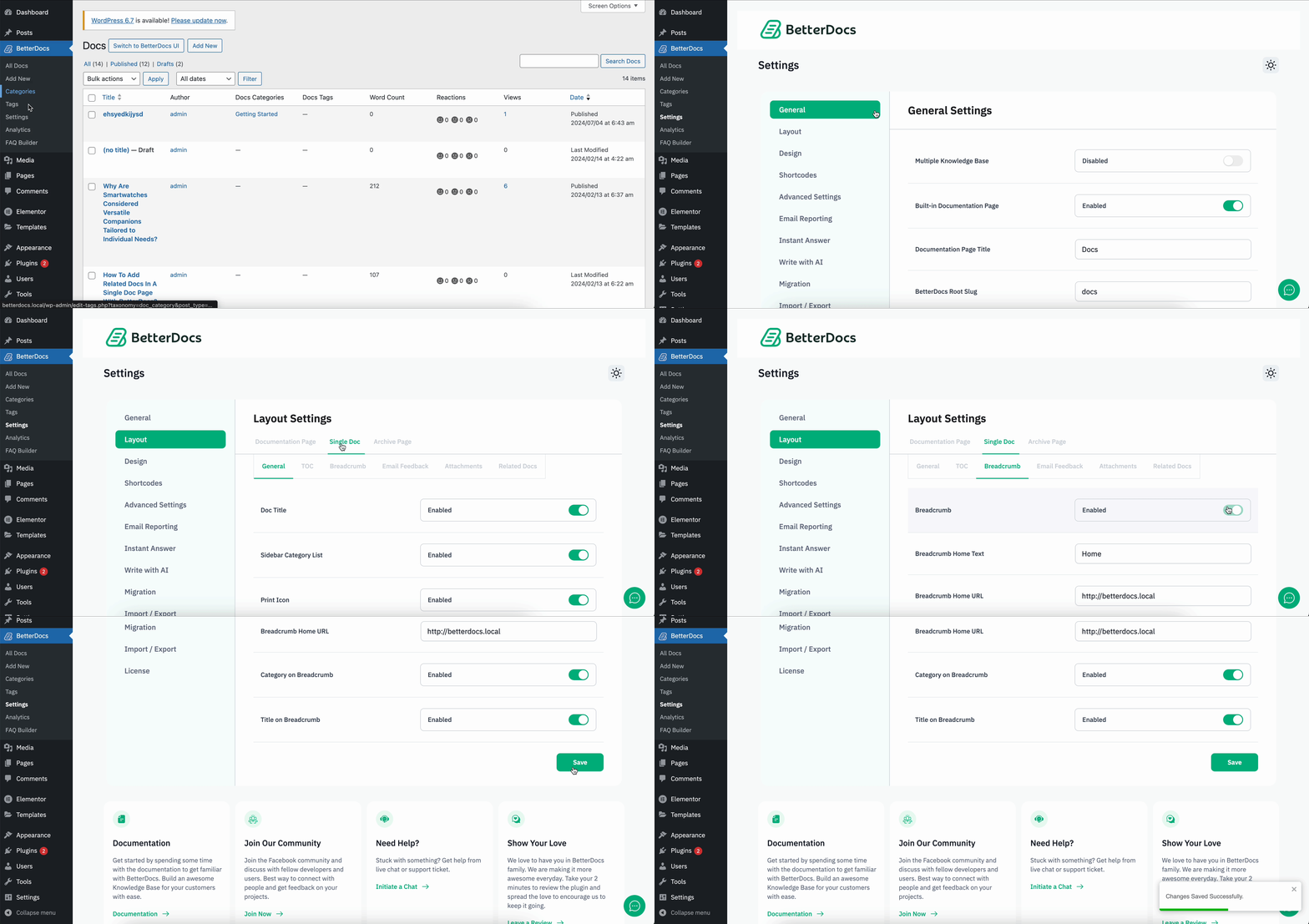
Besides, you can change the default BreadCrumbs page title that will be displayed on the navigation panel. You will also get the control to enable or disable the BreadCrumb category or page title on your single doc page. This is how simply you can change the BetterDocs中的BreadCrumbs设置.

This is how you can easily enable and disable breadcrumbs settings in BetterDocs. If you face any issues with this change, feel free to reach out to our dedicated support team 我们将为您的查询提供帮助。




