
由于主题不同,您可能会遇到 粘性目录 与您的页眉菜单或页脚重叠。然而, BetterDocs gives you the flexibility to increase the z-index of Sticky TOC so that it doesn’t overlap any section of your WordPress Knowledge Base website.
To increase the z-index of Sticky TOC, go to your wp-admin →BetterDocs → Settings → Design tab. Then, click on the ‘Customize in BetterDocs’ option under the ‘Legacy Customizer’ section.
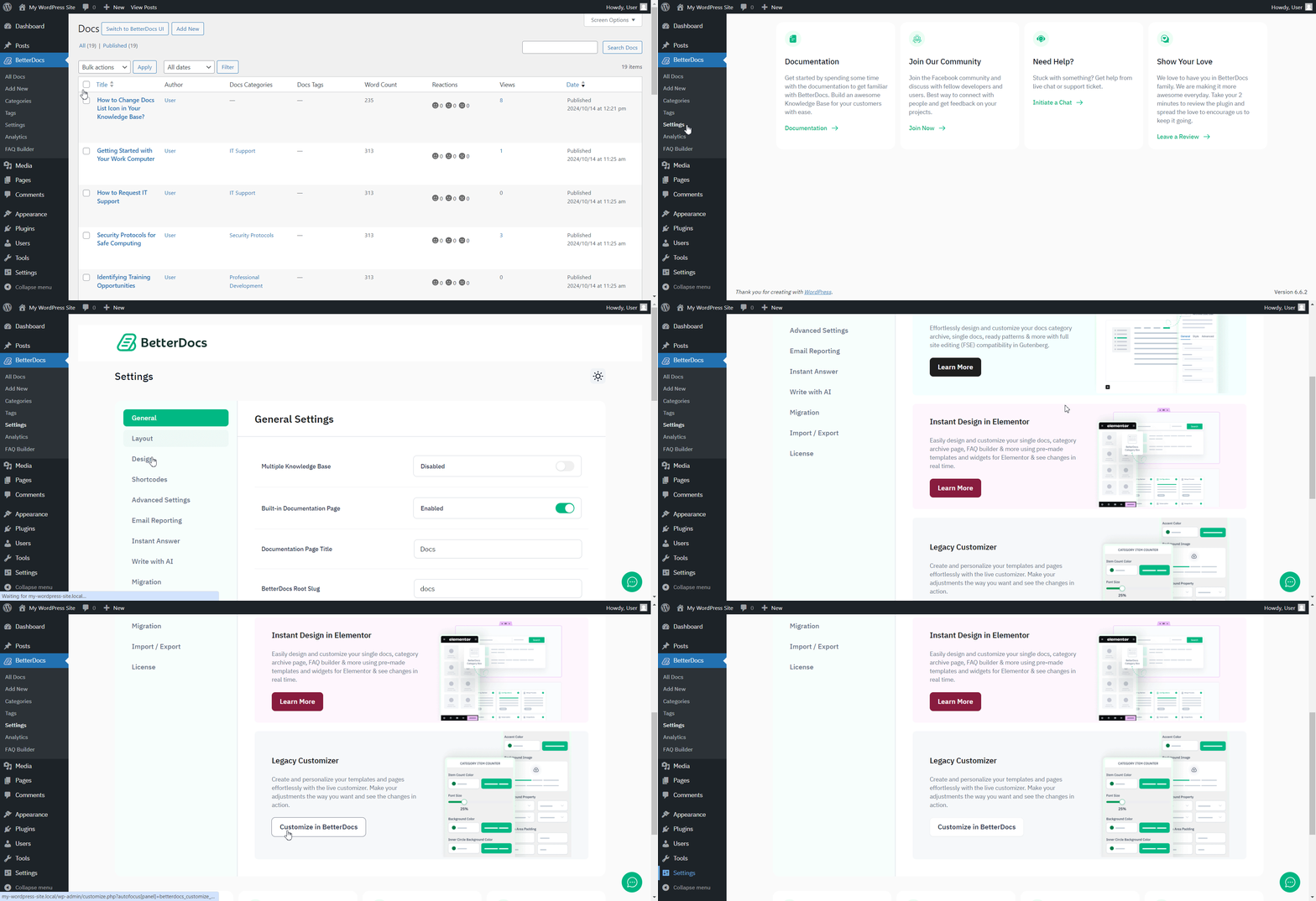
Afterwards, go to the ‘Single Doc’ page. From the '表中的内容' section, you will find options to increase the z-index of the Sticky Table of Content. Simply use the ‘Sticky TOC z-index’ option to increase the value, and you will be good to go.
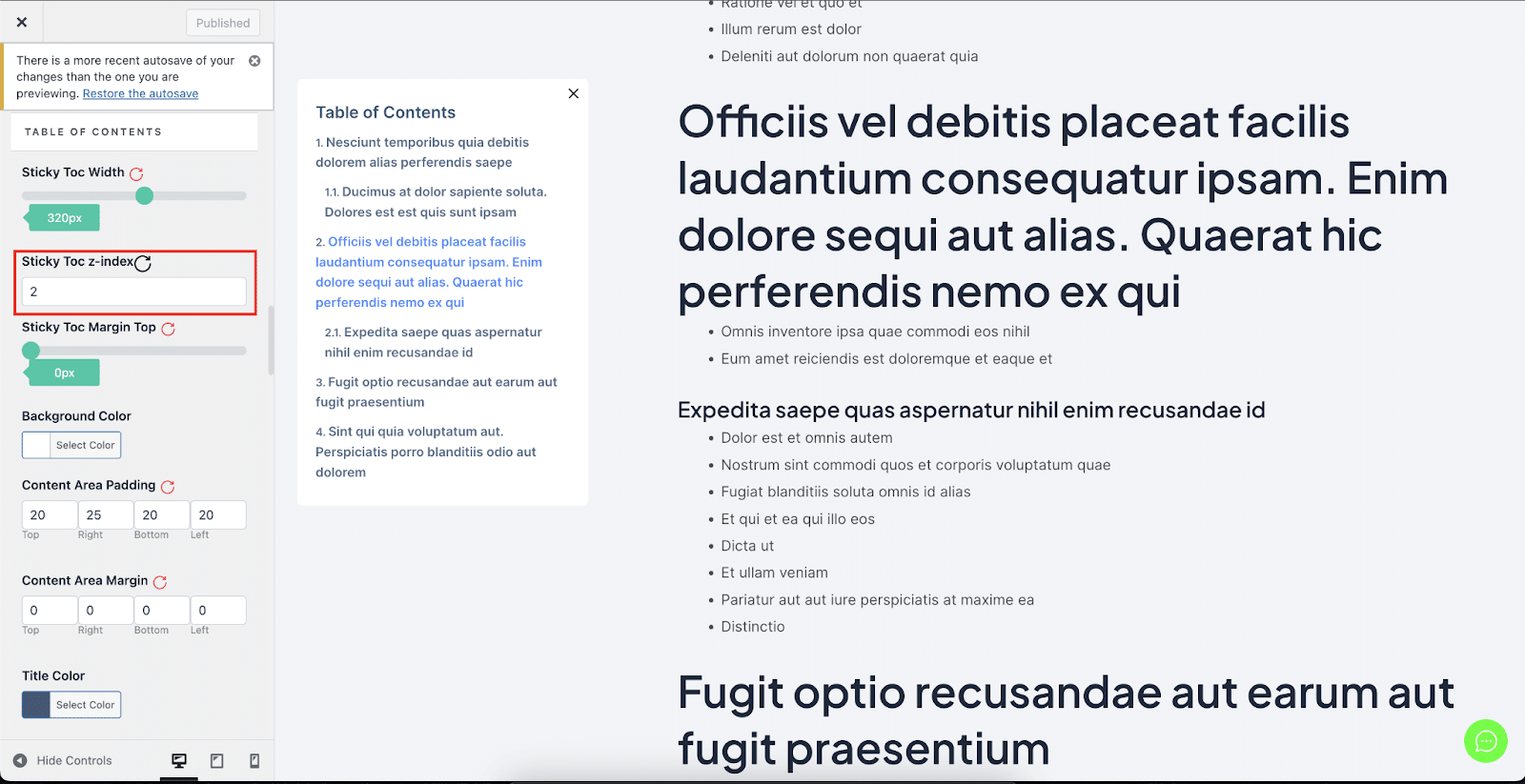
这样可以避免 粘性目录 与BetterDocs中WordPress网站的其他部分重叠。




