Are you looking to make your website documentation accessible to a global audience? With BetterDocs and WPML, you can easily create multilingual documentation in WordPress to ensure users can find the help they need in their native tongue. This not only makes users happy but also boosts your website’s credibility and professionalism.
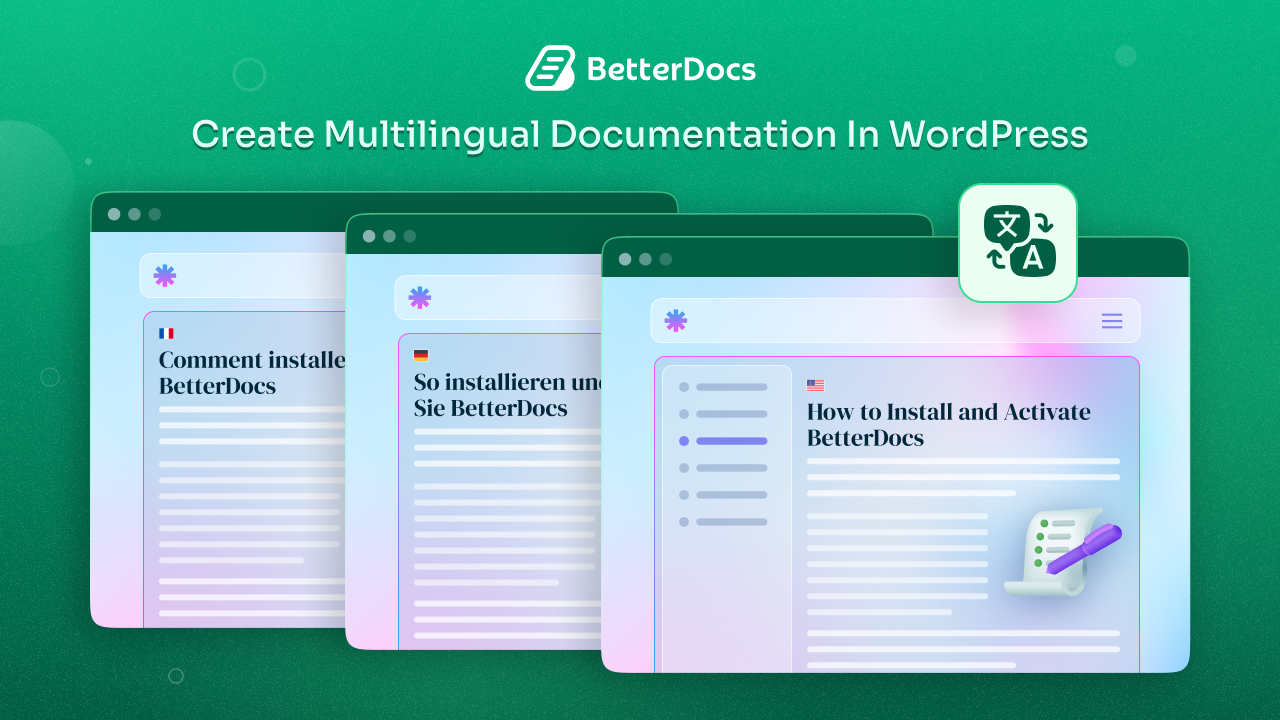
Imagine a knowledge base with seamless navigation, clear communication and a truly inclusive experience for all your users. Let us transform your documentation into a dynamic, multilingual resource that speaks directly to your global audience.
💡 Why Multilingual Documentation Matters?
In a world where less than 20% of internet users are native English speakers, the importance of offering documentation in multiple languages cannot be overstated. When you create multilingual documentation in WordPress, you can:
- Improve User Experience: Users are more likely to understand and follow instructions when they are in their native language, reducing confusion and support queries.
- Boost Global Reach: By supporting a multilingual audience, you open the doors to international markets, helping your business grow.
- Increase Credibility: A multilingual website demonstrates that you value your users’ diverse backgrounds, leading to higher trust and engagement.
- Improve SEO: Translating your documentation not only benefits users but also helps search engines index your content in different languages, leading to better global search rankings.
Multilingual Solutions Available for WordPress
Multiple WordPress plugins facilitate translation and multilingual functionality, each with its own degree of flexibility. Here are some of the WordPress multilingual plugins that are worth exploring:
- WPML: Renowned for its powerful multilingual and multi-currency capabilities, WPML lets you translate your entire WordPress site. It is ideal for businesses looking to globalize with full control over translations and currency display.
- TranslatePress: Known for its simplicity and visual translation interface, TranslatePress lets you translate content directly from the front end. It is a great alternative for those who prefer a more visual approach.
- Polylang: Another robust option, Polylang allows you to create a multilingual website with a slightly steeper learning curve. However, it offers powerful features for those who need granular control over translations.
Each of these plugins above has its unique advantages, but WPML’s deep integration with BetterDocs remains one of the most effective methods for comprehensive translation for documentation.
📝 Using BetterDocs to Create Multilingual Documentation in WordPress
BetterDocs is a robust WordPress documentation and knowledge base solution that makes it simple to manage and organize your content. The plugin integrates with WPML and allows you to create multilingual documentation in WordPress quickly and effectively.
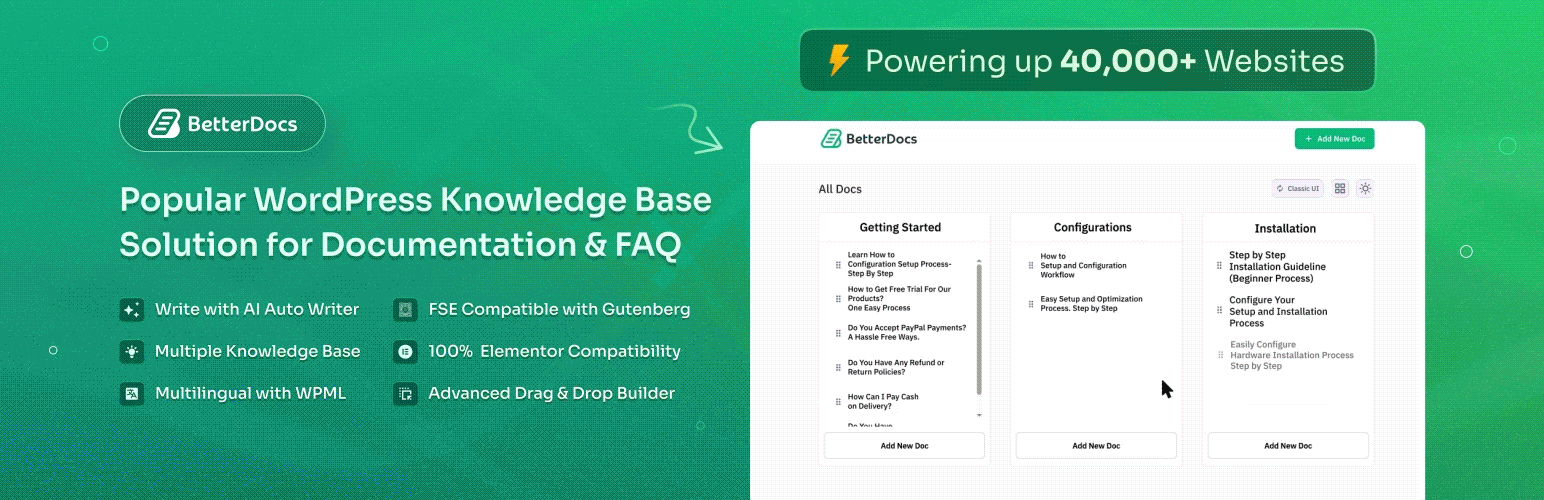
Key Features of BetterDocs Documentation
Alongside powerful and essential documentation features, BetterDocs offers the flexibility to effectively create multilingual documentation in WordPress by combining BetterDocs with a reliable WordPress translation plugin, WPML. The benefits of using BetterDocs for creating your knowledge bases are as follows:
- Intuitive Interface: Easily build, edit, and publish your documentation with a user-friendly editor with multiple layouts.
- AI Chatbot: Provides accurate and instant answers to doc-related questions for your website’s visitors.
- Flexible Design: Customize your documentation’s look with support for popular page builders like Elementor and Gutenberg.
- Multilingual Support: Thanks to its integration with WPML and compatibility with other WordPress translation plugins, BetterDocs ensures that your content reaches a global audience.
- Enhanced Navigation: Table of contents, search functionality and category organization make it easy for users to find the help they need.
📋 Step-by-Step Guide: Create Multilingual Documentation in WordPress
Before you start, make sure your WordPress environment is ready for a multilingual setup. Here is what you need:
- BetterDocs Plugin: Install and activate the BetterDocs plugin on your WordPress site.
- WPML Plugin Suite: Ensure that you have WPML Multilingual CMS, WPML Translation Management plugin and WPML String Translation installed and activated.
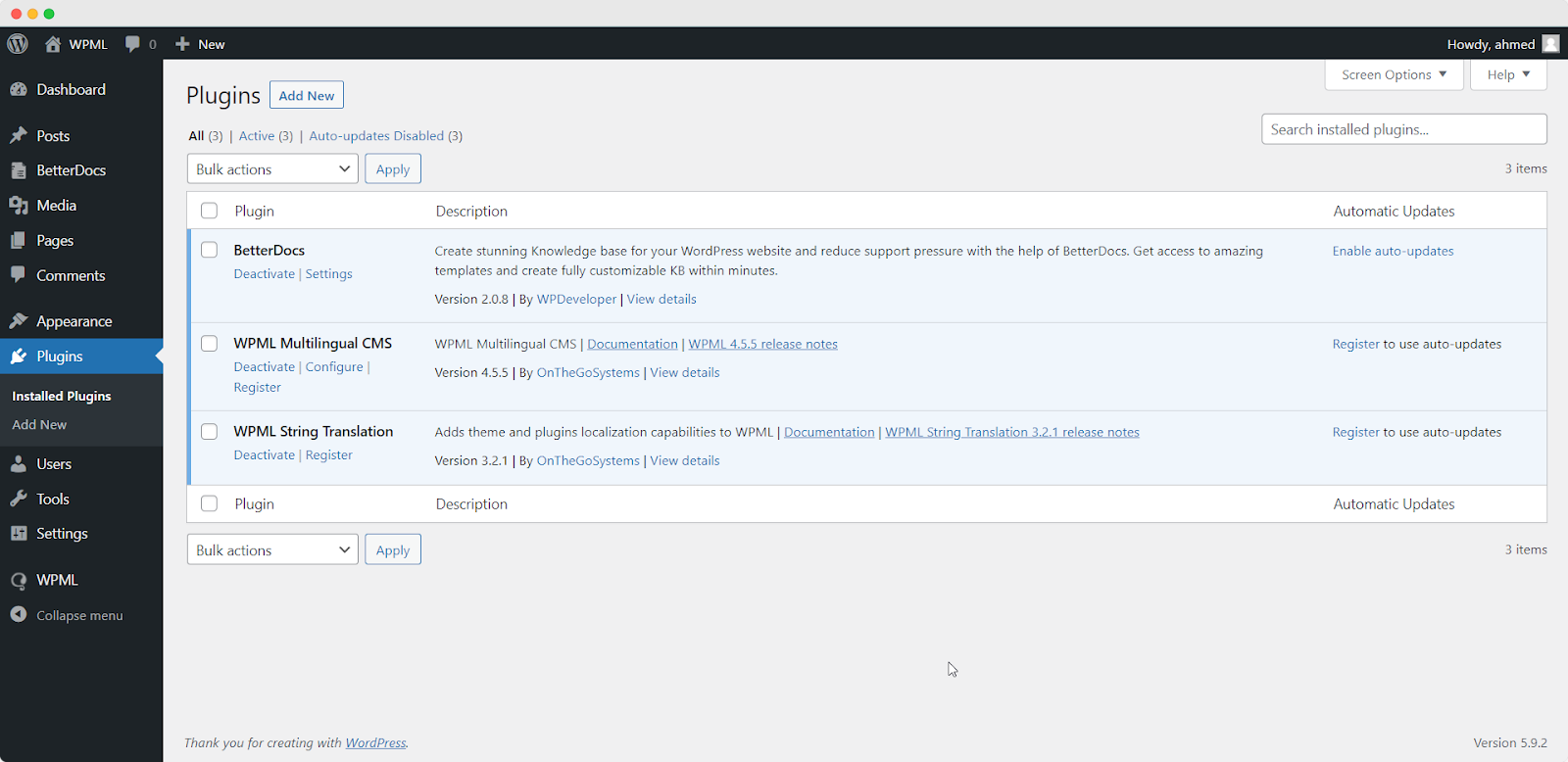
Additional Translation Plugins (Optional): BetterDocs now supports TranslatePress and Polylang, giving you flexibility. However, our focus here is on WPML. With these tools, you are all set to create multilingual documentation in WordPress that delivers accurate and professional documentation translation. To learn how to configure WPML on your WordPress site, follow the documentation.
Step 1: Set Up Your WPML Plugin
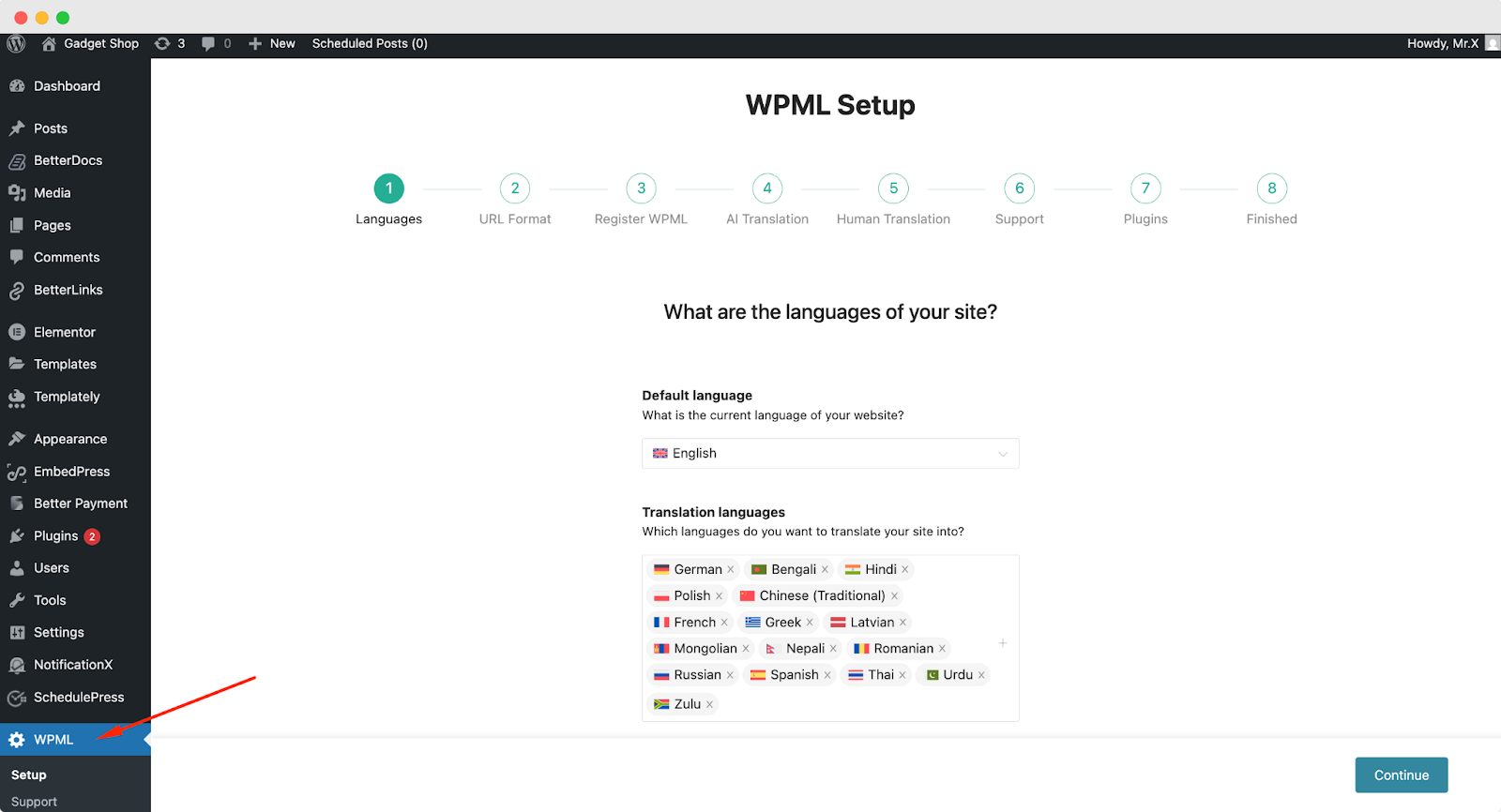
When you get started with WPML, you will be guided through a Setup Wizard. Here, you will be setting your preferences for URL format, registering the plugin, and setting up AI and Human translations. Follow along with the steps as shown in this documentation.
Step 2: Translate the Pages You Want
Once you have set up the WPML plugin, to translate your documents, go to “WPML” → “Translation Dashboard” and select the documentation you want to translate.
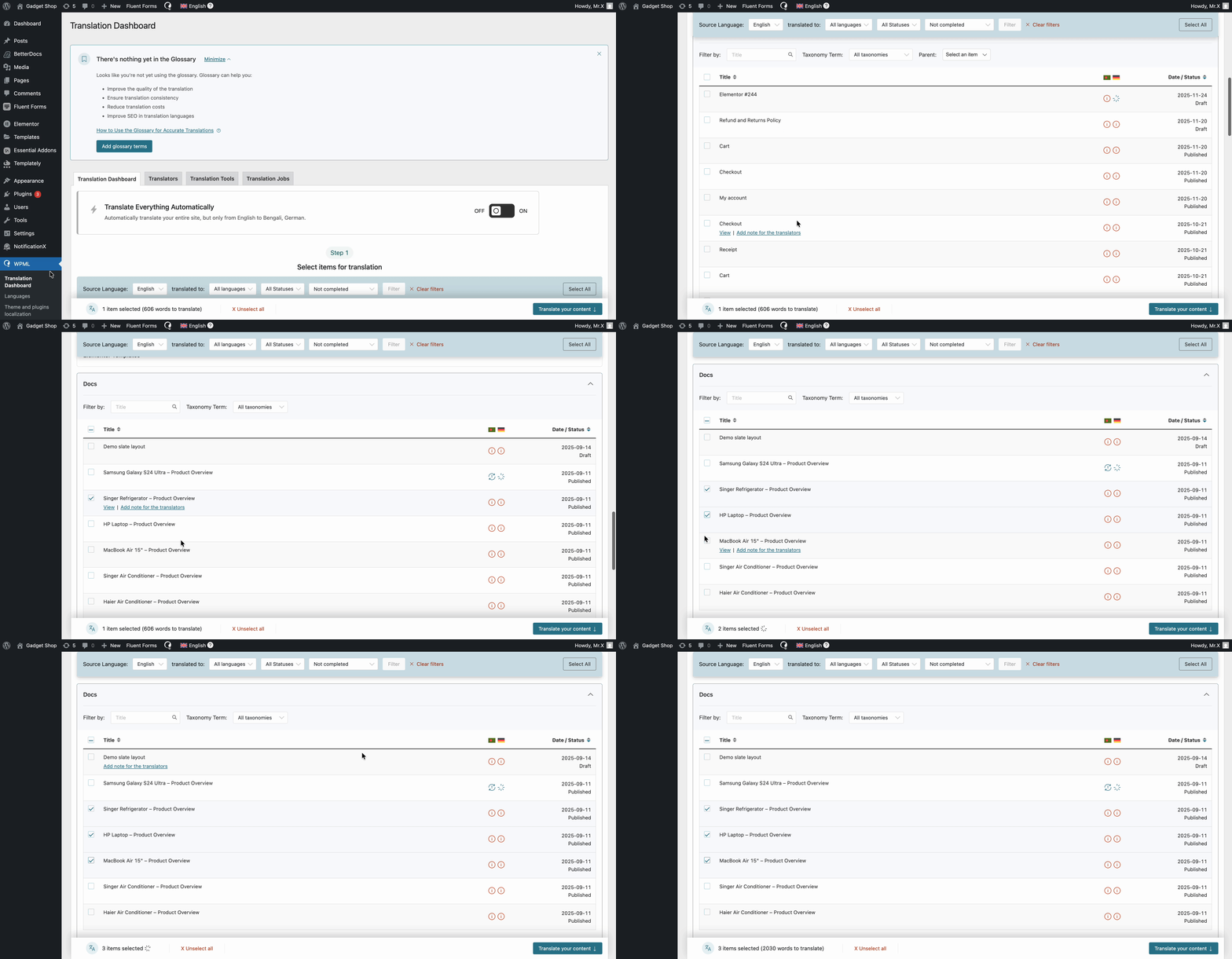
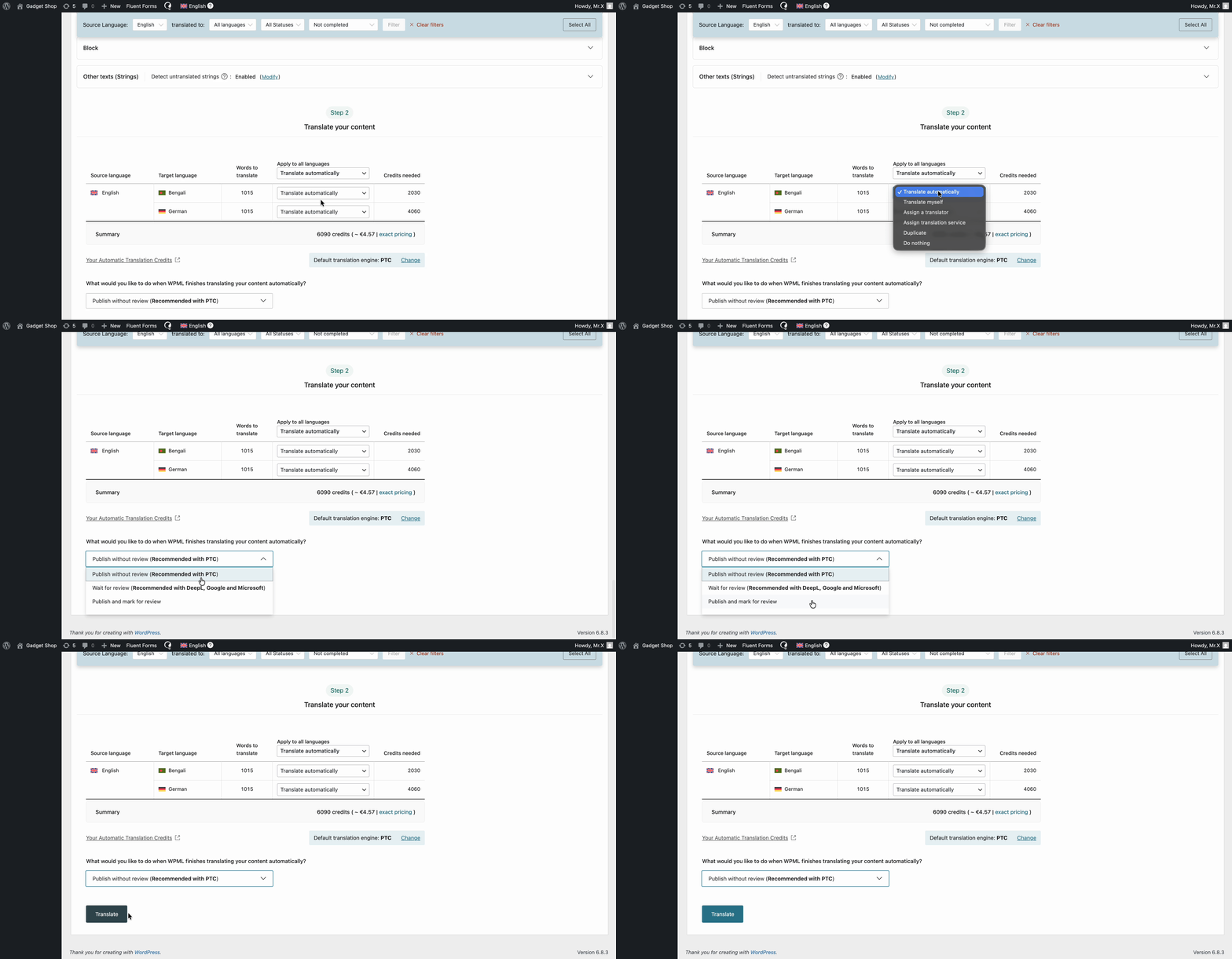
Now, click on the ‘Translate your content’ button. From the dropdown, select ‘Translate Automatically’. Then you are asked about your publishing and review preferences. Select what you prefer, then click ‘Translate’ and WPML will translate your documentation automatically.
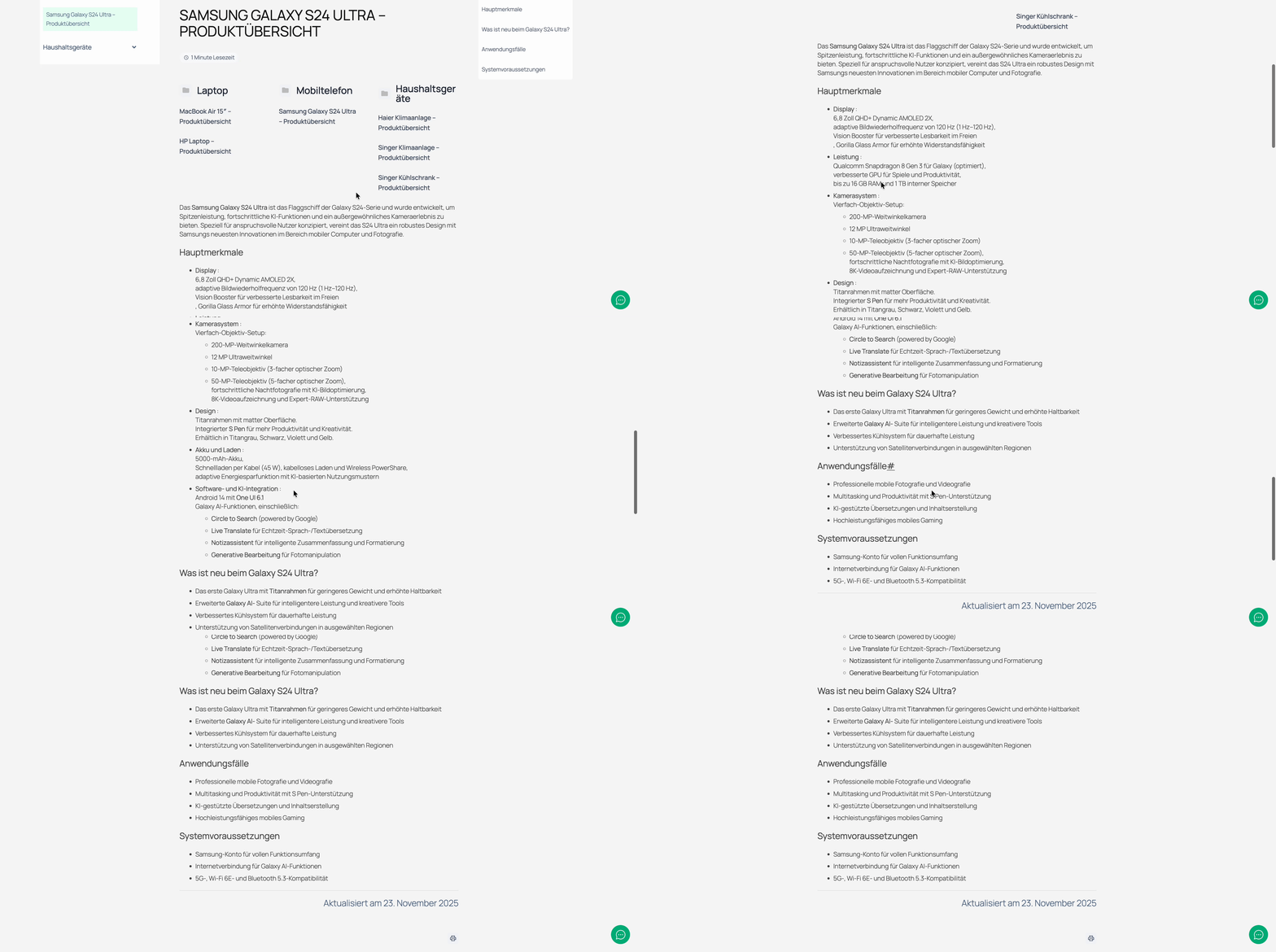
What Will It Look Like?
Once you have followed these processes, here is what the newly translated document will look like. Check out your multilingual knowledge base and see how your documentation will look.
✅ Best Practices for Multilingual Documentation Translation
Maintain Consistency in Terminology
Consistency is key for translating technical documentation. Use a glossary to ensure that terms are translated uniformly across all pages. This consistency improves clarity and enhances the overall quality of your translation.
Use Conversational Tone
Your documentation should feel engaging and approachable. Write in a friendly, day-to-day conversational tone that makes the content easy to understand. This approach helps bridge language barriers and makes your documentation feel personal and supportive.
Leverage BetterDocs Features
Take full advantage of BetterDocs’ features such as the table of contents, live search, and TOCs. These features not only improve navigation on your multilingual website but also enhance the overall user experience.
🔄 Alternative Multilingual Solutions
While WPML is a popular choice, other WordPress translation plugins can also help you create multilingual documentation in WordPress:
- TranslatePress: Known for its simplicity and visual translation interface, TranslatePress lets you translate content directly from the front end. It is a great alternative for those who prefer a more visual approach.
- Polylang: Another robust option, Polylang allows you to create a multilingual website with a slightly steeper learning curve. However, it offers powerful features for those who need granular control over translations.
Each of these plugins above has its unique advantages, but WPML’s deep integration with BetterDocs remains one of the most effective methods for comprehensive translation for documentation.
📑 Make Your Documentation Multilingual & Accessible for All
The ability to create multilingual documentation in WordPress is a huge advantage for businesses aiming to connect with a global audience. By connecting BetterDocs with WPML, you can transform your standard documentation into an inclusive, user-friendly resource that drives engagement and enhances customer satisfaction.
Start today. Make your content accessible to non-English speakers and open new doors for your global customer base. If you have found this blog helpful, share your opinion with our Facebook community. You can subscribe to our blogs for valuable tutorials, guides, knowledge, tips and the latest WordPress updates.