
Debido a diferentes temas, puede encontrar un Tabla de contenido pegajosa superpuesto con su menú de encabezado o pie de página. Sin embargo, BetterDocs gives you the flexibility to increase the z-index of Sticky TOC so that it doesn’t overlap any section of your WordPress Knowledge Base website.
To increase the z-index of Sticky TOC, go to your wp-admin →BetterDocs → Settings → Design tab. Then, click on the ‘Customize in BetterDocs’ option under the ‘Legacy Customizer’ section.
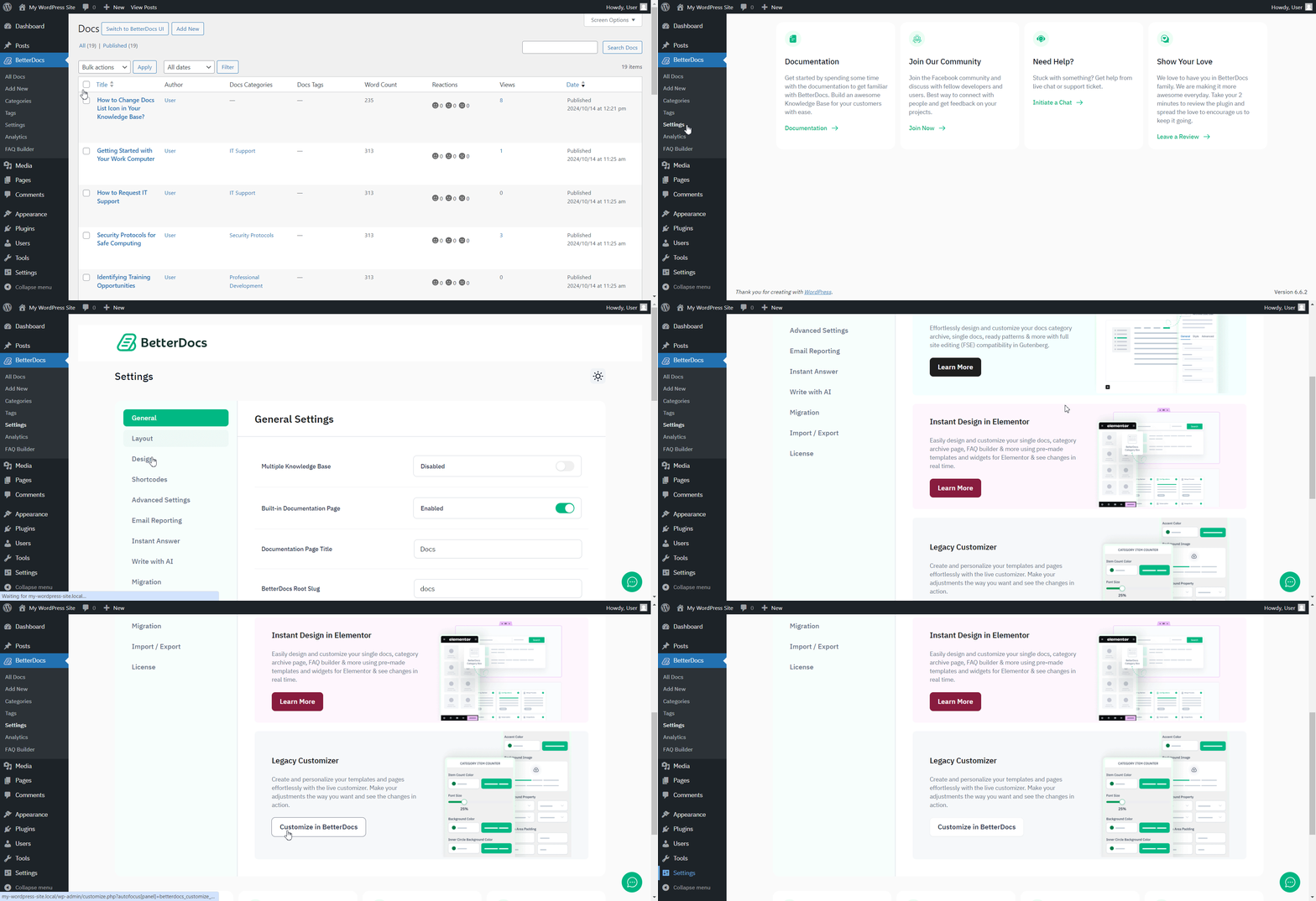
Afterwards, go to the ‘Single Doc’ page. From the 'Tabla de contenidos' section, you will find options to increase the z-index of the Sticky Table of Content. Simply use the ‘Sticky TOC z-index’ option to increase the value, and you will be good to go.
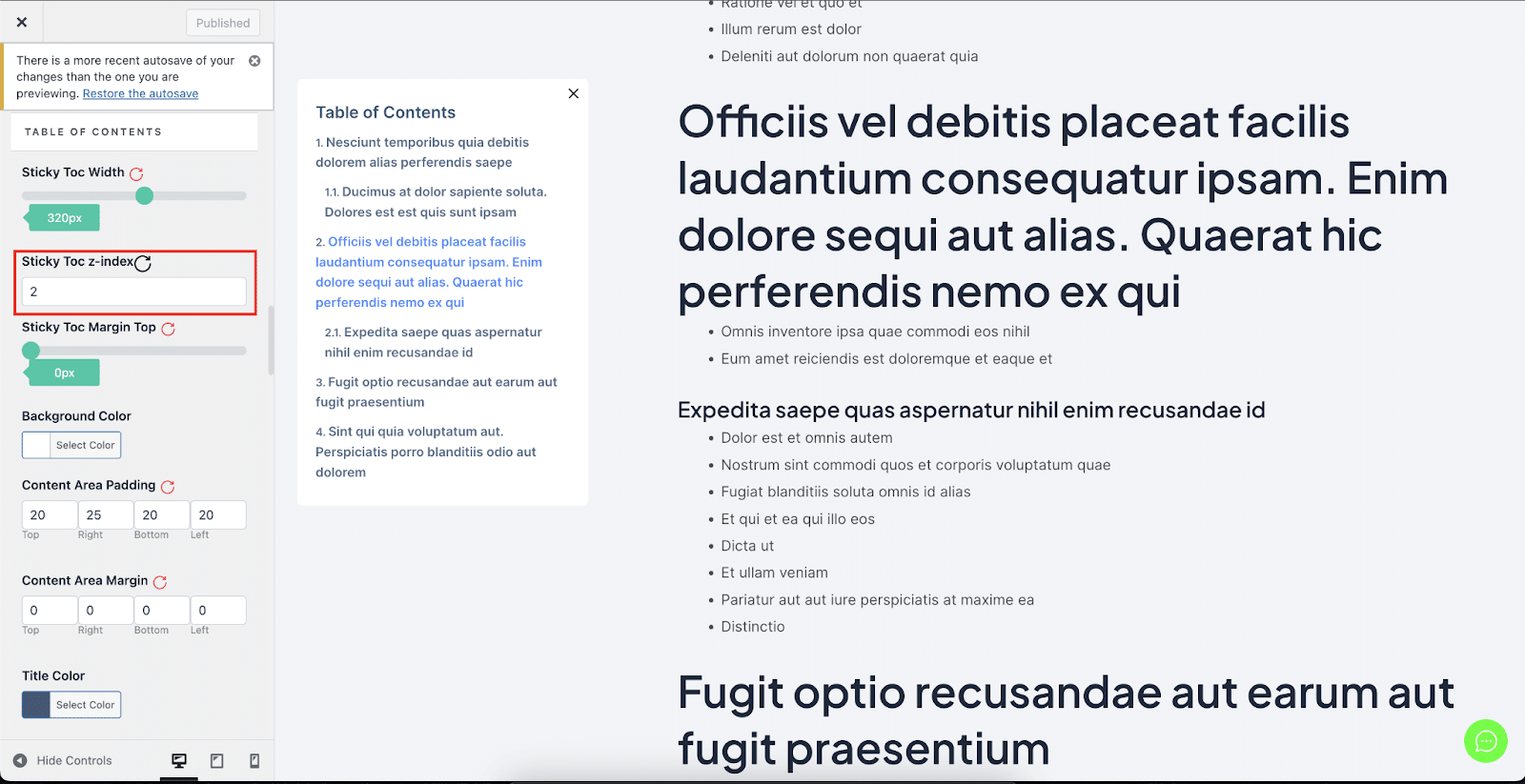
Así es como puedes evitar Tabla de contenido pegajosa de superponerse con otras secciones de su sitio web WordPress en BetterDocs.




