
BetterDocs gives you the freedom to customize the Archive Pages and change their appearance any way you want. Now, let’s follow the below guidelines to personnaliser les pages d'archives de documentation dans BetterDocs:
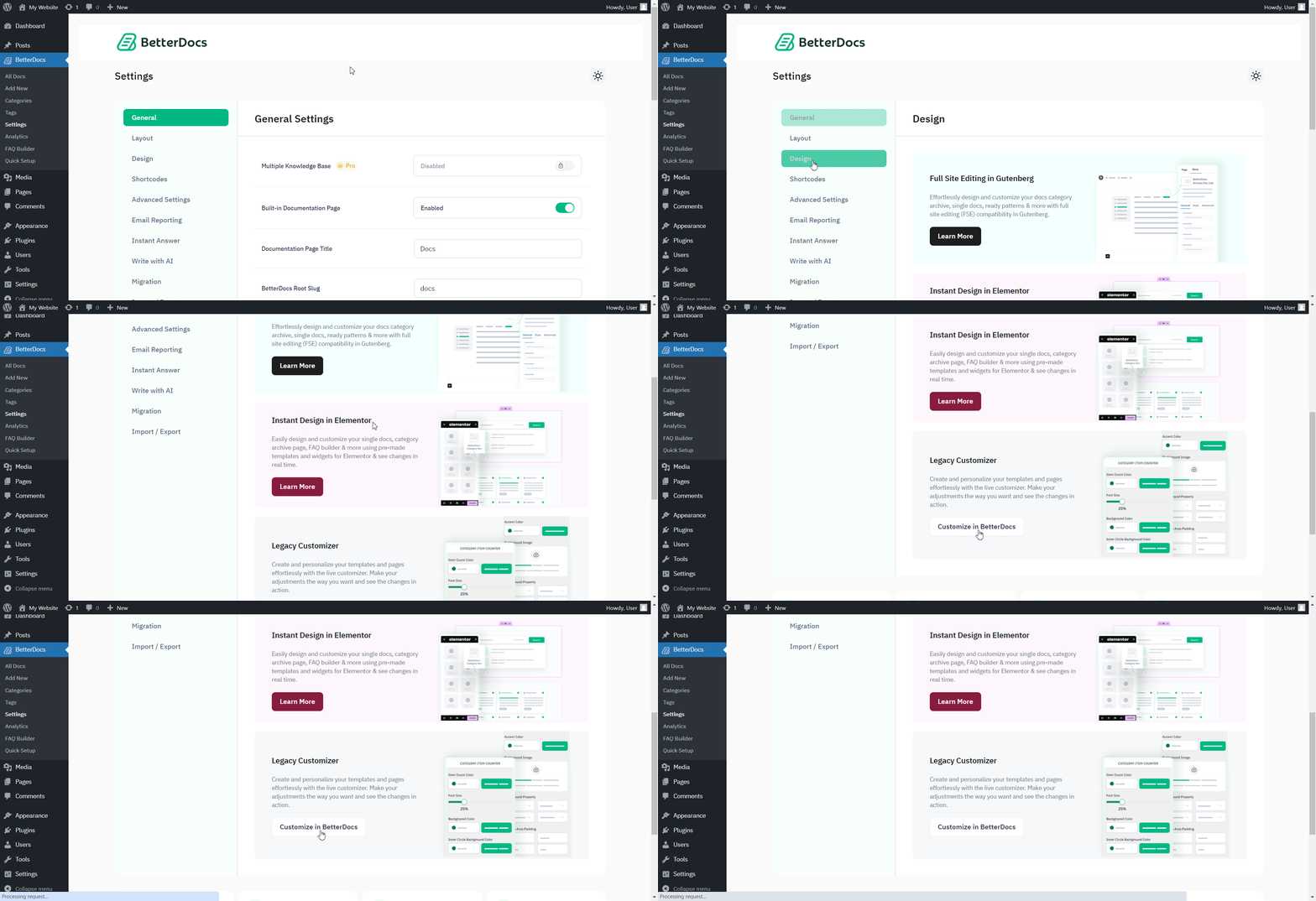
Step 1: Go to BetterDocs Settings #
First of all, go to the BetterDocs Settings by navigating to wp-admin -> BetterDocs -> Paramètres. Ensuite, ouvrez le 'Conception' tab. Under the ‘Legacy Customizer’ section, hit the ‘Customize in BetterDocs’ et vous serez redirigé vers la page Personnaliser.
Step 2: Configure Customize BetterDocs Option #
De ‘BetterDocs Customizer’, you can pick the ‘Archive Pages’ option. You will then find all the styling options to modify the appearance of the Pages d'archives option.
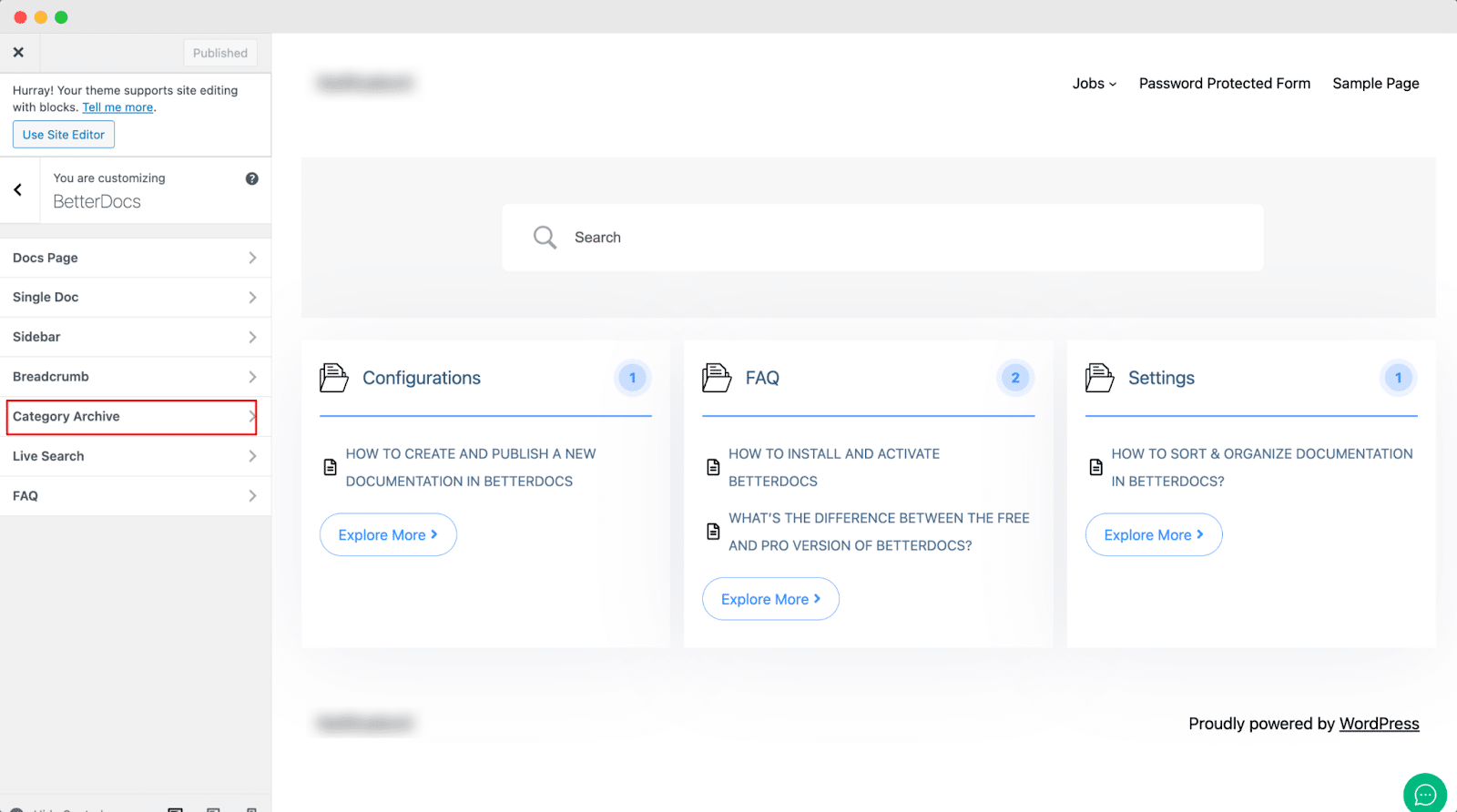
Par défaut, Personnalisateur BetterDocs redirects you to the doc landing page as a preview. So, you can click on the ‘Category’ and you will be redirected to the respective archive pages. Afterward, you can check out the changes you make in real time.
Ensuite, vous pouvez continuer et modifier les couleurs de l'arrière-plan de la page, l'arrière-plan de la zone de contenu, le titre, l'icône de liste et bien d'autres. Si vous le souhaitez, vous pouvez même ajouter un ‘Background Image’ and change its properties as well. Besides, you can play around with the Content Area Margin and Archive Title Margin. Make sure to hit on the 'Publier' pour enregistrer vos modifications.
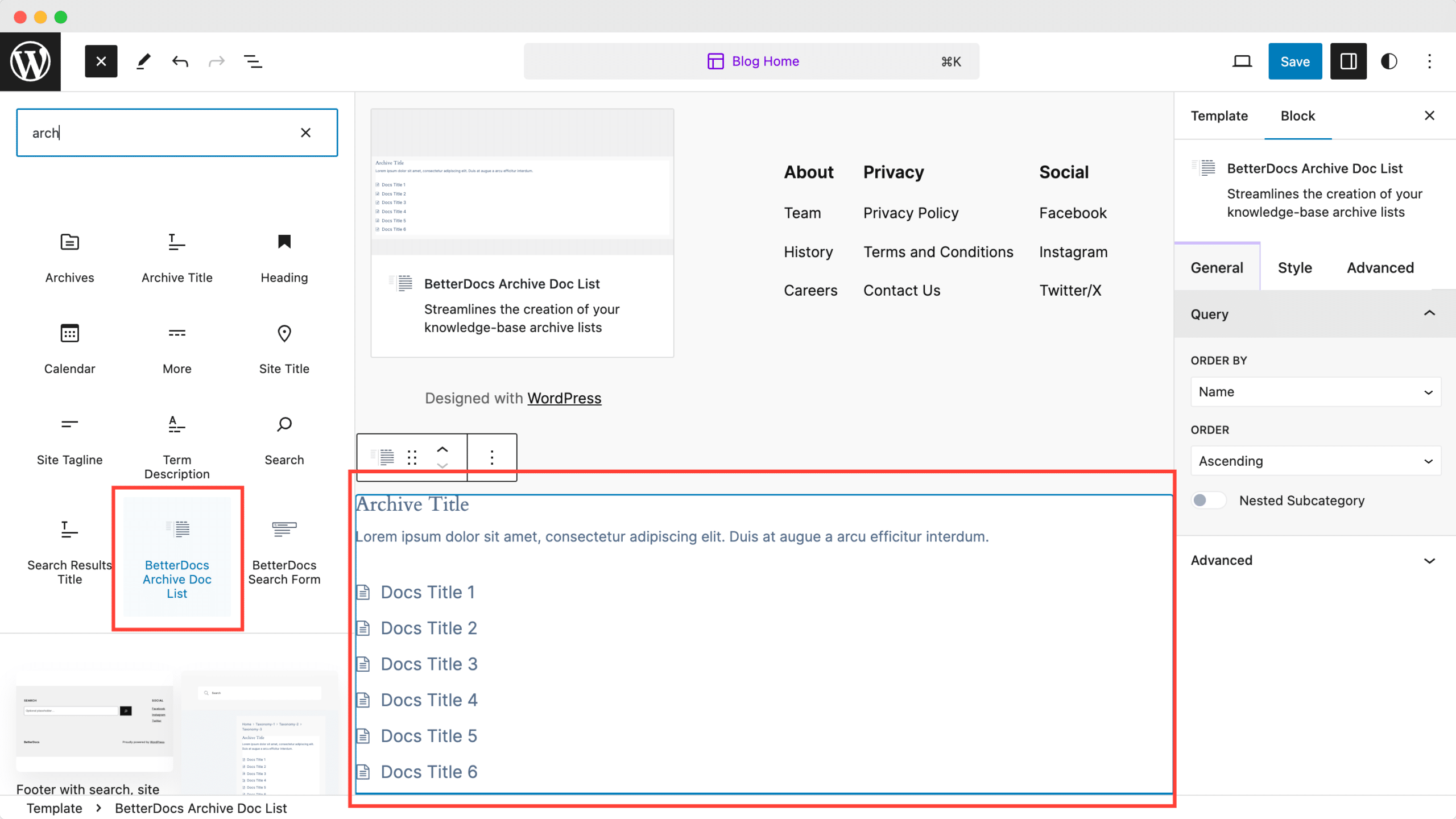
With the ‘BetterDocs Archive Doc List’ block, you can easily add the list of your archive documentation pages. Use this block to add the list anywhere you want on your page or post.
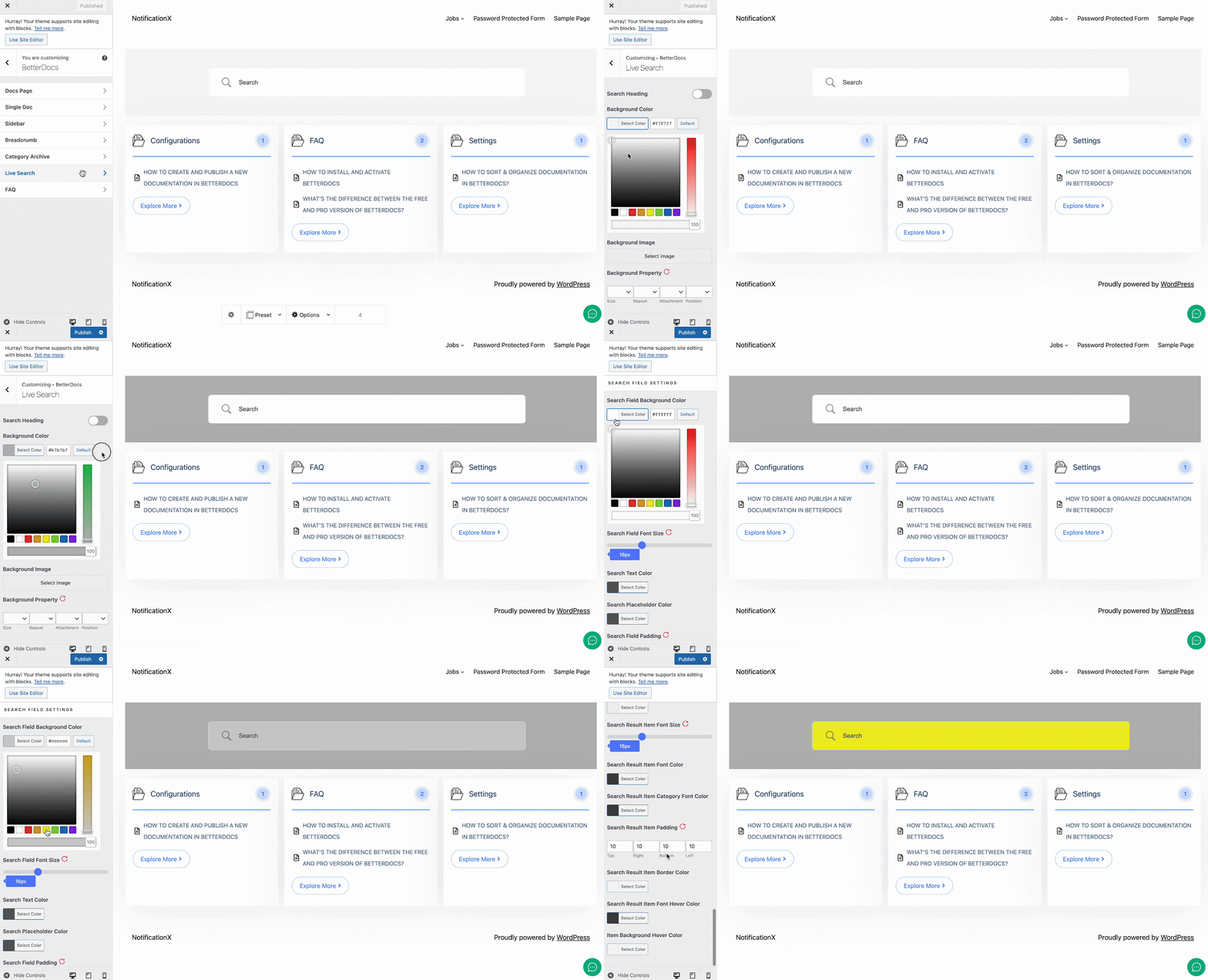
This is how easily you can customize the documentation archive pages with BetterDocs and enhance your user experience.
Moreover, BetterDocs provides a Full Site Editor compatible block of archive page list feature where you can select different orders and more. You can now choose different doc list designs directly using BetterDocs compatibility for the WordPress full site editor.
If you face any difficulties, feel free to contact our support team.




