
BetterDocs gives you three ready blocks for Elementor to help you create your single doc template with a single click. Follow these steps to find out how to use these premade BetterDocs ready templates in Elementor Theme Builder.
注意: Elementor主题生成器是一项仅与 Elementor专业版. So, in order to use the premade ready blocks to create a single doc page in Elementor, you must have the Pro version of Elementor installed.
Step 1: Create Your Single Doc Template In Elementor #
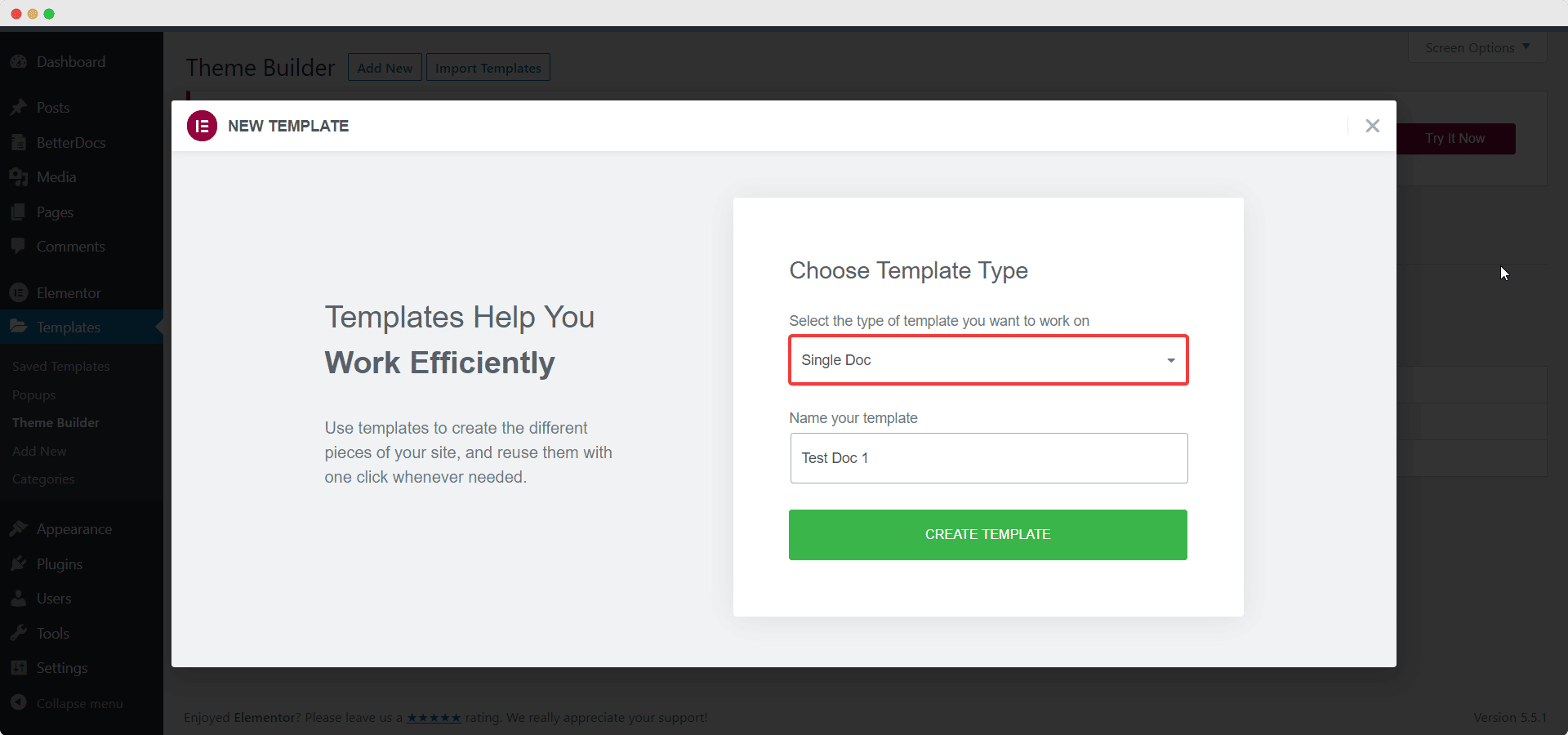
From your WordPress dashboard, navigate to 模板→主题生成器. Click on the '添新' button, choose ‘Single Doc’ as your template type and then click on the ‘Create Template’ button as shown below.
A pop-up window will appear showcasing BetterDocs ready blocks for Elementor. Currently there are three premade, ready blocks available to help you create your single doc page instantly in Elementor. Simply insert any of these blocks that you like on your website.
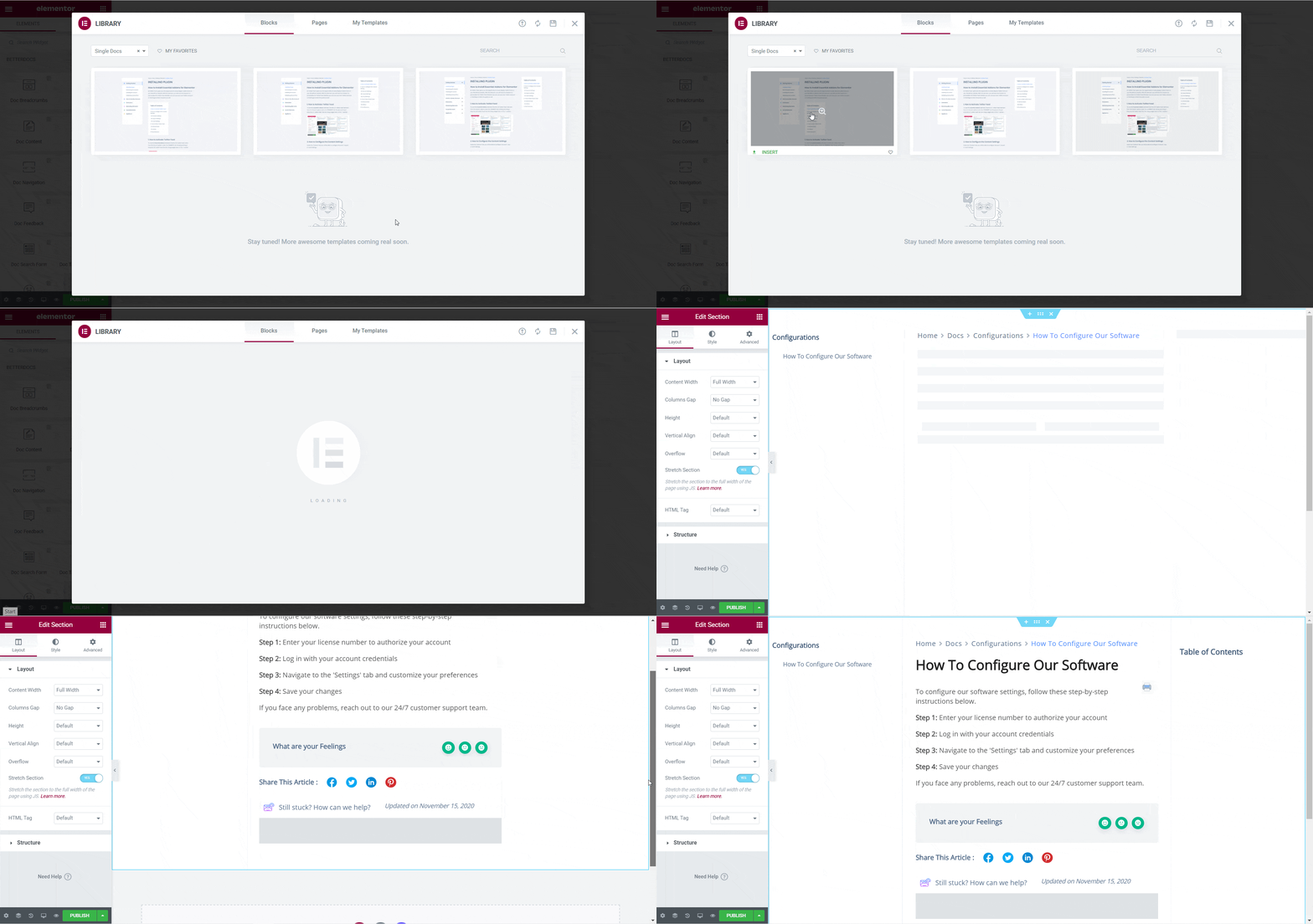
Step 2: Style Your BetterDocs Ready Blocks In Elementor #
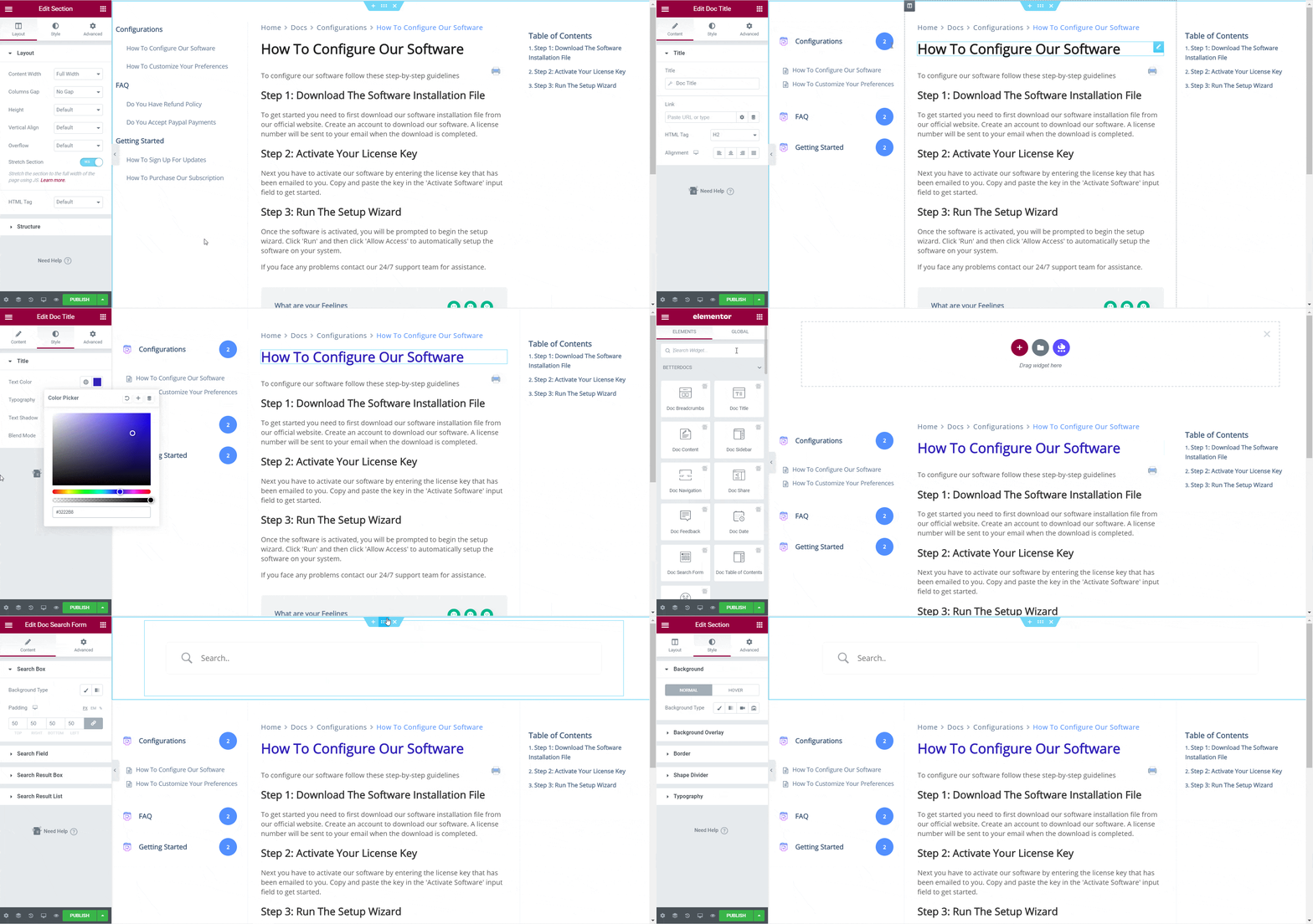
If you want, you can publish your single doc page after inserting your preferred BetterDocs ready blocks in Elementor. Or, you can add more customization by playing around with the colors, typography and more. Modify the content and add, remove or change the elements in your BetterDocs ready blocks any way you want.
To find out more about how to customize your single doc page, check this detailed documentation here.
Step 3: Publish Your BetterDocs Single Doc Page #
When you are happy with the changes, publish your Single Doc page template by clicking on the '发布' button. A popup will appear asking you to set conditions. This step is optional, and it lets you decide the conditions under which your Single Doc page will be available to site visitors. Click on “保存并关闭” and your single doc page will be published.
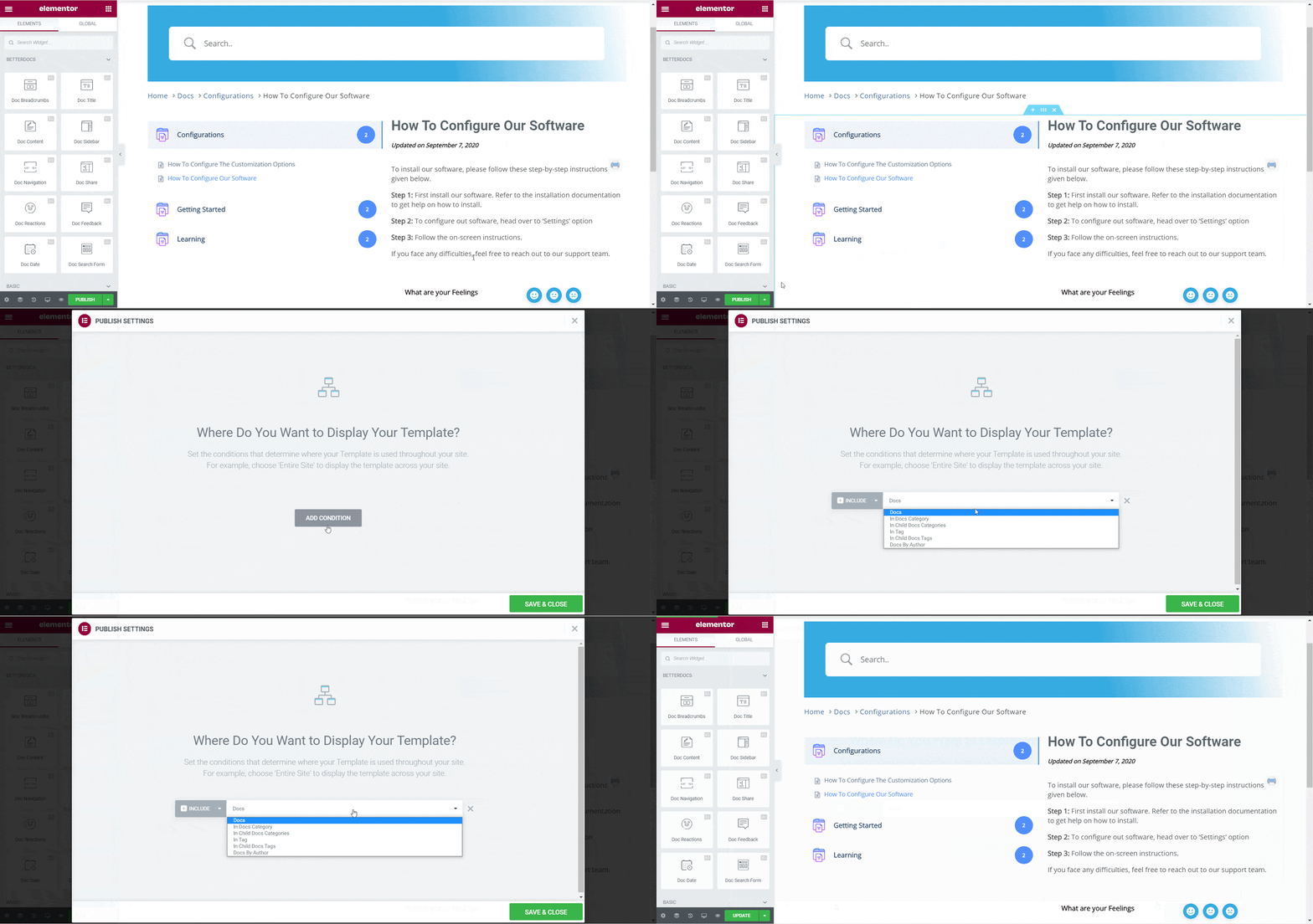
最终结果 #
By following these basic steps you can use BetterDocs ready blocks to create your own 单一文件 page template in Elementor.
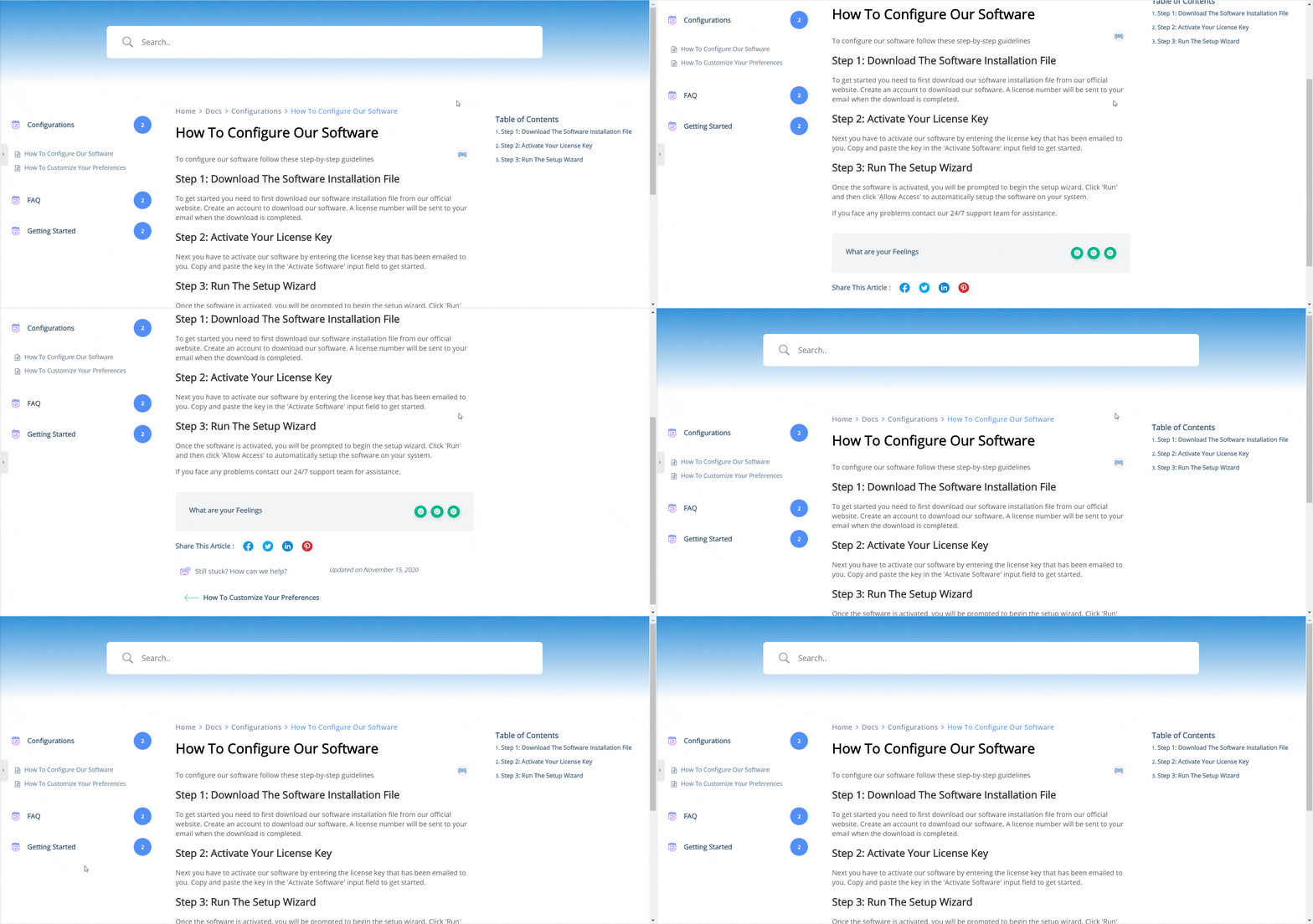
在...的帮助下 BetterDocs, you can create eye-catching Single Doc page templates in Elementor Theme Builder instantly using ready, premade blocks.
If you face any difficulties, feel free to contact our 支持团队.




