
BetterDocs 与您无缝集成 Elementor。您现在可以设计自己的 Elementor中的单个文档 使用Elementor主题生成器无需任何编码。为“单个文档”页面设计模板后,可以保存该模板,然后将其再次用于每个单个文档页面。
注意: Elementor主题生成器是一项仅与 Elementor专业版。所以,为了配置 Elementor中的单个文档, you must have the Pro version of Elementor installed and activated.
请按照以下逐步说明进行操作,以了解如何使用BetterDocs在Elementor中设计单个文档。
Step 1: Create a New Single Doc in Elementor Theme Builder #
导航 WordPress仪表板 → Templates → Theme Builder 从WordPress仪表板。点击 '添新' button and select ‘单一文件’ as your template type. Choose any template and click on the ‘Insert’ button. Your new template will now open in the Elementor editor.
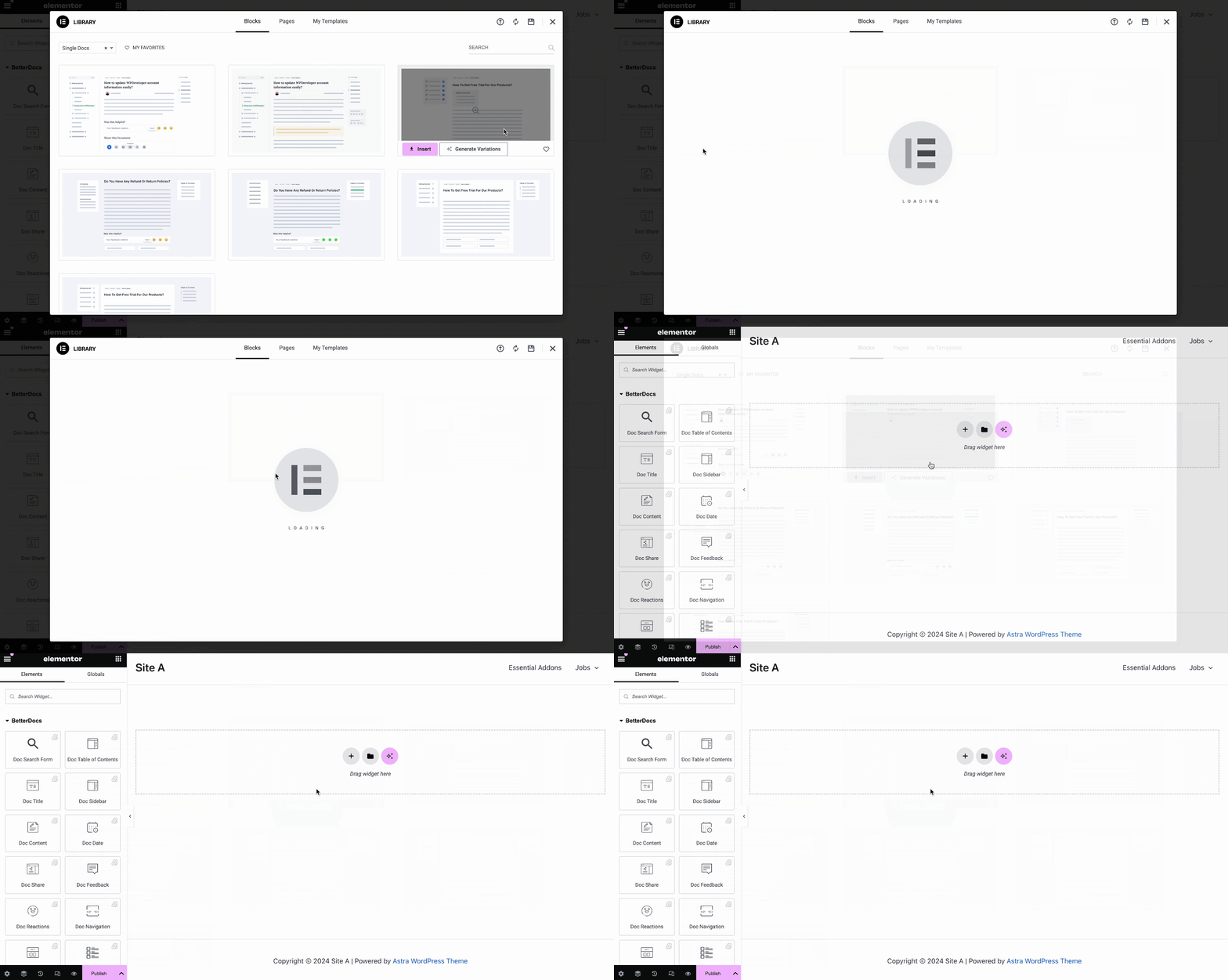
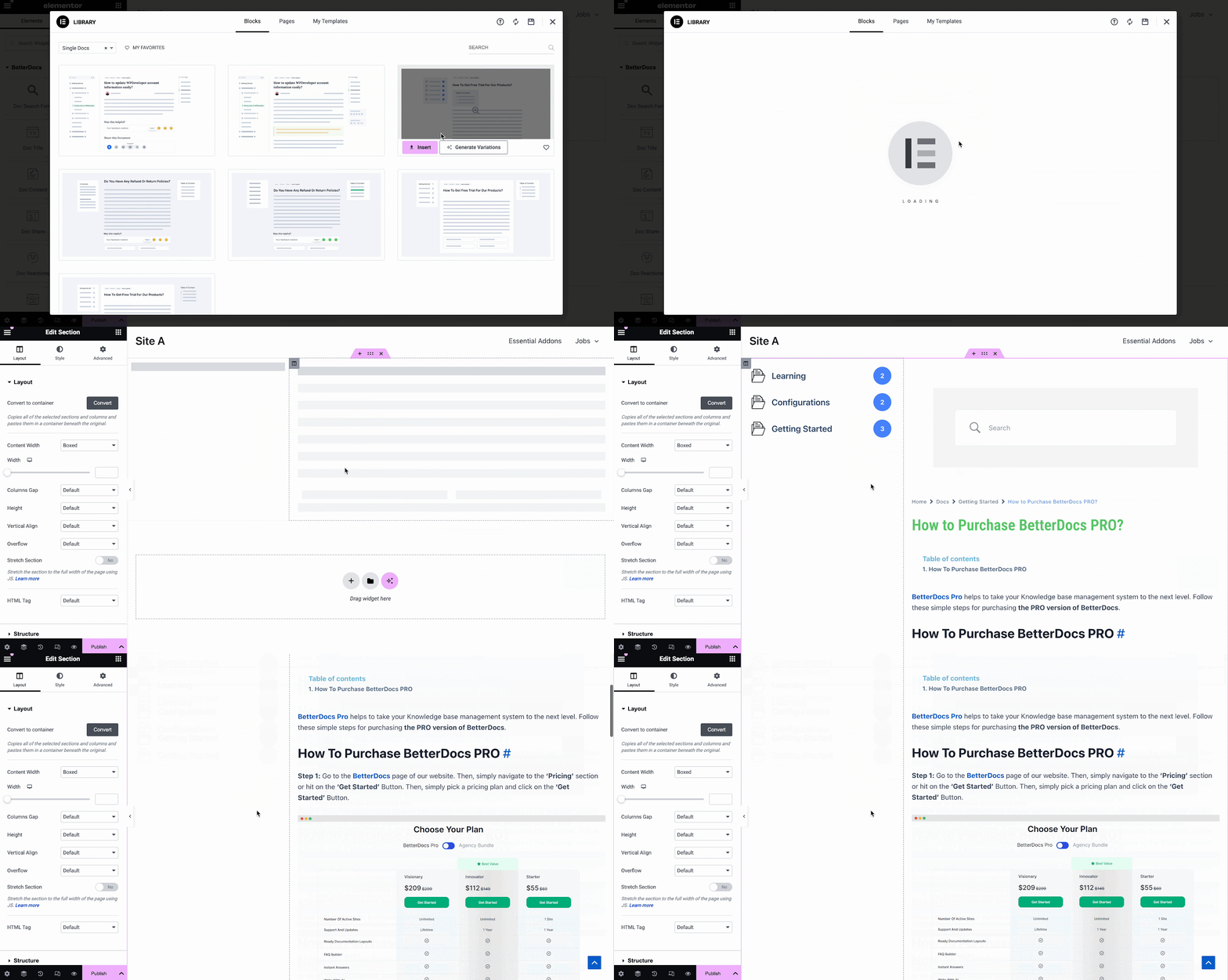
You can use BetterDocs premade-ready widgets to instantly create your single doc page. Or you can customize your single doc page from scratch by configuring different elements as shown in the next step.
Step 2: Customize Single Doc in Elementor #
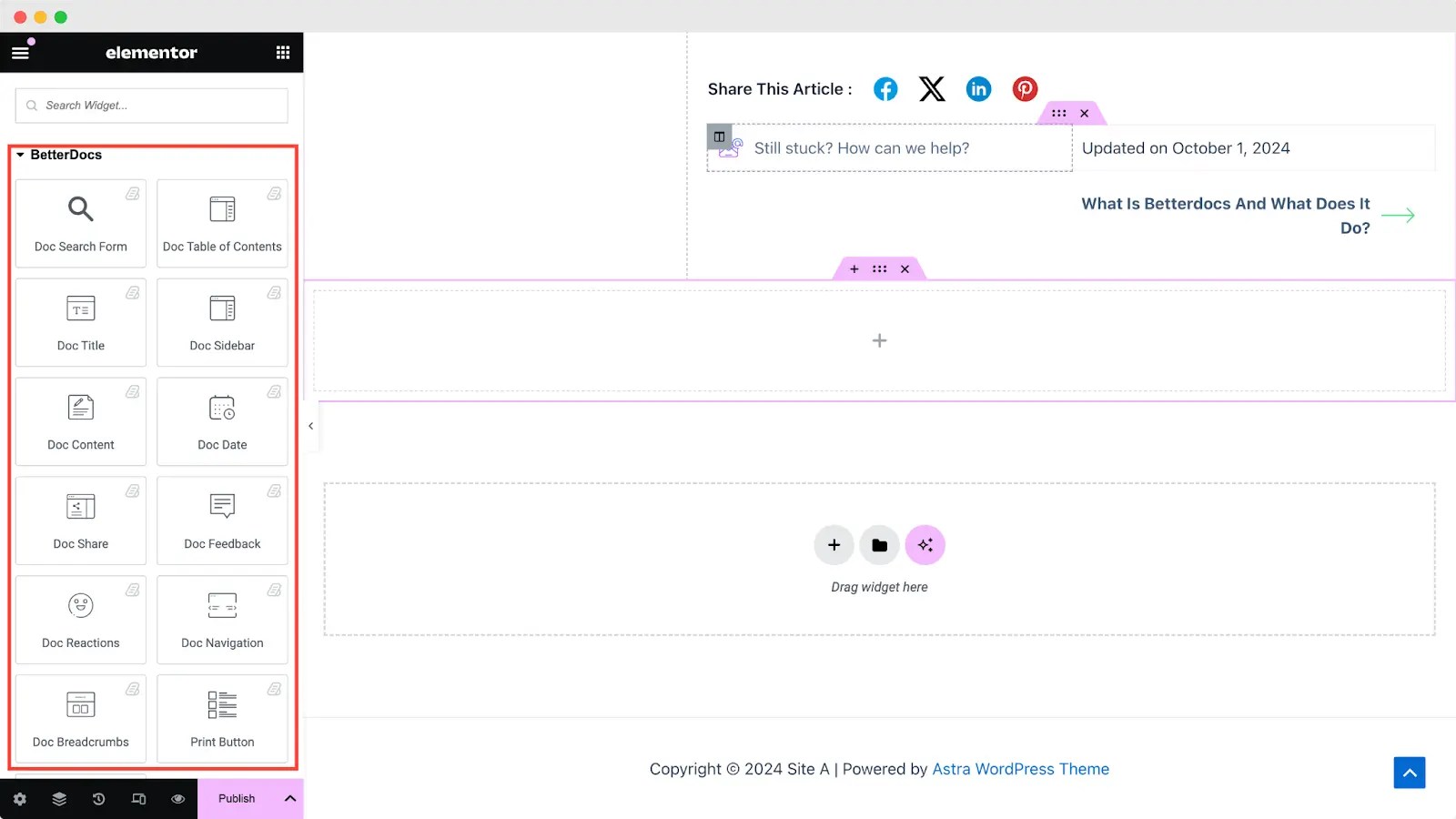
来自 “元素” tab in Elementor Editor, you should see 12 BetterDocs elements to design your Single Doc page template. You can drag and drop these elements anywhere on your page to use them.
文件搜寻表格 #
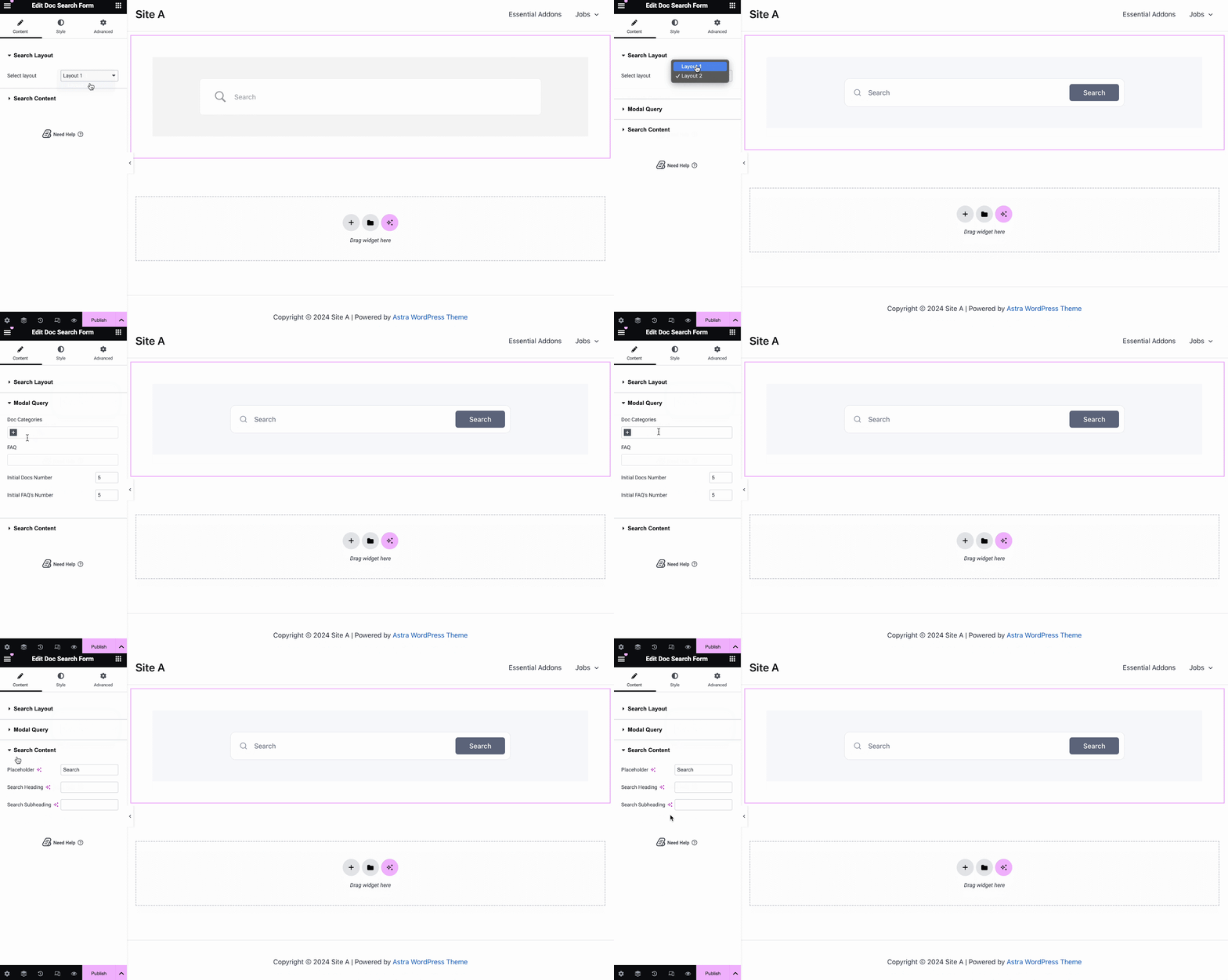
的 文件搜寻表格 元素可让您将实时搜索栏添加到您的 单一文件 page. To use this element, simply drag and drop it into any section of your page. Then, the element will appear on your page by default as shown below.
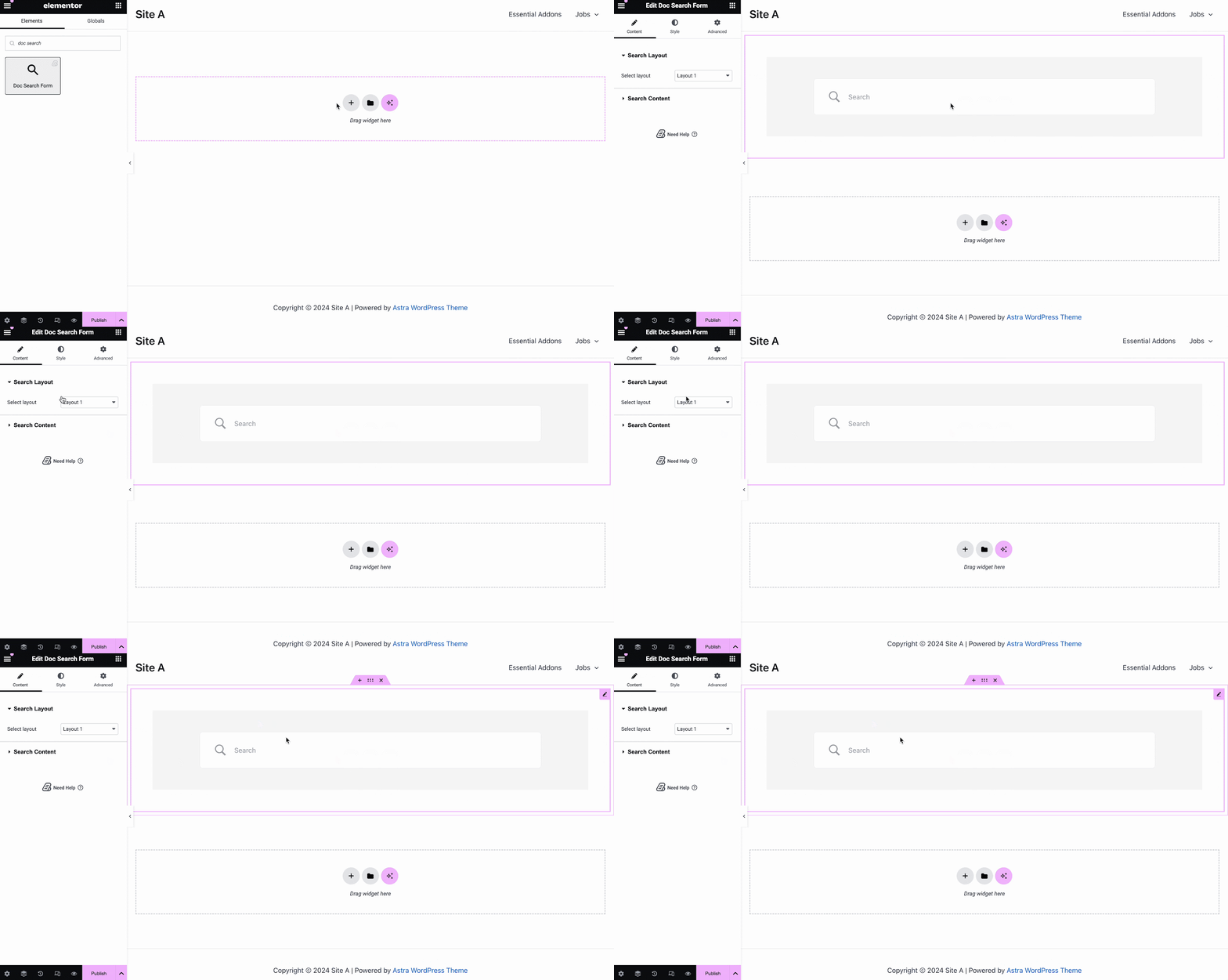
来自 '内容' tab, you can choose one from two templates and customize your 文件搜寻表格. If you choose Layout 2, you will have another option to configure Modal Query, where you can set doc categories, FAQ, doc numbers, etc.
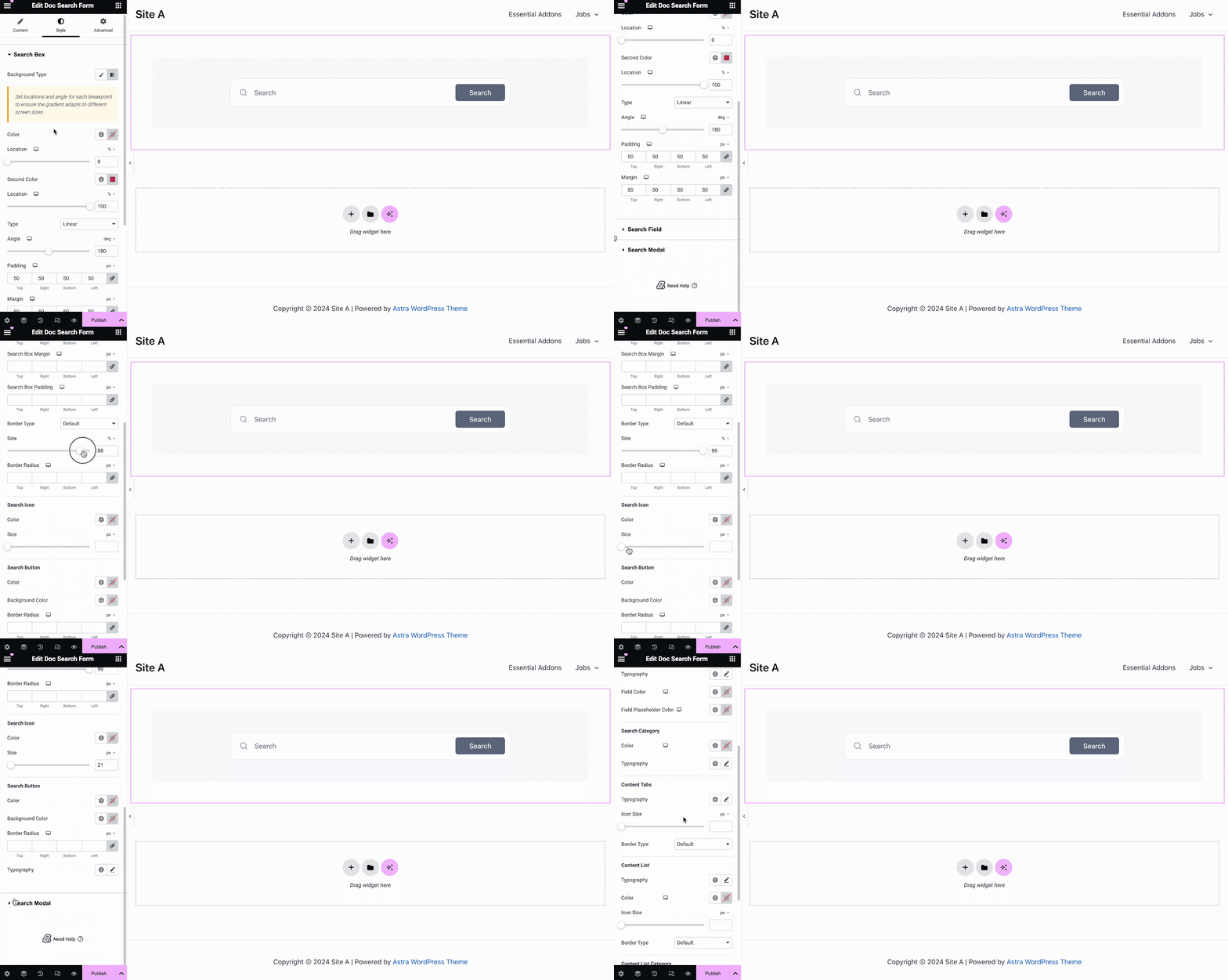
在下面 '样式' tab, you will see options for changing the background type and color of the '搜索框' items. You can use images, solid colors, or gradient colors for your background.
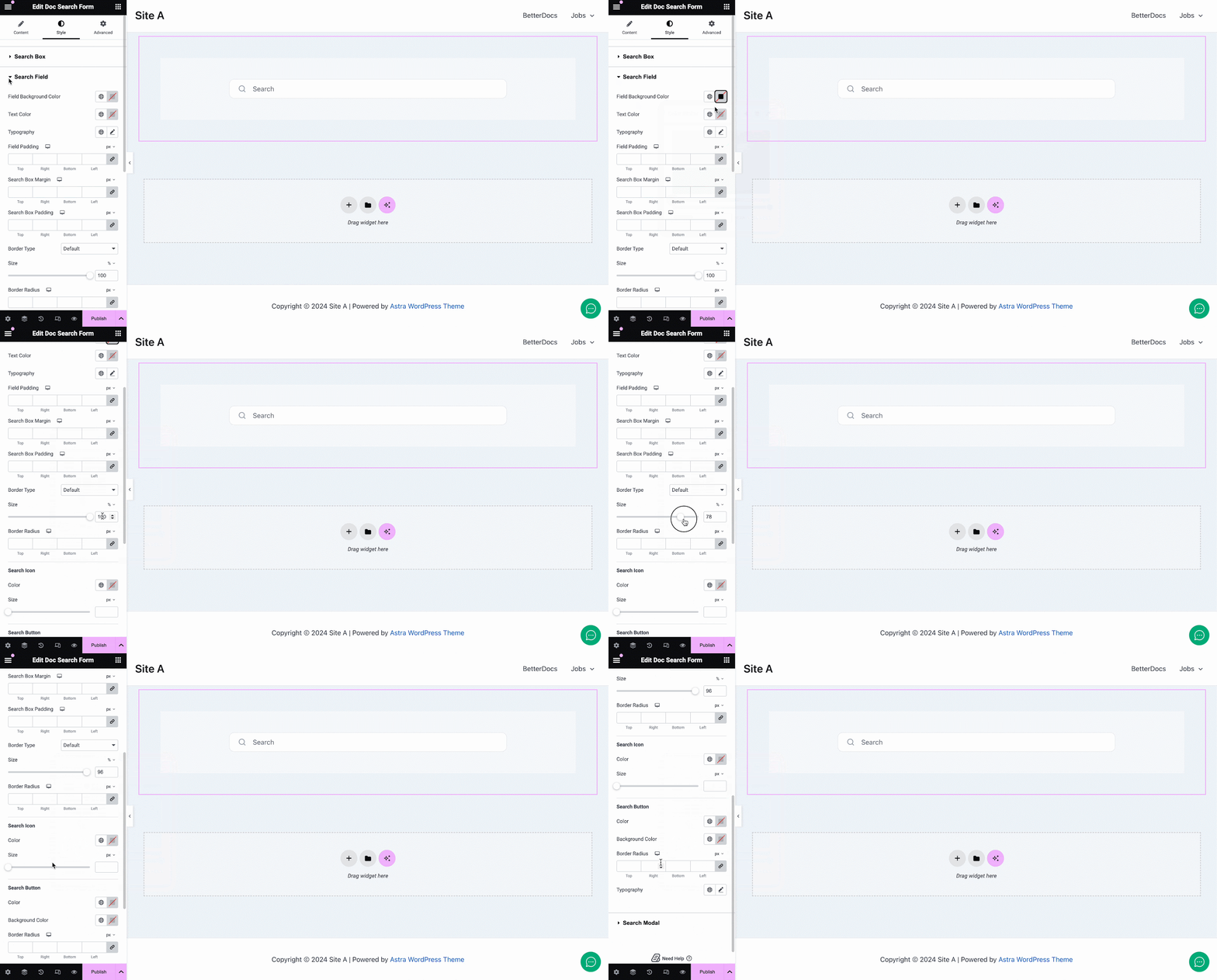
同样,在 “搜索字段” section, you have the option to change the field background color, field color, typography, padding, icons and much more. Plus, on the ‘Search Modal’ tab, you will have customization options for the search field, search category, content tab, content list, and more.
文件标题 #
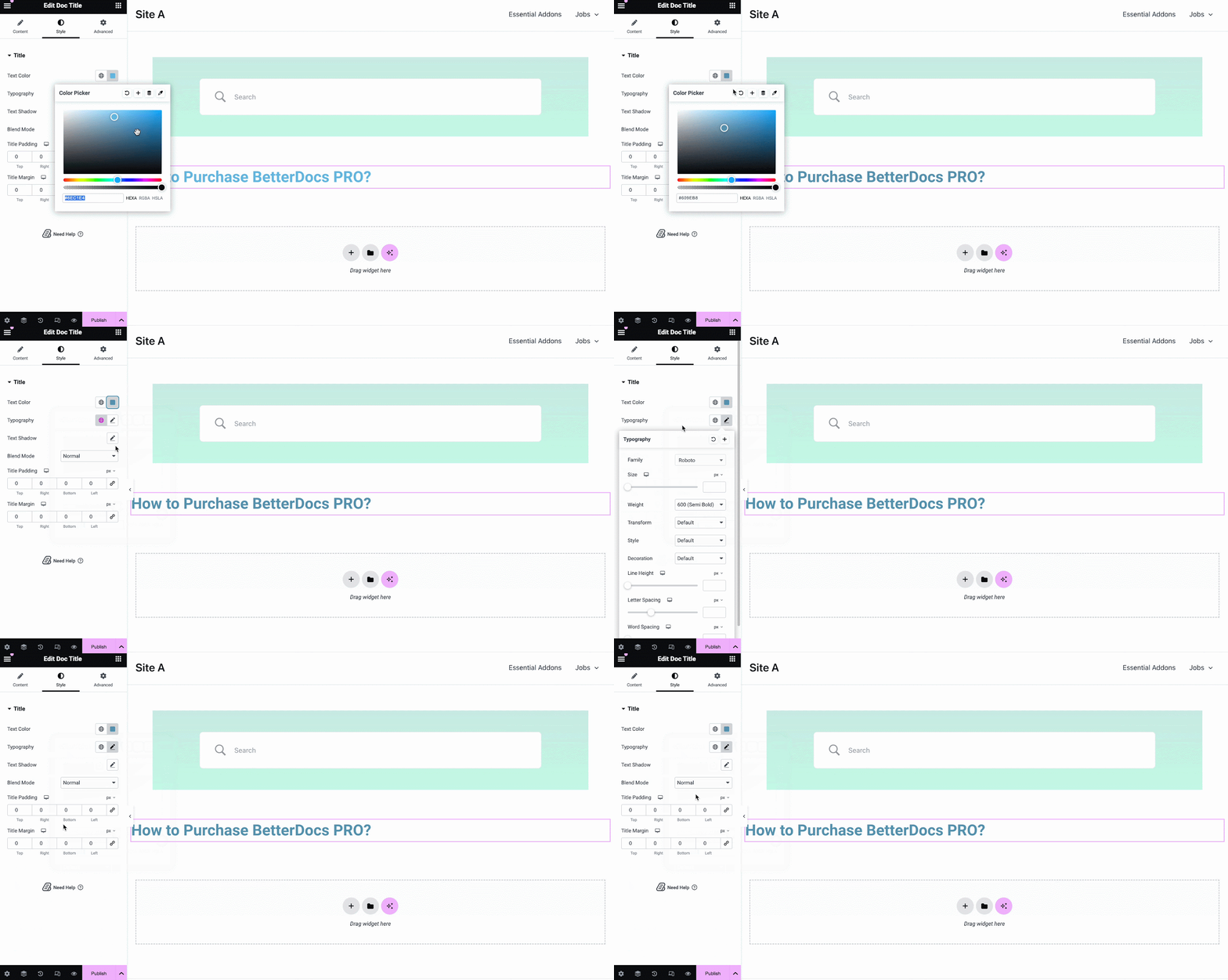
的 文件标题 元素动态添加您的标题 Elementor中的单个文档。来自 '内容' tab, you can customize the title, link, html tag, and alignment.
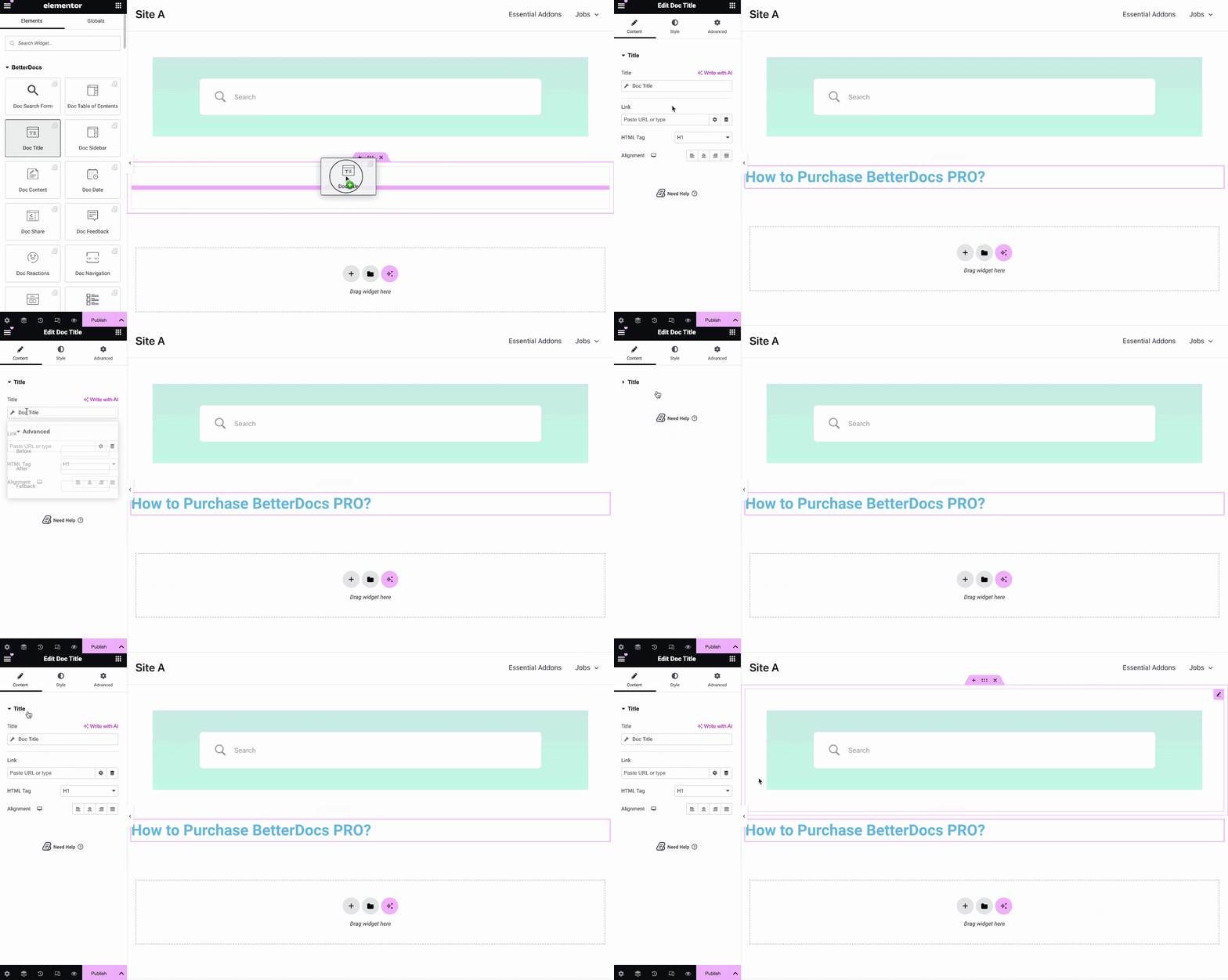
来自 '样式' 标签,您可以更改标题颜色,版式,混合模式,甚至可以添加文本阴影。
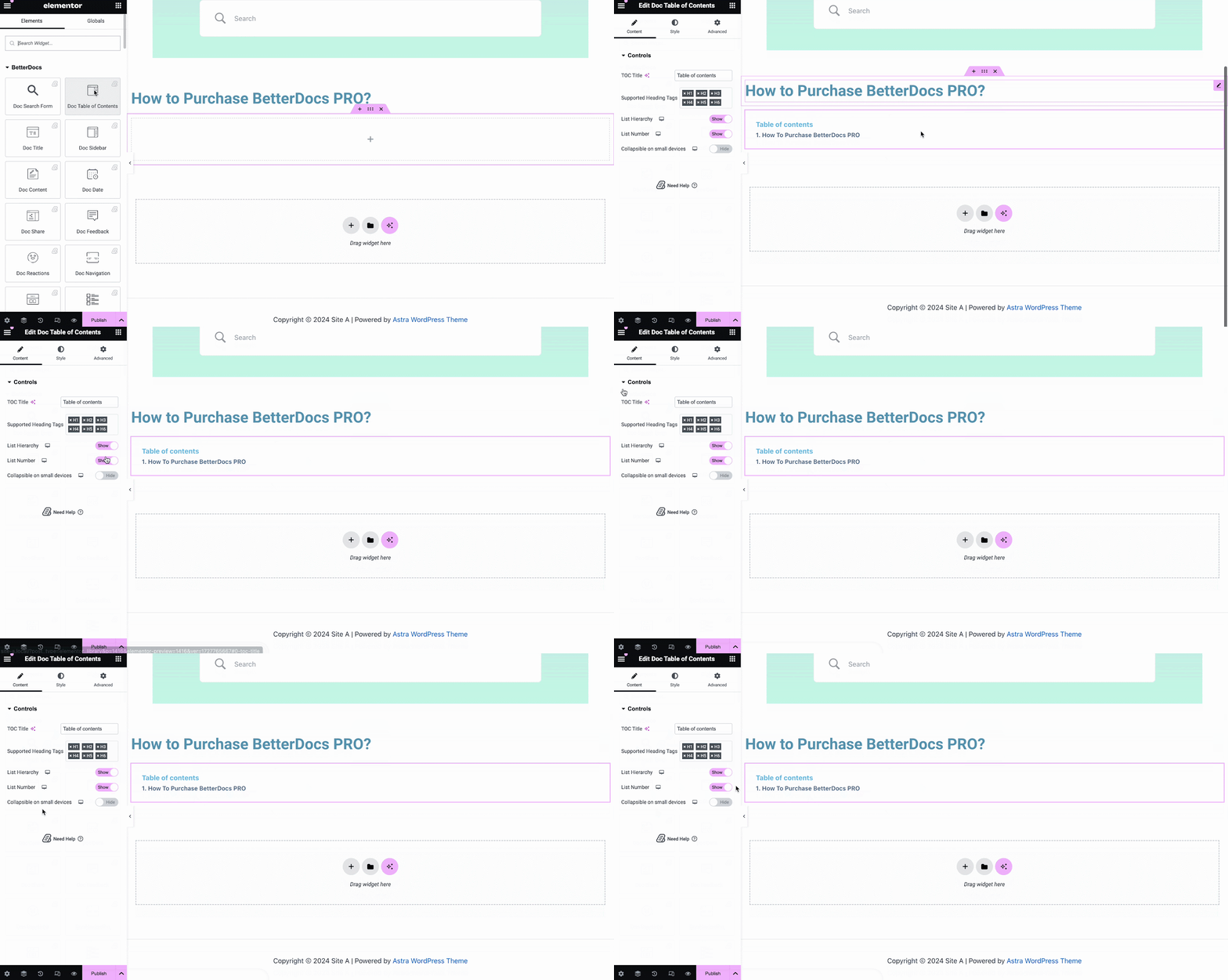
Doc Table of Contents #
With the ‘Doc Table of Contents’ widget, you can customize the title, heading tags, hierarchy, list number and more on the Content tab, as shown below.
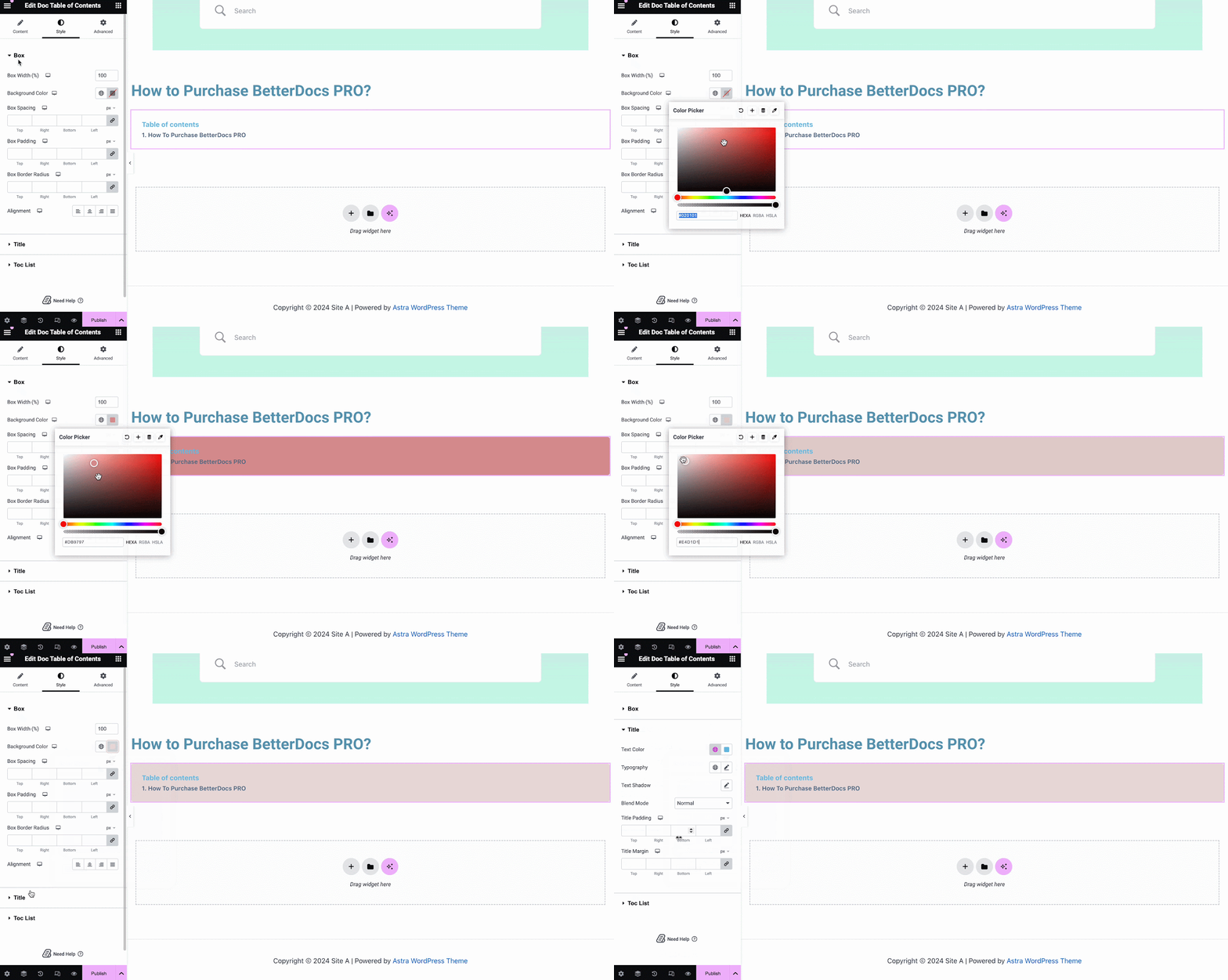
On the ‘Style’ tab, you can customize contents of the Box, Title, Toc list with the color, margin, padding, typography options.
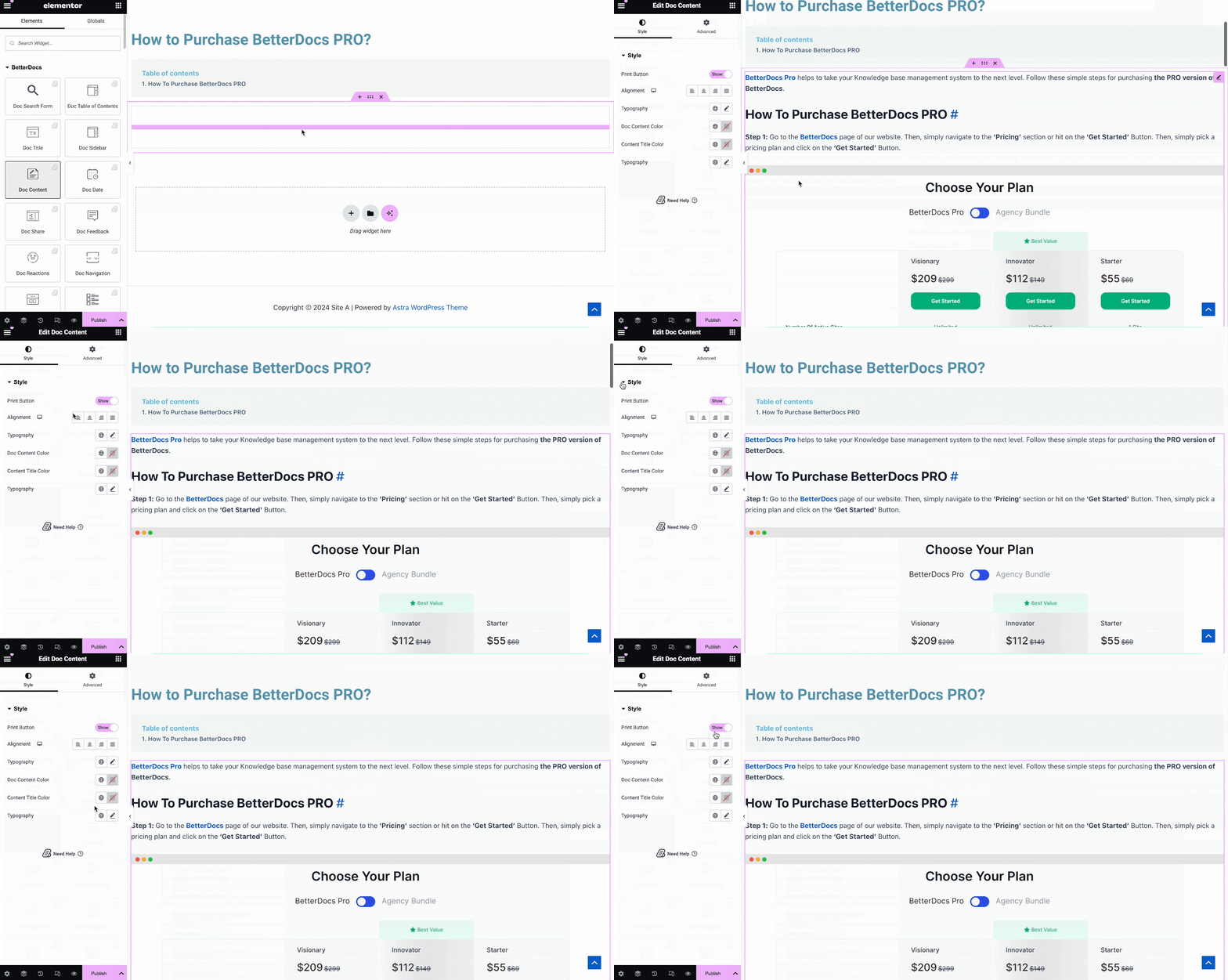
文件内容 #
您可以拖放 文件内容 单个文档页面中任何位置的元素。您的文档内容将自动添加。然后,您可以从以下位置更改对齐方式,文本颜色和版式 '样式' 标签,如下所示。
文件日期 #
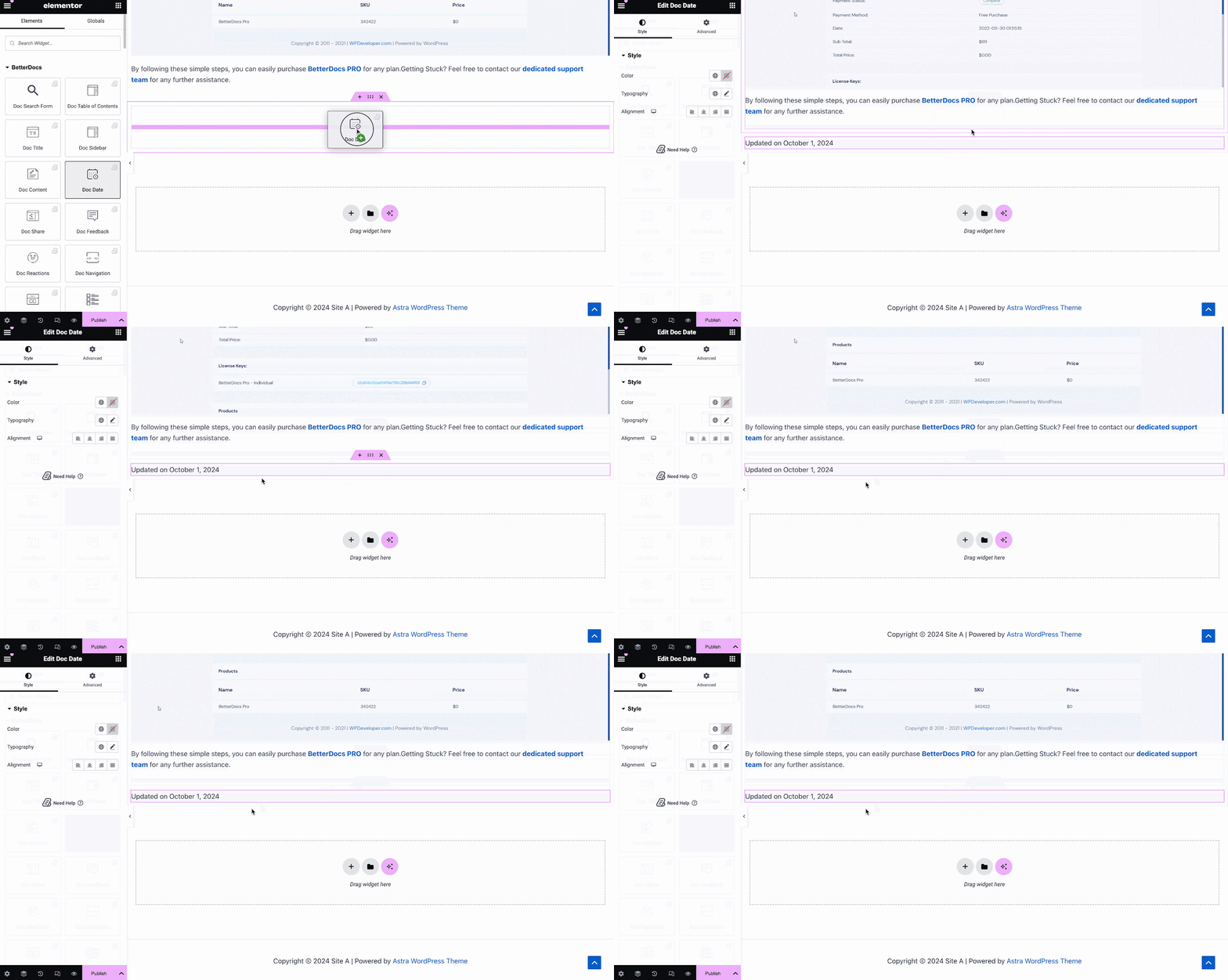
的 文件日期 元素可让您自动显示文档更新的日期。您可以从以下位置更改日期的颜色,对齐方式和版式 '样式' 标签。
Doc侧边栏 #
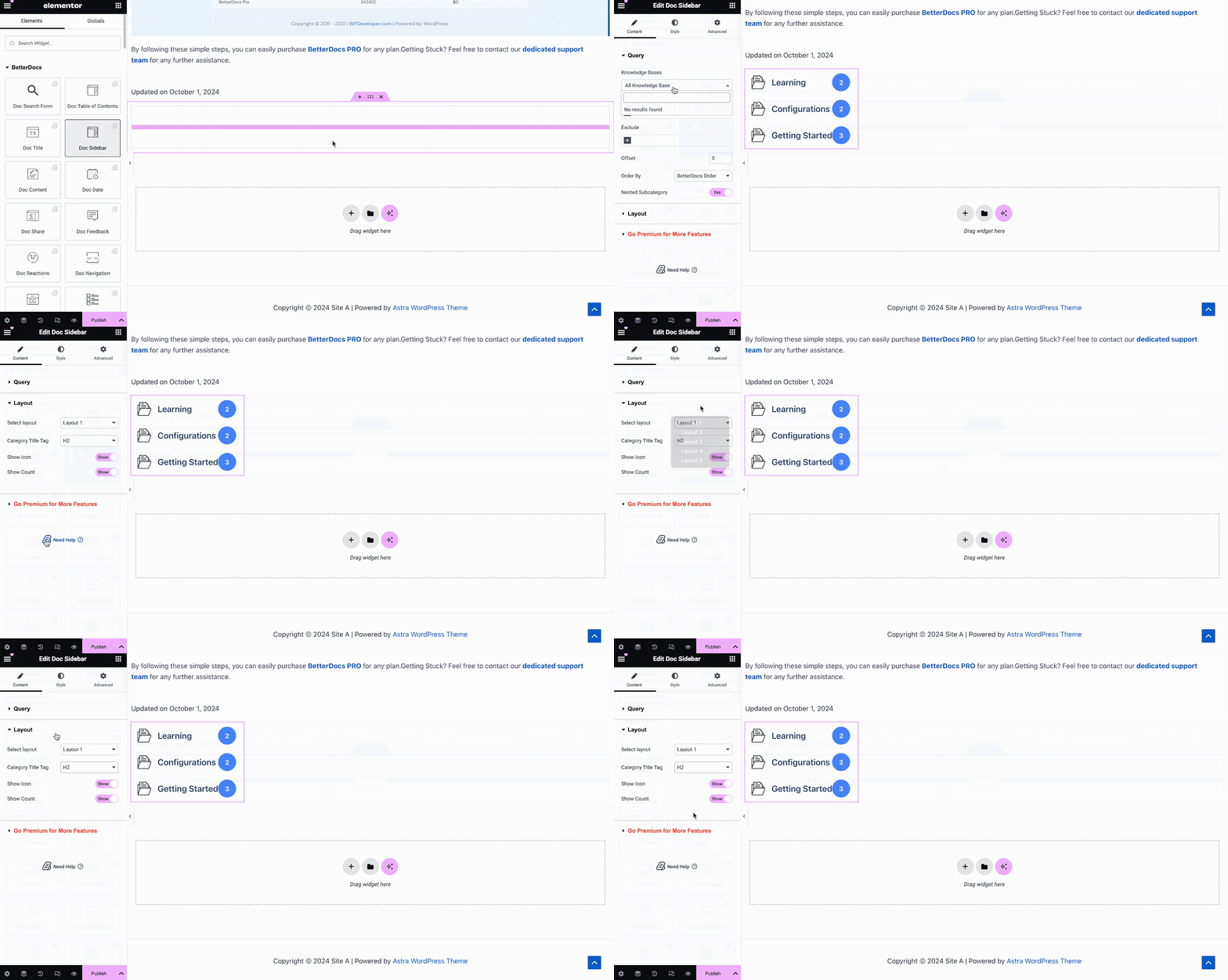
的 Doc侧边栏 元素可让您为自己的工具栏创建边栏 Elementor中的单个文档 显示您创建的所有其他文档文章和类别。
来自 '内容' tab, you can choose the layout for your Doc Sidebar. Currently there are five layouts available, each with its own distinct style.
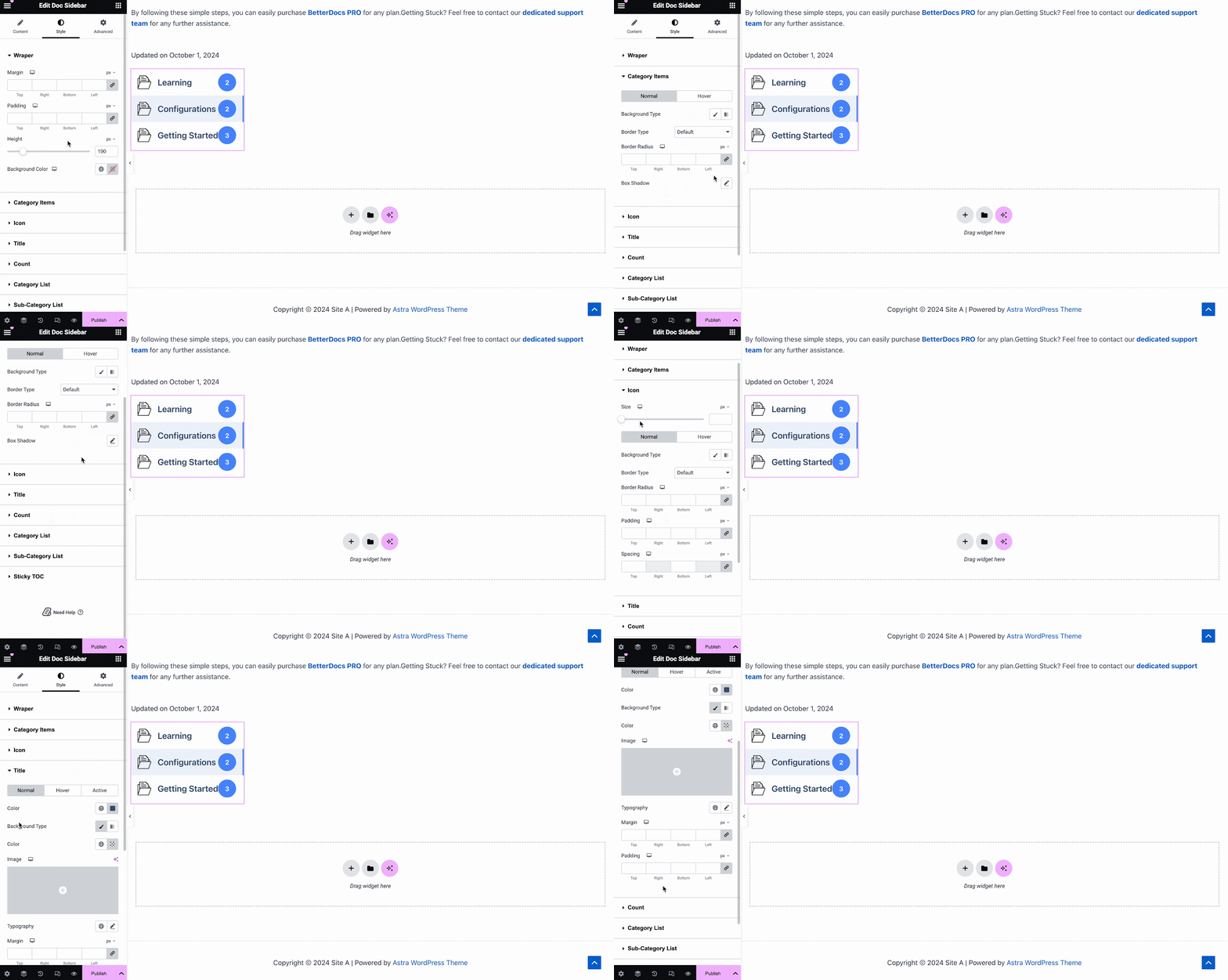
在下面 '样式' tab, you will see several options, including Wrapper, Icon, Category Style, Title, Count, Category List, etc. with the options to customize margin, padding, color, typography and more for a more personalized look.
Doc反应 #
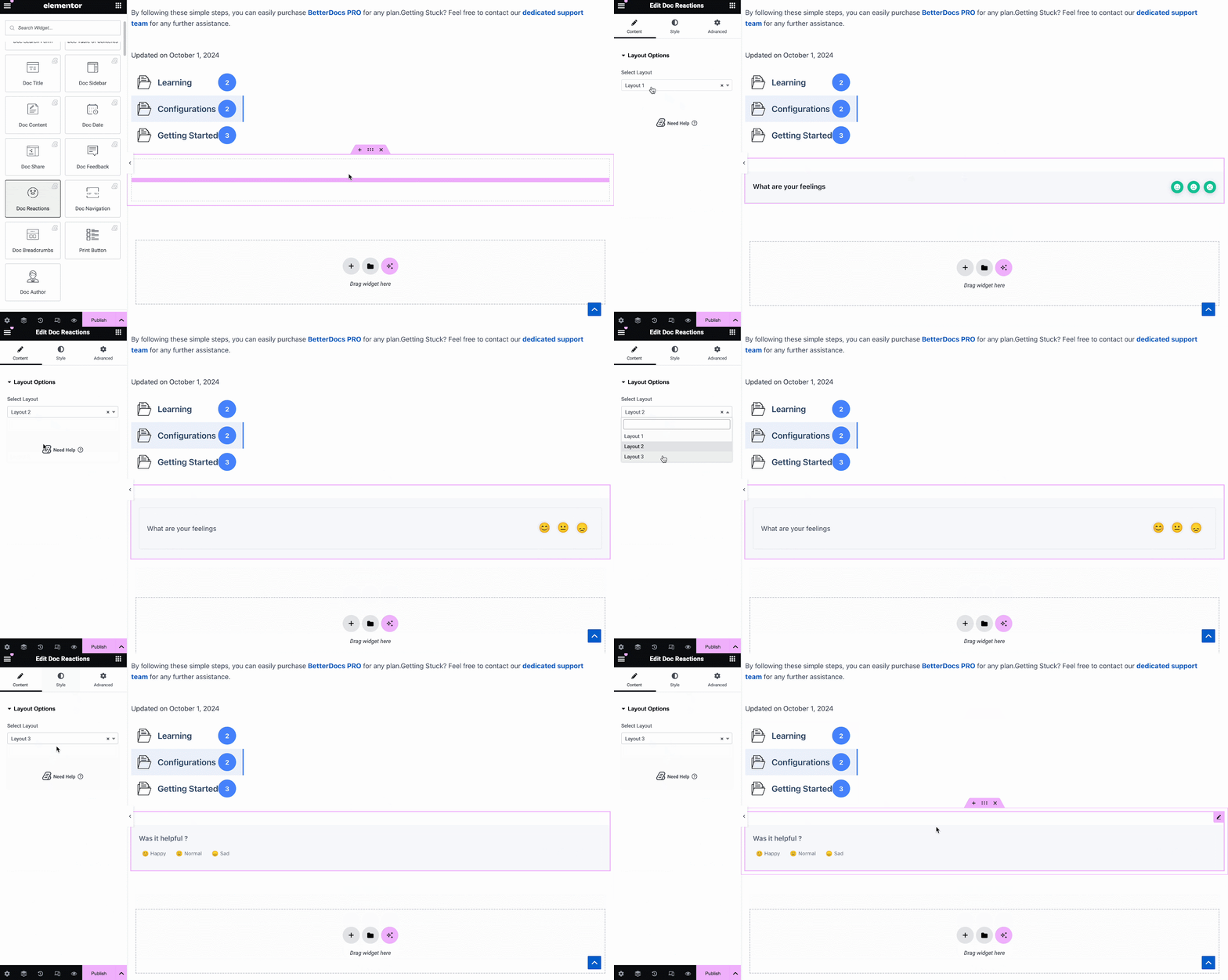
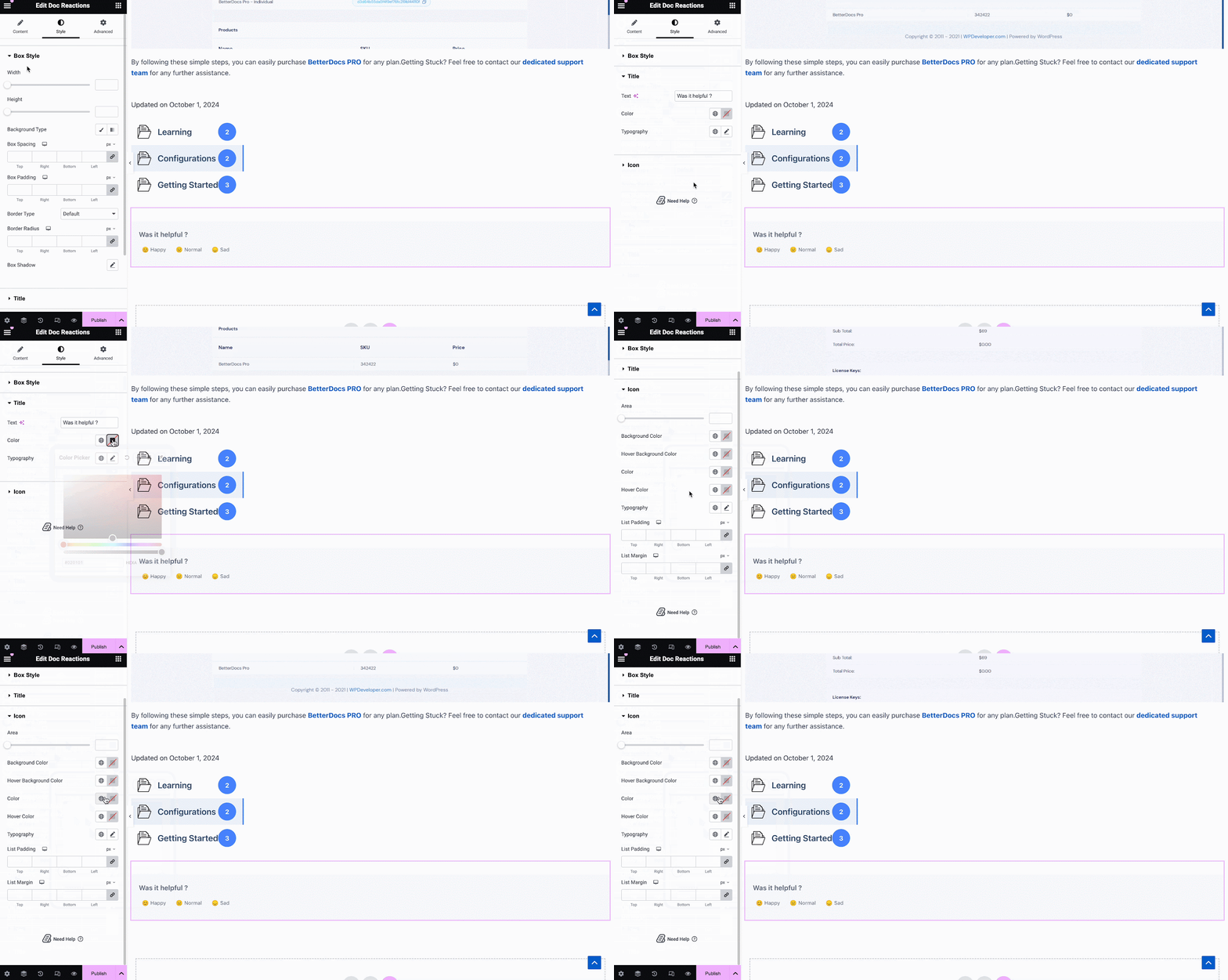
用 BetterDocs专业版,您可以了解到您的文档对于通过以下方式吸引访问者的网站很有用: Doc反应 element. There are three layouts to choose from on the Content tab.
在下面 '样式' tab, there are several options to adjust color, margin, padding, typography and more for Box Style, Title and Icon.
文件分享 #
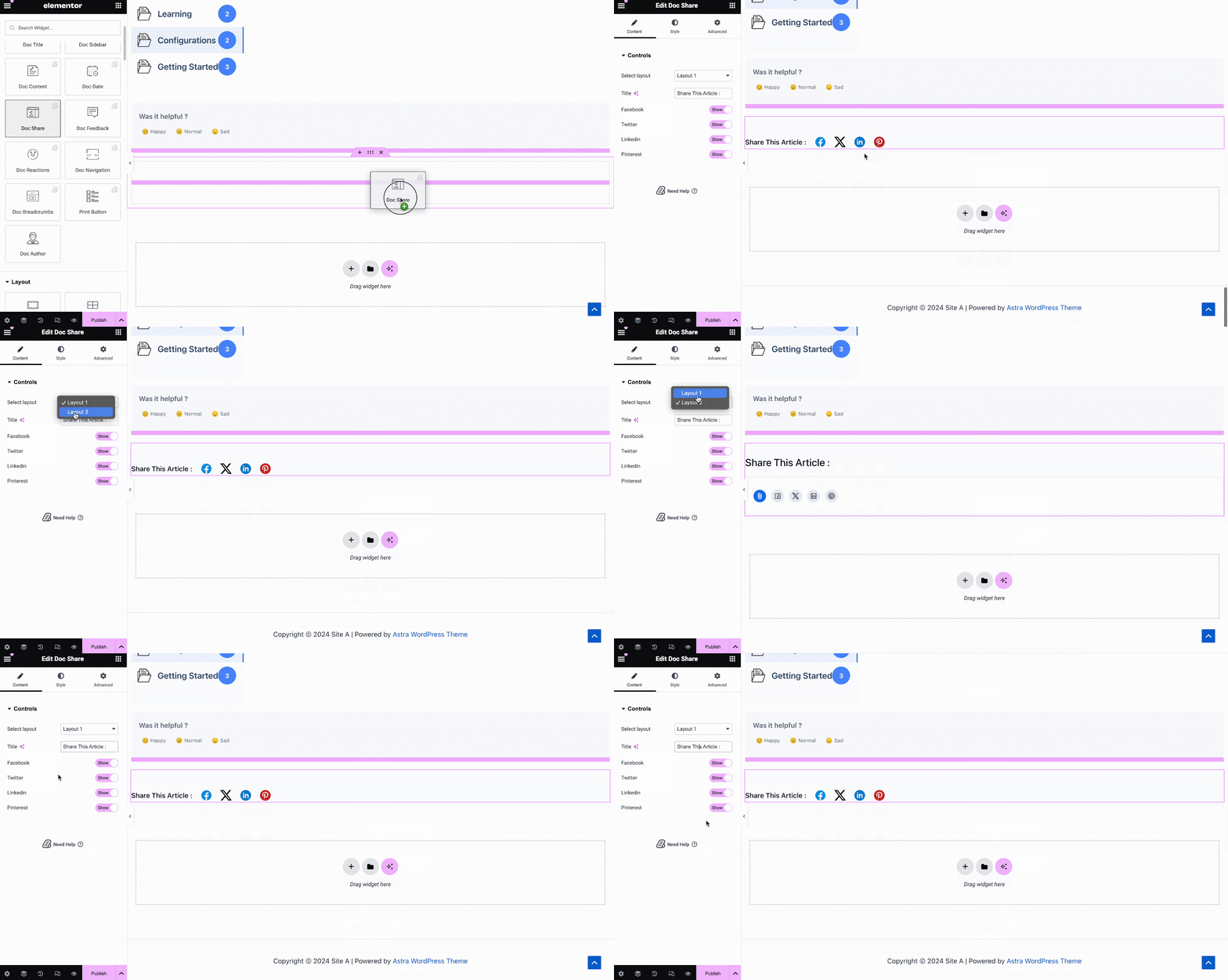
文件分享 元素可让您为文档启用社交共享。使用此元素,站点访问者可以在不同的社交媒体平台上共享您的文档。只需将元素拖放到您的任何位置 单一文件 in Elementor to activate it. On the ‘Content’ tab, you will find two layouts, options to change titles and buttons for four popular social media.
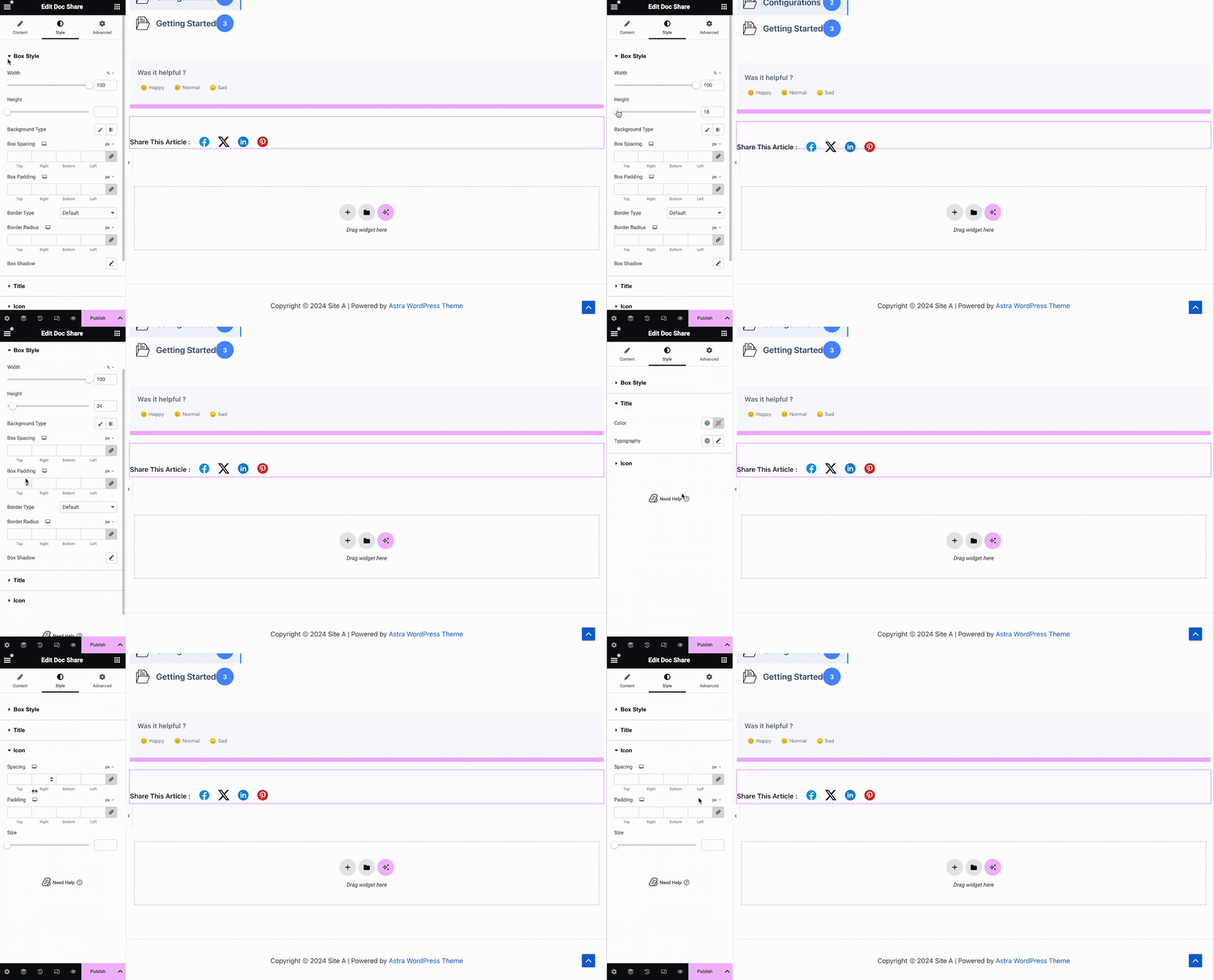
在下面 '样式' 标签中,您将看到几个用于自定义 Doc Share, Title, 和 Icon with margin, padding, color, typography, and more for more personalization.
文件意见回馈 #
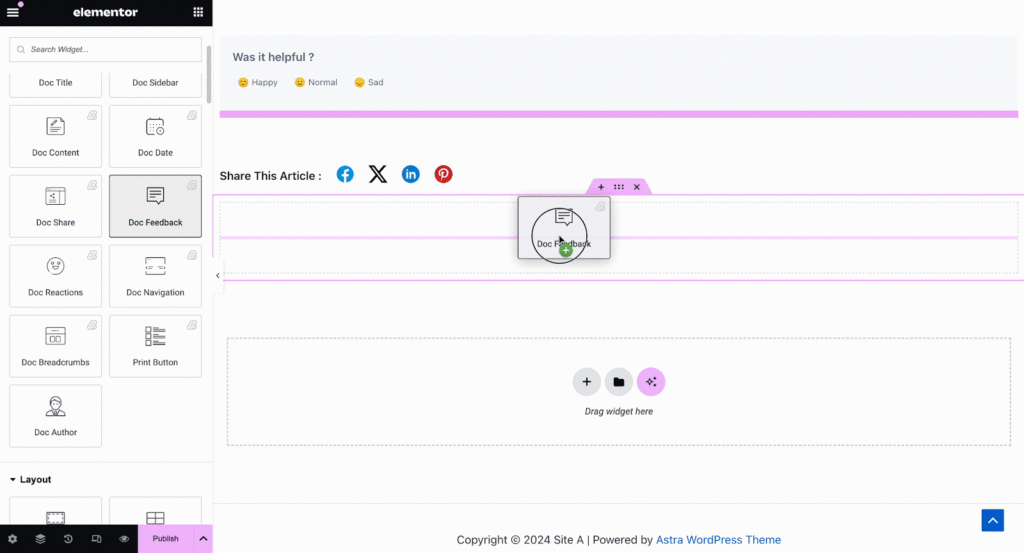
文件意见回馈 元素可让您为网站访问者添加反馈表单,如果他们想与您联系以获得进一步帮助,可以使用该表单。要激活此元素,请将其拖放到您的任何位置 单一文件 页。
接下来,配置您的内容 文件意见回馈 来自下面的元素 '内容' 标签。在这里,从 '一般' section, you can add your custom content feedback, button text, and icon image for the form.
Under the ‘Style’ tab you will see several options to customize the Text, Icon, and Feedback Form with margin, padding, color, typography, and more for more personalization.
文件导航 #
随着 文件导航 元素,您可以让网站访问者快速移至下一个文档或返回上一个文档。要激活此元素,请将其拖放到您的任何位置 Elementor中的单个文档. On the Content tab, you will have two different layouts to choose from.
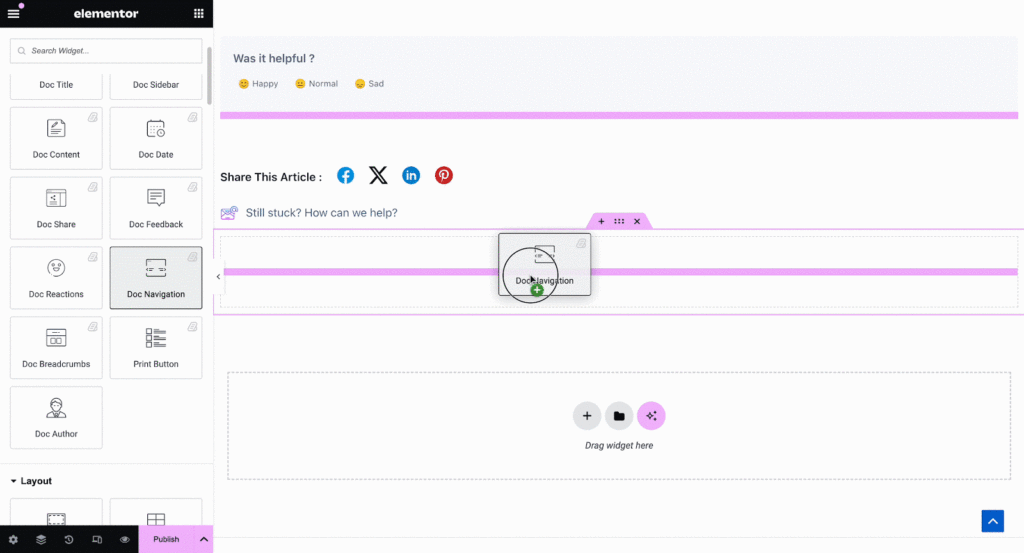
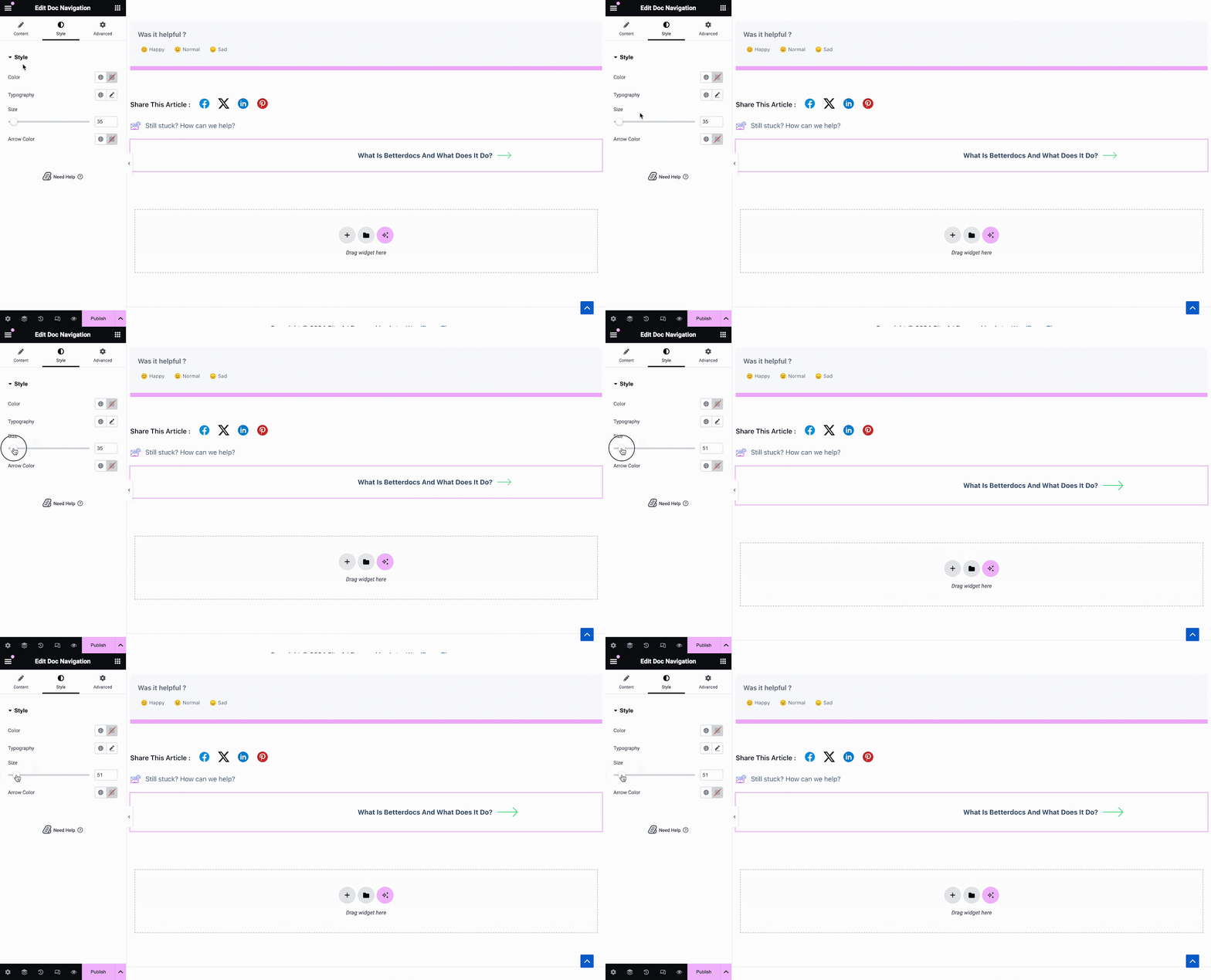
来自 '样式' 部分,您可以自定义外观 文件导航 元素,方法是更改颜色,版式以及箭头的大小和颜色。
Doc Breadcrumbs #
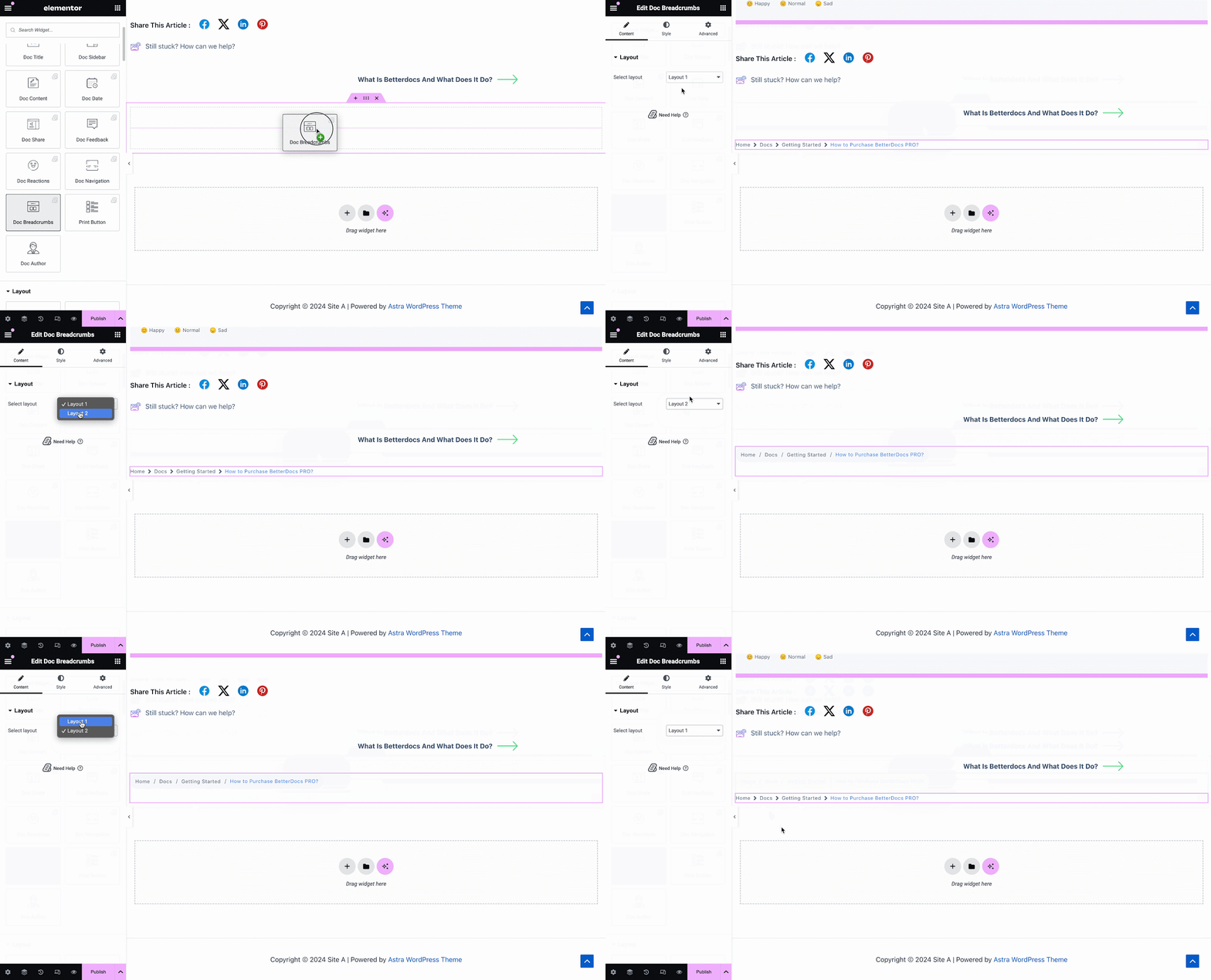
的 Doc Breadcrumbs widget will let your visitors keep track of their current location while exploring docs. Simply drag and drop this widget and you will find two layouts on the General tab.
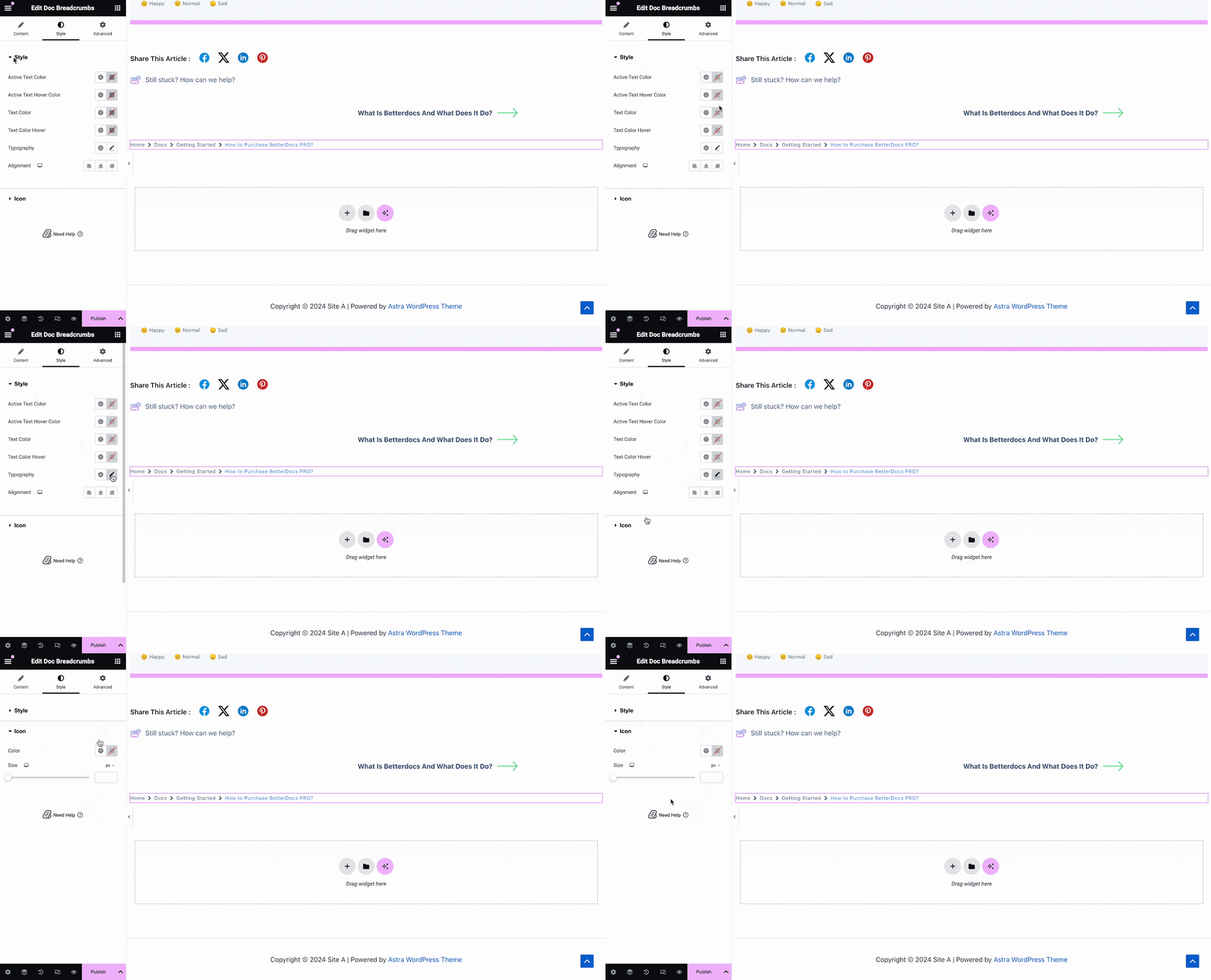
On the Style tab, you can customize the margin, padding, typography, and colors for Style 和 Icon.
Print Button #
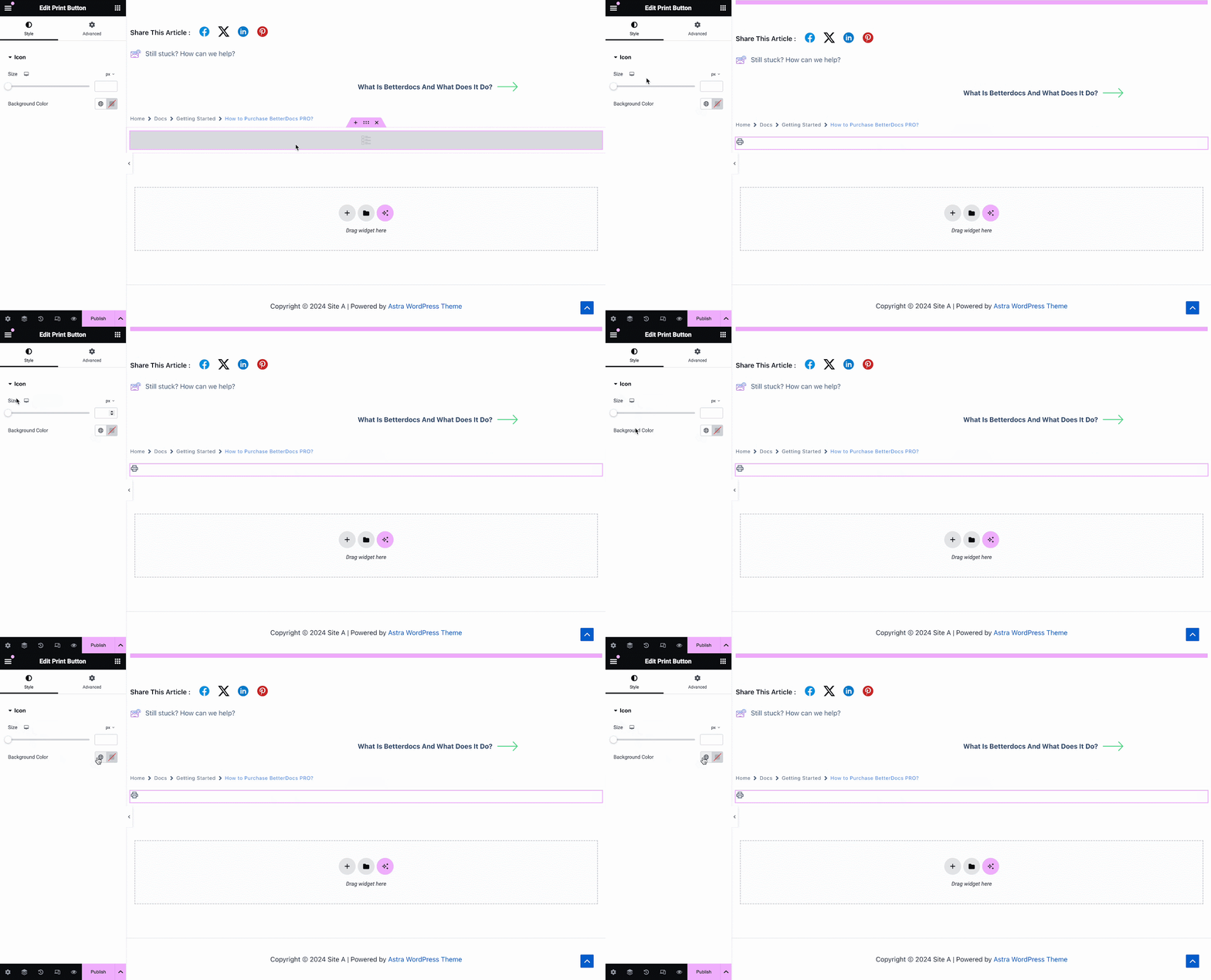
的 Print Button widget lets you print your doc with a single click. Once you add the widget, you will have options to change icon size and adjust colors.
步骤3:设置条件并发布单个文档页面模板 #
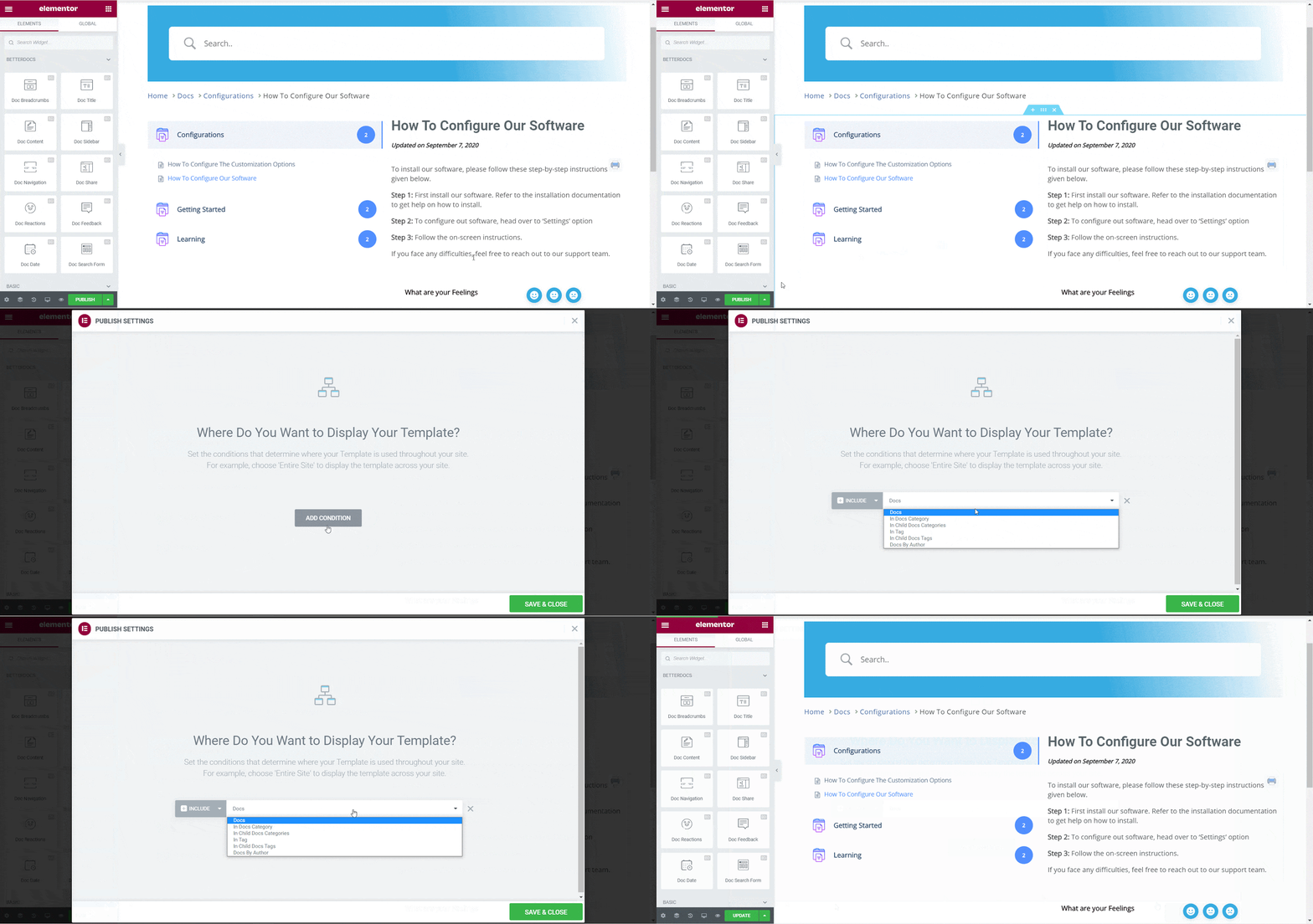
成功完成上述步骤后,您可以发布您的 单一文件 您在Elementor中设计的页面模板。只需点击 '发布' button and a popup will appear asking you to set conditions. This step is optional and it lets you decide the conditions under which your Single Doc page will be available to site visitors.
接下来,点击 “保存并关闭”。现在,您的“单个文档”页面模板已保存在Elementor中,并且可以再次用于其他单个文档页面。
最终结果 #
按照这些基本步骤,您可以创建自己的自定义 Elementor中的单个文档 甚至立即重新使用它们。
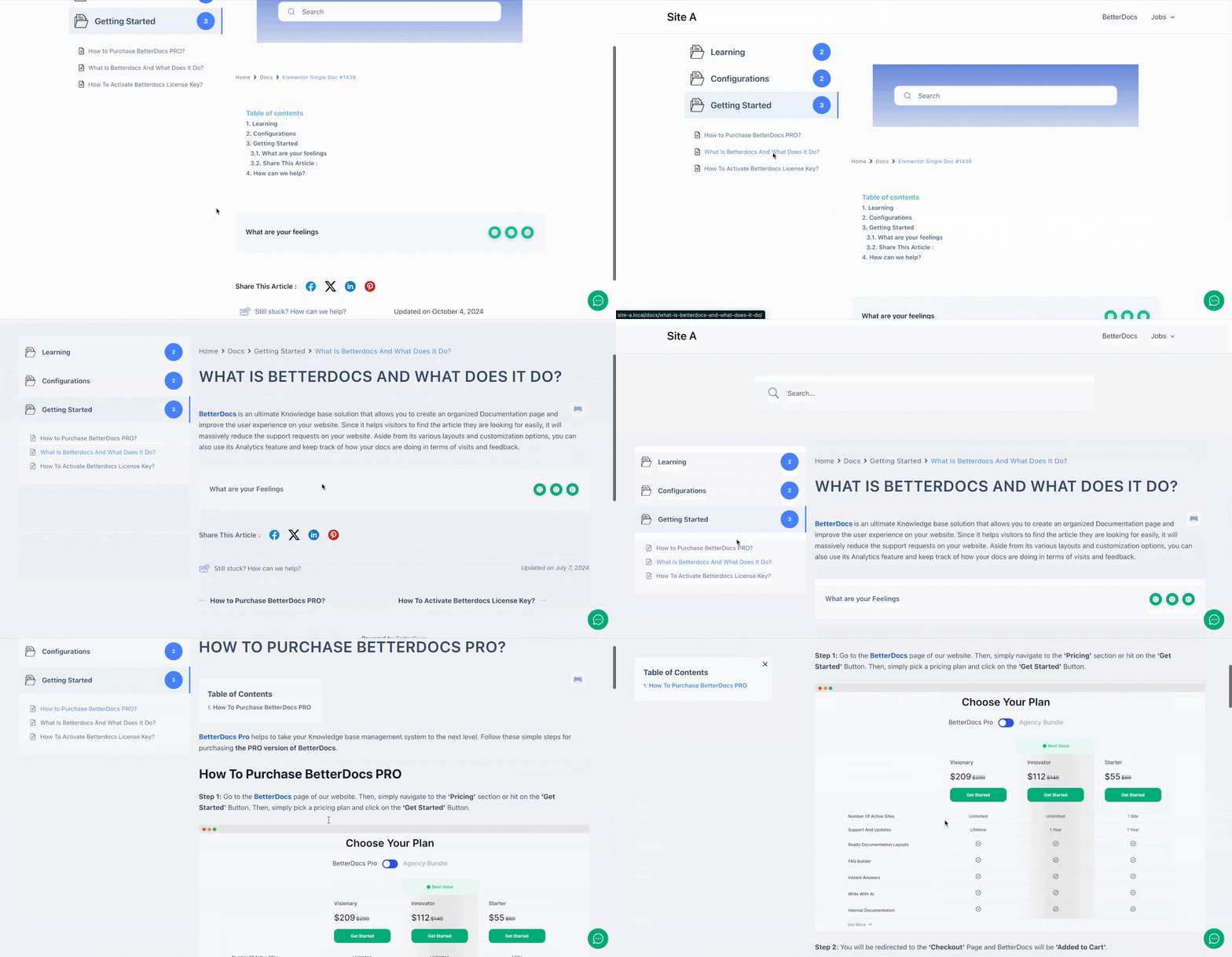
在...的帮助下 BetterDocs,这是您可以使用Elementor创建令人惊叹的单个文档模板并令您的网站读者敬畏的方法。
被卡住了吗?随时联系我们 支持团队.




