
BetterDocs PRO 给您自由 管理用户角色 & capabilities based on certain criteria. By configuring this User Role Management, you can define what a specific user can and can not do in terms of BetterDocs Settings. You can decide whom you want to allow to write BetterDocs articles or access BetterDocs Settings & Analytics. Follow the below guidelines to check how you can manage user roles in BetterDocs:
要配置BetterDocs角色管理,请导航至 WordPress Dashboard → BetterDocs → Settings → Advanced Settings。您会发现三种类型的用户角色功能: ‘Write Docs’, ‘Edit Settings’ 和 ‘Check Analytics’。您可以轻松地将某些用户角色分配给特定功能。完成此操作后,请确保点击 ‘Save Changes’ 按钮。
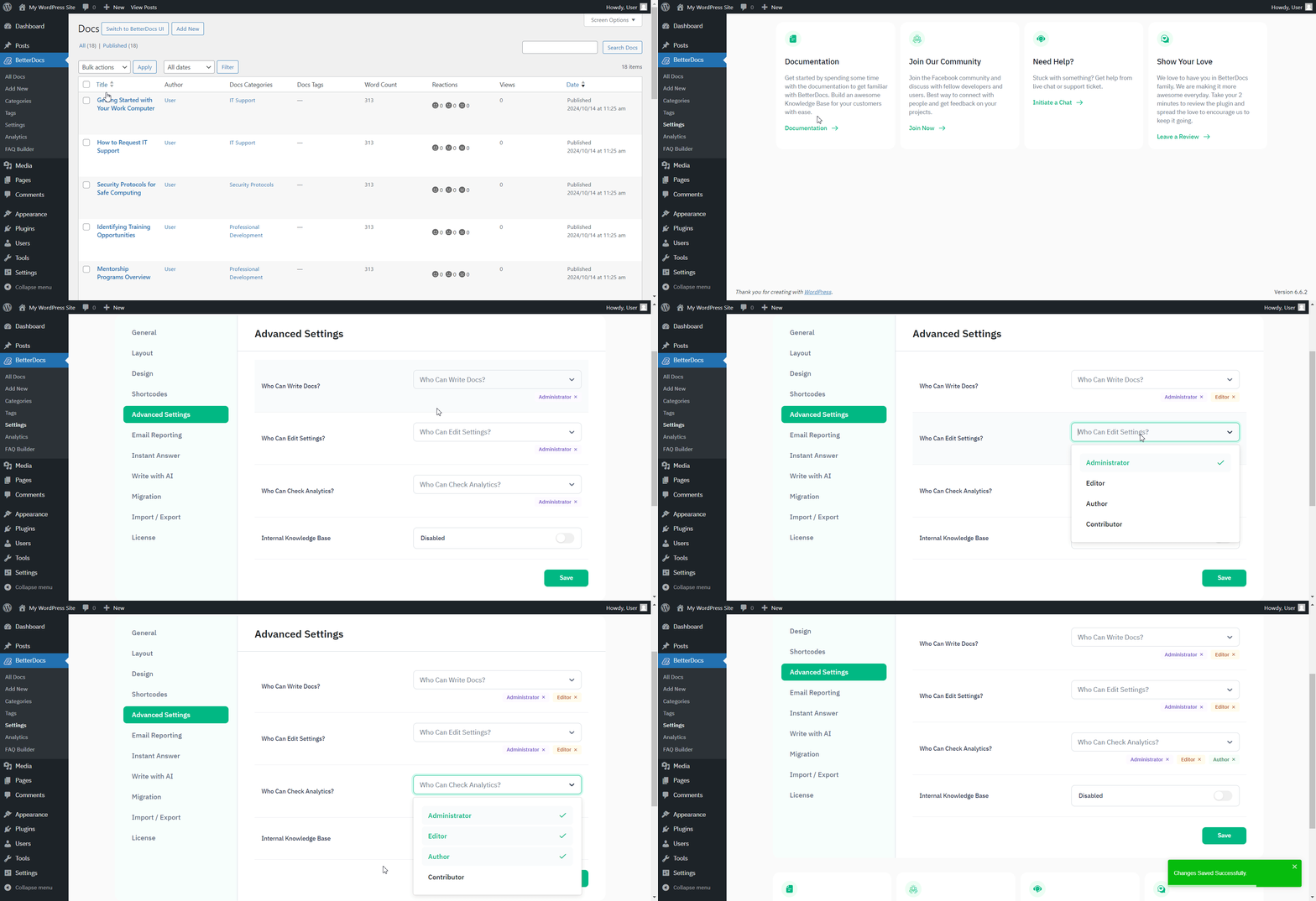
假设您给了 ‘Editor’ access to write Docs & check Analytics, then they will only have these capabilities. They won’t be able to Edit BetterDocs Settings. You can check out this gif below to see how it works for an Editor based on the permissions given:
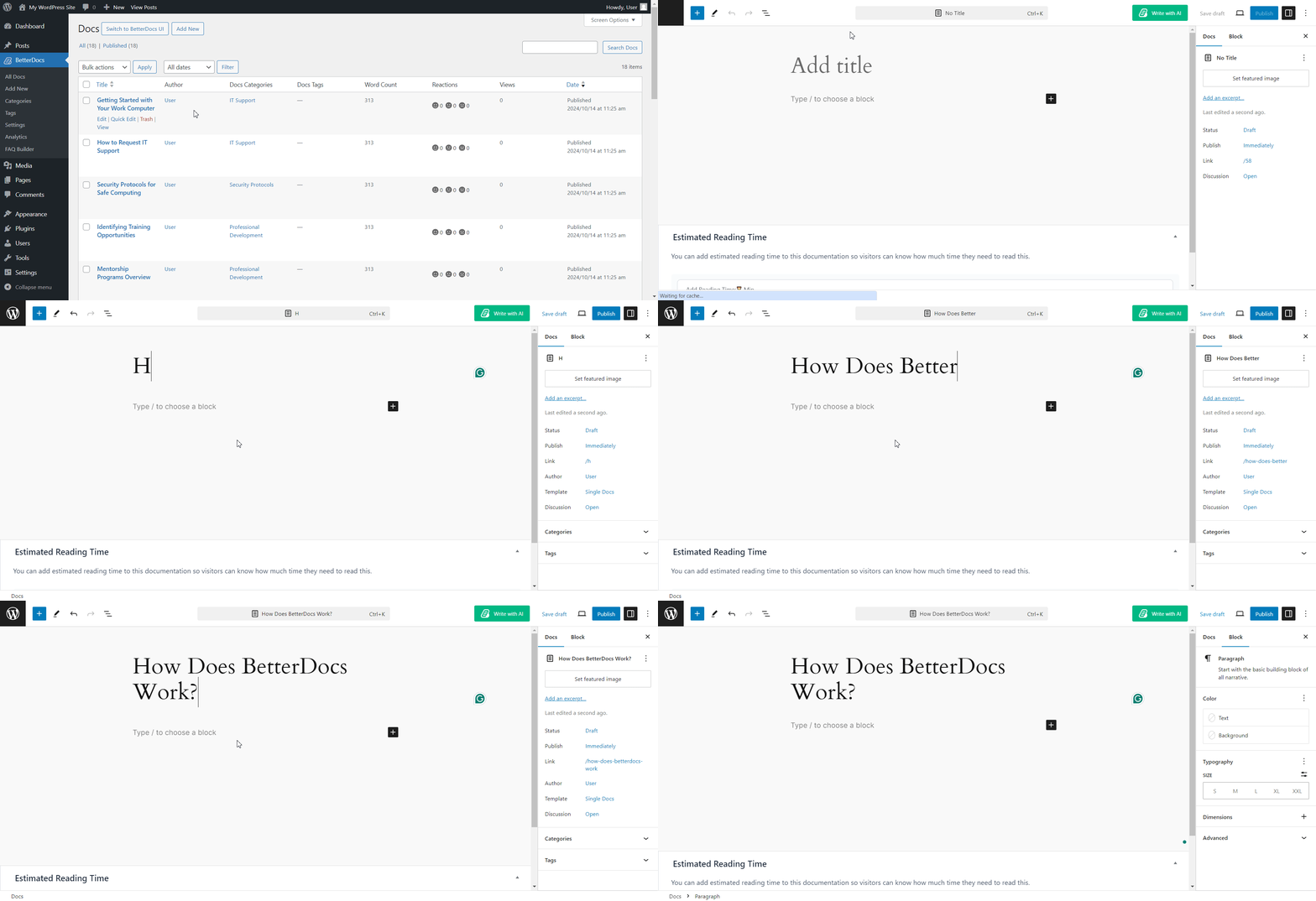
This is how you can easily 管理用户角色 并允许某些用户角色更改BetterDocs设置的功能。
被卡住了吗?随时与我们联系 dedicated support Team 我们将为您的查询提供帮助。




