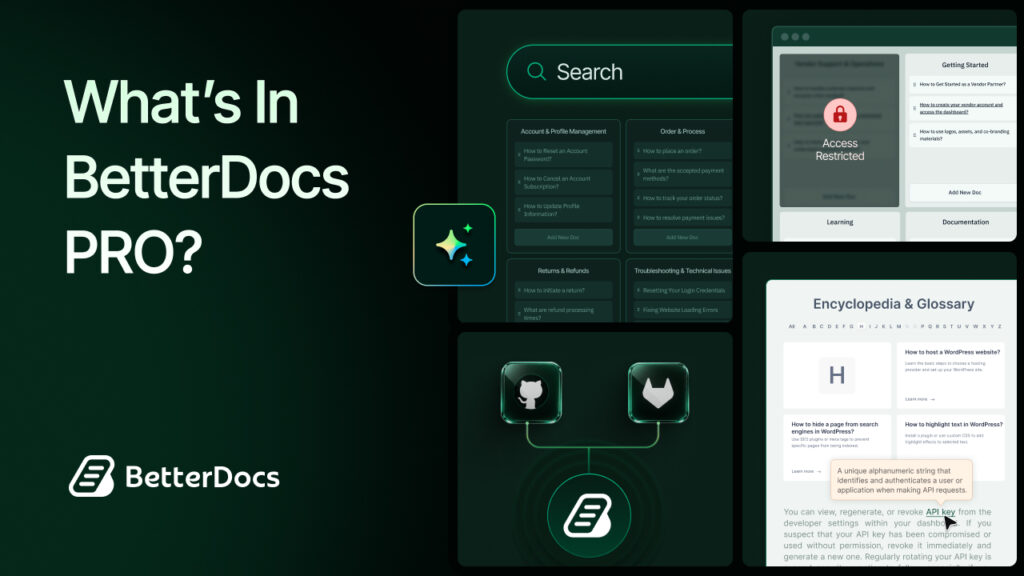
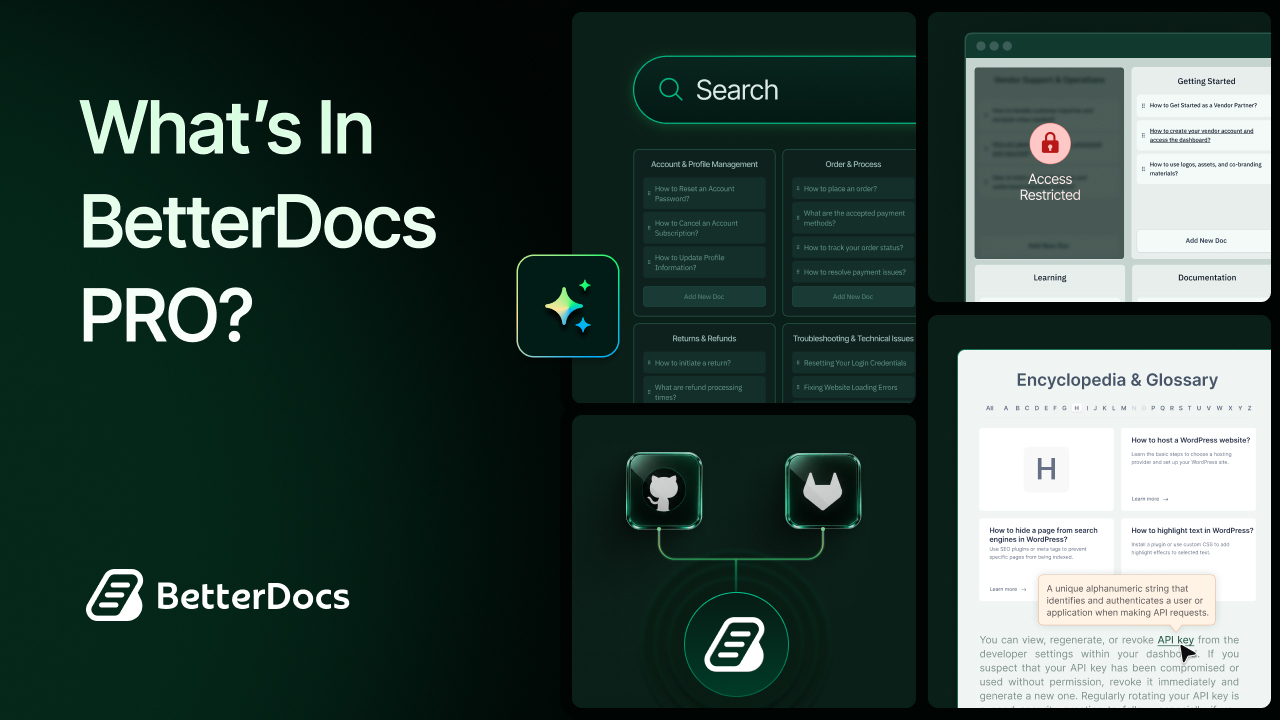
BetterDocs PRO gives WordPress site owners a much broader documentation toolkit than a basic knowledge base plugin. Beyond publishing help articles, it adds more powerful features that make the knowledge base smarter. So, many of you must be thinking, what is in BetterDocs PRO? BetterDocs PRO is for teams that need more control, more scalability and more ways to reduce support pressure.
Why Should Users Use BetterDocs PRO?
For businesses that want to build a more powerful, organized and user-friendly knowledge base, BetterDocs PRO offers much more than basic documentation publishing. It helps teams manage multiple documentation portals, improve content discovery, restrict access where needed, and reduce support pressure with smarter search and AI-powered assistance. Whether the goal is public product documentation or internal team knowledge sharing, BetterDocs PRO gives users the flexibility to create a more scalable and efficient documentation experience.
Helps Organize Documentation
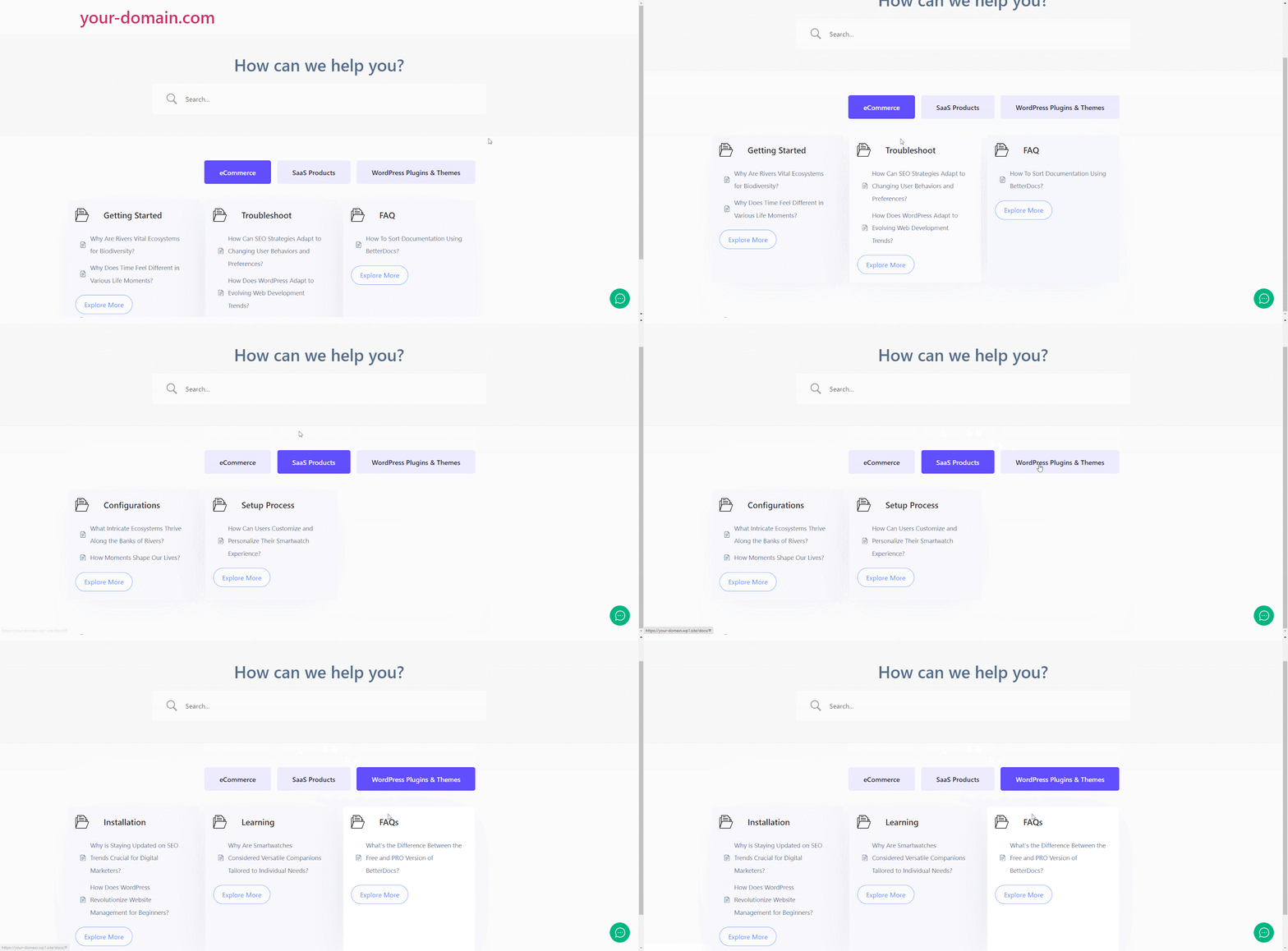
One of the biggest strengths of BetterDocs PRO is that it supports multiple knowledge bases, which is especially useful for SaaS companies, agencies, plugin developers and multi-product businesses. Instead of forcing all documentation into one large archive, users can separate content by product, service line, client, or department while still managing everything from one WordPress site.
Supports Documentation Workflows
Not every document should be public. BetterDocs PRO includes internal knowledge base controls and role-based restrictions, making it suitable for employee handbooks, internal SOPs, support playbooks, partner-only resources and restricted customer materials. That means a single documentation stack can serve both public self-service and internal operations.
Improves Article Discovery
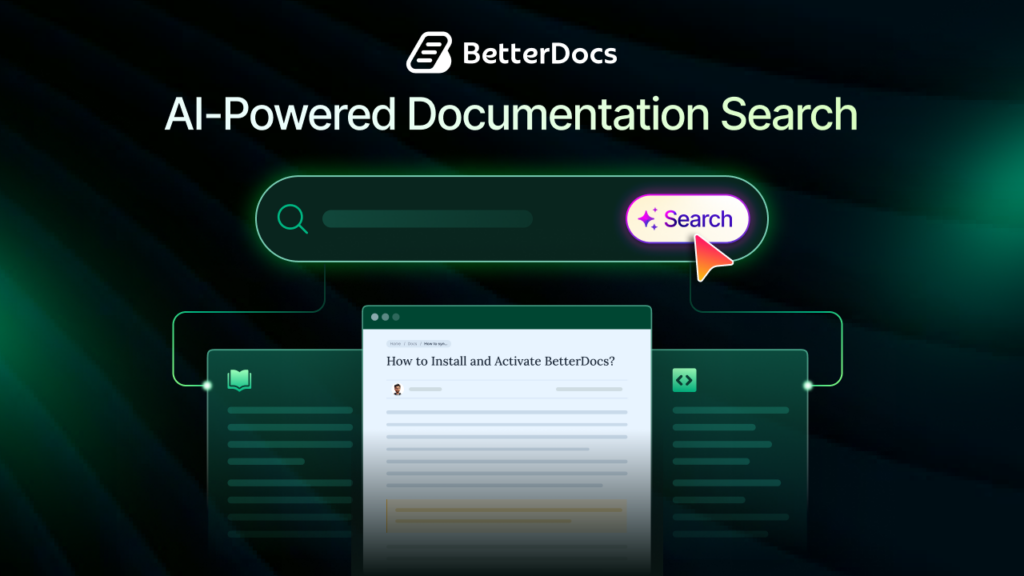
Documentation only works when people can find the right answer quickly. BetterDocs PRO adds Advanced Search, Instant Answer, and AI-Powered Real-time Related Docs to help visitors discover useful content without opening support tickets. These features improve navigation, reduce dead ends, and guide readers to the next best article.
Fits Modern Documentation Operations
For teams that already maintain docs in Markdown or rely on Git-based workflows, BetterDocs PRO offers Git Sync with GitHub and GitLab support. This makes it easier to connect documentation publishing with engineering or developer relations workflows, while also supporting import, pull, and push actions for ongoing maintenance.
Creates A Richer Knowledge Base Experience
Features like Glossary and Encyclopedia make documentation easier to browse and understand, especially for technical products, onboarding content, and terminology-heavy industries. Instead of leaving users to interpret unfamiliar terms on their own, BetterDocs PRO helps teams create a more educational, navigable, and polished documentation environment.
What’s Inside BetterDocs PRO? Detailed Feature Analysis
One of the biggest strengths of BetterDocs PRO is the variety of advanced features it offers for different documentation needs. From organizing separate knowledge bases to enabling internal-only docs, syncing with GitHub, and showing AI-powered related articles, each feature solves a practical problem for growing teams. In the sections below, we will explore the most important PRO features, how they work, and the real-world use cases where they can add the most value.
Multiple Knowledge Base
Multiple Knowledge Base is one of the most valuable features of BetterDocs PRO for businesses that support more than one product, service, or audience. It allows you to create separate knowledge bases within the same WordPress site, assign categories to one or more knowledge bases, and publish documents under the right documentation hub. BetterDocs also lets you display these knowledge bases using dedicated blocks and customize their layouts and styling.
How Does This Feature Help?
The problem this solves is documentation sprawl. When a business grows, a single flat help center quickly becomes confusing. Users searching for Product A may end up in Product B docs, internal teams may publish in the wrong category and admins may struggle to keep branding or structure consistent. Multiple Knowledge Bases solves that by giving each product or audience its own clear documentation space while keeping management centralized.
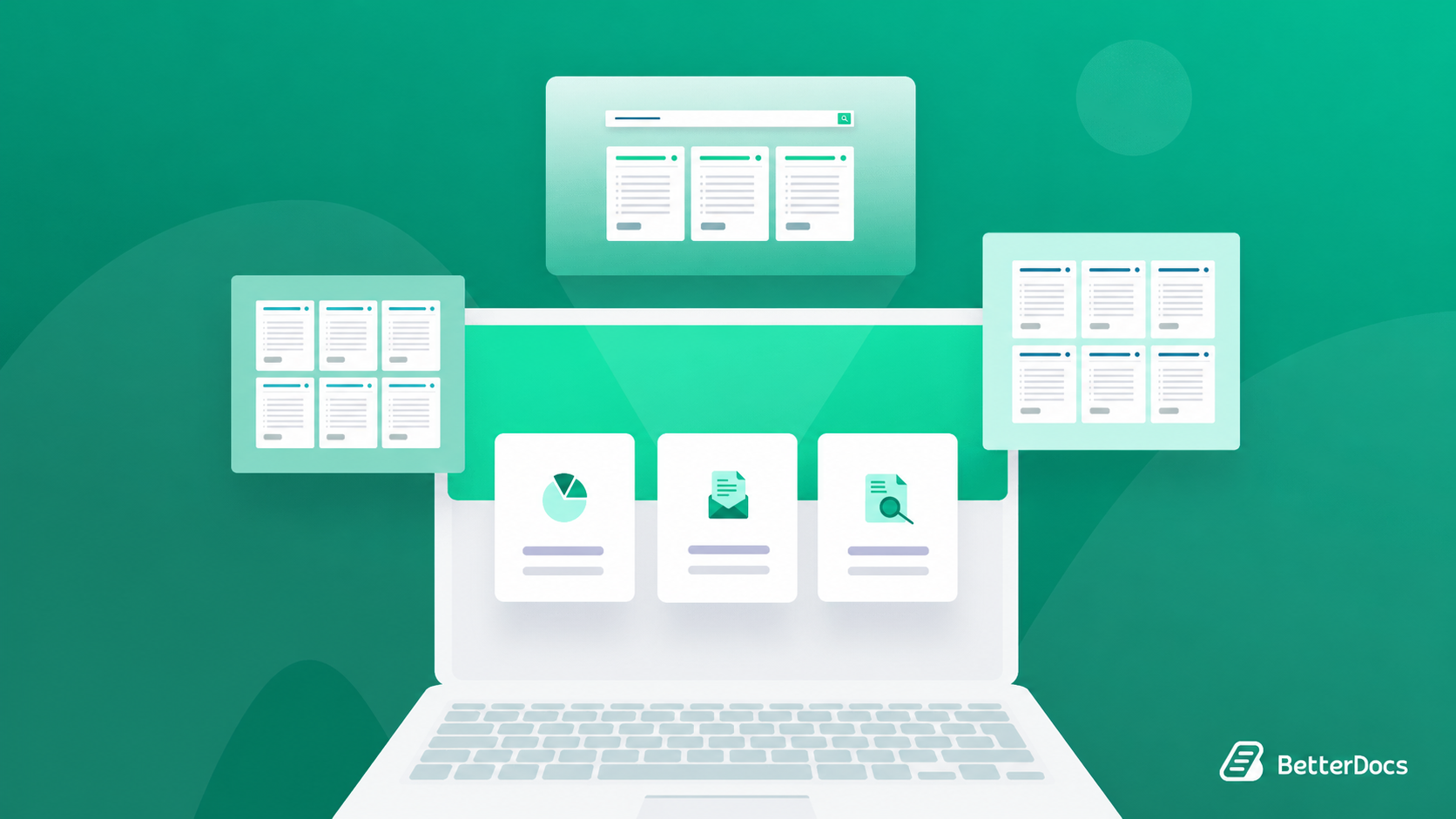
At a workflow level, it works by letting admins first enable the feature, then create knowledge bases with custom names and slugs, assign categories to those knowledge bases and finally publish documents into one or multiple knowledge bases. BetterDocs also includes Gutenberg display options and design customization for multiple knowledge base areas, which means the feature is practical both on the backend and on the front end.
Here are a few strong use cases of BetterDocs examples for this feature:
- Multi-product SaaS company: A business offering a CRM, a form builder and an analytics tool can create a separate knowledge base for each product, so customers only see the documentation relevant to what they use.
- Agency with multiple client portals: A web agency can maintain separate client-facing documentation sections for different retainers or white-label products while managing them from one site.
- Marketplace or plugin business: A WordPress company selling several plugins can organize docs per plugin instead of forcing all tutorials and troubleshooting steps into a single giant archive.
- Course or membership site: A membership brand can separate onboarding docs, technical setup docs, and community guidelines into distinct knowledge areas for clearer navigation.
- Product plus internal docs model: A company can run public customer docs in one knowledge base and team-facing operational documentation in another, especially when combined with access control.
Internal Knowledge Base
Internal Knowledge Base is designed for teams that need private documentation. With this feature, BetterDocs PRO lets you restrict access to documentation, category pages, archives and knowledge base areas based on login status or user role. It also supports redirecting unauthorized users to a custom URL instead of showing an error page.
How Does This Feature Help?
This solves a very common business problem: not all knowledge should be public. Internal procedures, HR policies, support macros, escalation rules, release workflows, client instructions and training guides often need to be visible only to staff, contractors, or selected partners. Without a restricted knowledge base, teams end up storing critical documentation in scattered tools that are harder to search and maintain.
The feature works by letting admins enable the Internal Knowledge Base from the BetterDocs settings, then define who can access documentation using role-based restriction settings. Users can restrict all doc archives, specific docs, selected categories, or entire knowledge bases. They can also add a redirect URL so unauthorized visitors are sent to a login page, portal, or custom access page.
Useful examples include:
- Employee onboarding hub: New hires can access role-specific onboarding docs, software setup guides, and team policies after logging in.
- Support team playbook: A customer support department can restrict internal escalation processes, refund handling, SLA response procedures, and troubleshooting flows to support staff only.
- Partner-only enablement center: A SaaS company can provide resellers or implementation partners with technical deployment docs and sales assets behind role-based access.
- Client portal documentation: Agencies can give each paying client access to private project documentation, CMS handover notes, or maintenance instructions.
- Compliance or policy library: Organizations can store internal compliance instructions, audit checklists, and SOPs in a secure, searchable docs environment.
Glossary
Glossary helps teams explain important terms directly inside documentation. With BetterDocs PRO, you can create glossary terms, attach definitions, show glossary suggestions, display tooltips when readers hover over terms and even generate definitions with AI. BetterDocs also allows glossaries to be surfaced through the Encyclopedia view when Glossary is selected as the source.
How Does This Feature Help?
This feature solves the comprehension problem in documentation. Many product docs assume users already understand the terminology, which creates friction for new customers, new employees, or non-technical readers. A glossary reduces that friction by defining words in context instead of forcing users to open another tab or search externally.
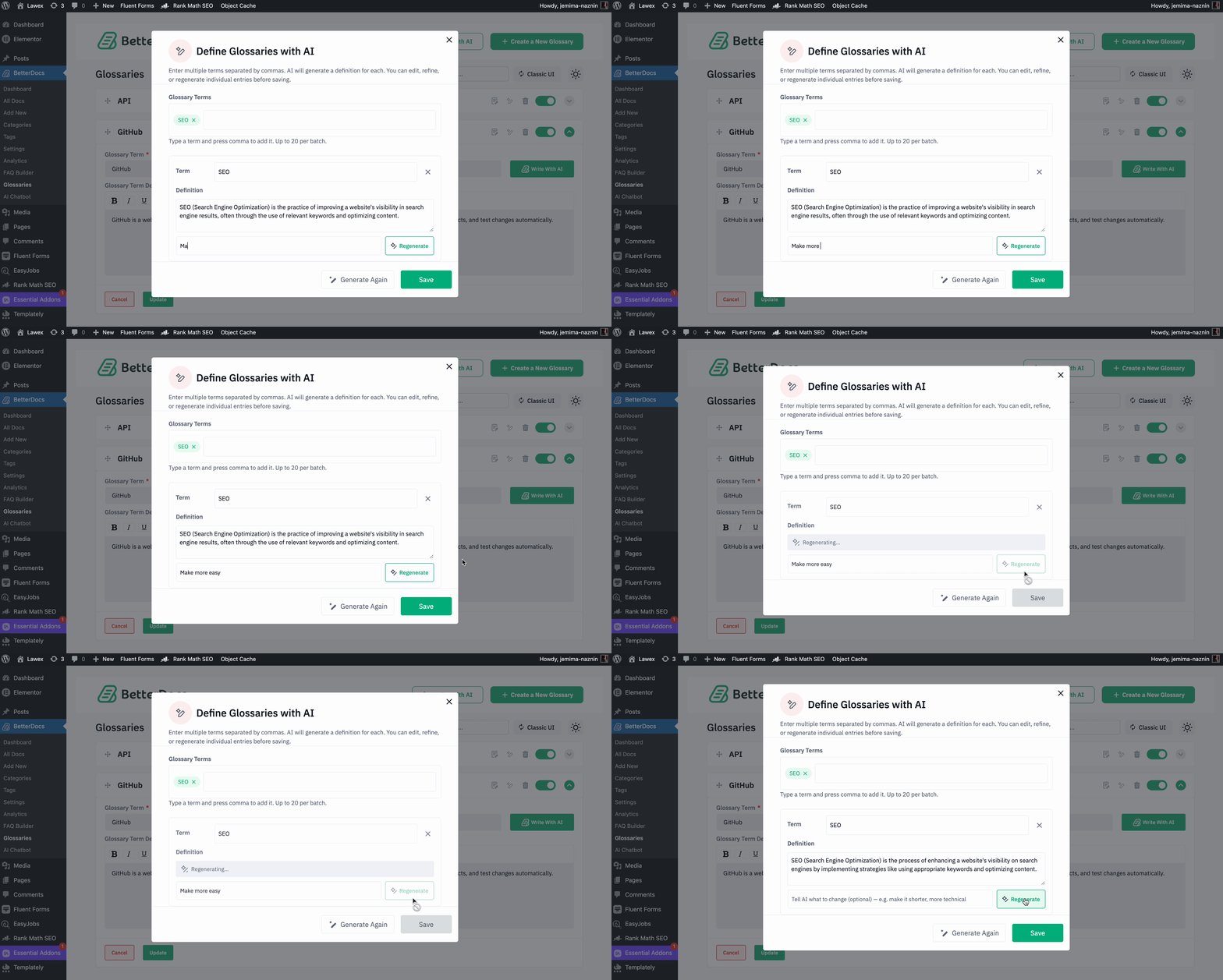
In practice, admins enable Glossary in settings, turn on glossary suggestions, optionally enable the built-in encyclopedia page and then create individual terms with descriptions. BetterDocs also supports AI-powered definition generation, including generating multiple glossary definitions at once. On the front end, glossary terms can appear as hover-based tooltips inside docs, making explanations feel immediate instead of buried.
Here are some practical use cases:
- Technical SaaS onboarding: Define terms like API key, webhook, workspace, endpoint, or sandbox so new users can understand documentation faster.
- Healthcare or legal content: Organizations publishing domain-heavy content can explain specialized language without overwhelming readers with long in-article detours.
- Internal team training: Companies can document acronyms, process names, team labels and internal tools for new employees.
- Education or academy sites: Course creators can build concept libraries so learners understand recurring terminology while reading lessons and help docs.
- AI-assisted terminology scaling: Teams with lots of product terms can use the AI definition generator to create first drafts quickly and then refine them for tone and accuracy.
Encyclopedia
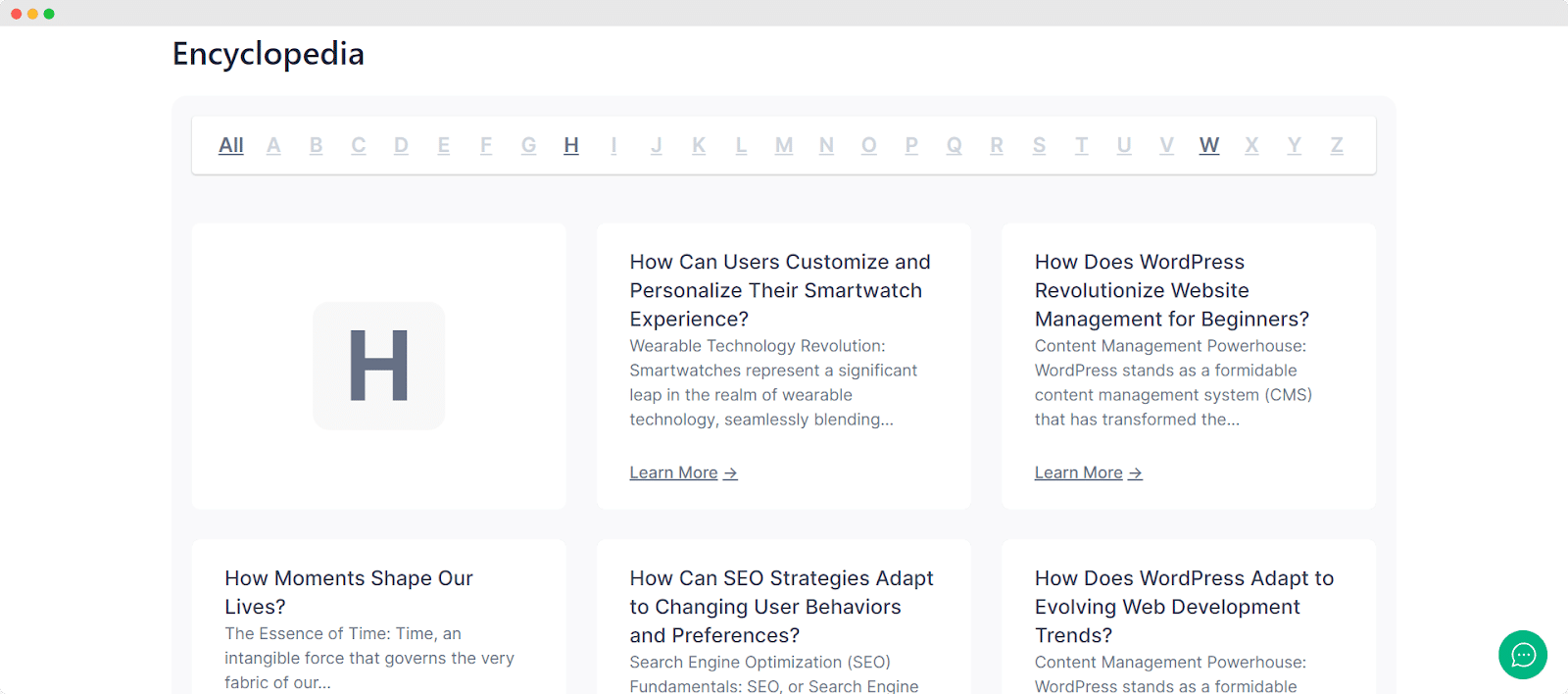
Encyclopedia is a browsing-focused feature that lets you display docs or glossaries together in alphabetical order, almost like a mini Wikipedia for your brand. It can pull from Docs or Glossaries as the source, and BetterDocs provides both Gutenberg block and Elementor widget support for surfacing this content on a dedicated page.
How Does This Feature Help?
The main problem it solves is navigability for larger documentation libraries. Standard category trees work well when users know what topic they are looking for, but they are less useful when someone wants to scan the entire knowledge base or discover content by title. The encyclopedia gives readers a structured overview of everything available.
The setup is fairly straightforward. Admins choose the Encyclopedia source in the settings, ensure the built-in encyclopedia-related options are enabled, create a page and insert the BetterDocs Encyclopedia block or widget. From there, they can customize layout, font styling, and other design settings so the encyclopedia page matches the overall documentation brand.
This feature works especially well in these scenarios:
- Large product documentation hubs: Users can scan all available articles alphabetically when category navigation feels too nested.
- Glossary libraries: When paired with Glossary as the source, the encyclopedia page becomes a centralized terminology directory.
- Learning centers: Training sites can surface all concepts or lessons in one browsable archive.
- Developer docs: Platforms with many setup guides, API terms, and troubleshooting entries can give readers an easy A–Z discovery page.
- Knowledge transparency for customers: A public encyclopedia page shows the breadth of your documentation coverage, which can strengthen product trust and self-service adoption.
Advanced Search
Advanced Search expands the standard search experience into a more refined documentation discovery layer. BetterDocs PRO allows users to enable an advanced search panel, choose between Classic and Modern layouts, and configure search behavior to show docs, FAQs, and category-based filtering. It also lets admins customize headings, colors, and initial result counts for a more branded and controlled search experience.
How Does This Feature Help?
This solves a major usability issue: readers often know the symptom or keyword they want, but not the exact article title or category path. A simple search bar may still leave them with too many vague results. Advanced Search improves precision by presenting better-structured search interactions and, in the modern layout, supporting content filtering across docs, FAQs, and categories.
To use it, admins enable Advanced Search from the documentation page search settings, then customize it from the BetterDocs design customization area. The Modern layout is especially helpful because it can separate result types more clearly, while the search modal query settings let admins control how many docs or FAQs appear initially.
Some high-value use cases are:
- High-volume support sites: A software company with hundreds of articles can help users narrow results more efficiently than with a basic search box.
- Product + FAQ documentation: Businesses that maintain both long-form docs and FAQs can let readers search both without confusing the two content types.
- Documentation-heavy eCommerce support: Stores with setup guides, warranty docs, shipping FAQs, and return instructions can improve self-service resolution speed.
- Branded help centers: Teams that want the search experience to visually match their site can customize the search heading, colors and layout.
- Complex category ecosystems: Large organizations can highlight category-wise search patterns so users discover content by intent rather than guesswork.
Show Related Docs with AI
AI-Powered Real-time Related Docs is one of the standout AI-driven BetterDocs features. It automatically recommends relevant articles to readers based on behavior signals such as page views, scroll depth, internal link clicks, and search queries. BetterDocs states that the feature works in real time and requires an OpenAI API key for AI-based suggestions.
How Does This Feature Help?
The problem it solves is session dead ends. In many documentation portals, readers finish one article and then leave, even when several other relevant resources exist. Manual-related links help, but they are static and depend on editors remembering to maintain them. This AI feature adds behavioral context so recommendations become more adaptive and session-aware.
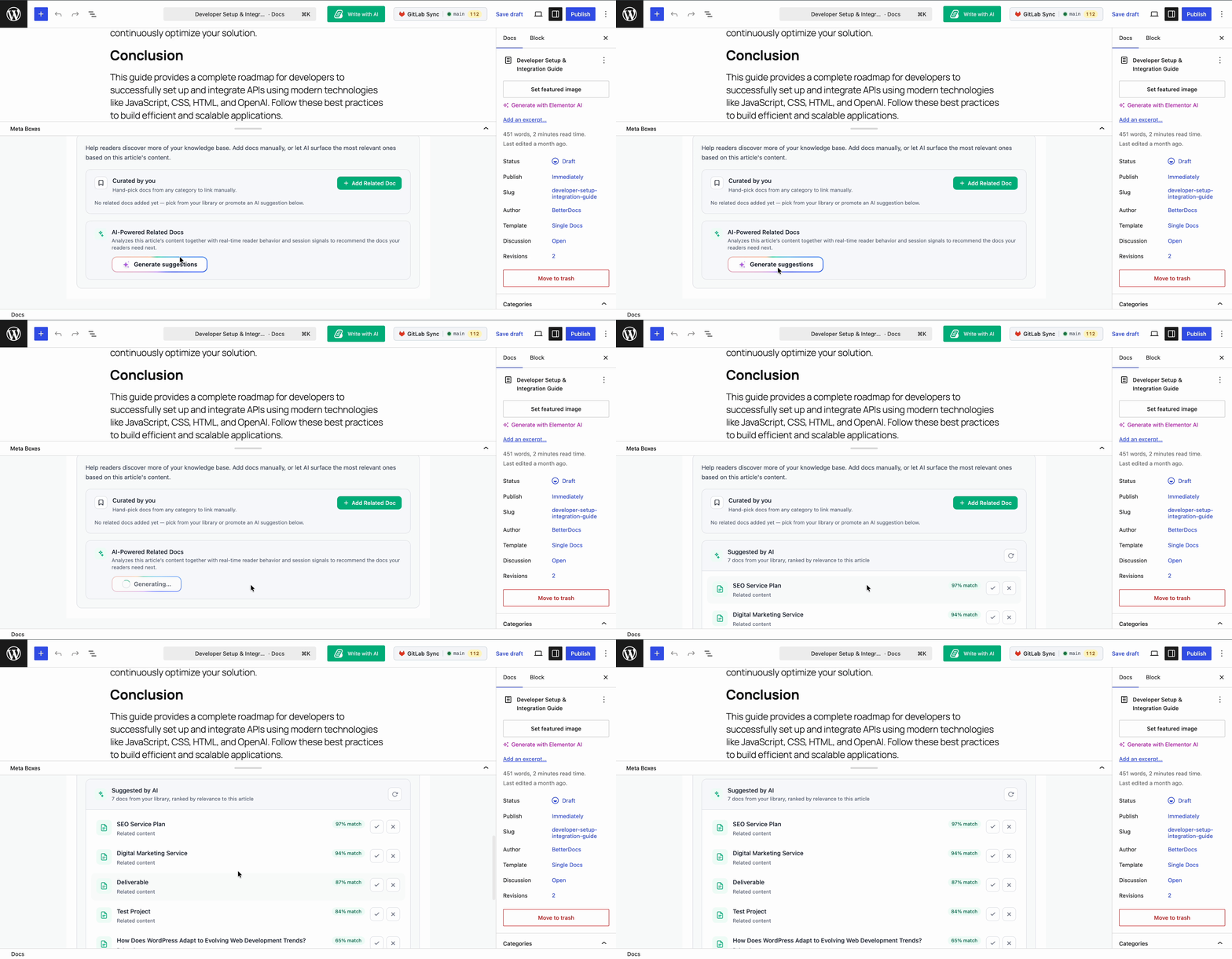
The feature works in two layers. First, admins enable Related Docs and Real-time Related Docs in the settings and configure tracking, performance and privacy options such as recommendation count, batching behavior, session timeout, anonymized IP storage, and retention. Then, inside the editor, authors can review AI-generated suggestions under the Related Docs tab, accept the good ones, and reject the irrelevant ones before publishing.
Strong use cases include:
- Product onboarding journeys: If a user reads “How to create a workspace,” AI can recommend “Invite teammates,” “Set permissions,” and “Configure notifications” next.
- Troubleshooting flows: After reading an error-specific article, users can be guided to prerequisite checks, root-cause explanations, or escalation articles.
- Feature adoption campaigns: A SaaS business can use related docs to increase exposure to advanced features customers may not discover on their own.
- Developer documentation: API readers on an authentication page can be shown token management, rate limits, and request examples automatically.
- Large knowledge bases with frequent updates: AI-assisted recommendations reduce the burden of manually updating related links every time content expands.
Global Role Management
Global Role Management, as reflected in BetterDocs PRO’s advanced customization rules for Internal Knowledge Base, gives admins more granular control over who can view, edit, fully manage, or be restricted from specific categories and documents. The system supports General Role Management and Advanced Role Management, with rule-based assignment across selected categories, selected docs and selected user roles.
How Does This Feature Help?
This feature solves a documentation governance problem. In growing teams, it is rarely enough to say “all staff can access everything.” Support teams may need edit access to troubleshooting docs, product marketers may need view access only, legal may need full control over policy docs and contractors may need to be restricted from sensitive categories. Global Role Management helps build those boundaries without moving content into separate systems.
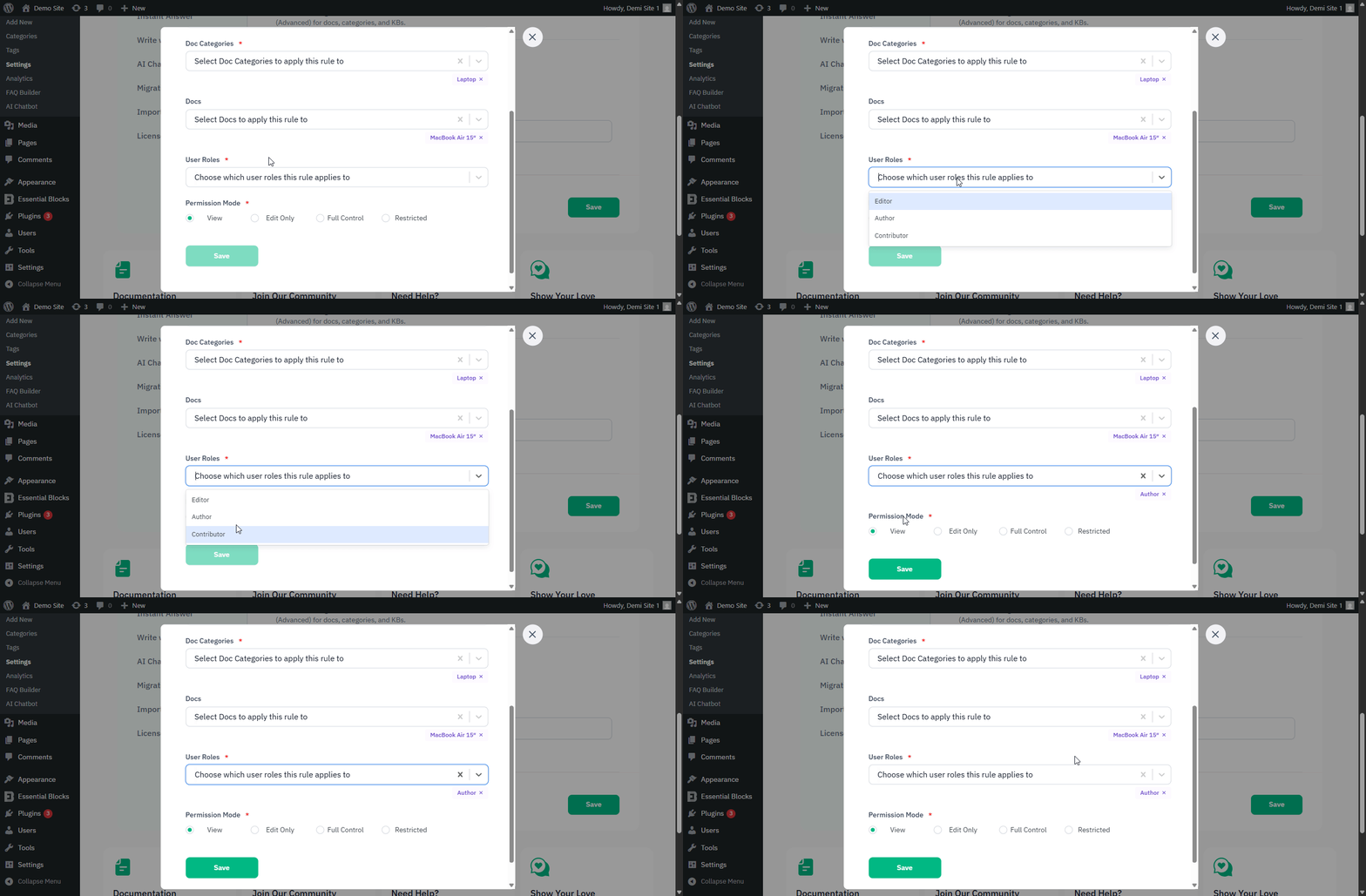
The workflow starts by enabling the Internal Knowledge Base within Advanced Role Management and choosing the Advanced rule type. From there, admins can add named rules, choose one or more categories, optionally target specific docs, assign one or more user roles, and then select a permission mode such as View, Edit Only, Full Control, or Restricted. This makes BetterDocs PRO useful not just for publishing docs, but for governing who can interact with them.
Useful examples include:
- Support editors vs leadership viewers: Support staff can edit troubleshooting categories while managers retain view-only access for reporting and oversight.
- Department-based internal docs: HR docs can be restricted from engineering, while engineering runbooks stay hidden from general staff.
- Client-specific controlled access: Agencies can allow one client role to view only its own documentation category and restrict all others.
- Documentation approval workflows: Senior roles can be given Full Control, while contributors only get Edit Only access.
- Restricted compliance content: Sensitive categories such as pricing rules, legal procedures, or incident response docs can be hidden from unauthorized roles altogether.
Git Sync
Git Sync connects BetterDocs PRO with GitHub or GitLab so documentation can be synced with a repository. According to the official documentation, users can connect an account, select a repository, branch, and doc directory, define file naming conventions, enable Auto Sync, push documentation from BetterDocs to Git, pull repository changes back into BetterDocs, and import Markdown files directly.
How Does This Feature Help?
This feature solves the gap between traditional WordPress-based docs management and developer-centric documentation workflows. Many engineering teams prefer versioned, reviewable Markdown in Git, while content or support teams prefer a visual publishing workflow inside WordPress. Git Sync brings those two worlds closer together.
Operationally, users enable Git Sync from settings, authorize a Git provider, select the repository details, and then use the GitHub Sync controls inside individual documentation entries. From there, they can commit and push docs, pull changes, or import Markdown content into BetterDocs. This makes it especially helpful for teams that want a single source of truth while still using BetterDocs as the docs front end.
Here are several excellent use cases:
- Developer documentation teams: Engineering teams can keep product docs in a repository while publishing them through BetterDocs for a cleaner front-end experience.
- Docs-as-code workflows: Teams using Markdown, pull requests, and repo history can sync those practices with WordPress-based documentation delivery.
- Cross-functional collaboration: Writers can polish docs in BetterDocs, while developers review content changes in Git.
- Migration from repo-based docs: Companies with existing Markdown libraries can import MD files instead of recreating every article manually.
- Change synchronization for fast-moving products: When feature releases happen often, pulling updated docs from Git helps keep the knowledge base aligned with product reality.
Instant Answer
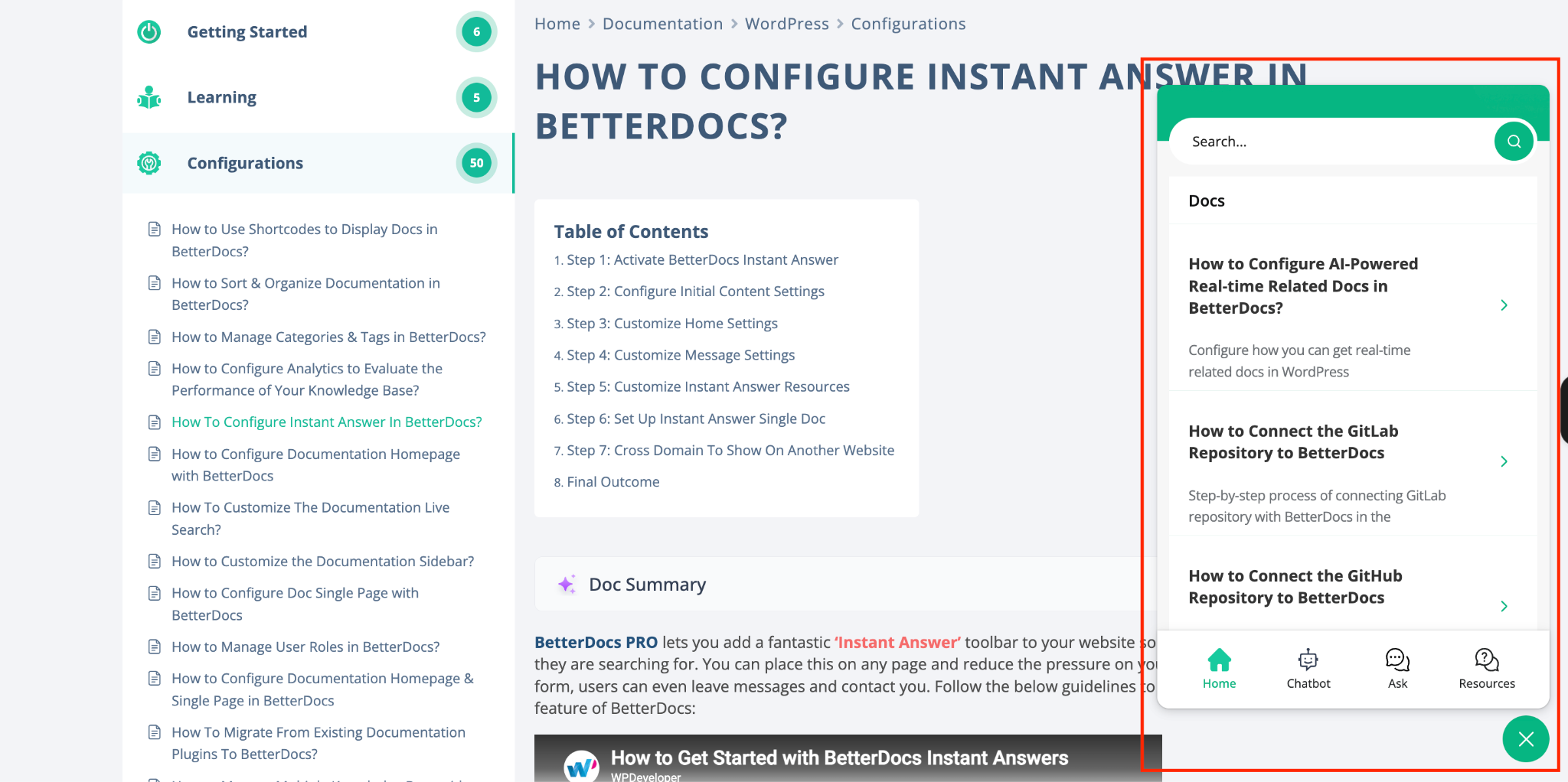
Instant Answer adds a support-style toolbar to your website so visitors can quickly search documentation, browse selected resources, and even send a message or feedback through the Ask tab. BetterDocs PRO allows users to control where the toolbar appears, customize its styling, choose which docs or categories to show, set text labels, manage message settings, and even use cross-domain integration to embed it on a non-WordPress website.
How Does This Feature Help?
This solves one of the most expensive support problems: users leave the page to ask a question that documentation could already answer. Instead of forcing people to visit a separate help center, Instant Answer brings the knowledge base to them. That reduces interruption, shortens time-to-answer, and can lower ticket volume.
The feature works by letting admins enable Instant Answer in settings and then configure several layers: initial content settings, home content, message options, resources, single doc display and cross-domain embedding. There is also a live preview option for iterating on the experience before publishing it sitewide.
Some practical use cases are:
- SaaS app marketing site: Visitors evaluating the product can get answers to setup, pricing, or feature questions without leaving the page.
- Customer portal support deflection: Existing users can search troubleshooting docs right inside the app or portal before opening a ticket.
- eCommerce post-purchase help: Stores can surface shipping, warranty, returns, or setup docs on order-related pages.
- Cross-domain documentation access: Companies can embed Instant Answer on external or non-WordPress sites using the provided code snippet.
- Lead capture through support intent: When self-service is not enough, users can still leave a message through the Ask tab, making support more accessible without removing the self-service layer.
Ready to Build Smarter Documentation with BetterDocs PRO?
If you are looking for a WordPress documentation solution that goes beyond publishing articles, BetterDocs PRO offers a serious upgrade path. Its combination of multi-knowledge-base structure, internal access control, AI-assisted content discovery, Git-based syncing, and support-focused widgets makes it useful for SaaS brands, agencies, online stores, membership sites, and internal operations teams alike. In other words, the best use case of BetterDocs is not just “creating docs,” but building a knowledge experience that is easier to manage and easier to use.
Which feature are you going to try out after upgrading to PRO? Let us know in our Facebook Community. Do not forget to subscribe to our blog for more information and industry insights.
Frequently Asked Questions
Is BetterDocs PRO only for public customer-facing documentation?
No. One of the strongest documentation features in BetterDocs PRO is its ability to support both public and private knowledge management. With Internal Knowledge Base and role-based restriction settings, it can work for internal team docs, partner-only resources, and client-specific portals as well.
Which BetterDocs PRO feature is best for businesses with multiple products?
Multiple Knowledge Base is the clearest fit. It lets you separate documentation by product, service, or audience while keeping management inside one site, which makes it one of the most practical features of BetterDocs PRO for scaling businesses.
Can BetterDocs PRO help reduce support tickets?
Yes. Advanced Search, Instant Answer, and AI-Powered Real-time Related Docs are all designed to help users find answers faster and discover helpful articles before they contact support. That makes BetterDocs PRO a strong option for support deflection and self-service enablement.
Does BetterDocs PRO support AI features?
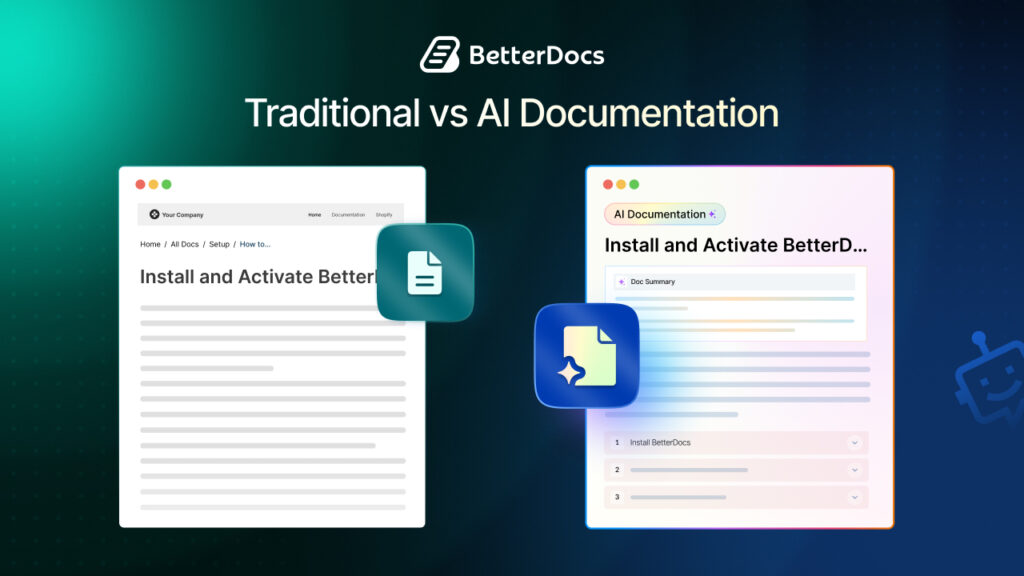
Yes. Based on the official BetterDocs materials, AI-related capabilities include AI-Powered Real-time Related Docs, AI doc quality and search features on the features page, and AI-assisted glossary definition generation. This gives BetterDocs PRO a meaningful AI layer for both discoverability and content production.
Is Git Sync useful only for developers?
Not at all. While Git Sync is especially attractive to technical teams, it is also useful for content teams working with engineering, teams migrating Markdown docs, and organizations that want versioned, review-friendly documentation workflows.