
BetterDocs Pro te deja manage multiple knowledge bases on your WordPress site simultaneously. It will help you to maintain separate online documentation for different products with full customization options. Check out this step-by-step guideline to manage your multiple knowledge base documentation with BetterDocs below:
Paso 1: habilite la función de base de conocimiento múltiple #
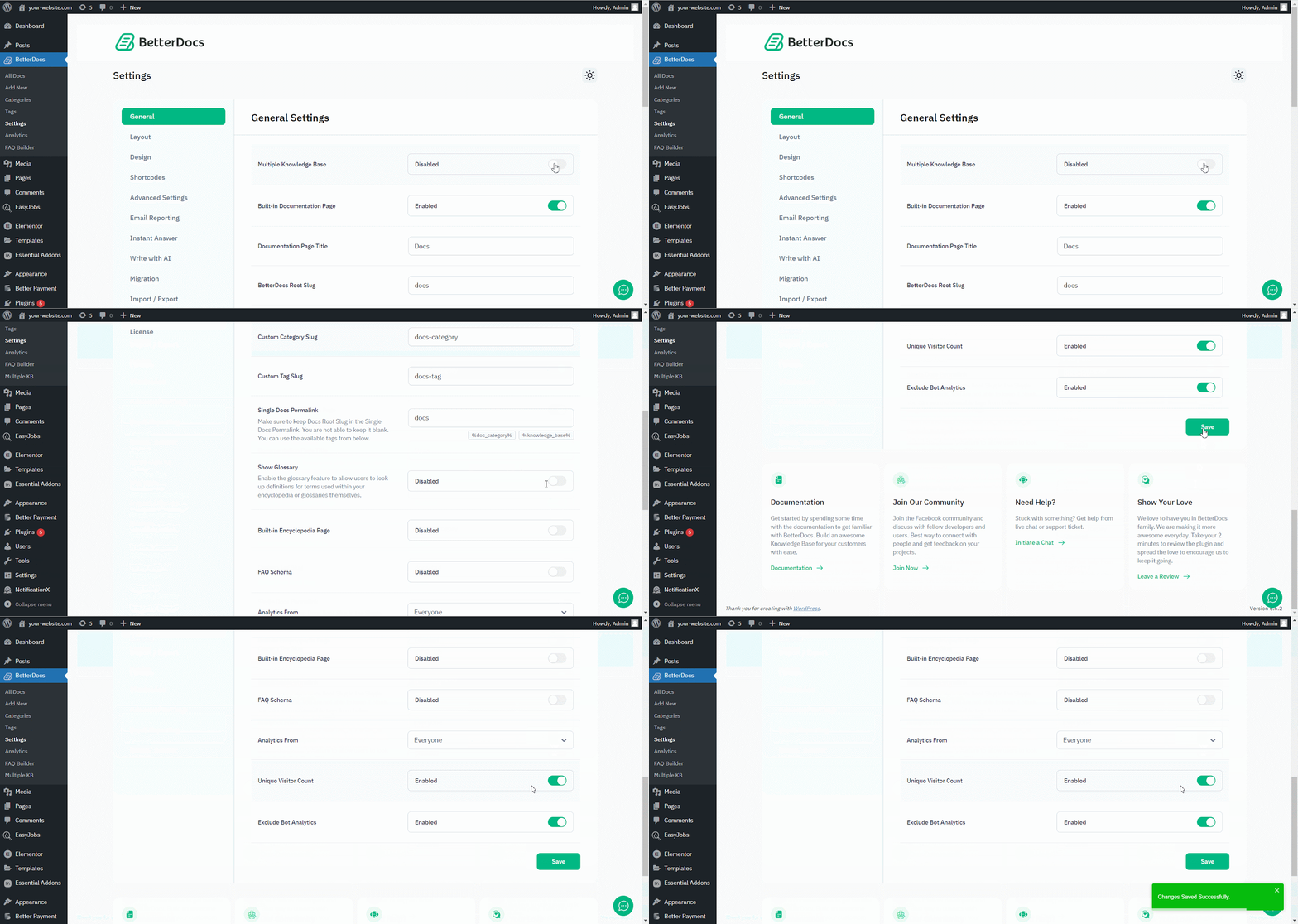
First of all, make sure to use the ‘Enable Multiple Knowledge Base’ opción de BetterDocs Configuración general. Para hacer eso, navegue a wp-admin > BetterDocs > Settings > General, and turn on the ‘Enable Multiple Knowledge Base’ to proceed further.
Paso 2: crear múltiples bases de conocimiento #
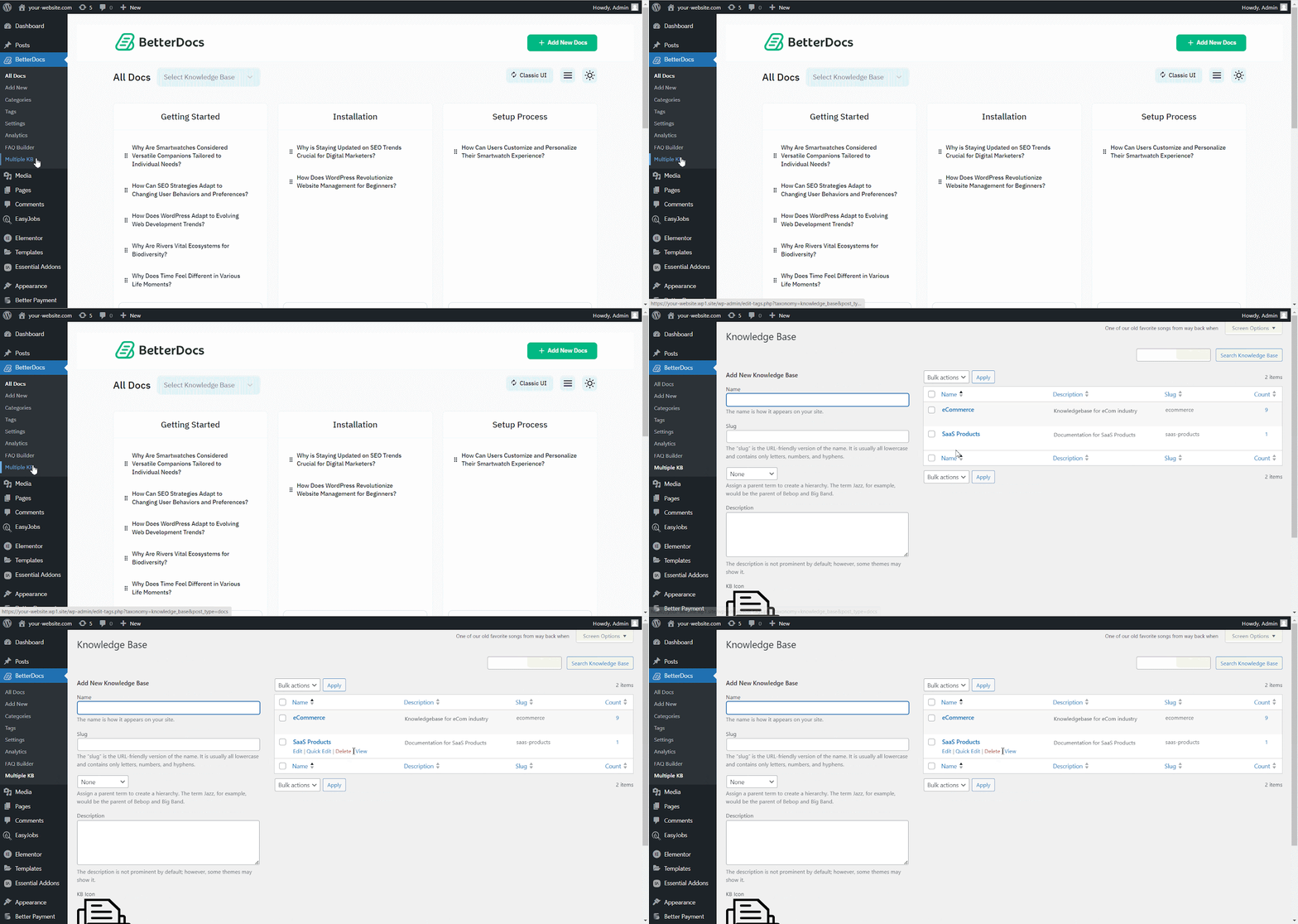
Después de habilitar la función de base de conocimiento múltiple, vaya a BetteDocs ‘Multiple KB’ opción para comenzar a crear sus bases de conocimiento.
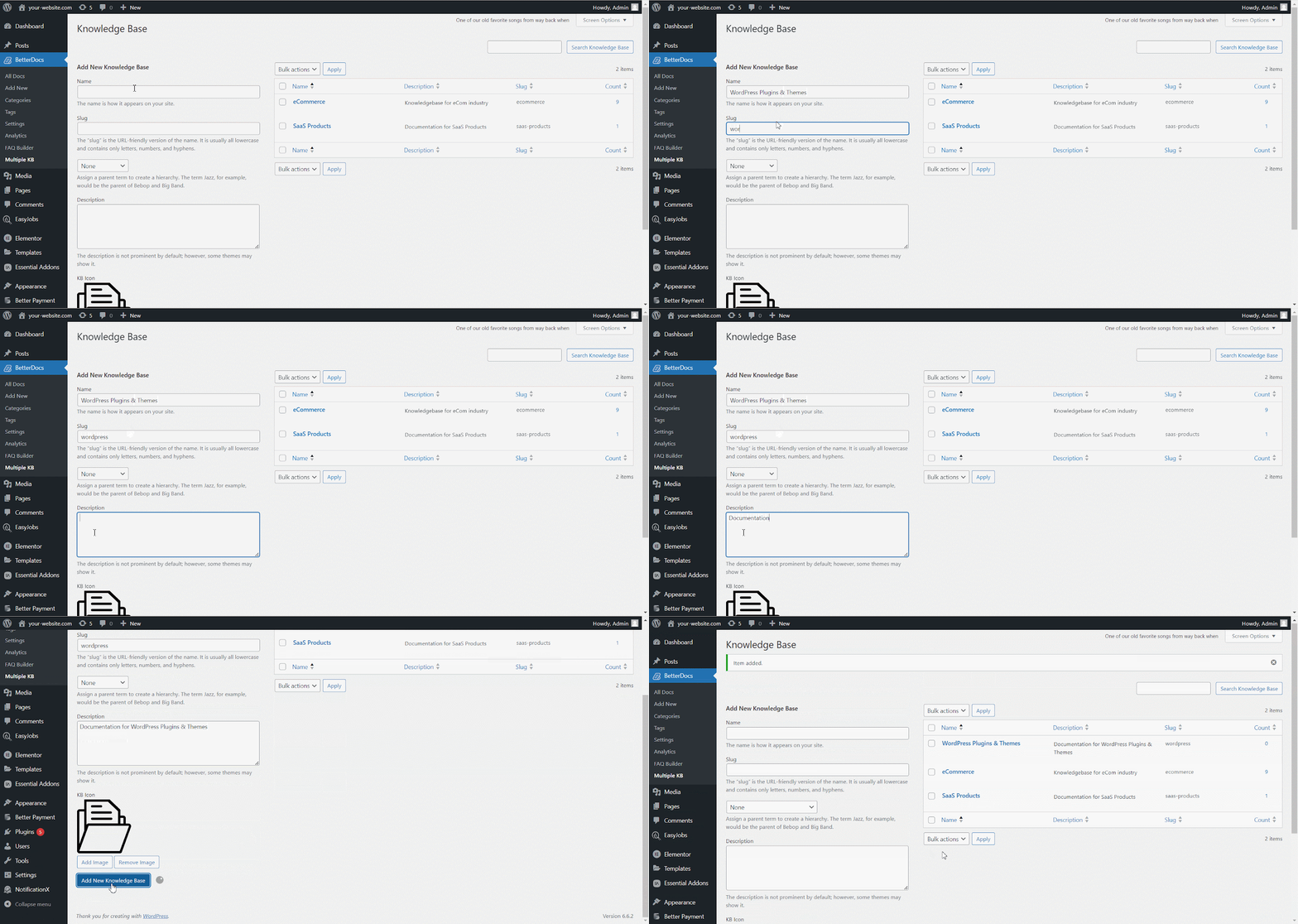
Desde el ‘Add New Knowledge Base’ section, you can insert ‘Name’ and ‘Slug’ for each documentation. Afterward, hit the ‘Add New Knowledge Base’ button to create your knowledge base.
Paso 3: Agregar nuevas categorías #
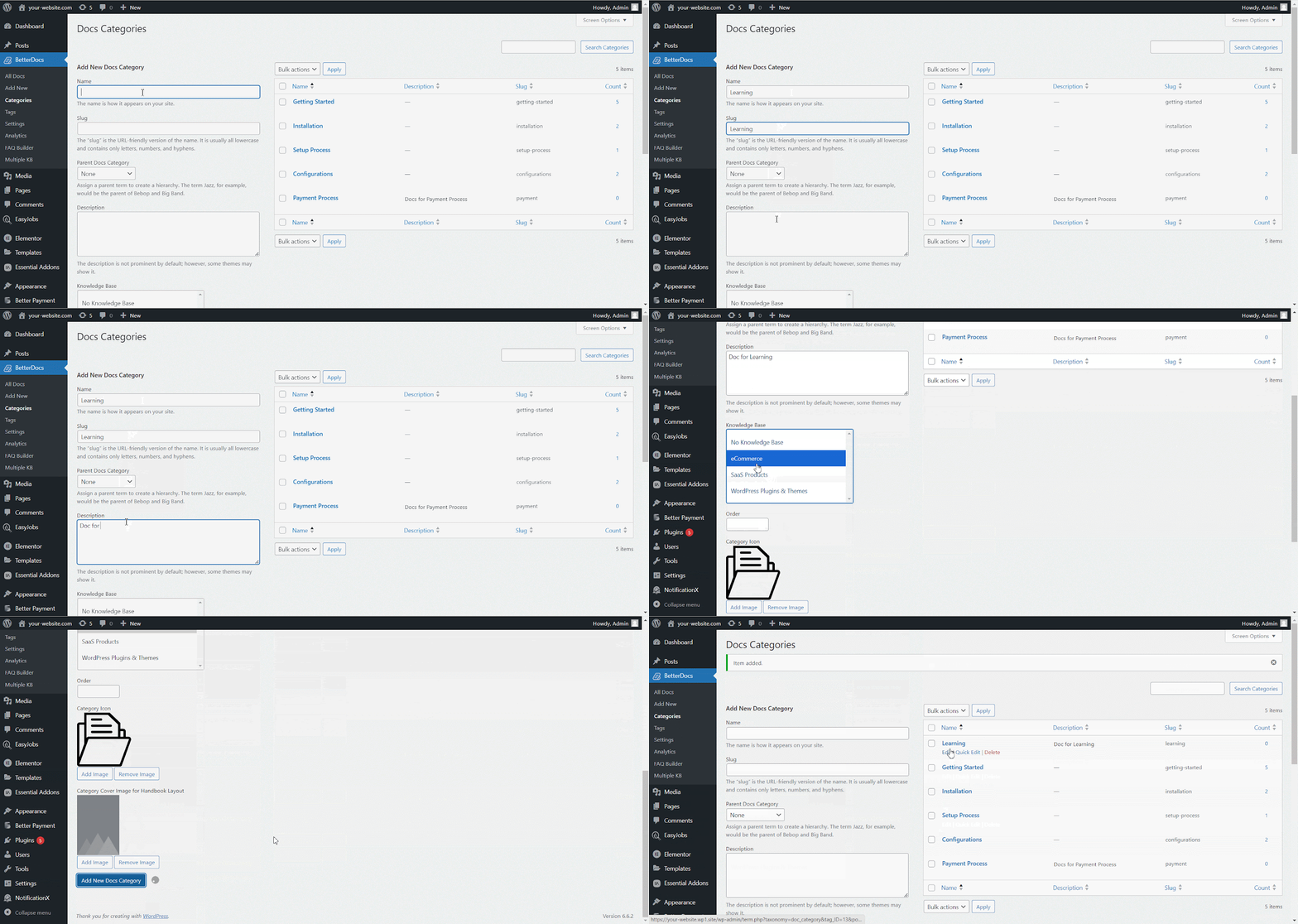
Ahora, vaya al BetterDocs ‘Categories’ to add a suitable category for your Knowledge Base.
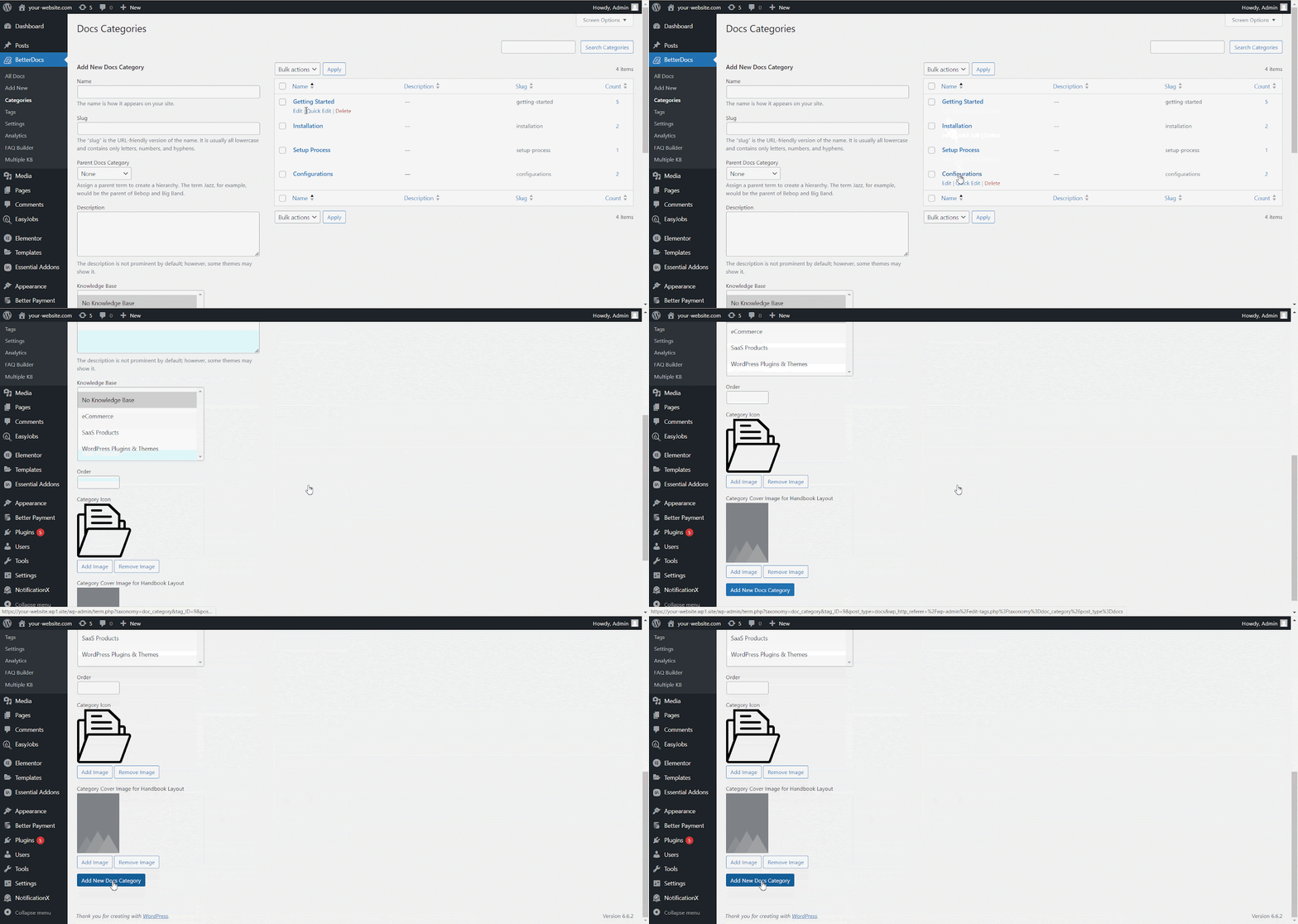
Desde el ‘Add New Docs Category’ section, you can create your Categories for your knowledge base. You can pick one or multiple knowledge bases for each category from the drop-down menu. Besides, you can insert icons for each category and pick their ‘Parent category’ si tu quieres.
Paso 4: Agregar nueva documentación #
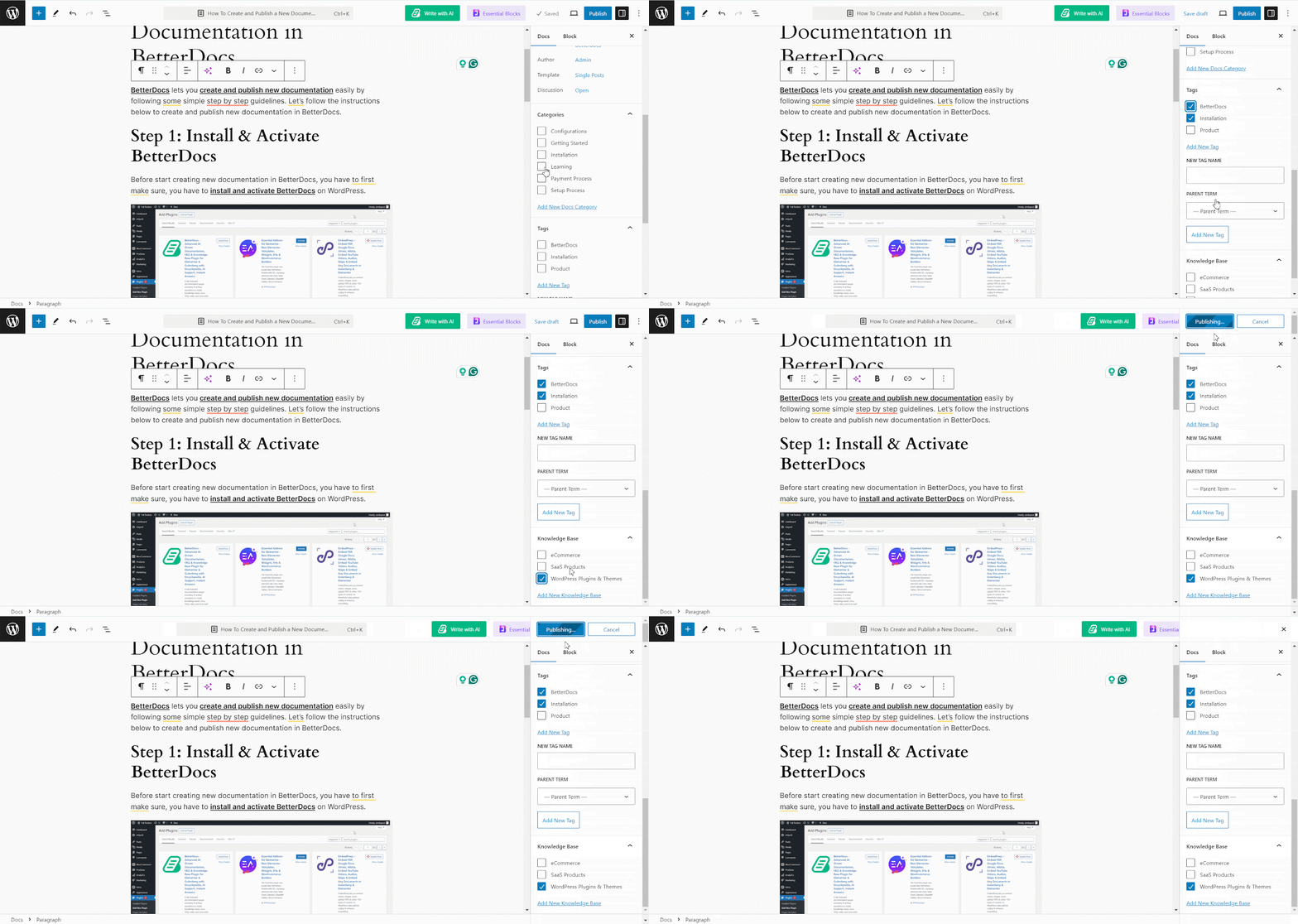
Now, let’s create new documentation from the ‘Add New’ section of BetterDocs. You can go ahead and add the preferred title and description and pick categories. To display this doc under the ‘Base de conocimientos’ you have created, you will have to choose the ‘Base de conocimientos’ option. You can pick multiple knowledge bases if you want. Afterwards, simply ‘Publish’ the doc.
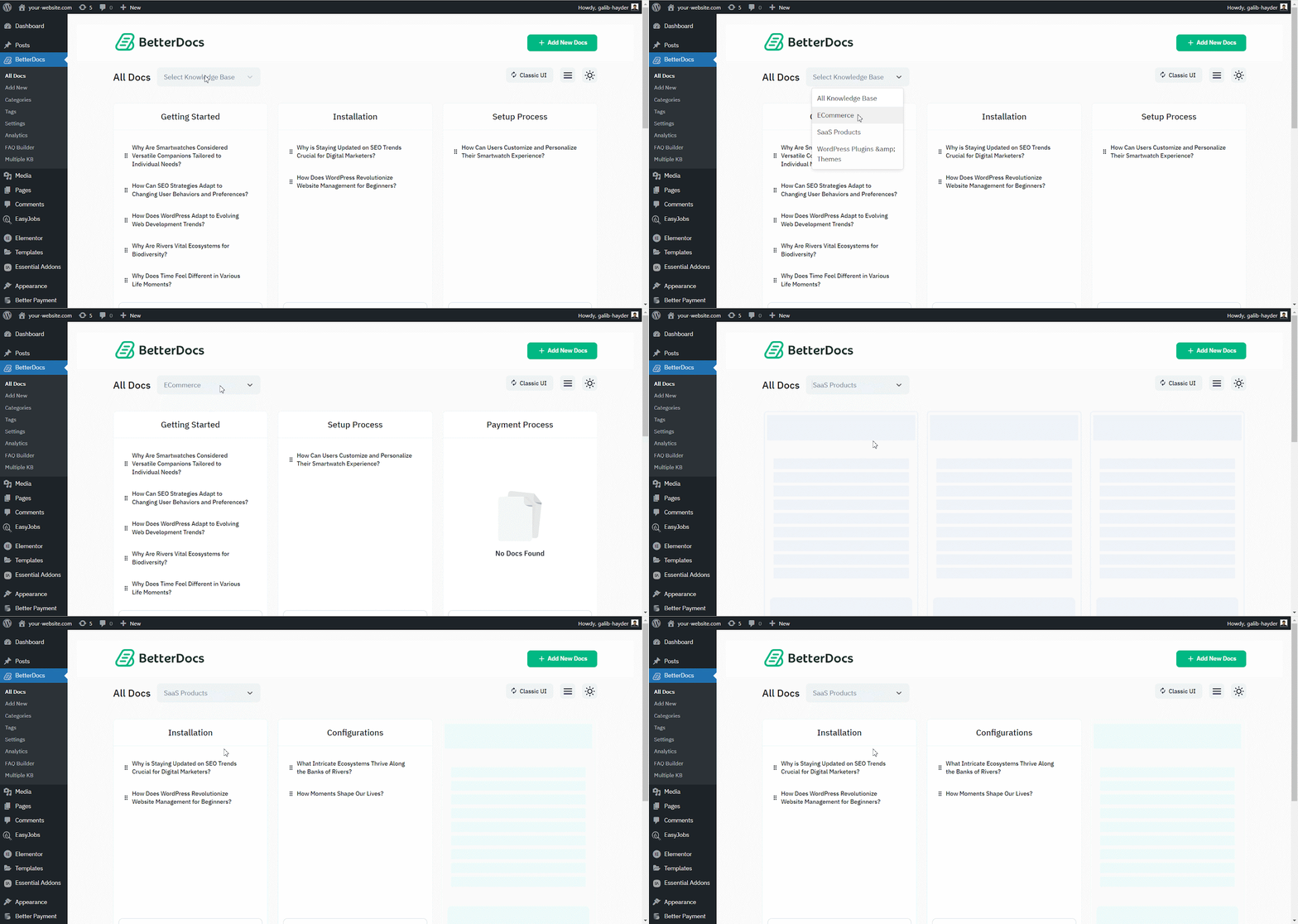
Desde el ‘All Docs’ section, you can use the drop-down menu to see your docs on their respective knowledge bases.
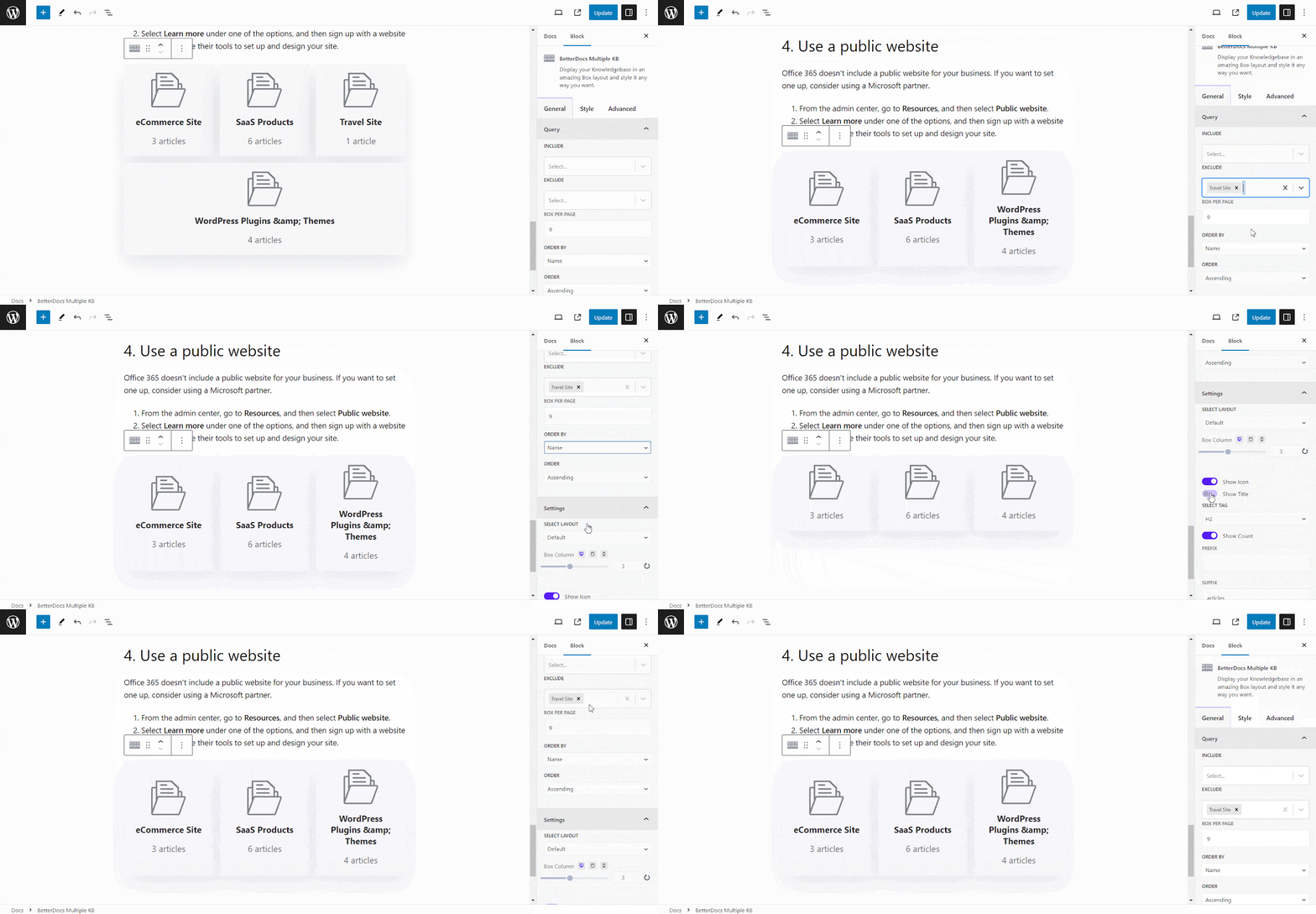
BetterDocs lets you add multiple knowledge base sections inside your existing documentation with a simple block in the Gutenberg editor. It will help your readers get access to other similar documents without having to look elsewhere. To add multiple knowledge bases in a document, simply search for ‘BetterDocs Multiple KB,’ and add the block.
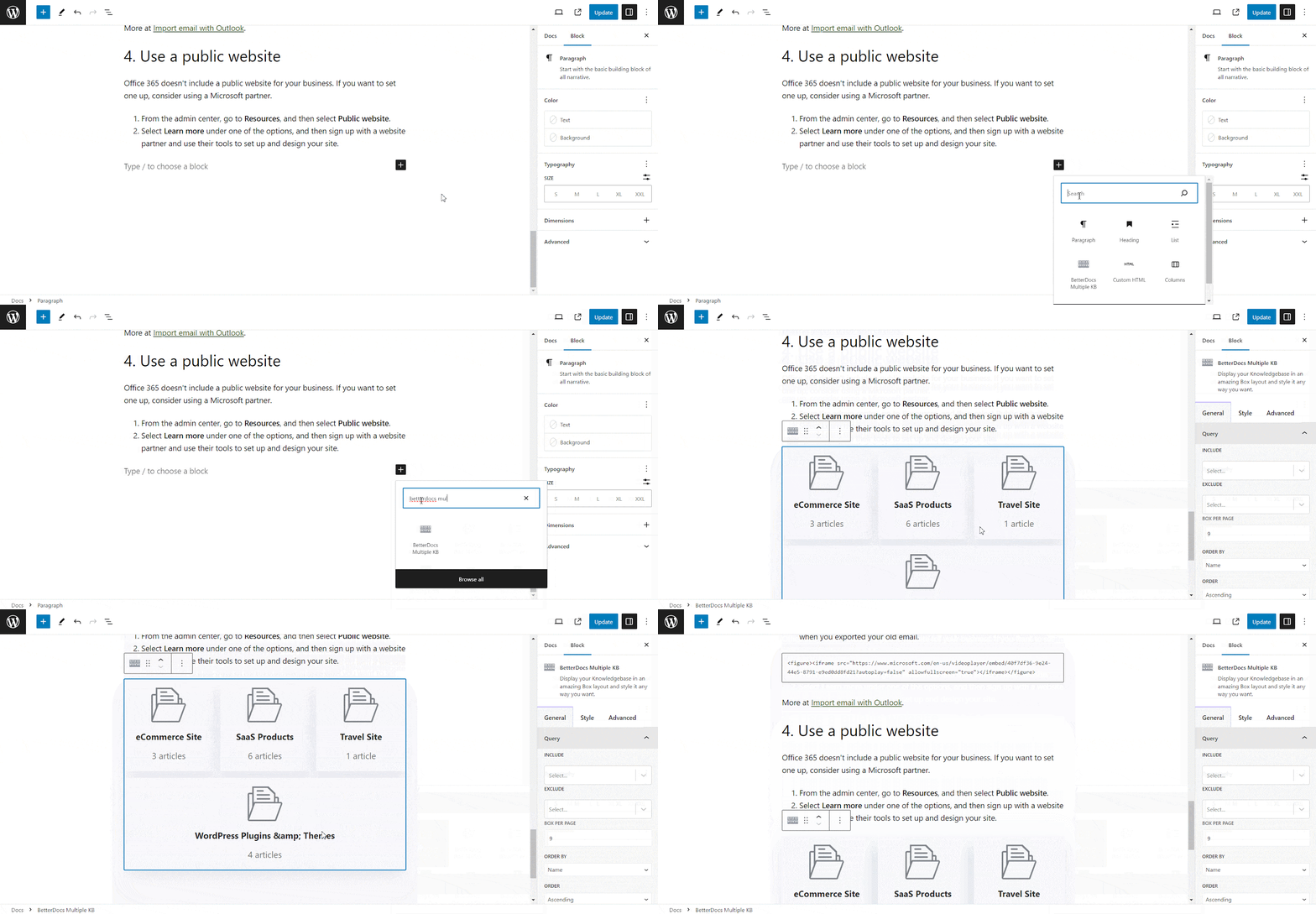
Here, you can customize the Multiple KB section with content and design needs. There are options to include or exclude a specific knowledge base. Additionally, you can set the display order, enable or disable icons, choose to show or hide the counts, and more. On the ‘Style’ tab, you will find options to change the height, width, background colour, image, etc., for the box, icon, title, and count.
Paso 5: Personaliza la apariencia #
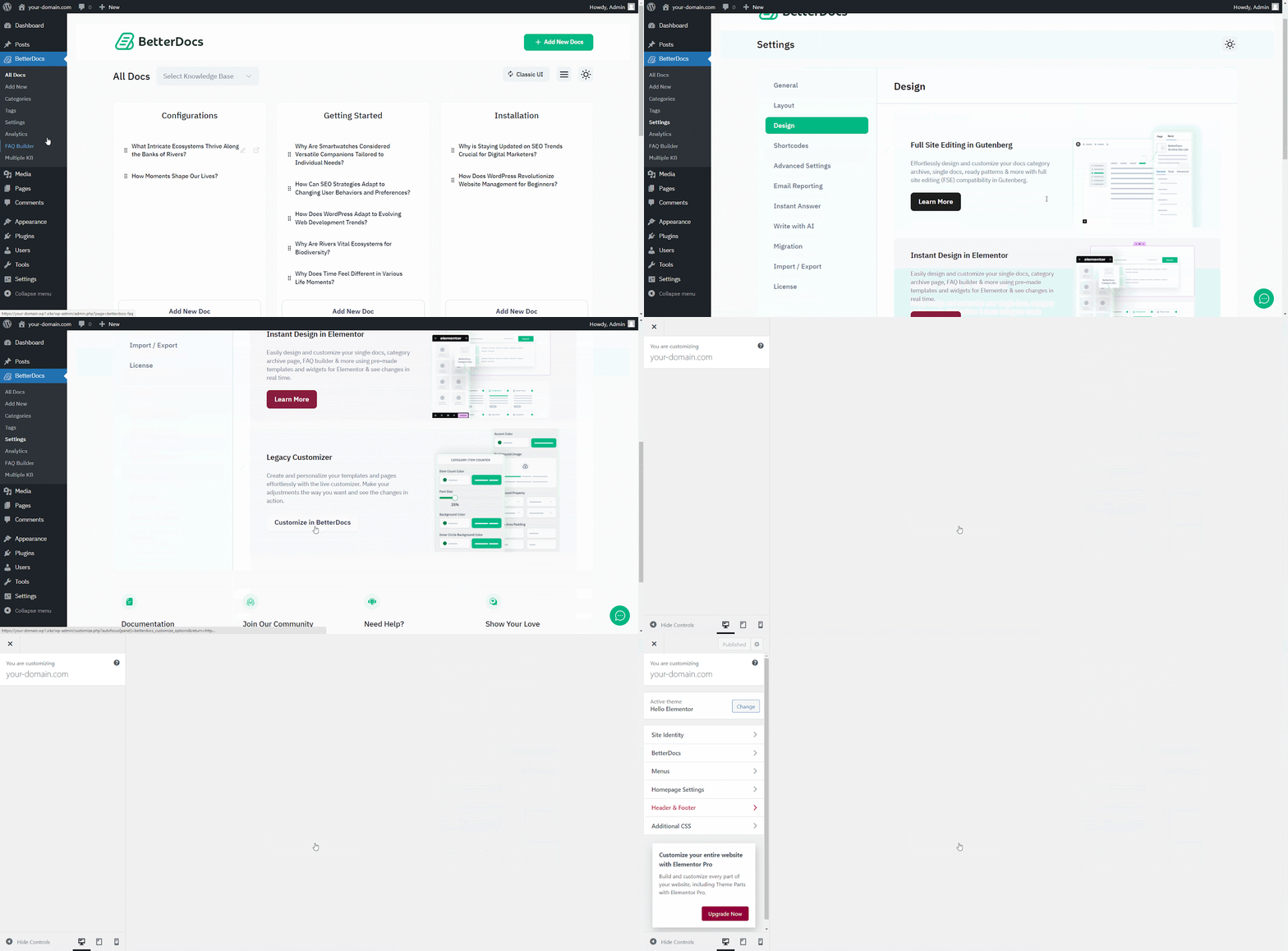
Además, puede cambiar la perspectiva de la documentación en línea utilizando dos diseños exclusivos de BetterDocs para ‘Multiple KB’ caracteristicas. Para hacer esto, tienes que ir al BetterDocs > Settings > Design, and click on the ‘Customize in BetterDocs’ section.
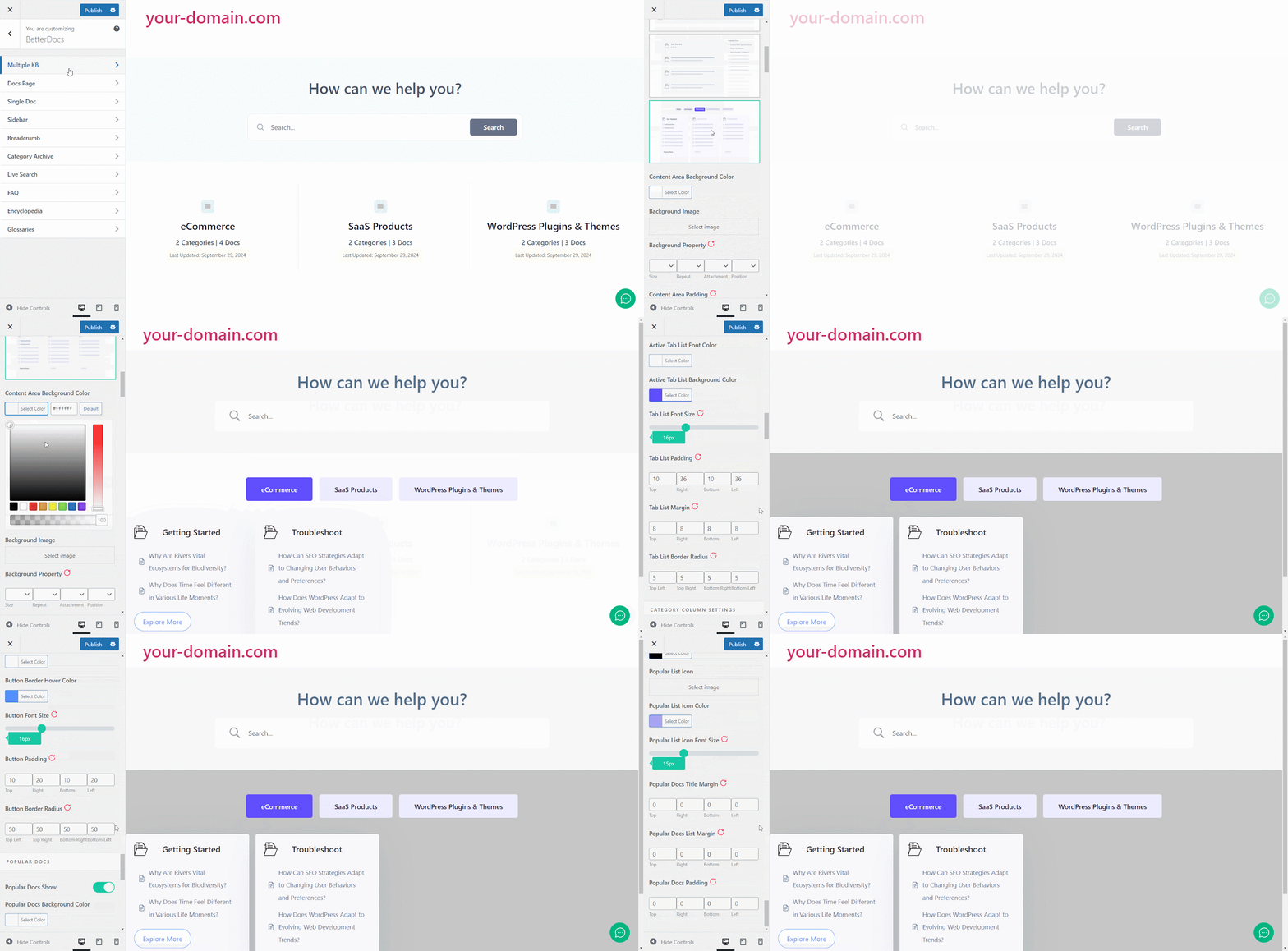
You will get a separate section named ‘Multiple KB’ to personalizar su base de conocimiento Puede elegir entre cualquiera de los dos diseños. Además, obtendrás otros características de estilo exclusivas to modify the background colour, add a background image, configure the title colour, font size, content spacing, and more to make the BetterDocs documentation site interactive for your website visitors.
Resultado final #
Simplemente siguiendo todos los pasos anteriores, podrá agregar y administrar multiple knowledge bases fácilmente con BetterDocs en su sitio web WordPress.
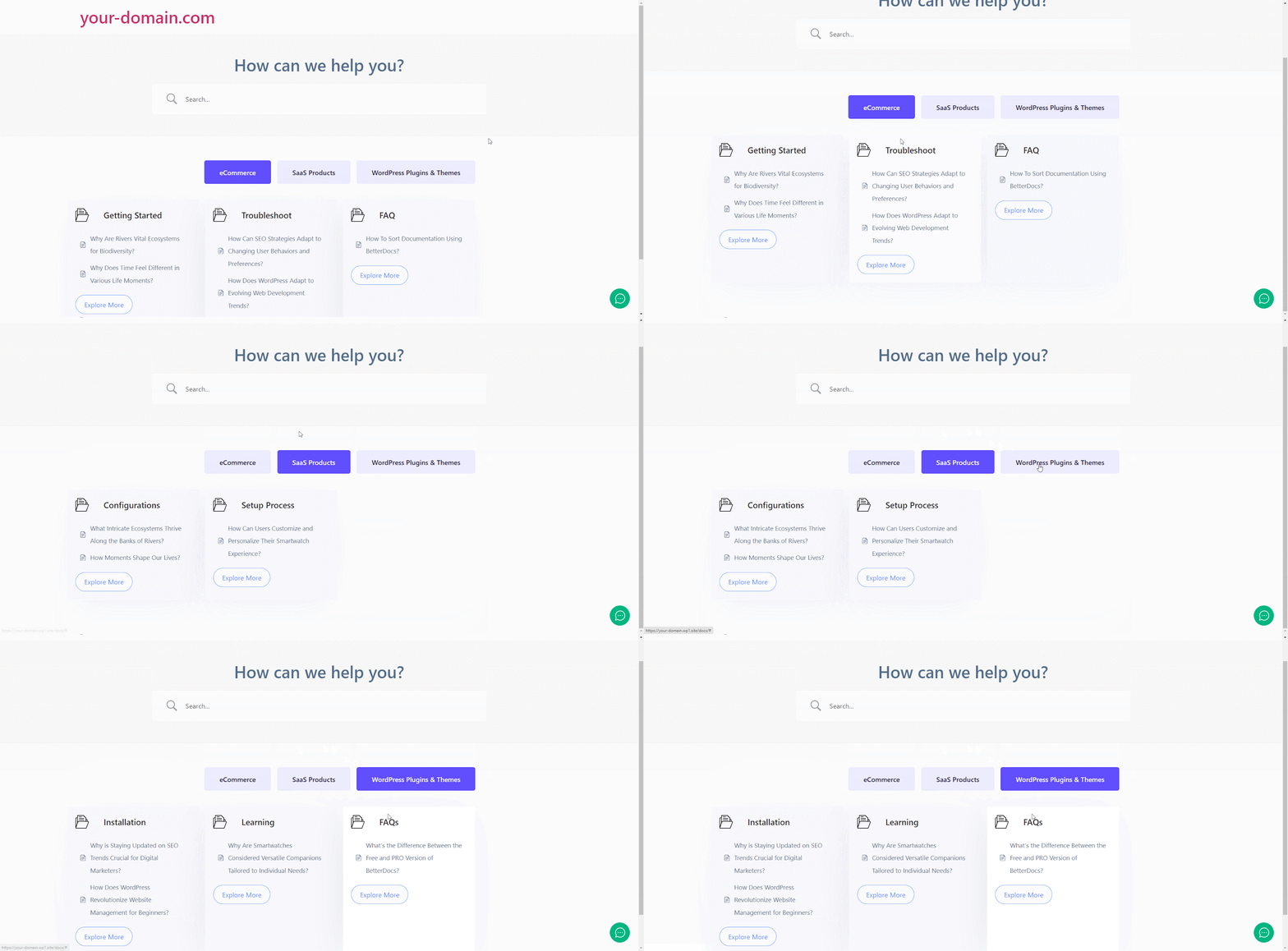
Con la ayuda de BetterDocs, this is how you can manage multiple knowledge bases on your WordPress website and reduce pressure on your support system.Getting stuck? Feel free to contact our equipo de soporte dedicado.




