
BetterDocs gives you the freedom to customize the Live Search bar and change its appearance any way you want. Now, let’s follow the below guideline to personalizați bara de căutare în direct documentare în BetterDocs:
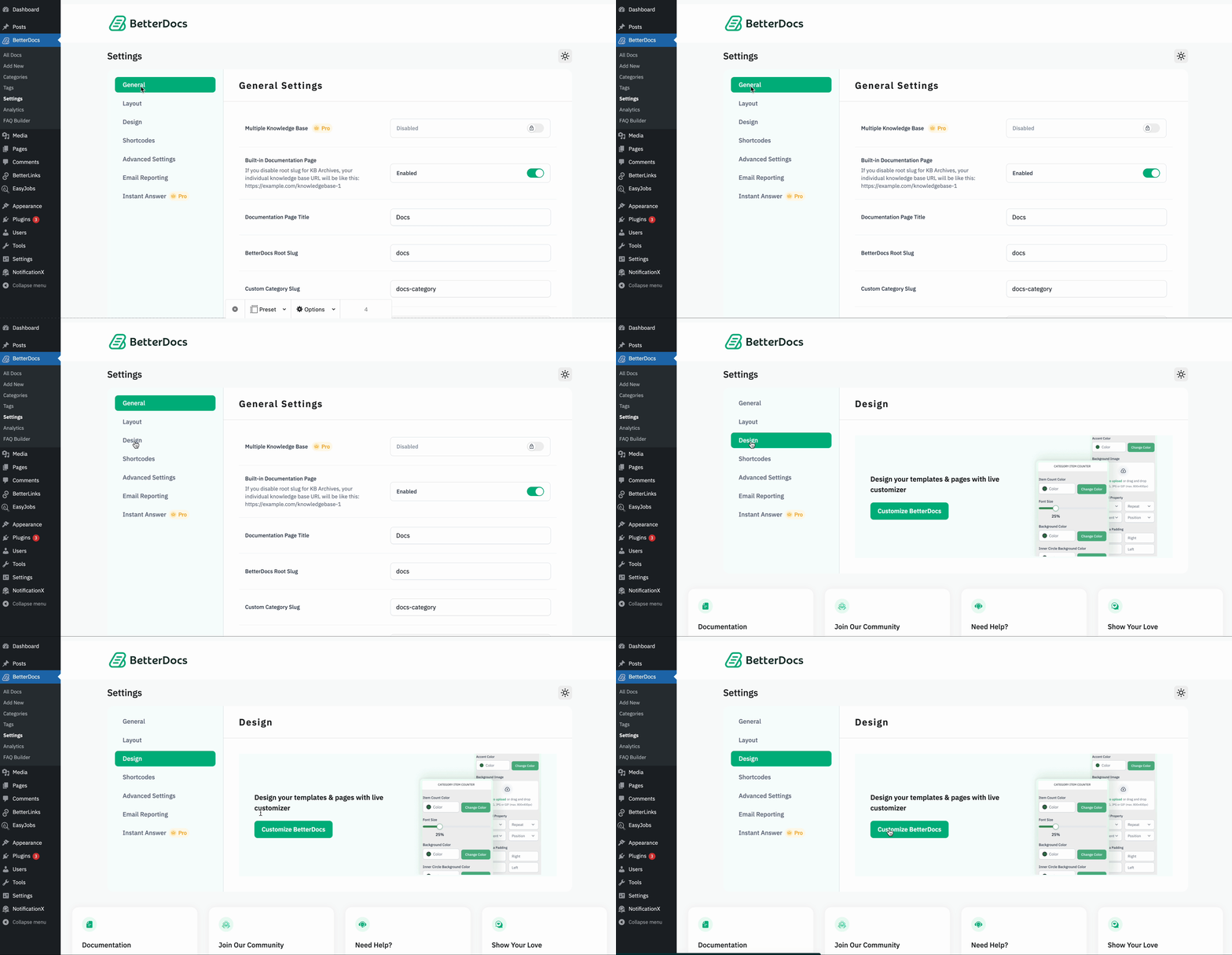
Step 1: Configure BetterDocs Settings #
First of all, go to the BetterDocs Settings by navigating to wp-admin→ BetterDocs → Settings. După aceea, deschideți 'Proiecta' tab. Acum, lovește-l „Personalizați BetterDocs” buton și veți fi redirecționat către pagina Personalizare.
Step 2: Modify The Live Search Option #
From ‘Customize BetterDocs’, you can pick the ‘Live Search’ option. You will then find all the styling options to modify the appearance of the Live Search option.
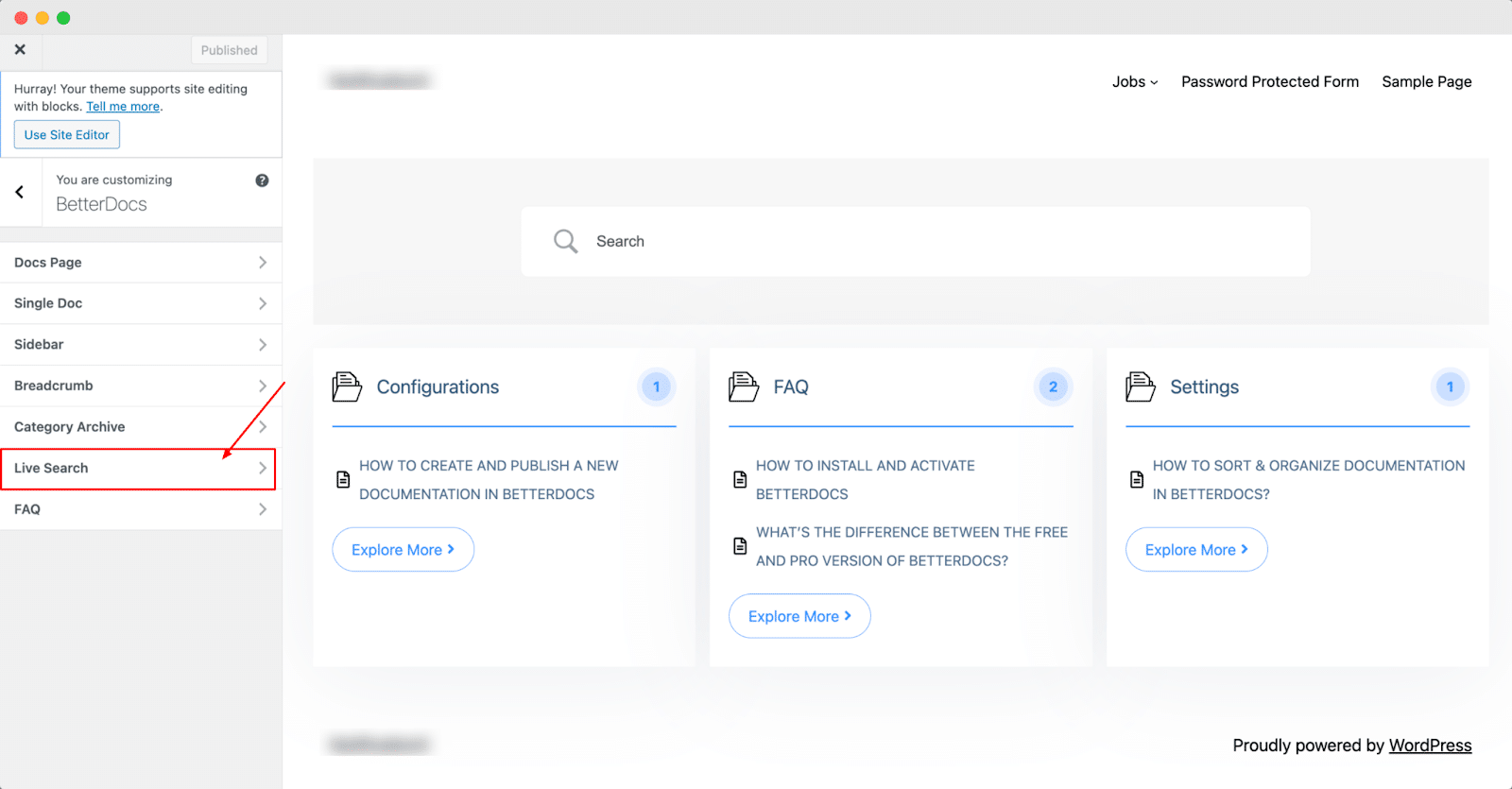
În mod implicit, „Personalizați BetterDocs” redirects you to the doc landing page as a preview. So, you can check out the changes you make in real time.
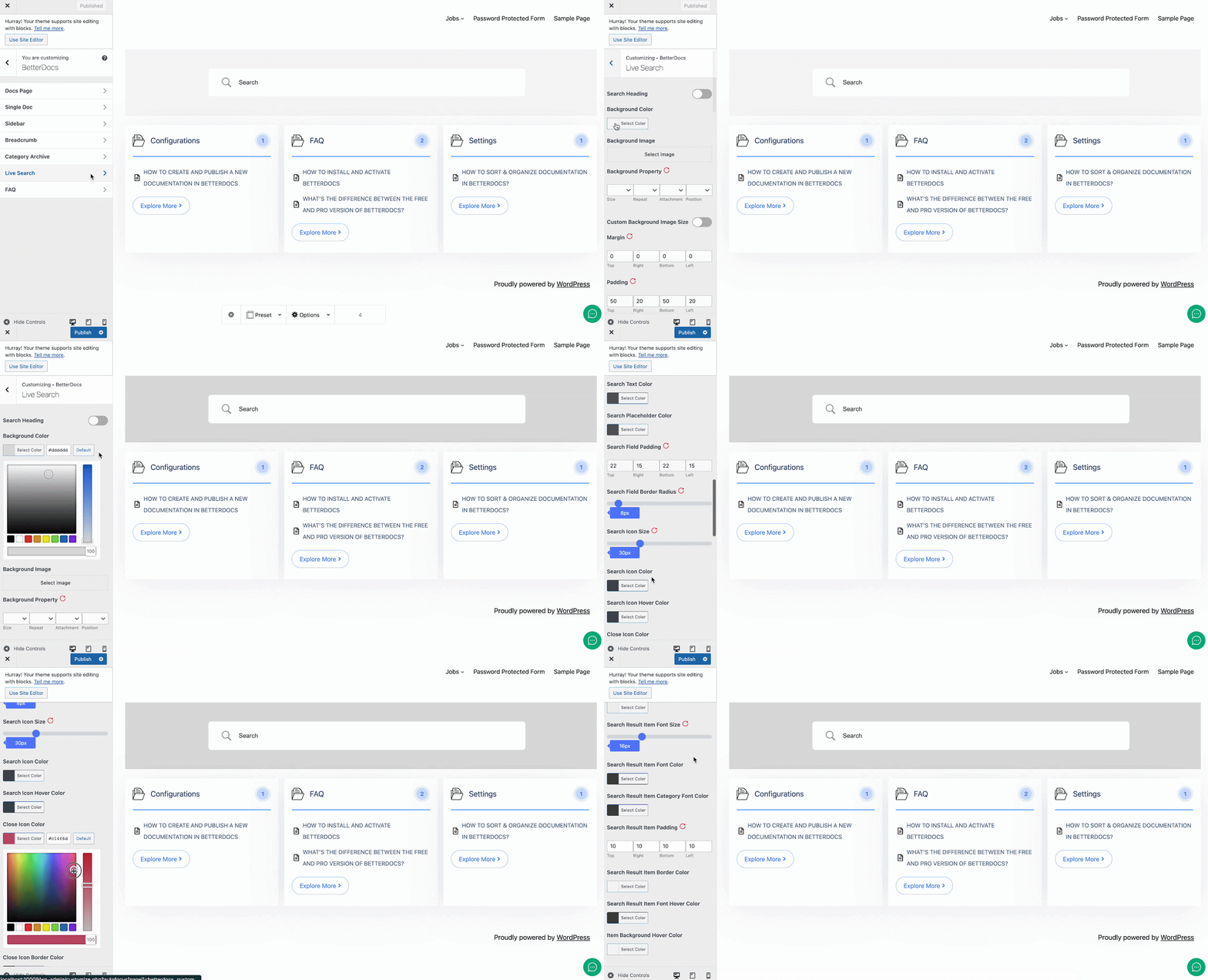
Afterward, you can go ahead & change the colors for Live Search Background, Search Filed, Search Icon, and many others. If you want, you can even add a ‘Background Image’ and change its properties as well.
Besides, you have complete control over how you want the ‘Search Result Settings’ to appear and customize its content size and colors. You can change the box width of the Search Result. Make sure to hit on the 'Publica' pentru a salva modificările.
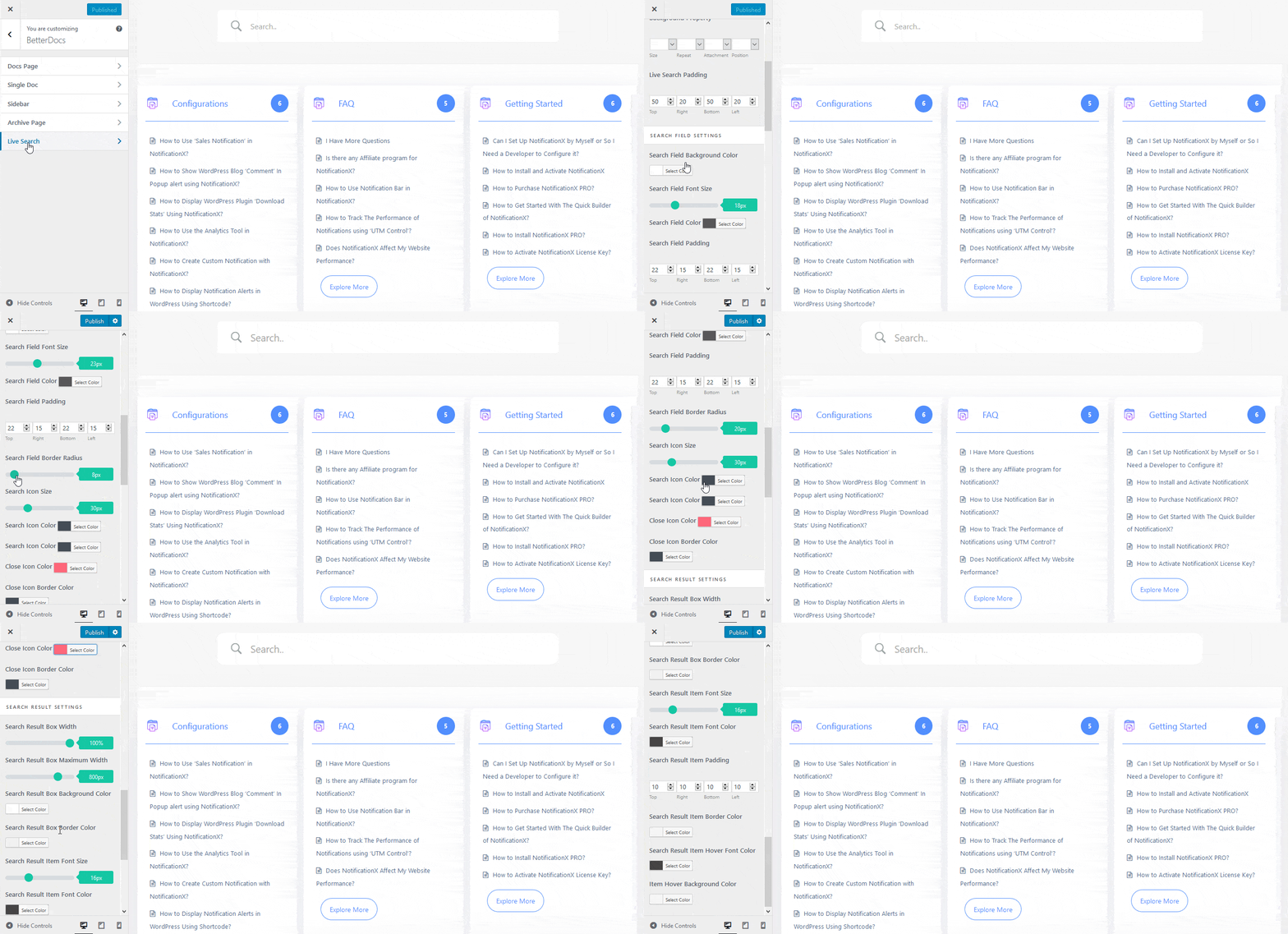
This is how easily you can customize the knowledge base documentation Live Search with BetterDocs and make it more interactive for users.
If you face any difficulties, feel free to contact our support team.




