
Acum puteți migra în BetterDocs from your existing documentation plugin with just one click. BetterDocs supports the following Knowledge Base plugins, from which you can seamlessly migrate from Echo Knowledge Base, BSF Docs, weDocs, and PressApps Knowledge Base.
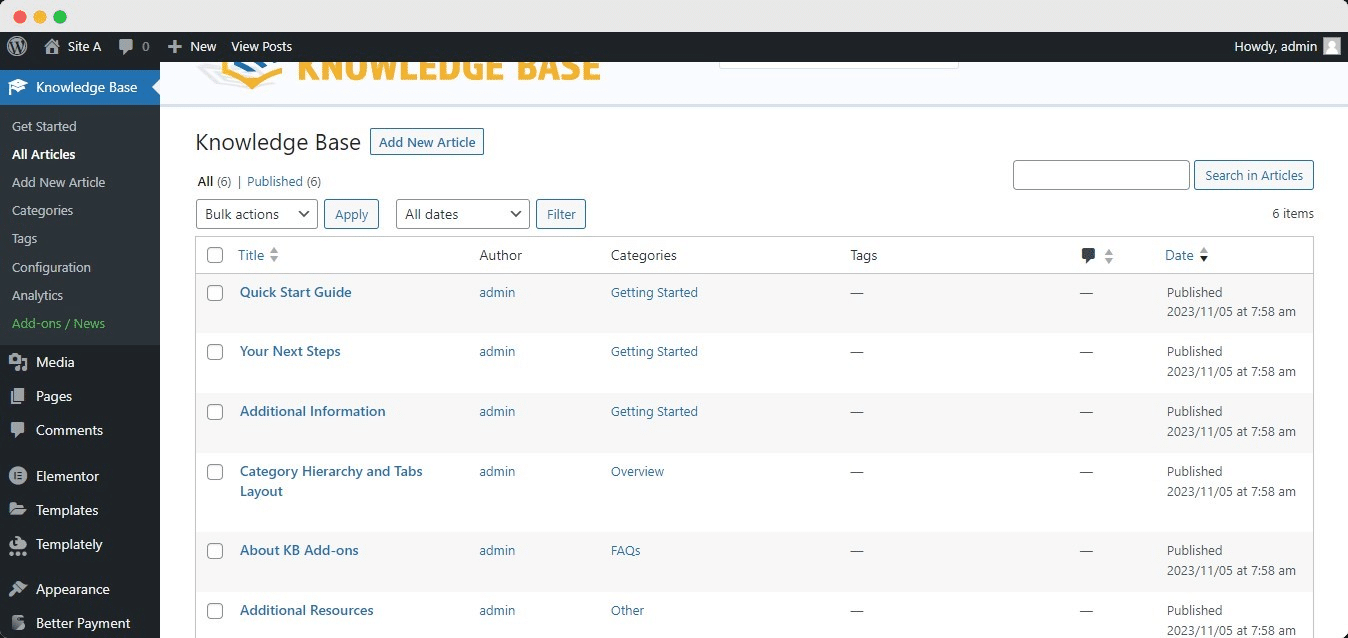
For the purpose of this documentation, we are going to show how to migrate your existing articles from the Echo Knowledge Base plugin to BetterDocs. This is how your existing documentation will look in the Tablou de bord WordPress:
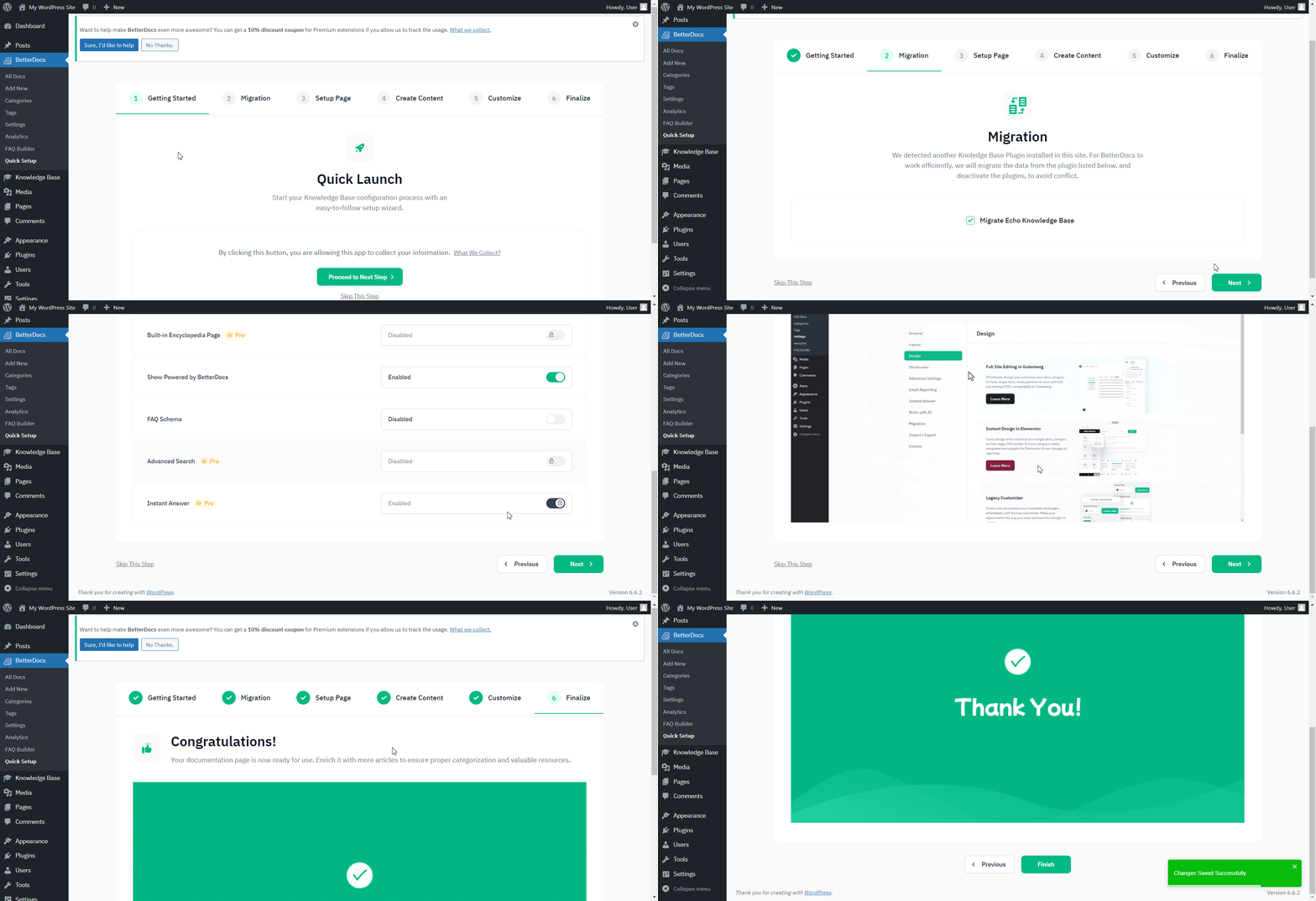
Odata ce ai instalat BetterDocs, you will be redirected to the ‘Quick Setup’ expertul. De la ‘Quick Setup’ wizard, you can simply import your existing knowledge base to BetterDocs with just a few clicks. From the ‘Migration’ tab, mark the checkbox to start your migration from your existing Knowledge Base solution. After you have done that, simply finish all the other steps, and you will be all set to go.
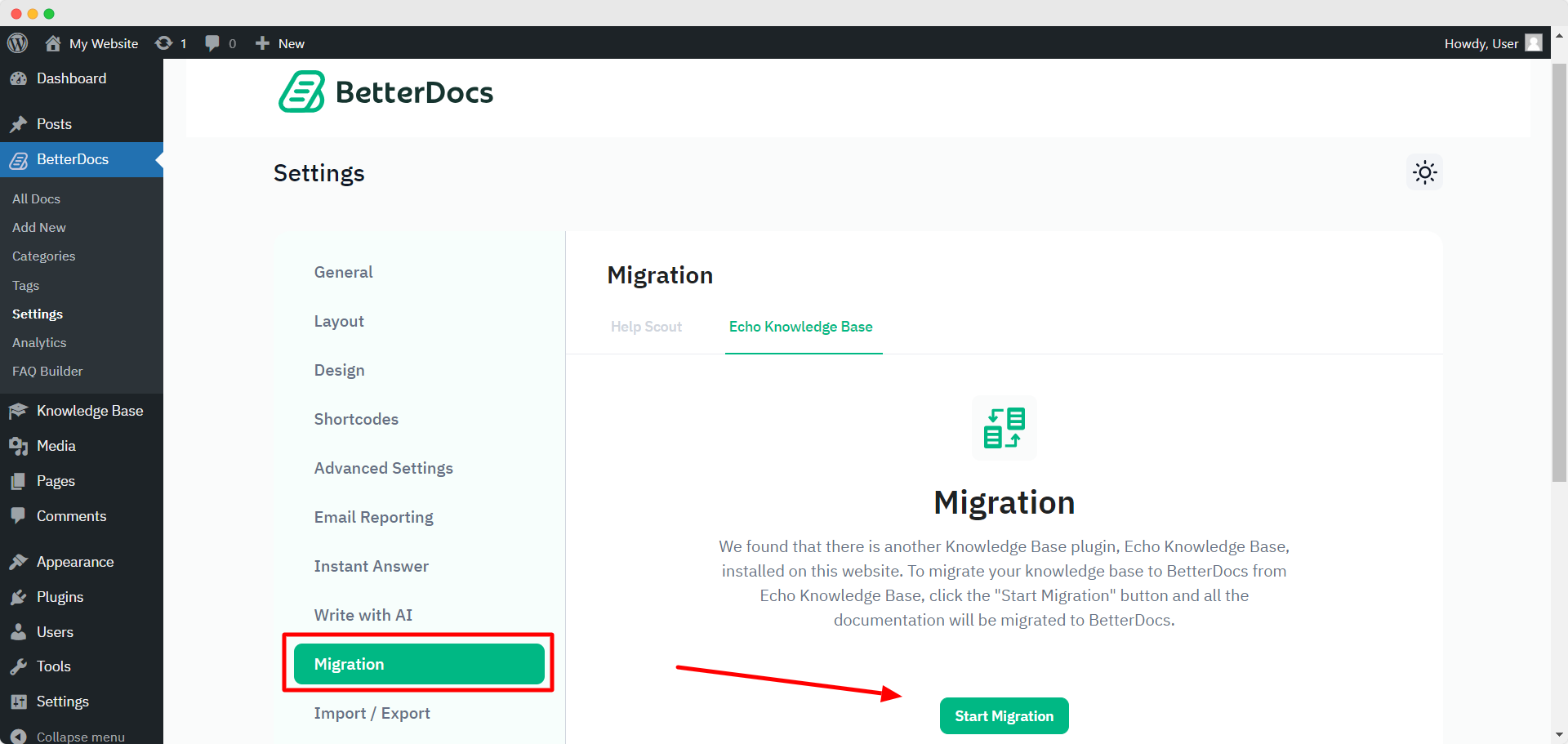
Notă: If you missed the migration option from the Quick Setup, you can migrate from the BetterDocs ‘Setări’ Tab. From Dashboard, go to Settings → Migration, and then, click on the ‘Start Migration’ button.
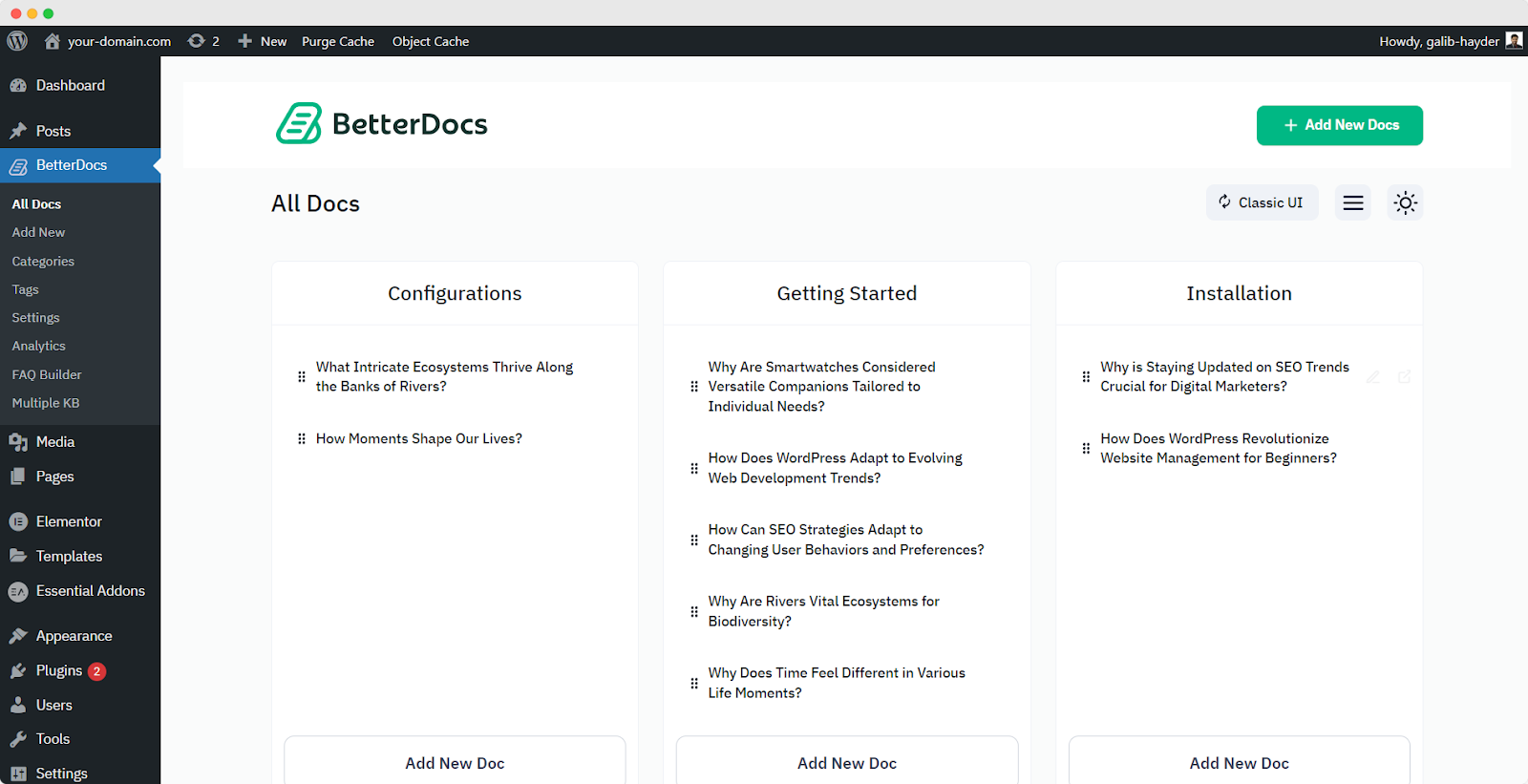
After the migration, all the articles from your previous Knowledge Base plugin will appear in the BetterDocs → All Docs secțiune. Așa vor arăta:
To avoid any conflict, your existing third-party documentation plugin will be automatically deactivated, and their existing documents will be ready to migrați la BetterDocs. Puteți apoi ușor alocați categorii și etichete to the articles and organize them the way you want. If you want to migrate from other existing Knowledge Base solutions to BetterDocs, check out această documentație sau contactați asistența noastră pentru mai multă asistență.




