
BetterDocs import/export feature makes things easier for users by letting them handle content seamlessly. Users can quickly transfer documentation between sites, back up important data, and work together effectively, which makes organizing WordPress documentation more productive and flexible.
Follow this step-by-step guide below to learn how to quickly import and export documentation with BetterDocs and manage your knowledge base in advance.
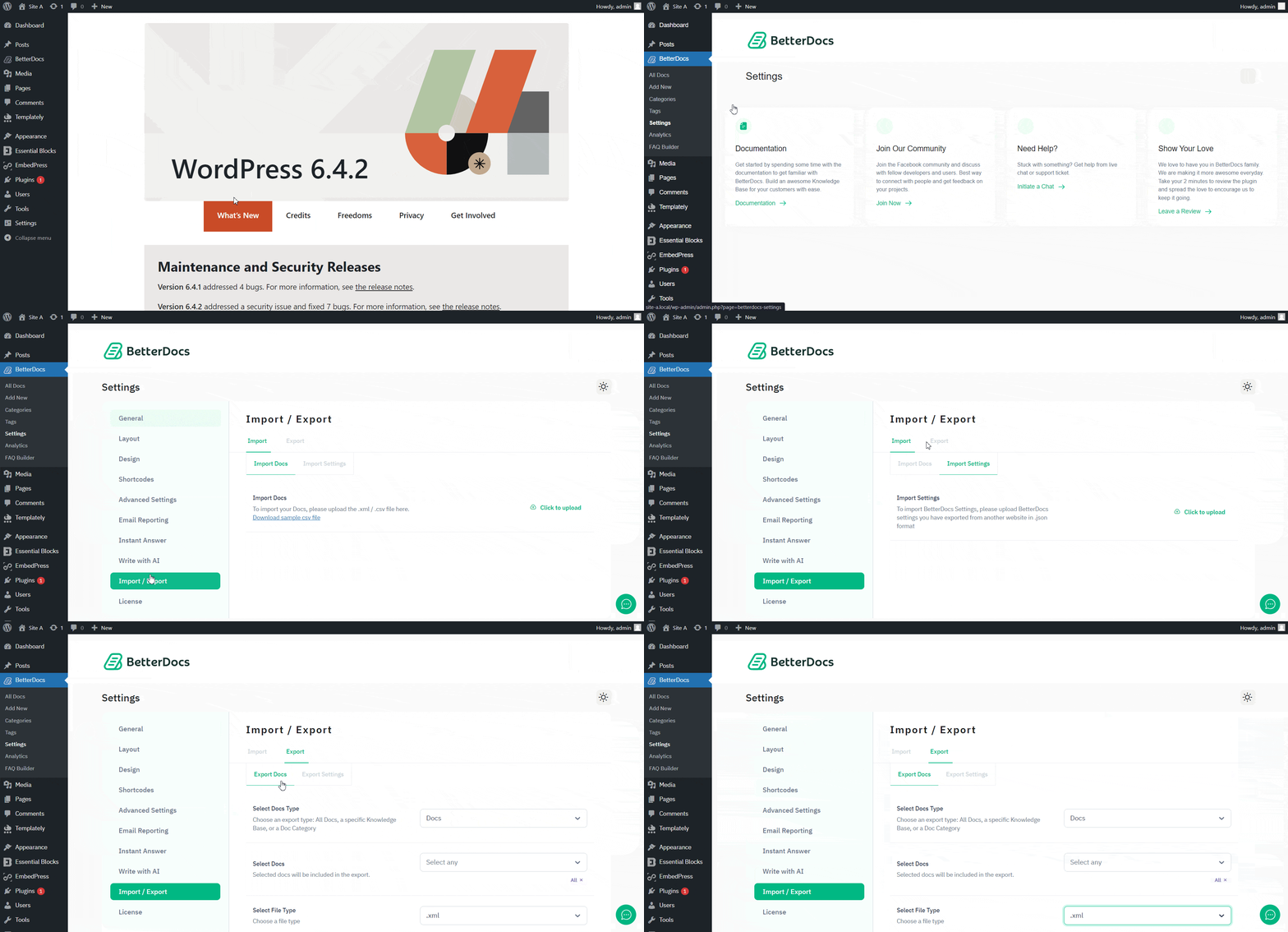
Step 1: Navigate To BetterDocs Settings #
To import and export documentation in BetterDocs, navigate to BetterDocs→Settings→Import/Export from the WordPress dashboard. Simply go to the tab to explore all the options.
Step 2: Import Documentation & Settings #
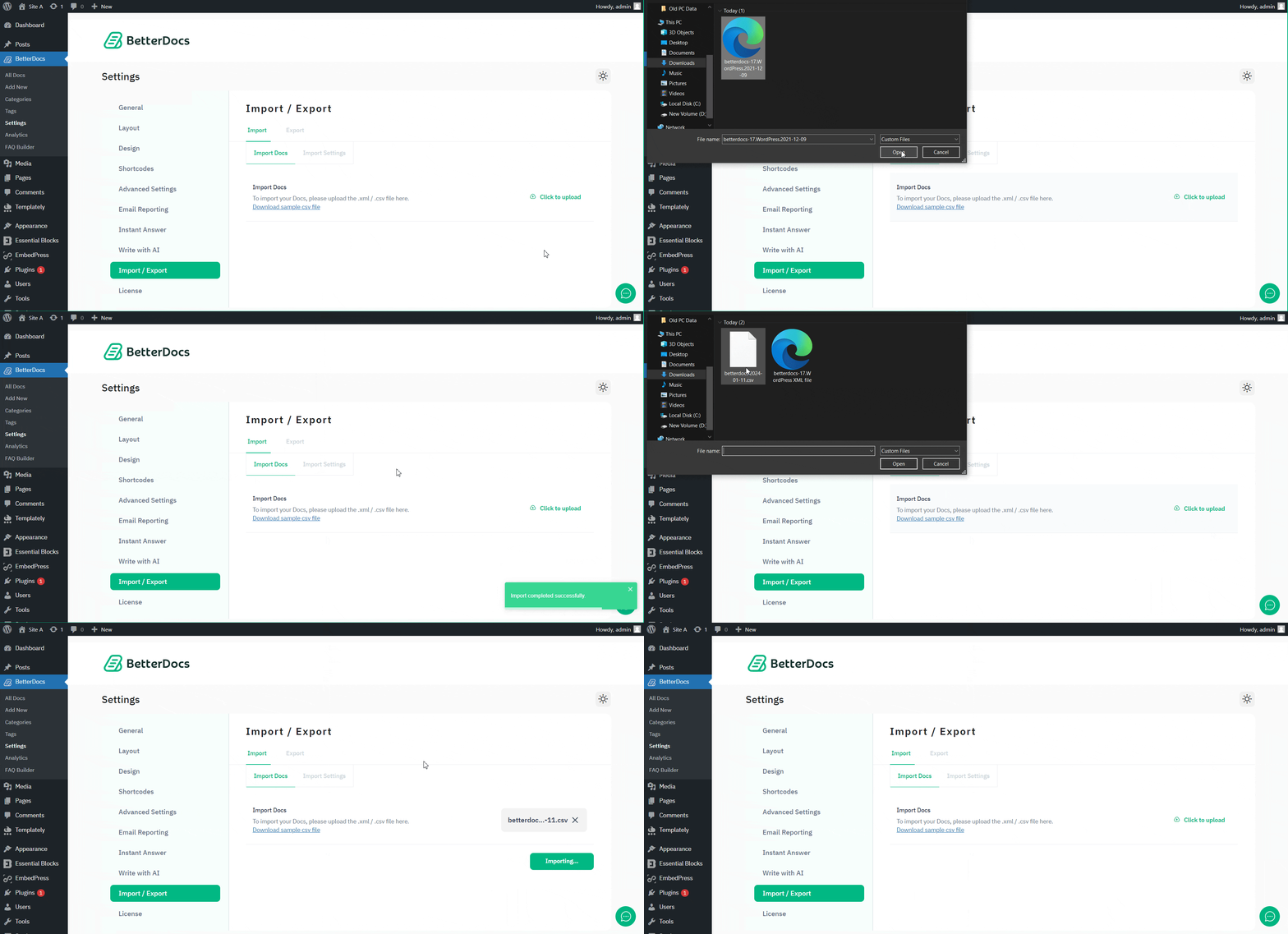
To upload a single documentation or a complete knowledge base to your BetterDocs now, simply click on the Import→Import Docs option from the tab and tap the ‘Click to upload‘ button. You can upload an XML or CSV file to import ready documentation. After complete uploading your preferred file, just hit the ‘Proceed’ button to complete your import process.
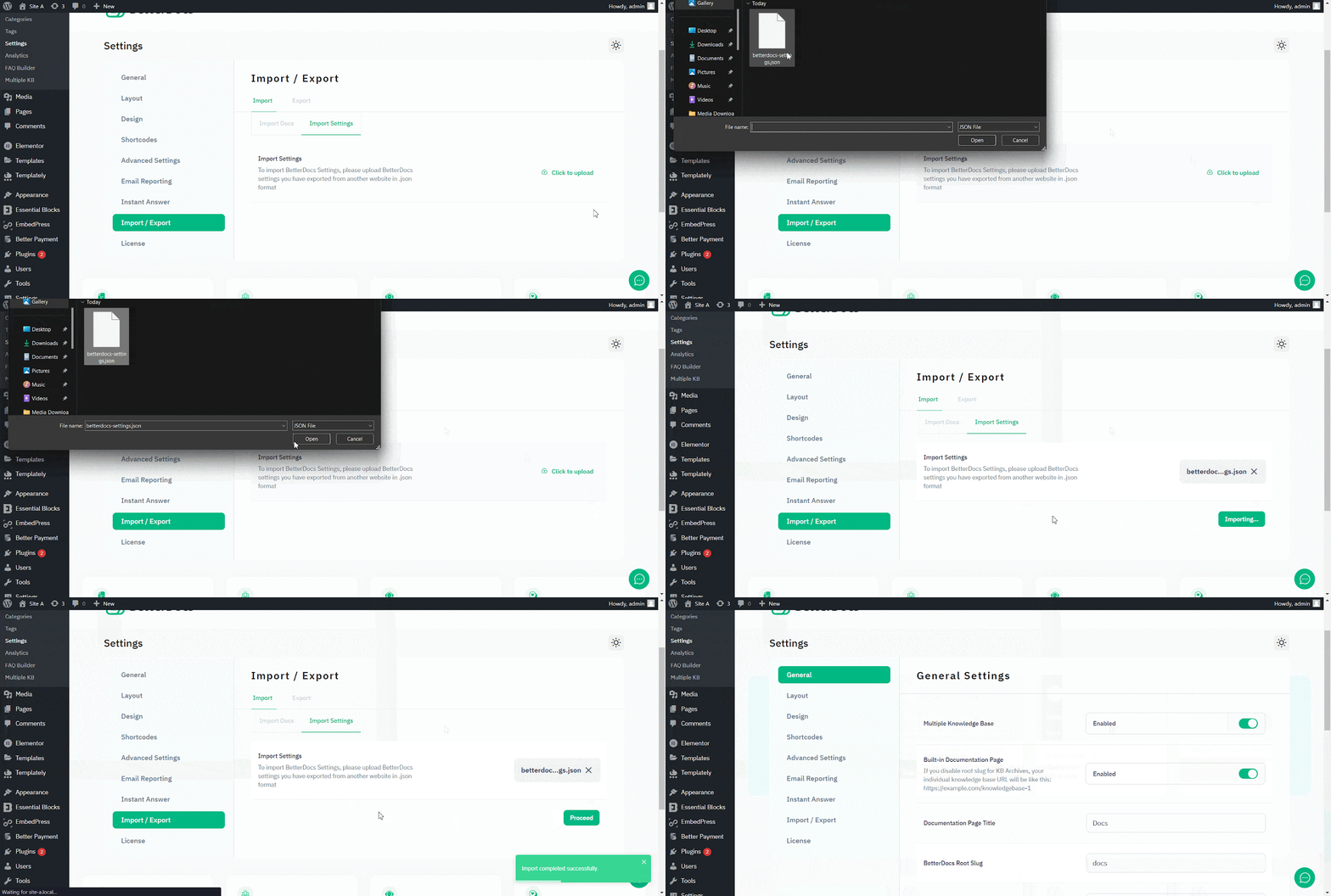
You can also import settings for BetterDocs to use your previous preferences. You just need to navigate to Import→ Import Settings → Click to upload și upload a JSON file. After uploading, click the ‘Proceed’ button, and the settings will be automatically adjusted to your current BetterDocs knowledge base.
Step 3: Export Documentation & Settings #
To quickly export documentation, doc categories, and knowledge bases, simply go to the Export→Export Docs option. Afterward, select what you want to export from the ‘Select Type’ and ‘Select Docs’ options. Then choose your output file type (XML or CSV) from the given option below, and click ‘Proceed’.
Similarly, you can export the current BetterDocs settings from the ‘Export Settings’ options. Just click on the ‘Export Settings’ button, and a JSON file will be exported automatically.
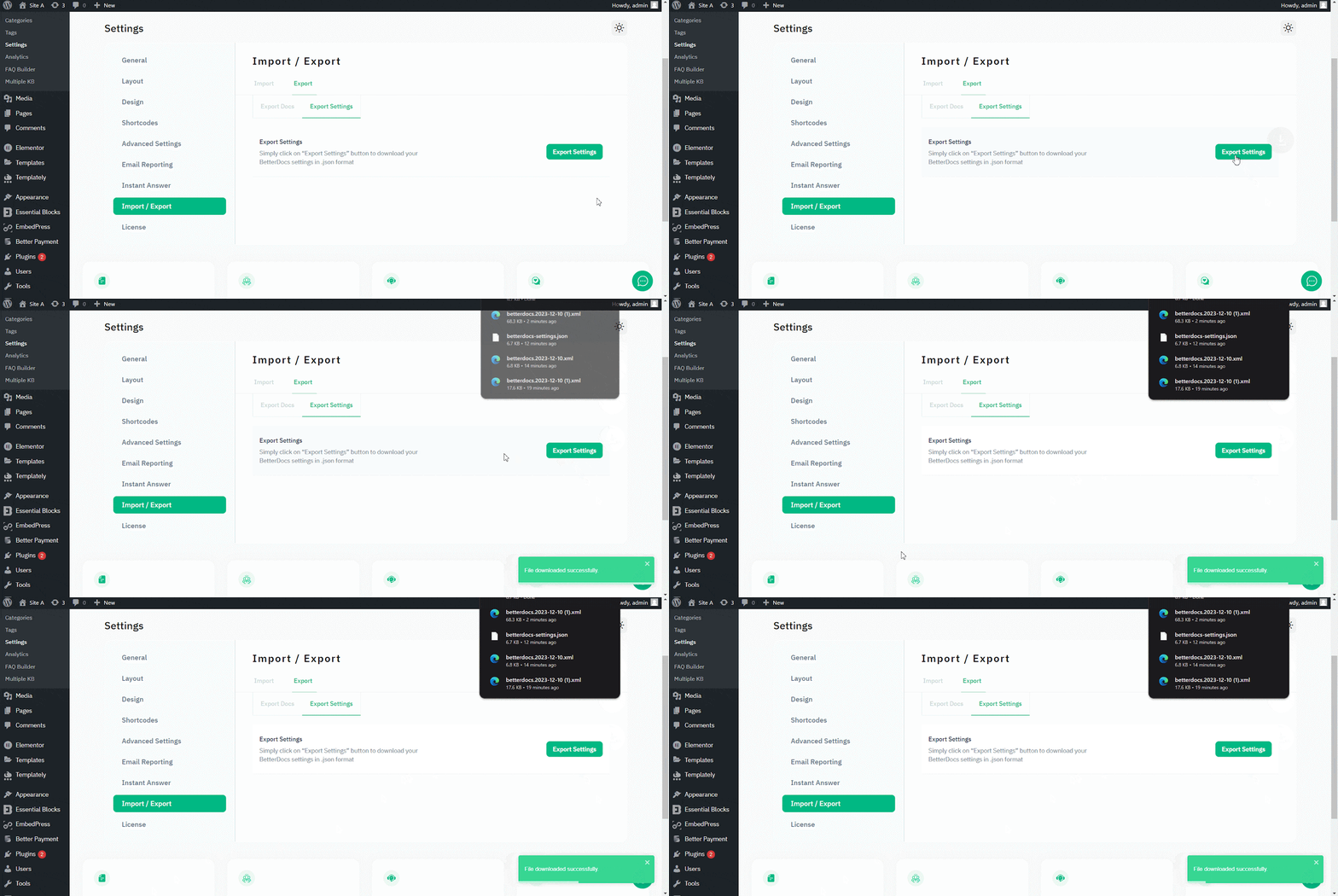
This is how easily you can configure import and export documentation with BetterDocs.
If you face any difficulties, feel free to contact our echipa de suport.




