
BetterDocs for Shopify app lets you easily configure a single doc and archive page for your knowledge base that you can create for your Shopify store. Follow this step-by-step guide to learn how to do it.
How To Configure A Single Doc and Archive Page In BetterDocs? #
If you have already installato BetterDocs in your Shopify store, you can now configure single doc and archive pages easily. Follow this tutorial step by step.
Step 1: Navigate to the Single Doc Configuration Page #
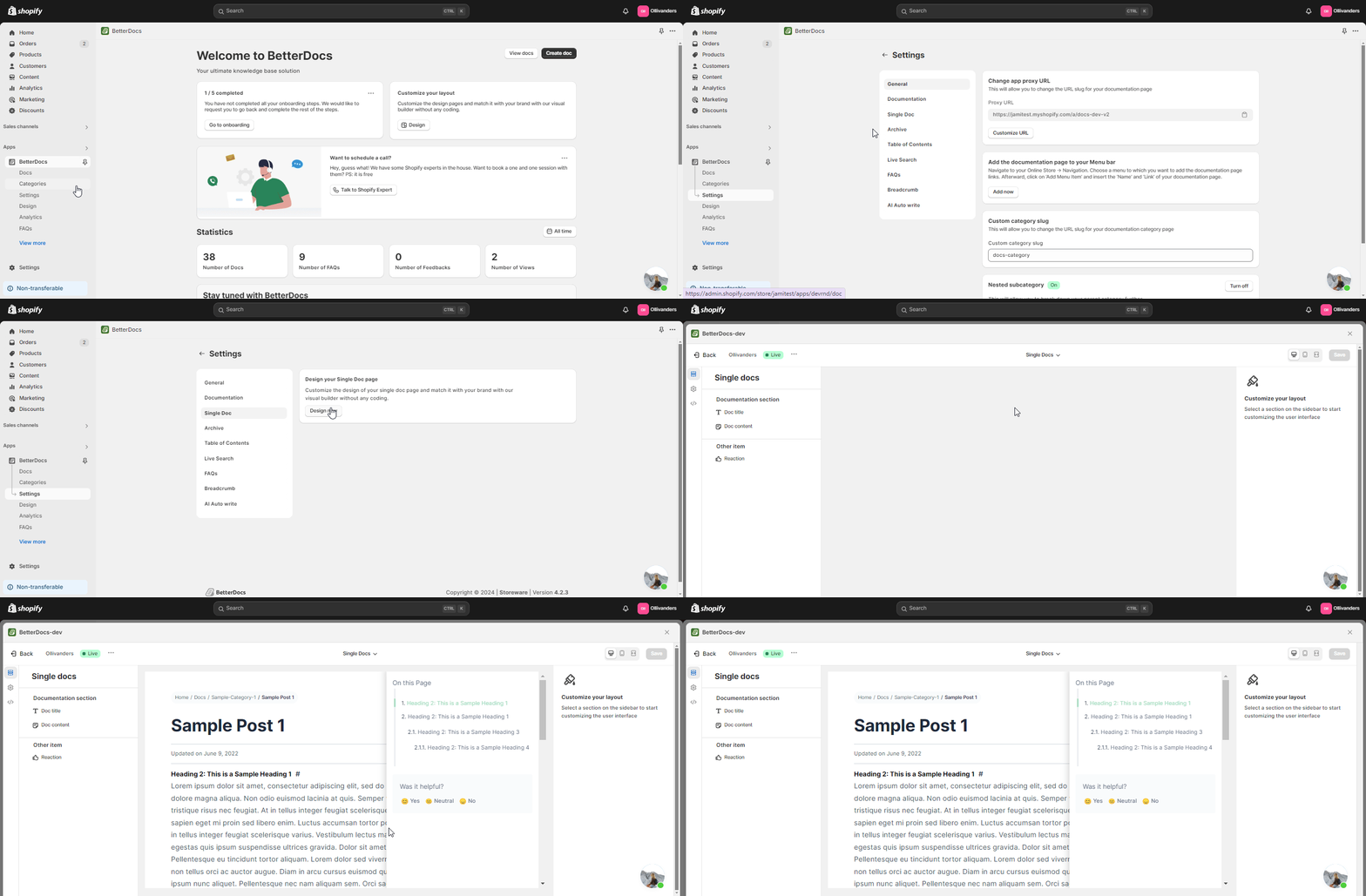
First, Navigate to the BetterDocs dashboard in your Shopify store and click on the ‘Settings’ tab. Choose the ‘Doc. Singolo’ option from the left sidebar. Here, Click on the ‘Design now’ button. A Single Doc configuration page will appear.
Step 2: Customize The Single Doc Appearance #
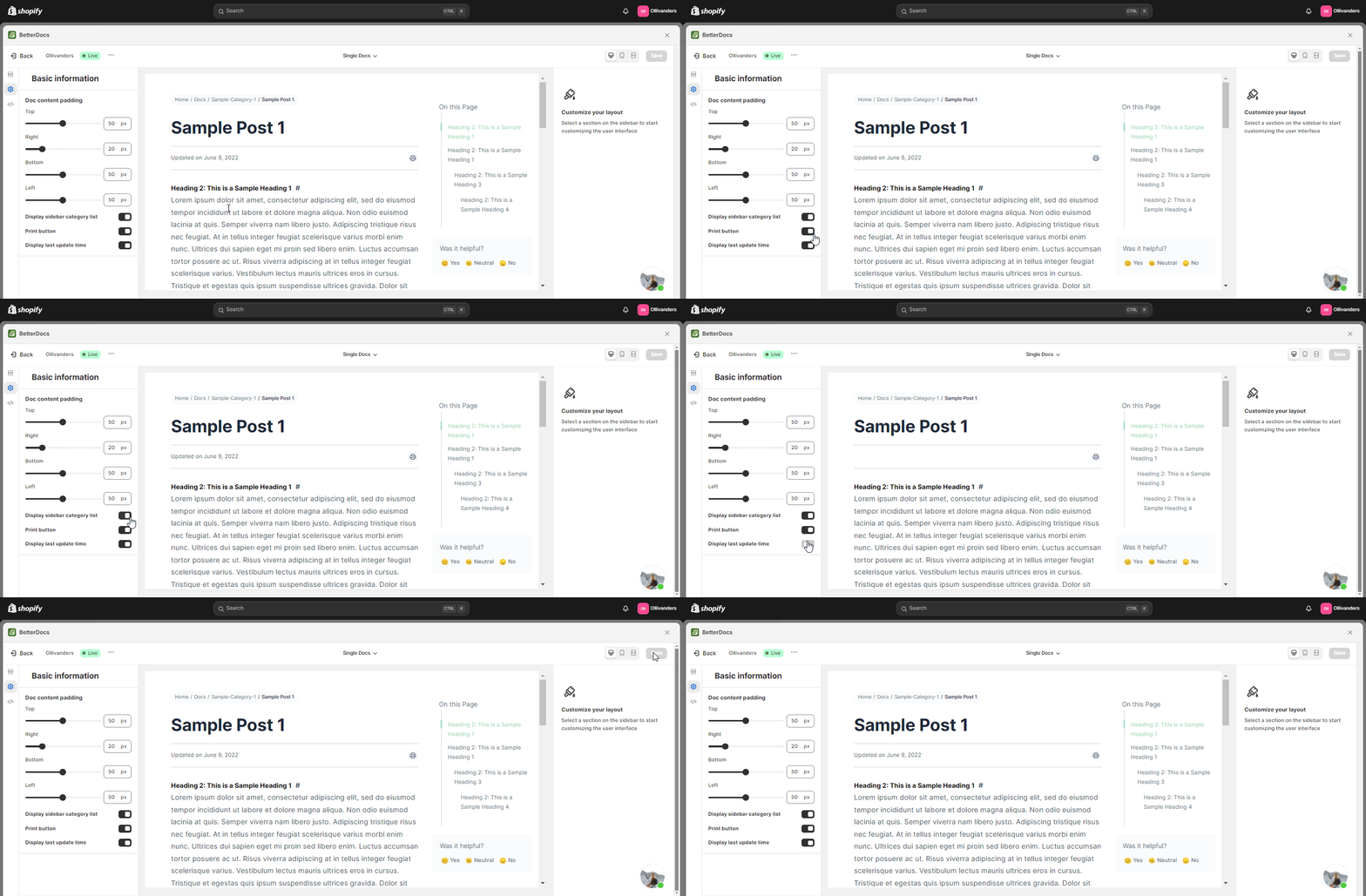
Here, you can easily customize the single doc appearance by changing the default options from the ‘Documentation Section’, ‘Doc Title’, and ‘Contenuto documento’ options. More customization options are available in the ‘Basic Design’ settings on the left. Here you can customize ‘Font color’, ‘Doc Content padding’, ‘Display Reaction’ etc. on the left in the ‘Basic Design’ settings
Step 3: Configure Archive Page In BetterDocs #
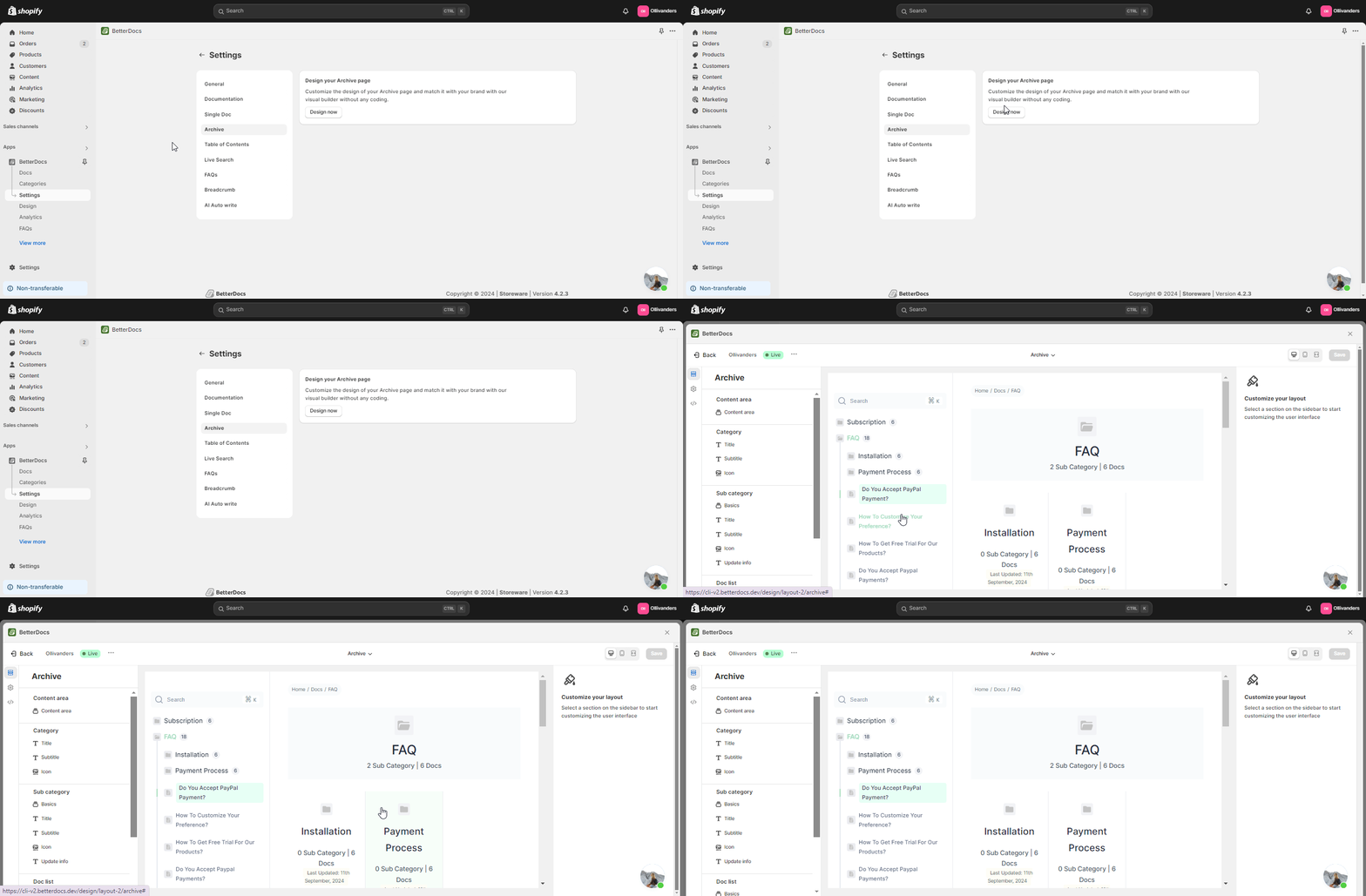
Next, you need to go back to the ‘Settings’ option and click on the ‘Archive’ option. Click on the ‘Design Now’ button, then, an archive page layout with configuration options will appear.
Step 4: Customize The Archive Page In BetterDocs #
In the archive page change the default settings in the ‘Content Area,’ ‘Category,’ ‘Subcategory,’ and ‘Doc List’ sections to customize their title, subtitle, icons with your preferred color, margin, padding, etc.
For instance, you can choose the title tags to change the size, and other margin options to customize as per your preferences.
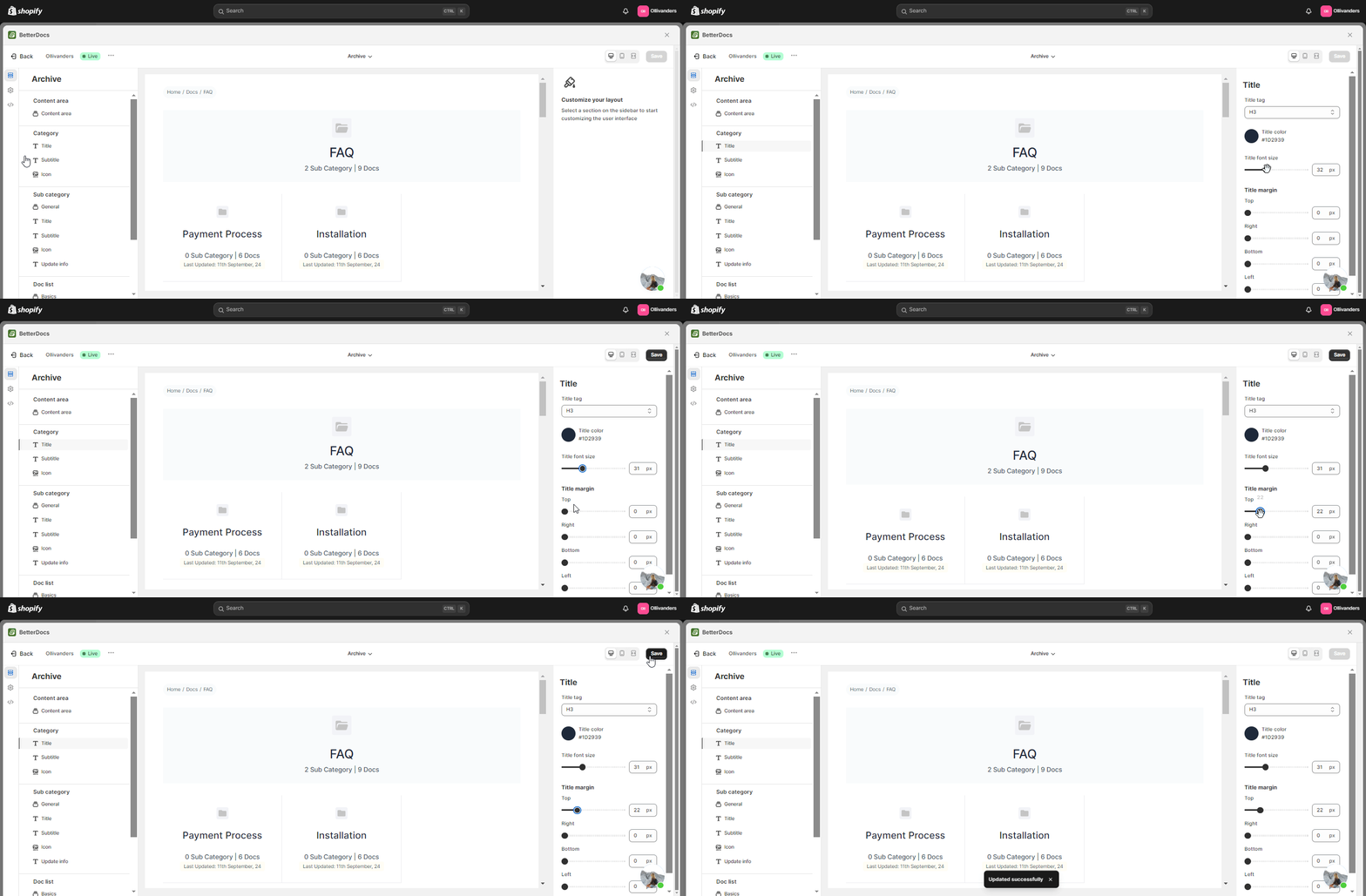
This is how you can easily create and customize a single doc and archive page on your eCommerce site with BetterDocs for the Shopify app.
If you face any difficulties, feel free to contact our support team.




