
BetterDocs PRO daje ci wolność zarządzać rolami użytkowników & capabilities based on certain criteria. By configuring this User Role Management, you can define what a specific user can and can not do in terms of BetterDocs Settings. You can decide whom you want to allow to write BetterDocs articles or access BetterDocs Settings & Analytics. Follow the below guidelines to check how you can manage user roles in BetterDocs:
Aby skonfigurować zarządzanie rolami BetterDocs, przejdź do swojego WordPress Dashboard → BetterDocs → Settings → Advanced Settings. Znajdziesz trzy typy funkcji roli użytkownika: ‘Write Docs’, ‘Edit Settings’ I ‘Check Analytics’. Możesz łatwo przypisywać określone role użytkownika określonym funkcjom. Po wykonaniu tej czynności naciśnij przycisk ‘Save Changes’ przycisk.
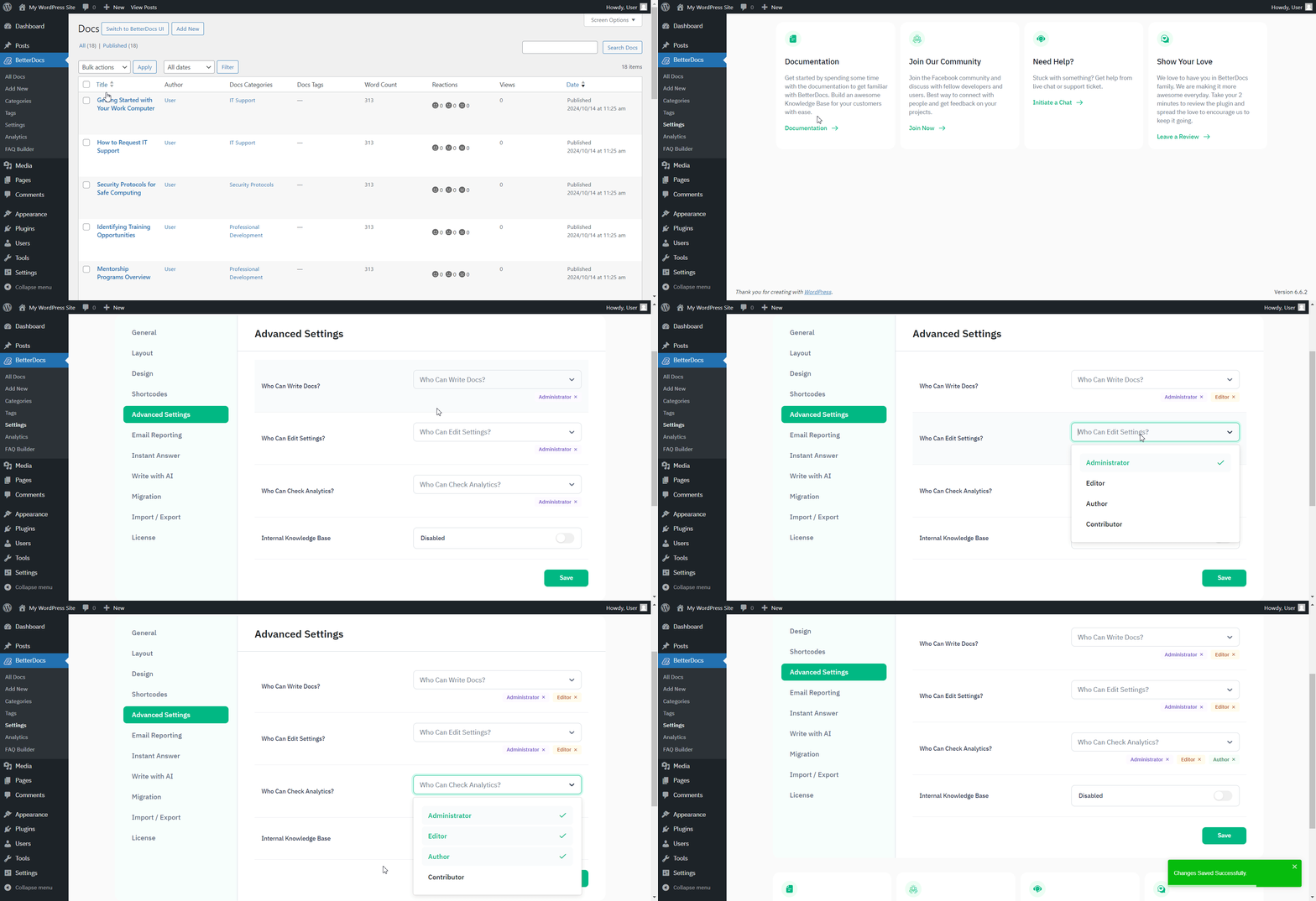
Załóżmy, że dałeś ‘Editor’ access to write Docs & check Analytics, then they will only have these capabilities. They won’t be able to Edit BetterDocs Settings. You can check out this gif below to see how it works for an Editor based on the permissions given:
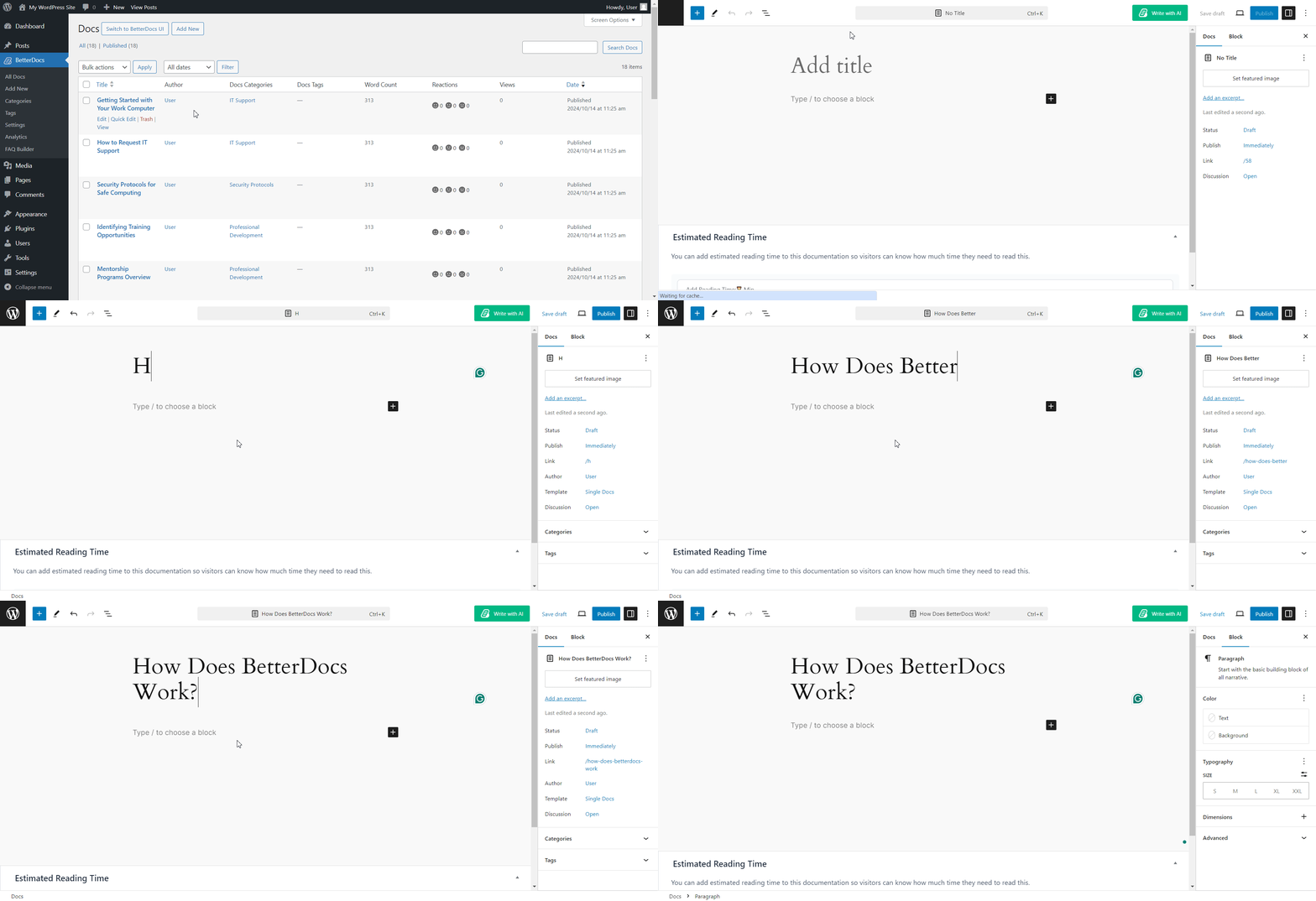
This is how you can easily zarządzaj rolami użytkowników i zezwól niektórym rolom użytkownika na możliwość zmiany ustawień BetterDocs.
Utknąć? Skontaktuj się z nami dedicated support Team a my pomożemy ci z twoimi zapytaniami.