---
title: How to Install BetterDocs PRO?
url: "https://betterdocs.co/docs/how-to-install-betterdocs-pro/"
updated: "2024-11-17"
category: Getting Started
---

# How to Install BetterDocs PRO?

[**BetterDocs PRO**](http://betterdocs.co/#pricing) comes with amazing features like [**Instant Answer**](https://betterdocs.co/blog/instant-answer-wordpress-betterdocs/), [**Insightful Analytics**](https://betterdocs.co/docs/analytics-evaluate-knowledge-base/), [**Multiple Knowledge Base**](https://betterdocs.co/blog/multiple-knowledge-bases-wordpress/), etc. which can supercharge your knowledge base experience.

## **How To Install BetterDocs PRO**

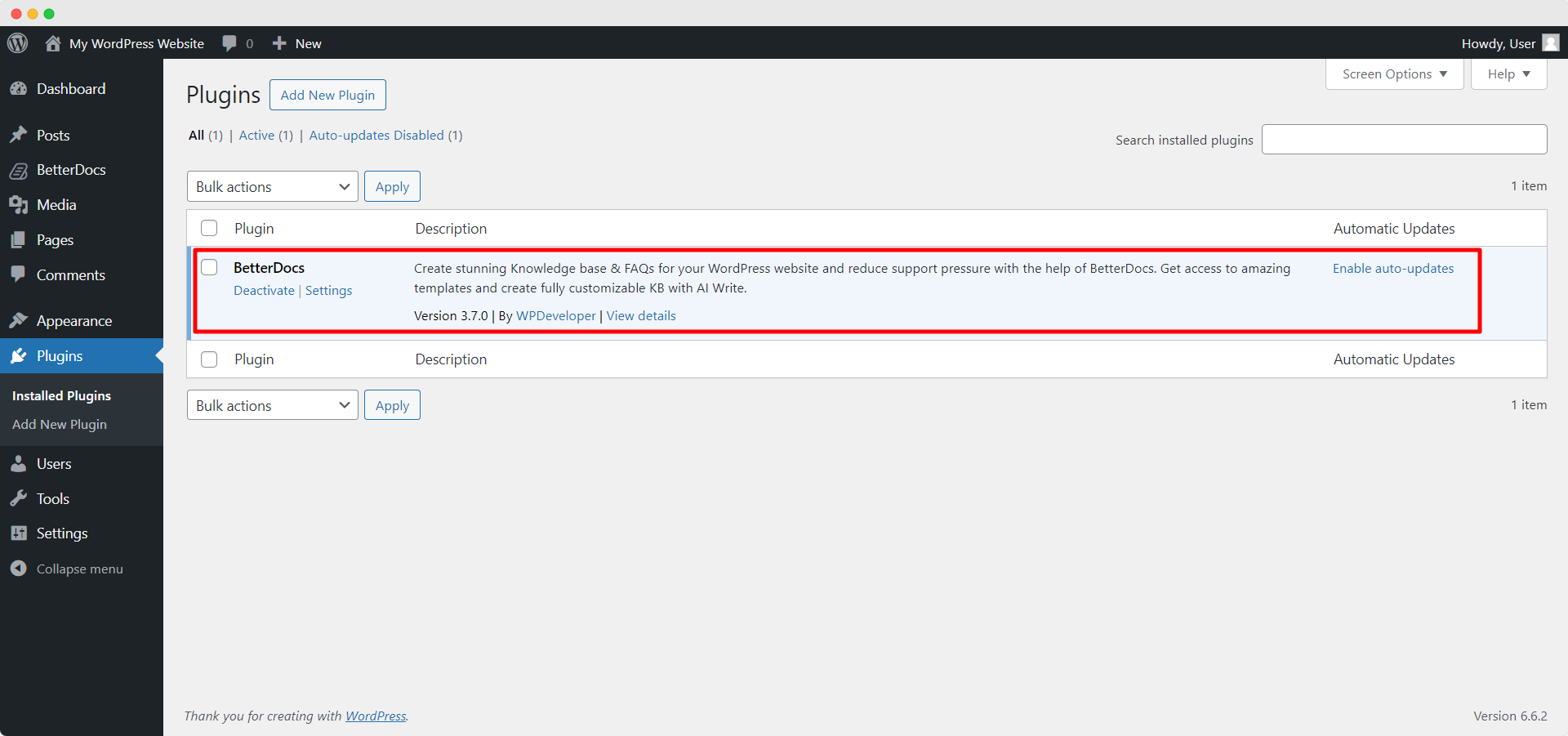
**Step 1:** Make sure that you have [**Installed and Activated the Free version of BetterDocs**](http://betterdocs.co/docs/activate-betterdocs/). You will need to keep the Free version activated to use the PRO Version.
  ![How To Install BetterDocs PRO step 1](https://betterdocs.co/wp-content/uploads/2019/10/1-Doc-Update-How-to-Install-BetterDocs-PRO-BetterDocs.png)

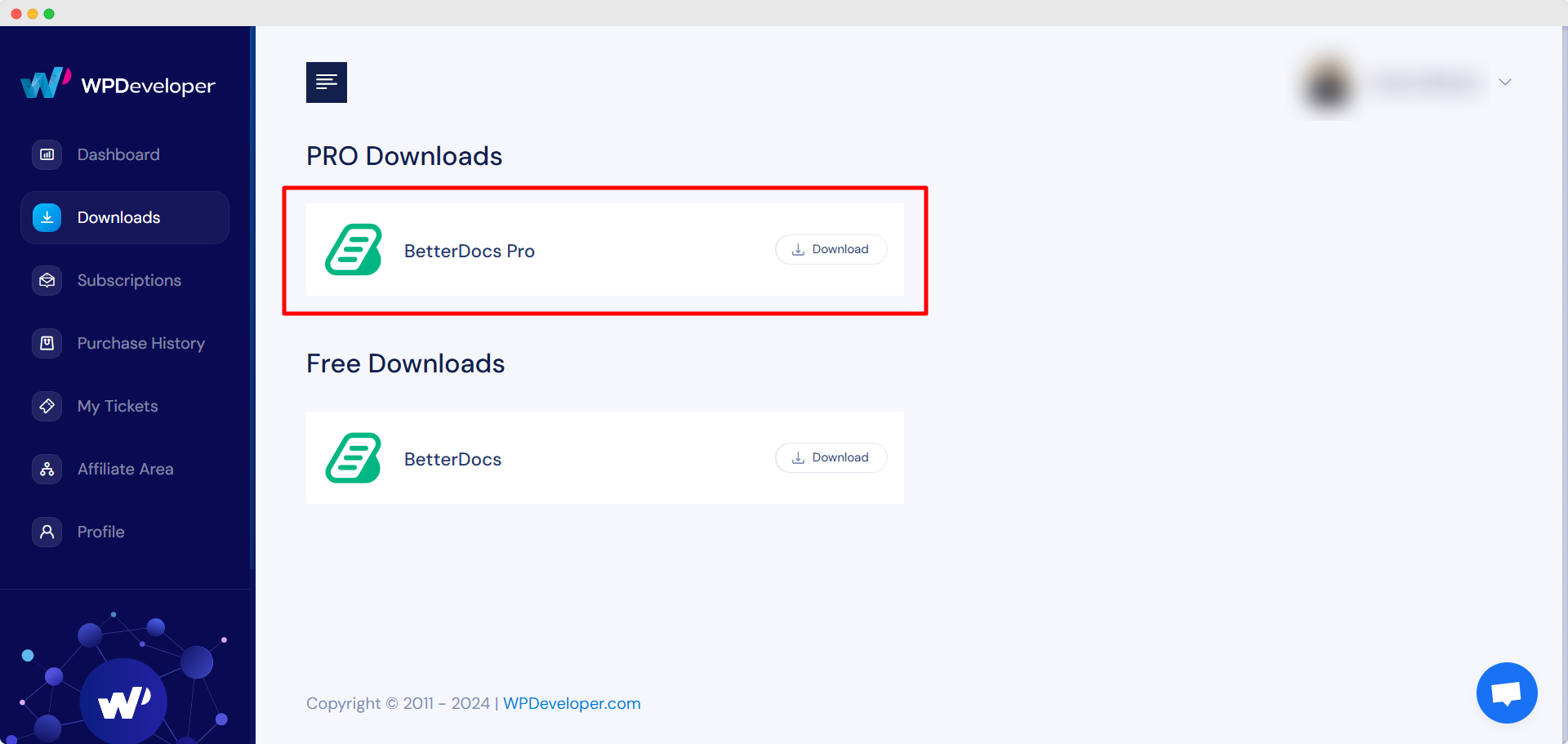
**Step 2:** Go to your [**WPDeveloper account**](https://wpdeveloper.com/account/) and under the **“Downloads”**tab, you will see your downloadable files. Afterward, download the plugin file. It should look like **betterdocs-pro.zip.**

  ![How To Install BetterDocs PRO step 2](https://betterdocs.co/wp-content/uploads/2019/10/2-Doc-Update-How-to-Install-BetterDocs-PRO-BetterDocs.png)

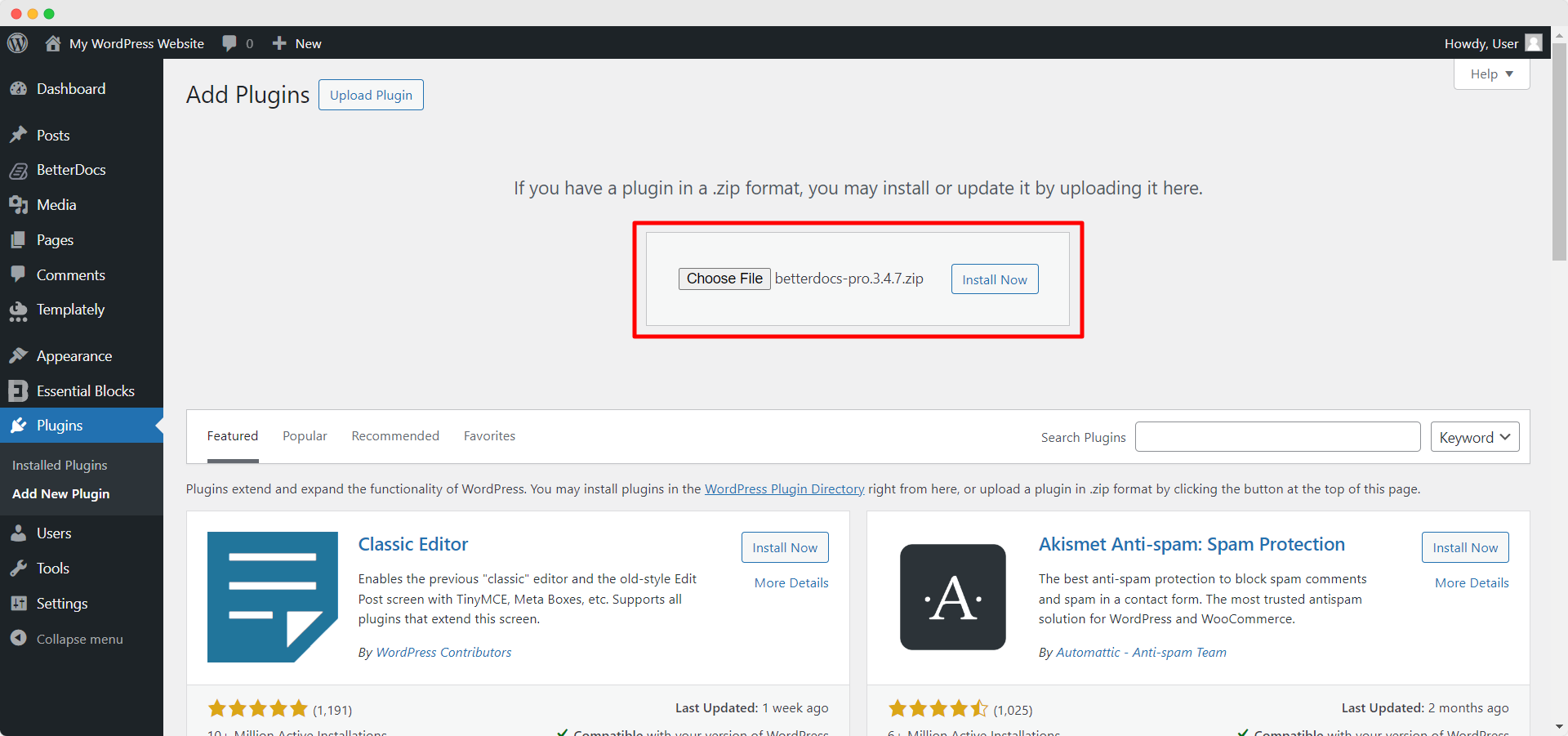
**Step 3:** Afterward, Go to your **Plugins** page from **WordPress Dashboard.**Then click on the **‘Add New’** option and Upload the BetterDocs PRO plugin that you have downloaded. After successfully uploading, click on the **‘Install Now’** button.

  ![How To Install BetterDocs PRO step 3](https://betterdocs.co/wp-content/uploads/2019/10/3-Doc-Update-How-to-Install-BetterDocs-PRO-BetterDocs.png)

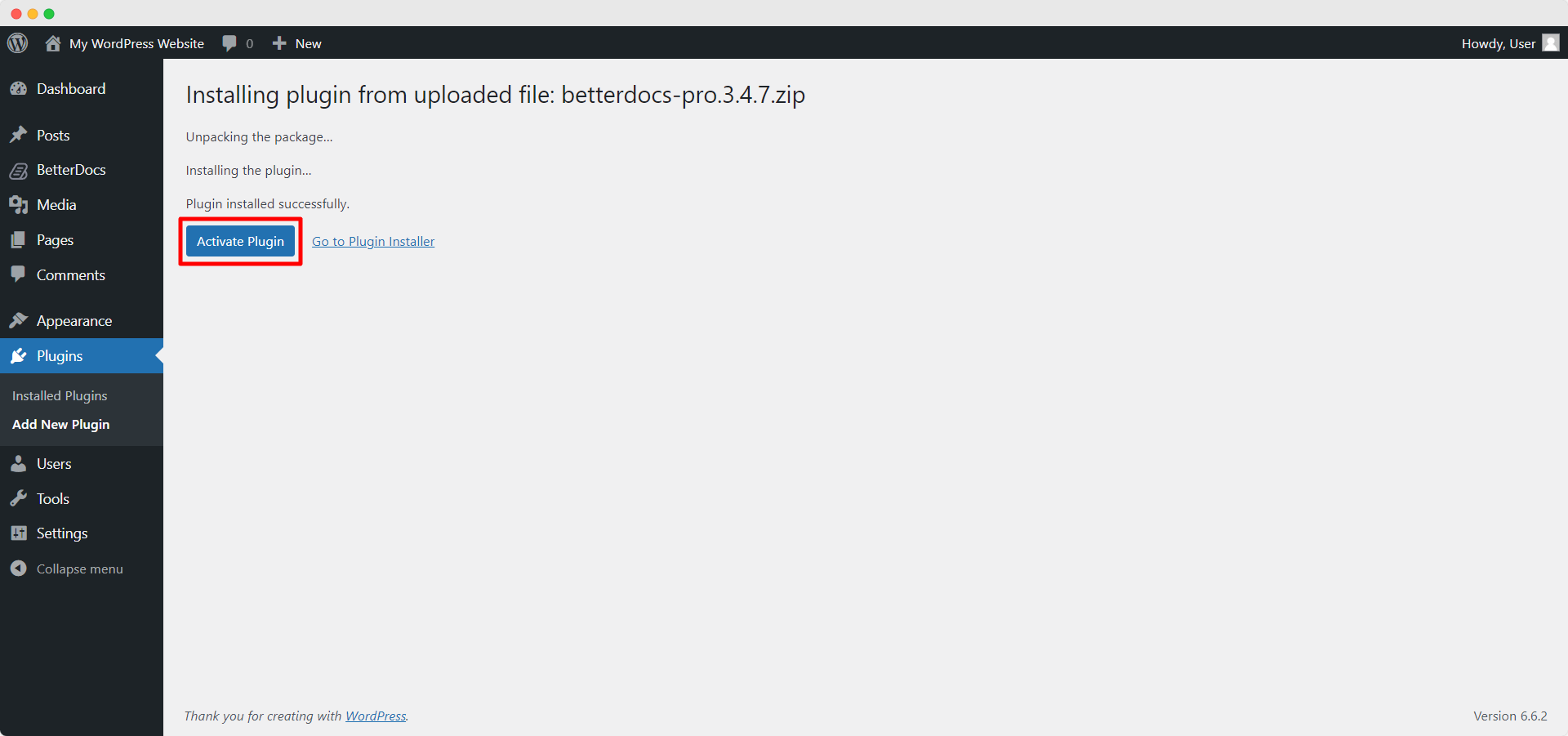
**Step 4:** After installation is finished, simply click on the **‘Activate’** button.

  ![How To Install BetterDocs PRO step 4](https://betterdocs.co/wp-content/uploads/2019/10/4-Doc-Update-How-to-Install-BetterDocs-PRO-BetterDocs.png)

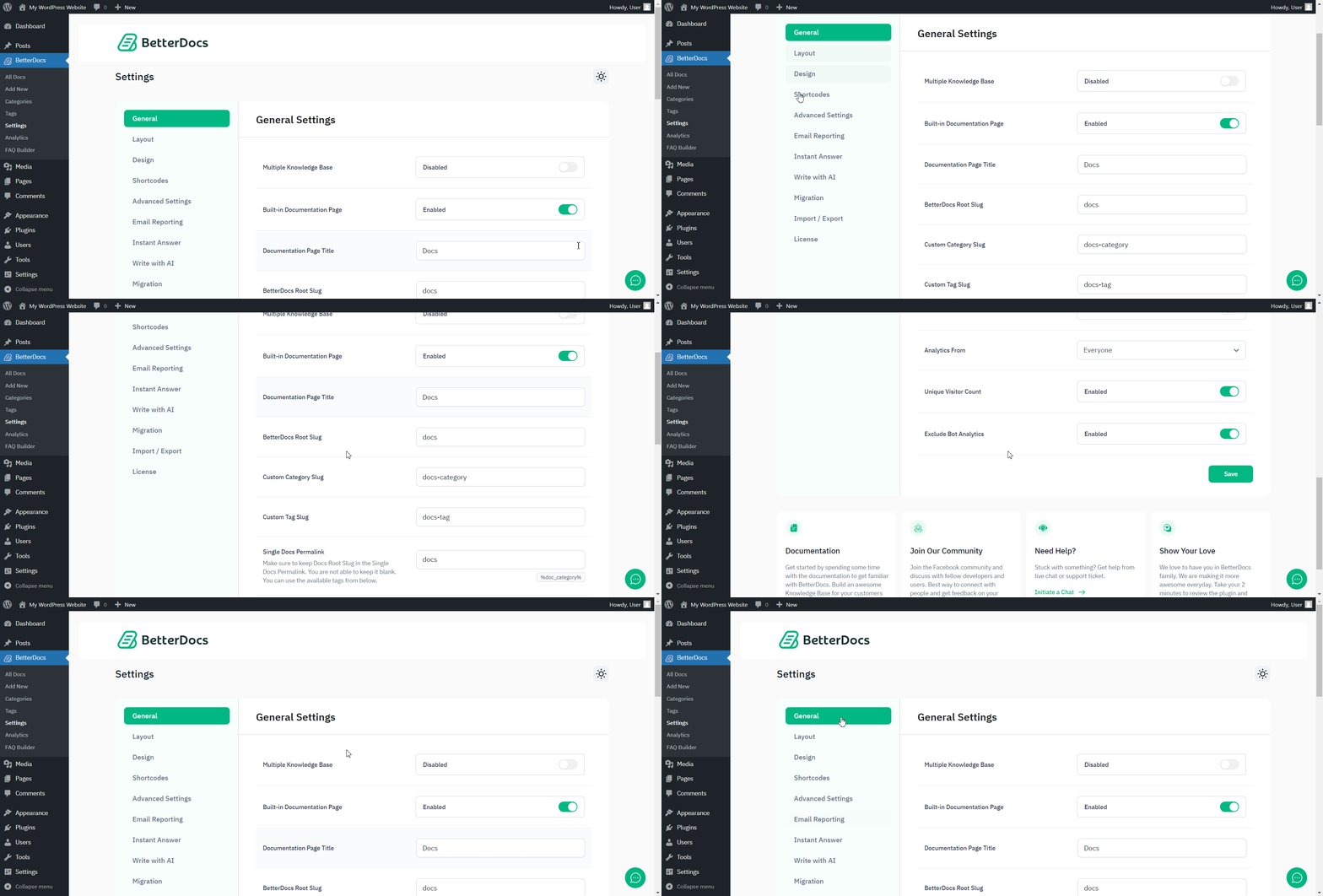
After activation, navigate to the plugin to use all the PRO features of BetterDocs. To configure the basic settings, go to the ‘**Settings**’ tab under the app. If you want to configure analytics,  go to the ‘**Analytics**’ tab.  

  ![Go to BetterDocs settings](https://betterdocs.co/wp-content/uploads/2019/10/5-Doc-Update-How-to-Install-BetterDocs-PRO-BetterDocs.gif)

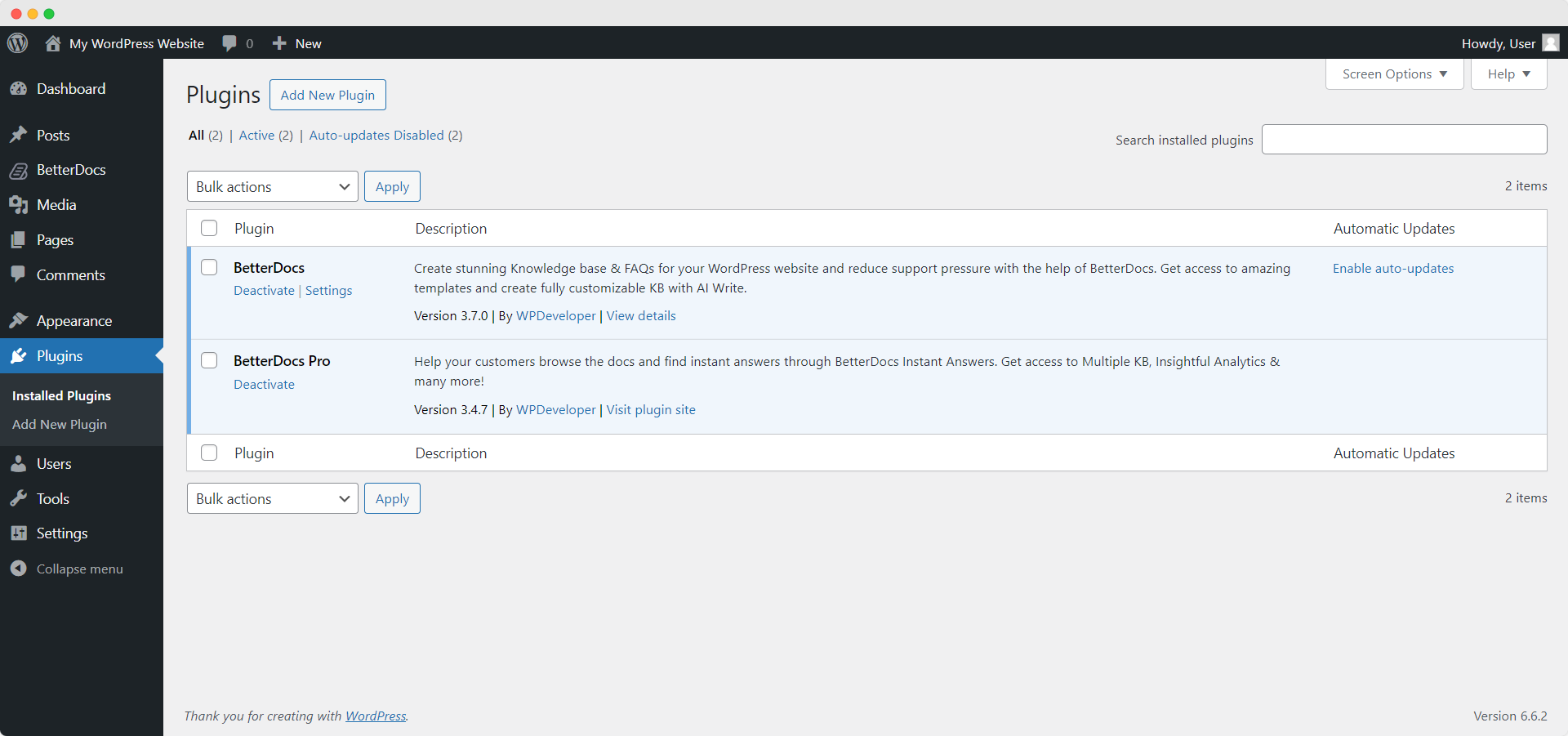
After you have finished activation of [**BetterDocs PRO**](http://betterdocs.co/), This is how your Plugins page will look like:
  ![plugins page after installing BetterDocs PRO](https://betterdocs.co/wp-content/uploads/2019/10/6-Doc-Update-How-to-Install-BetterDocs-PRO-BetterDocs.png)

To activate the license key of BetterDocs PRO, you can check out this [**documentation**](http://betterdocs.co/docs/betterdocs-license/).

Getting Stuck? Feel free to contact our [**dedicated support team**](https://wpdeveloper.com/support/) for any further assistance.