What Is Sticky Table Of Contents (TOC)? How To Enable It? #
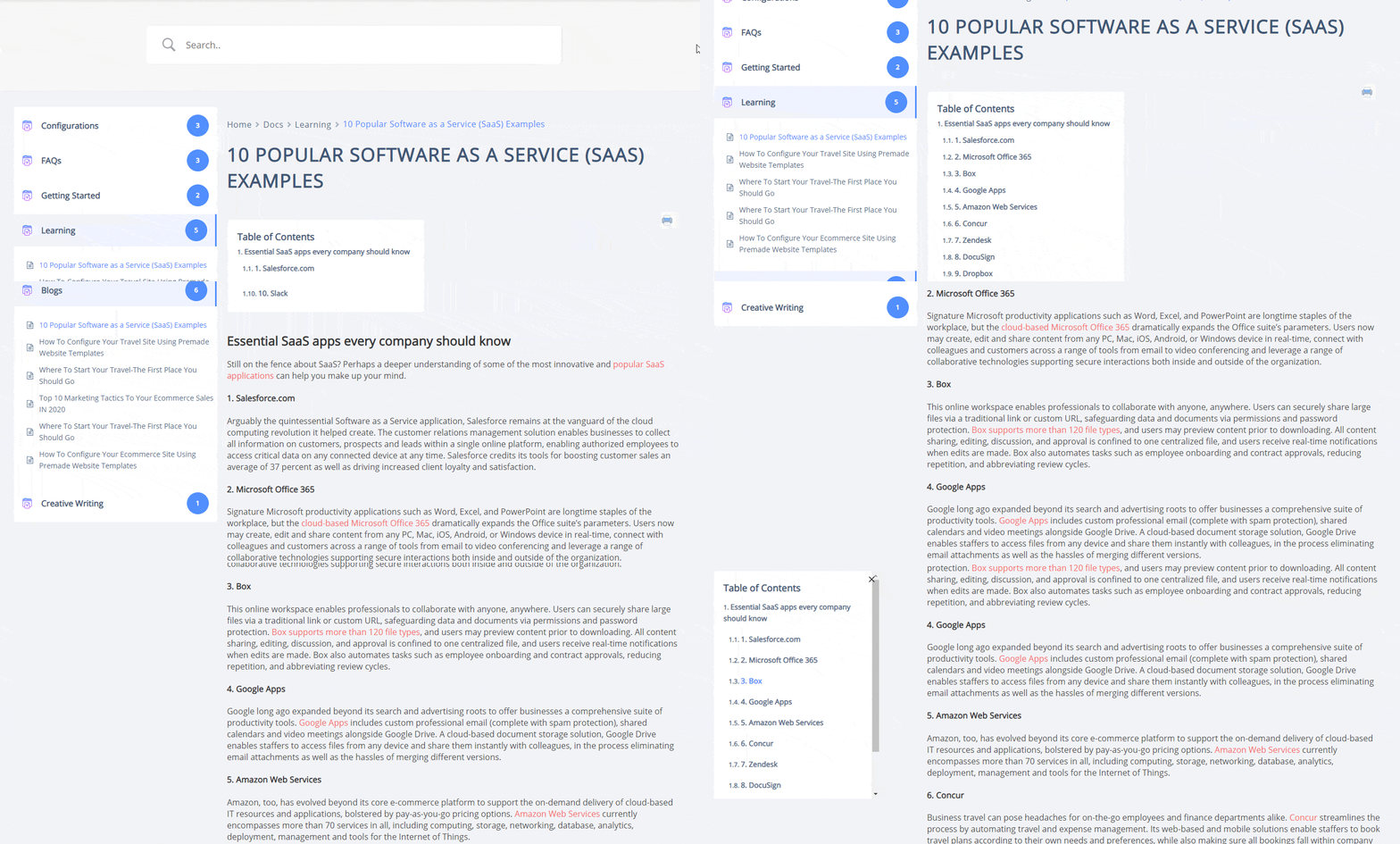
TOC stands for Table of Contents. In many instances, you might need to use different Heading Tags inside your Doc. If you use multiple headings, BetterDocs va include rubricile din interiorul căsuței cu un conținut (TOC) care va rămâne la suprafață pe pagina de documentare.
Beneficiul TOC este că utilizatorii dvs. pot sări cu ușurință înainte și înapoi între rubricile din documentul dvs.
How To Enable BetterDocs TOC? #
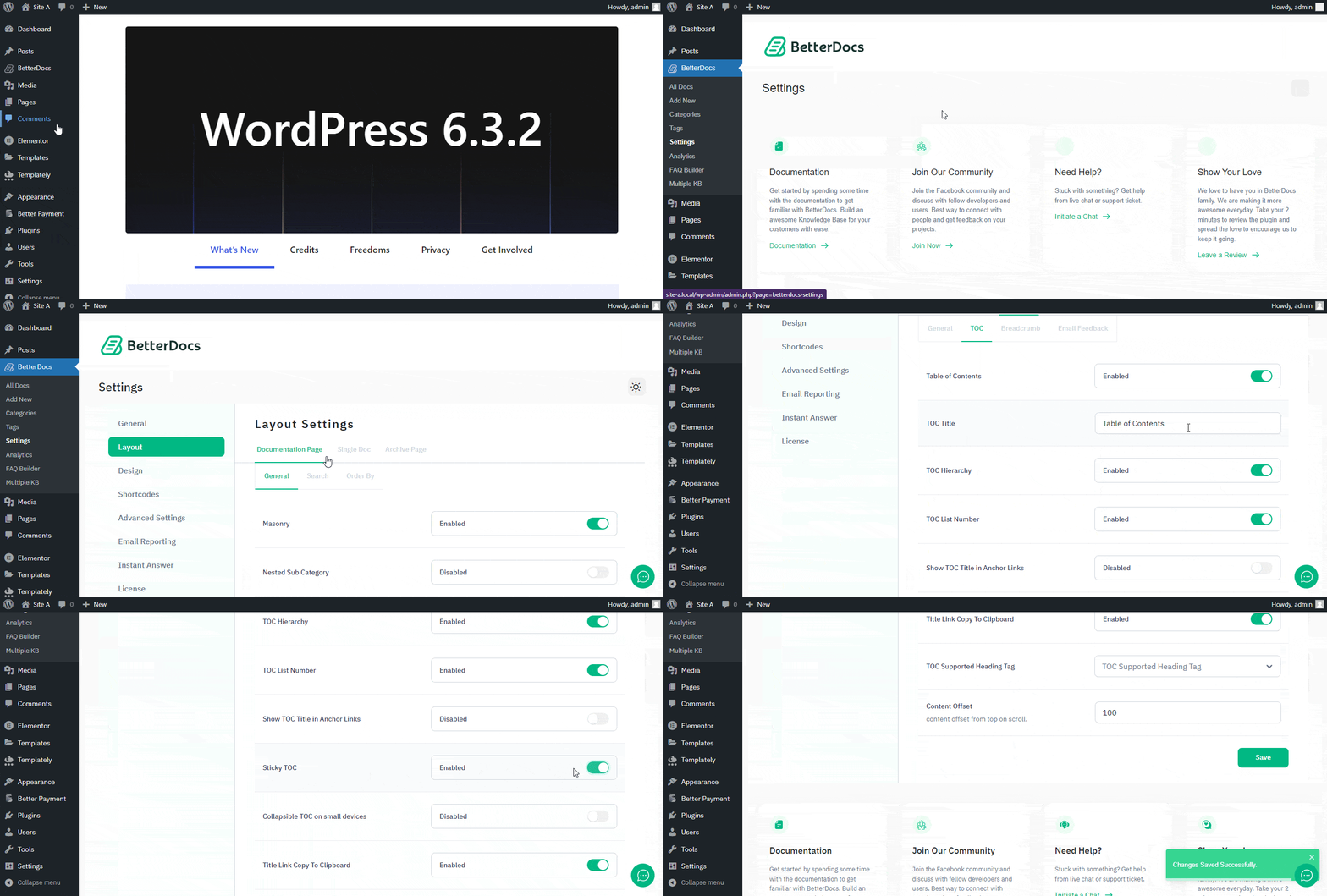
To enable the TOC option, first open your WordPress Dashboard and navigate to BetterDocs → Settings → Layout → Single Doc → TOC.De acolo asigurați-vă to enable Table of Content (TOC) și ‘Sticky TOC’.