
BetterDocs lets you add related docs in a single doc page easily by following some simple step-by-step guidelines. Let’s follow the instructions below to add related docs in a single doc page with BetterDocs.
How To Add Related Docs In A Single Doc Page With BetterDocs: Step By Step Guide #
To add related docs in a single doc page with BetterDocs, follow the below step-by-step guide.
Step 1: Install & Activate BetterDocs Plugin #
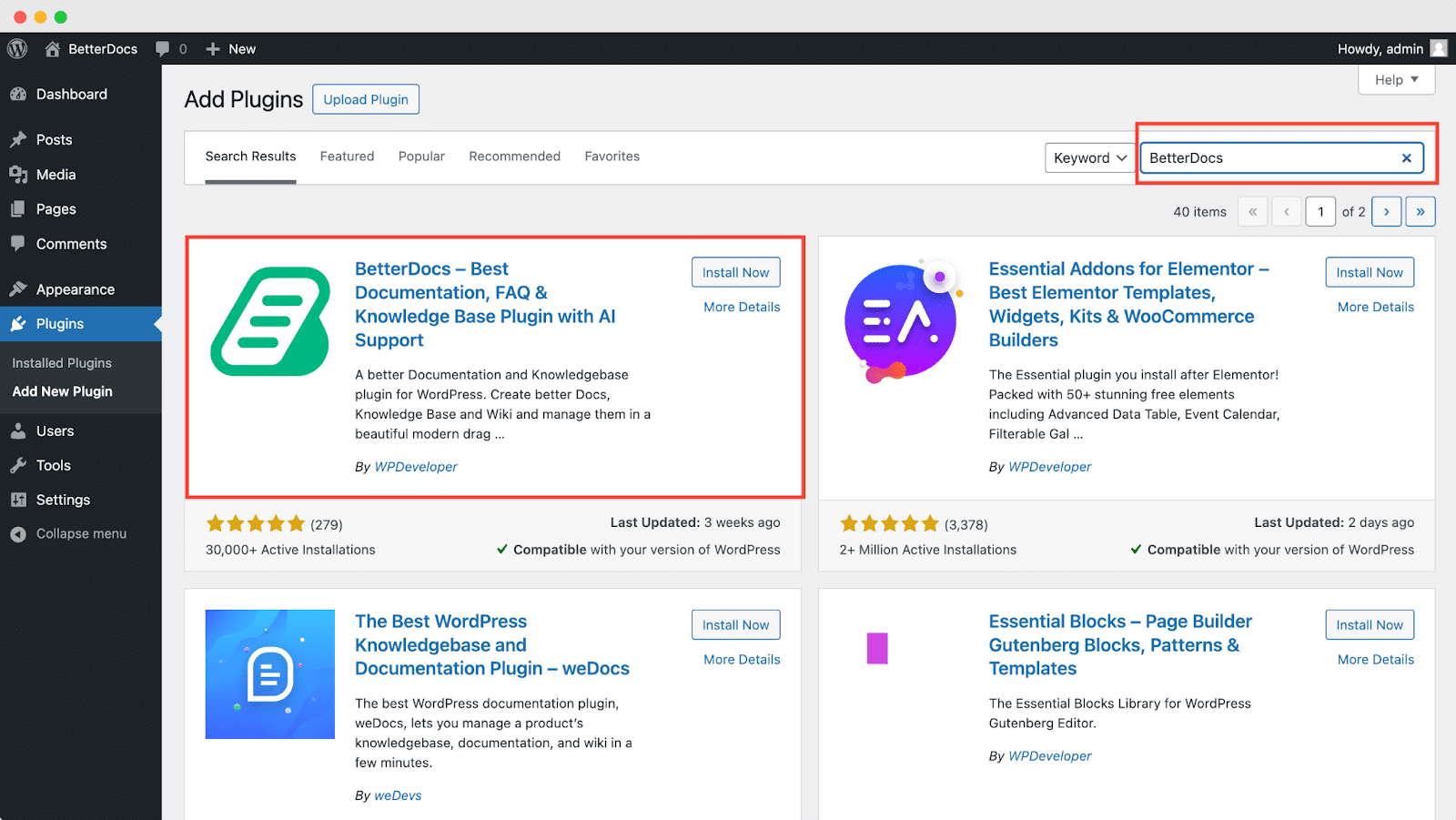
First, you need to install and active BetterDocs plugin on your WordPress. Navigate to Plugins → Add New Plugin. Search for the BetterDocs plugin, & complete the installation and activation. Since adding related docs is a PRO feature, you need to have installed & activated the BetterDocs PRO version too.
Step 2: How To Enable Add Related Docs Feature #
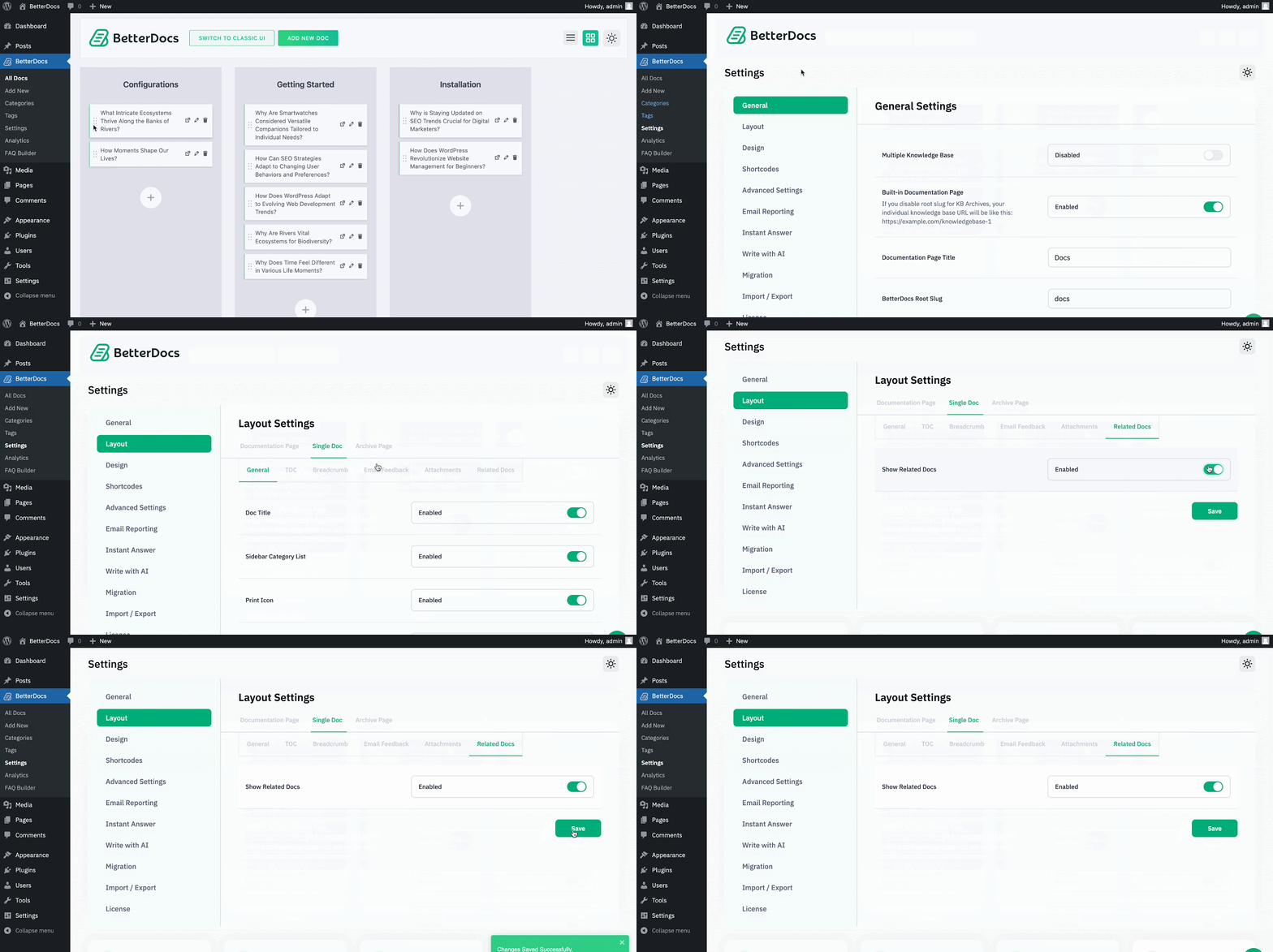
You can enable the ‘Related Docs’ feature directly from the dashboard. All you need to do is go to your WordPress dashboard and navigate to BetterDocs → Settings → Layout → Single Doc → Related Docs. Now turn the Show Related Docs toggle on & click on ‘Save.’
Step 3: Create A New Documentation #
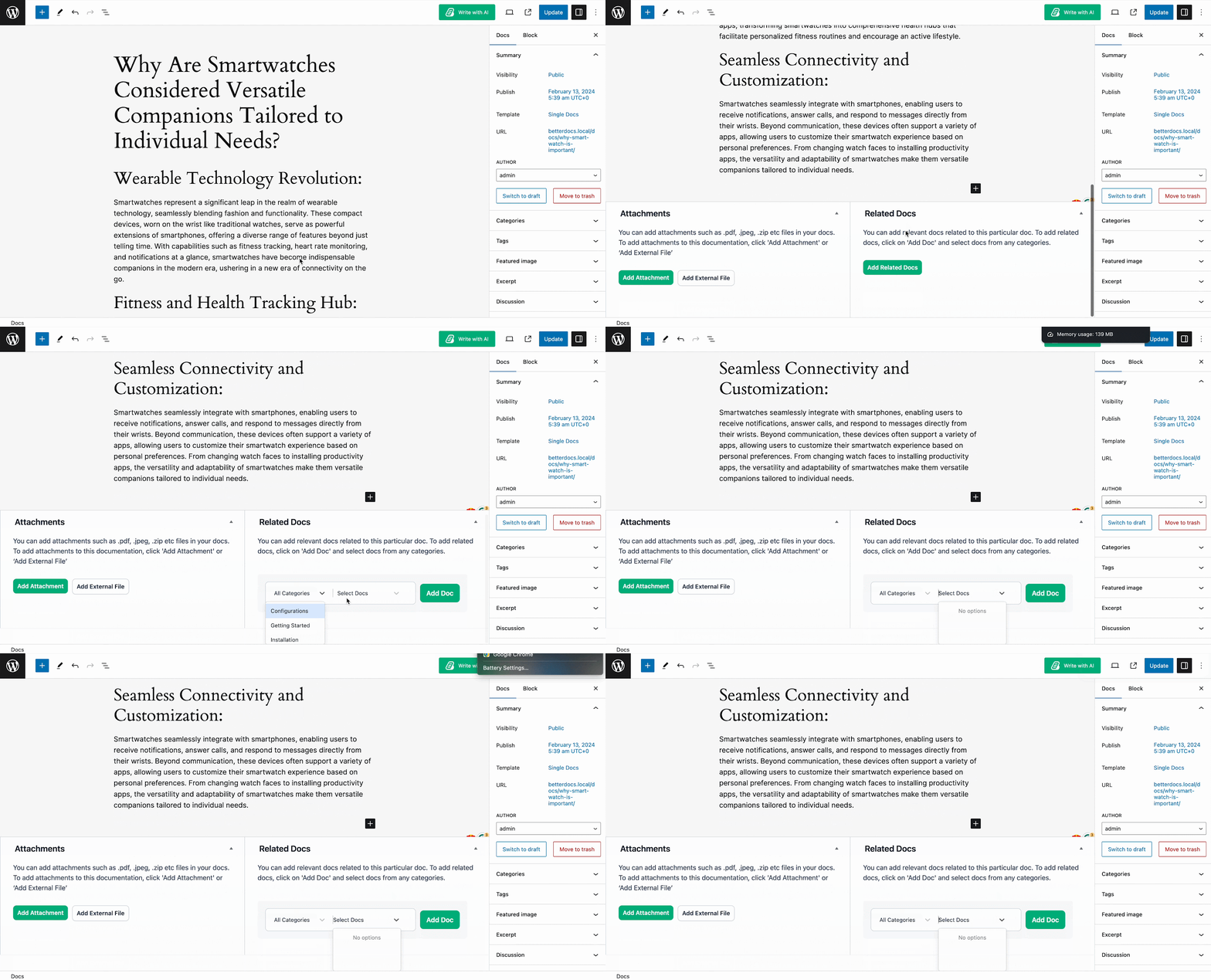
To create a single doc in BetterDocs, navigate to BetterDocs → Add New directly from the dashboard. You can write your documentation manually or with the help of AI. BetterDocs offers ‘Write With AI’ feature to write documentation with few commands. You’ll see the ‘Add Related Docs’ option from the bottom right of the page. Now let’s see how you can add related docs in a single doc page with BetterDocs in the next step.
Step 4: Add Related Docs In Single Doc Page #
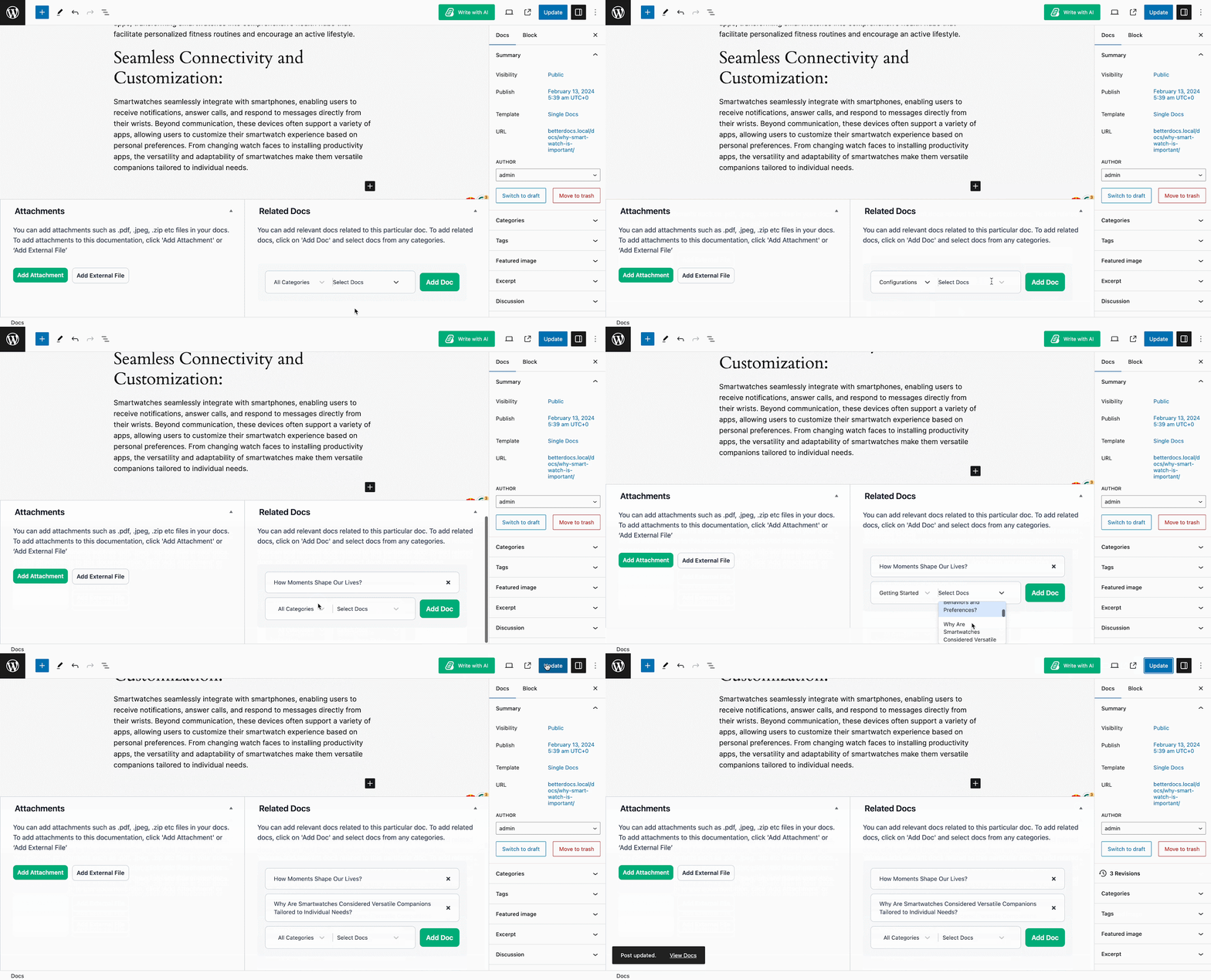
After the completion of writing the doc, hover over the ‘Add Related Docs’ field, select a category by expanding ‘All Categories’ to select categories, select related docs under ‘Select Docs’, & click on ‘Add Doc.’
Nota: BetterDocs’ add related docs in a single doc page also works with FSE-compatible themes. If you’re using an FSE-compatible theme on your WordPress website, you’re in luck too.
To use this, navigate to Appearance → Editor → Templates → Single Docs.
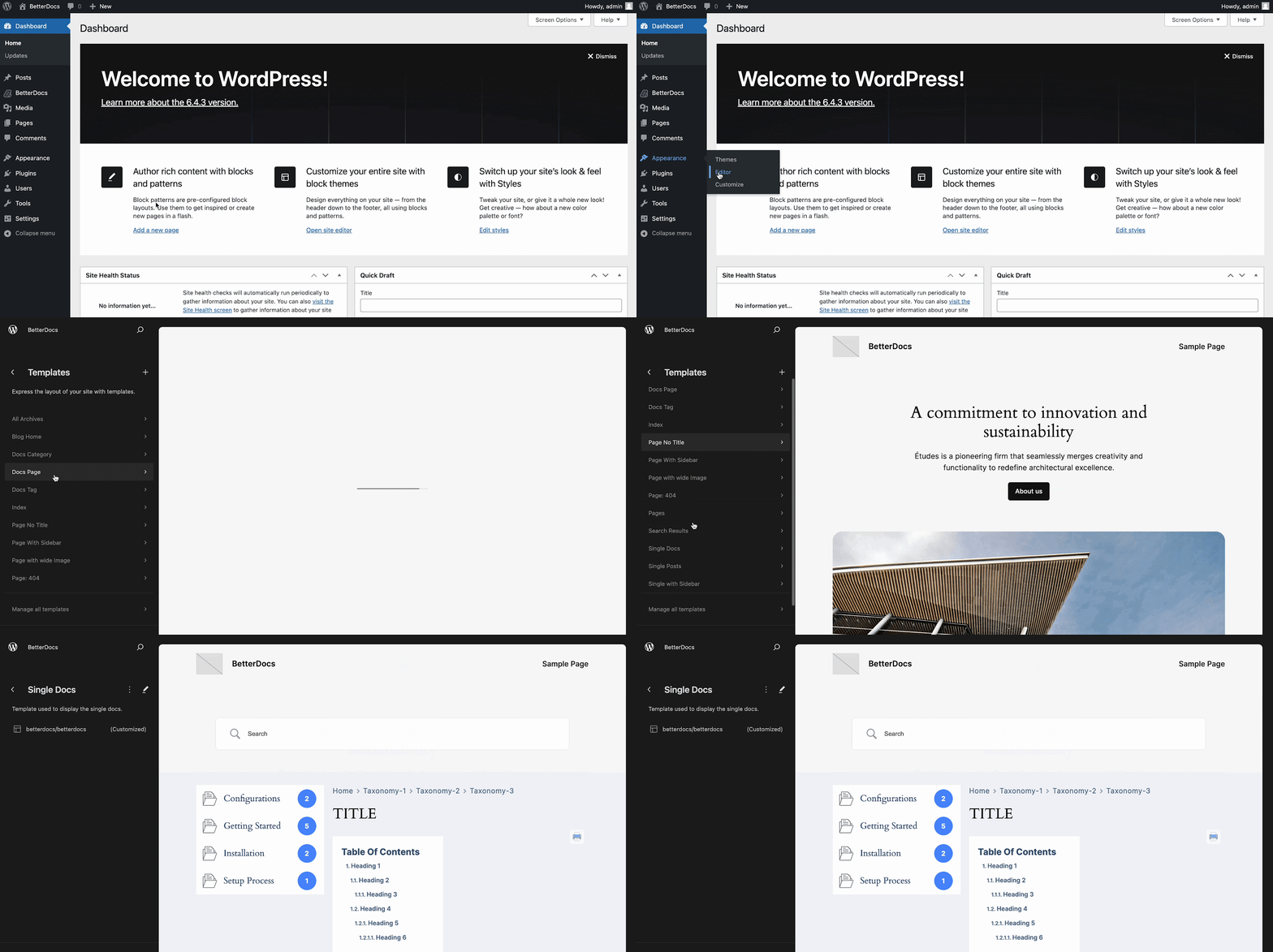
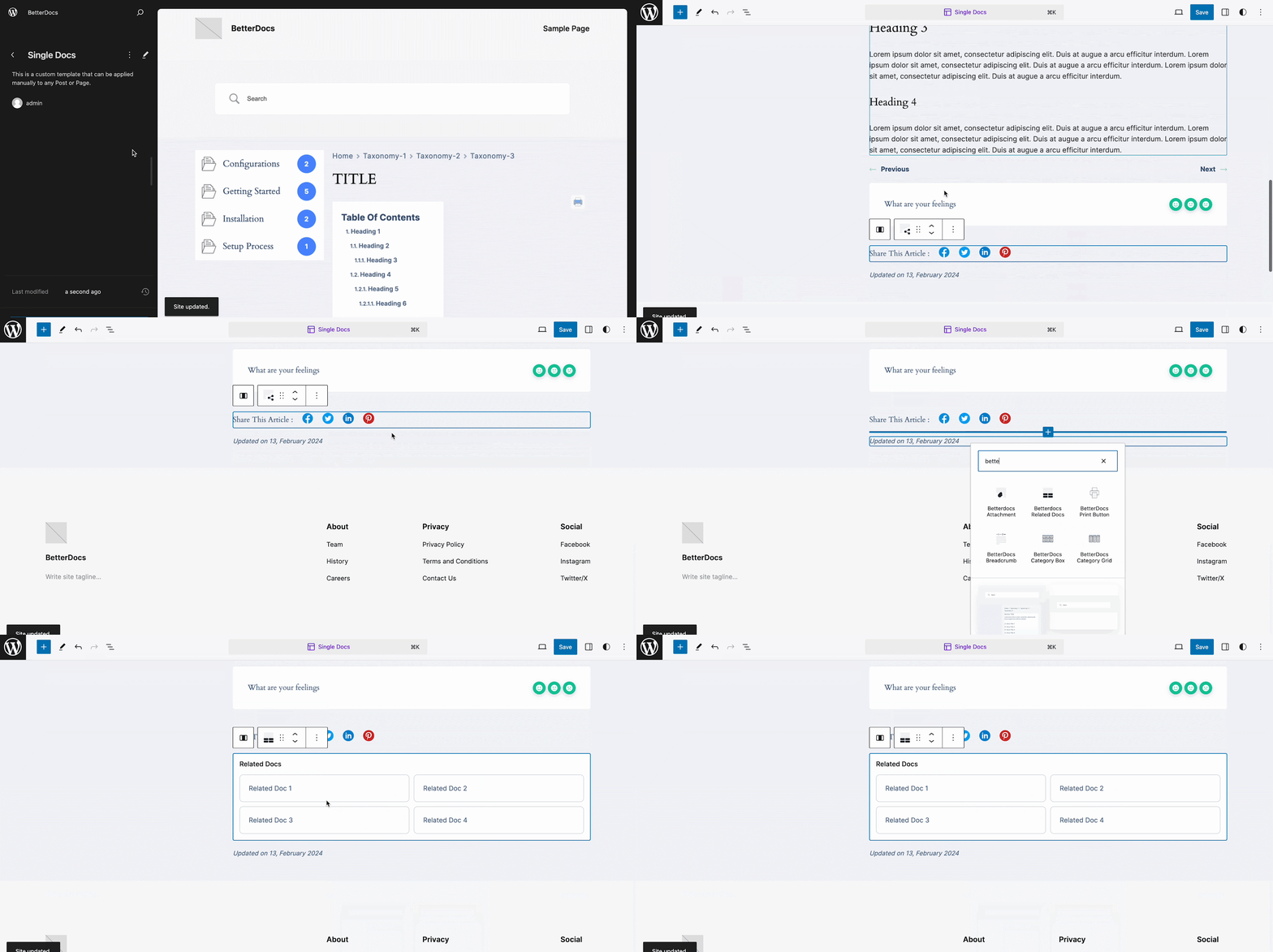
Now you’ll be in a single doc page. Add block ‘BetterDocs Related Docs’ wherever you want on the page by clicking on the ‘Edit‘ icon from the top left. Let’s see below how it works.
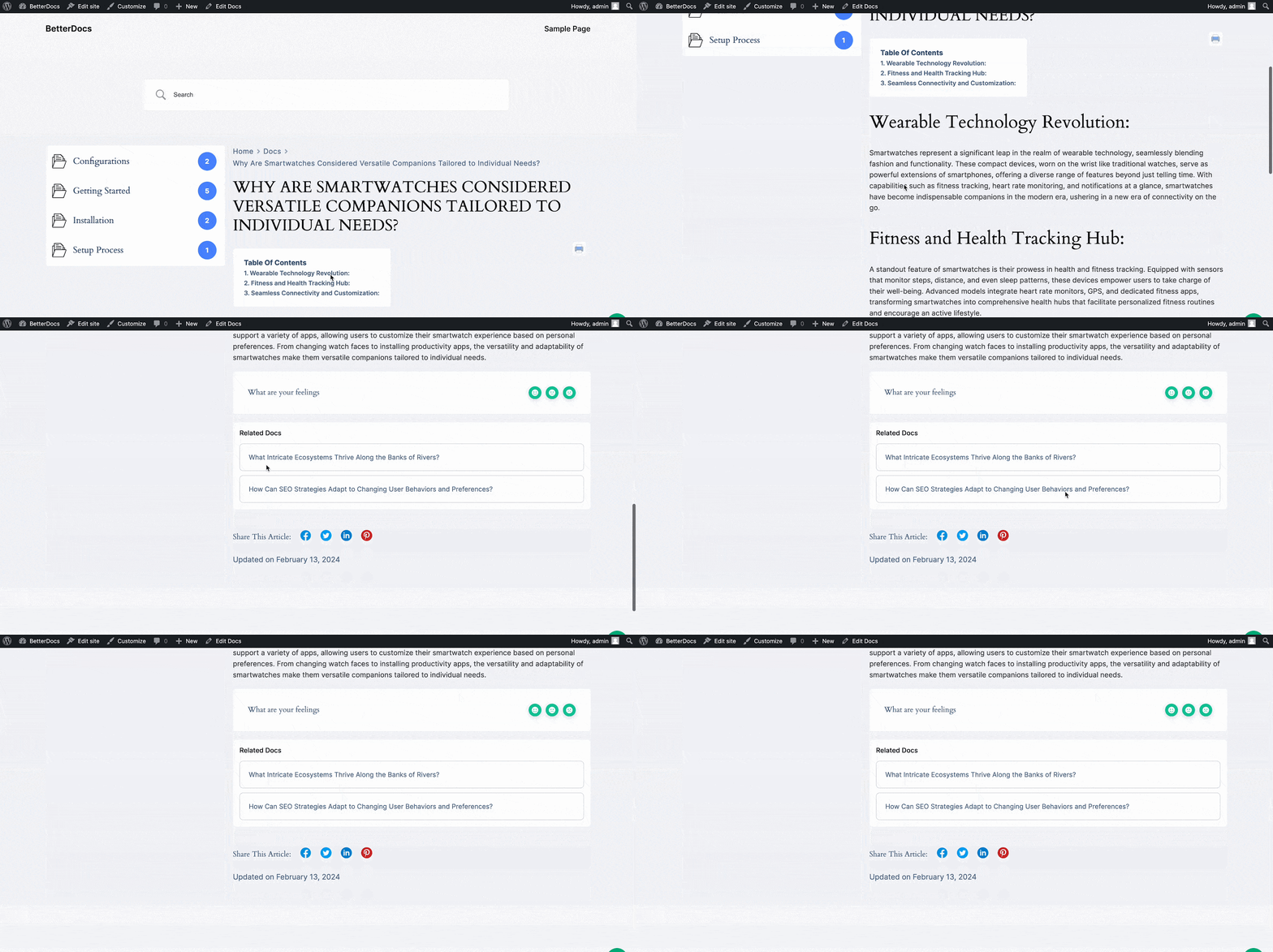
Esito finale #
That’s how you can easily add related docs in a single doc page with BetterDocs on your WordPress site (no matter if you use an FSE-compatible theme or not). Here’s the final outcome below.
Essere bloccati? Sentiti libero di contattare il nostro dedicated support team for further assistance.




