
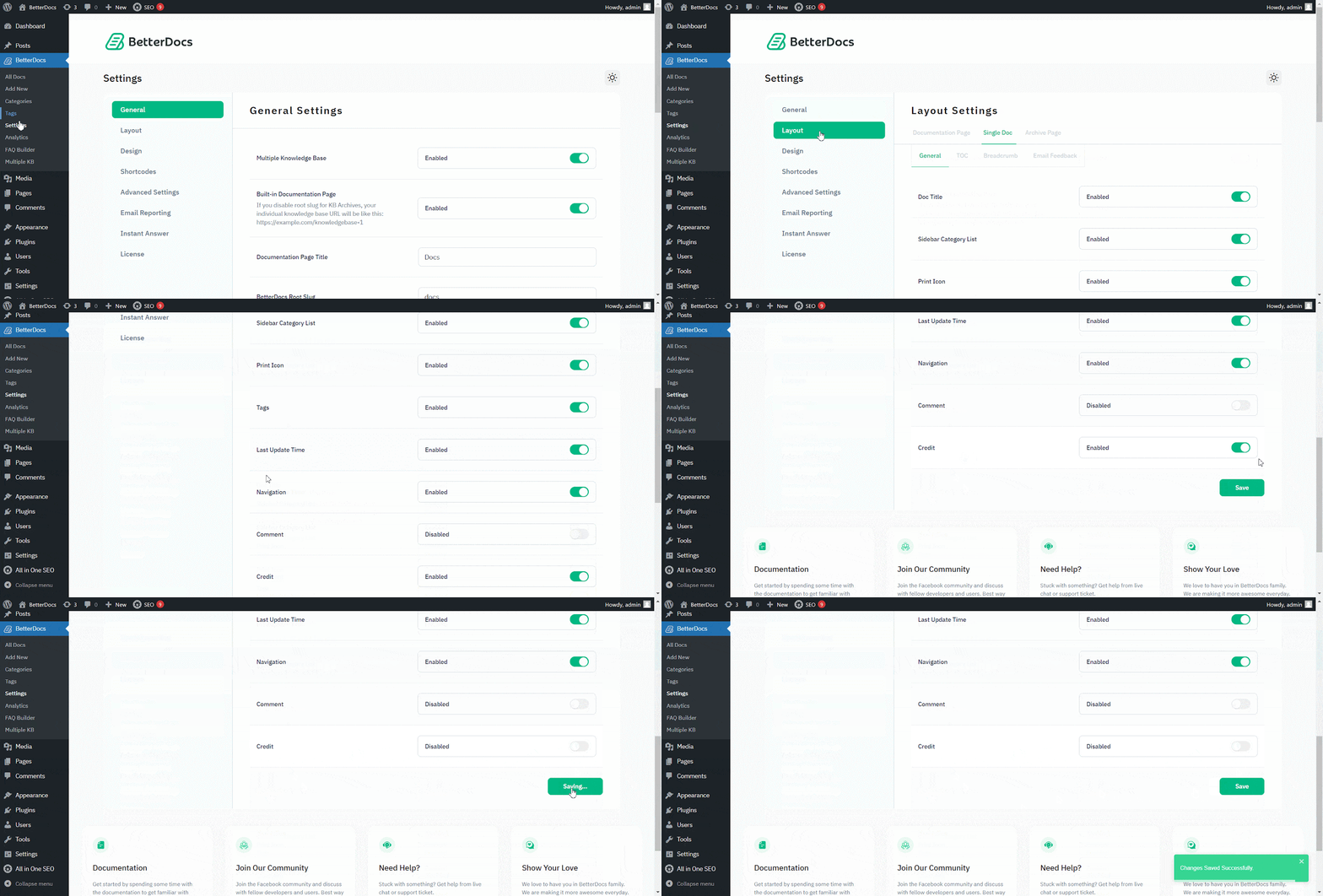
BetterDocs offers the white-labeling option. So, you can easily 删除品牌 适用于BetterDocs中的任何软件包。对于“单篇文章”,可以从“布局设置”中禁用它。
去 WordPress Dashboard → BetterDocs → Settings → Layout → General。从 the '一般' 部分,您可以从此处禁用信用。确保点击 '保存设置'.
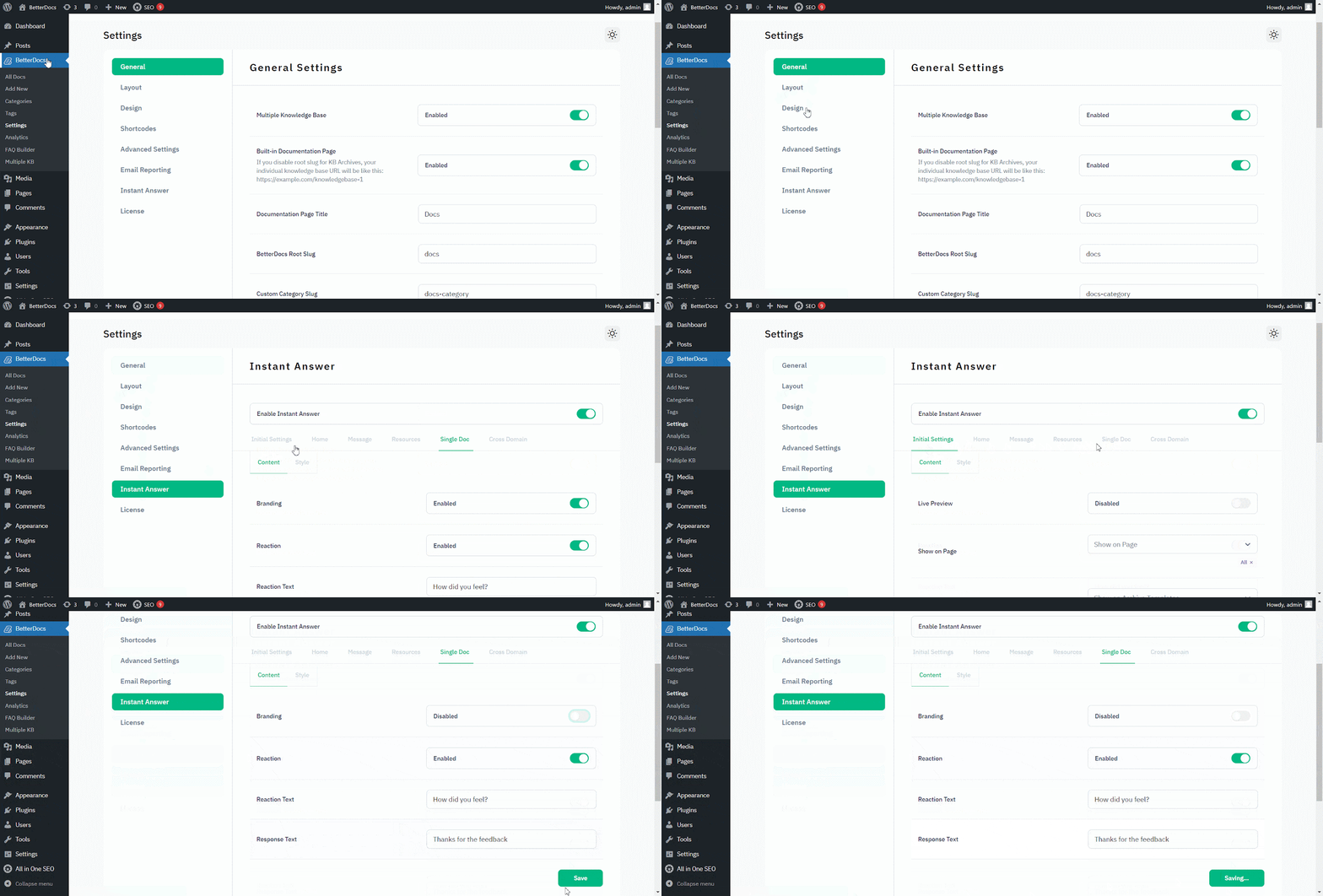
至 删除品牌 从 即时答复, 去 WordPress Dashboard → BetterDocs → Settings → Instant Answer → Single Doc.
然后,从 “单文档”, make sure to turn off the Branding toggle to make it ‘Disabled.’ 击中 '保存设置'。结果,将从Instant Answer中删除BetterDocs品牌。
That’s how you can simply remove branding within a few steps. Getting Stuck? Feel free to contact our dedicated 支持团队 为进一步协助。