
If you want to install and activate BetterDocs on your WordPress site, you have to follow this step-by-step guide below:
How To Install & Activate BetterDocs #
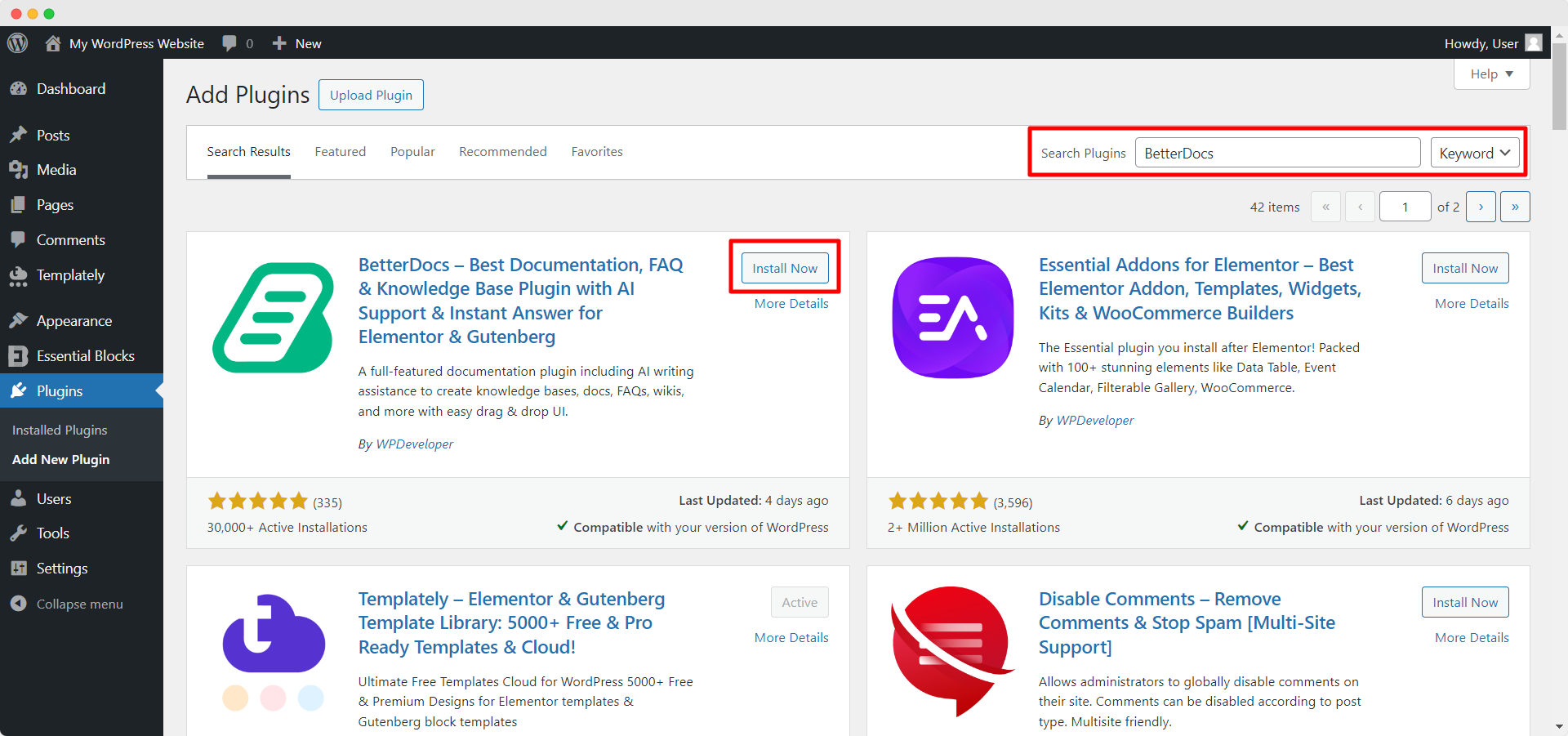
Paso 1: Vaya a su Panel de control WordPress y navegue hasta wp-admin → Plugins → Add New. Then in the search box, type ‘BetterDocs’. Then, simply click on the ‘Install Now‘ button to install BetterDocs on your website.
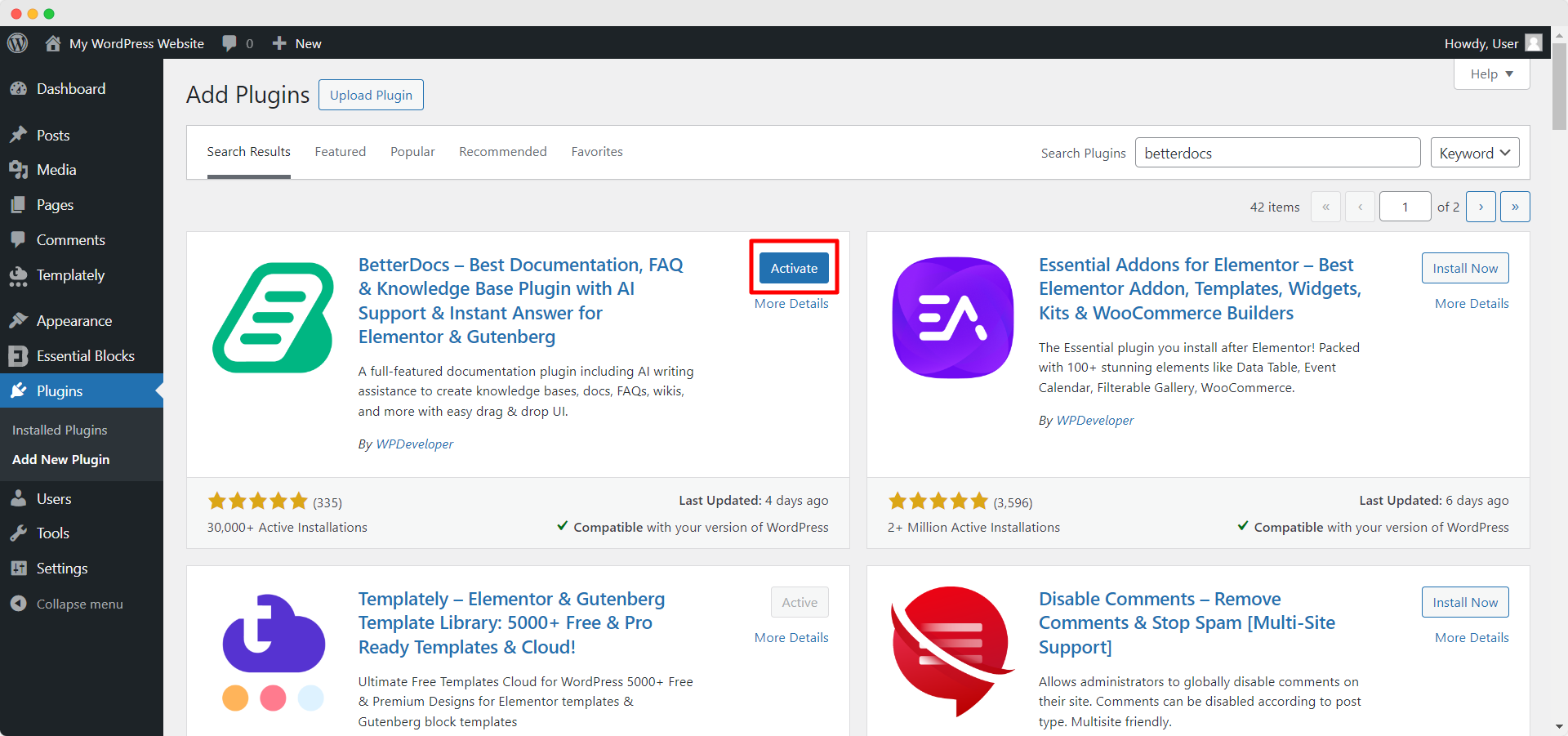
Paso 2: Una vez completada la instalación, haga clic en el ‘Activate’ button, and ‘BetterDocs‘ will be activated.
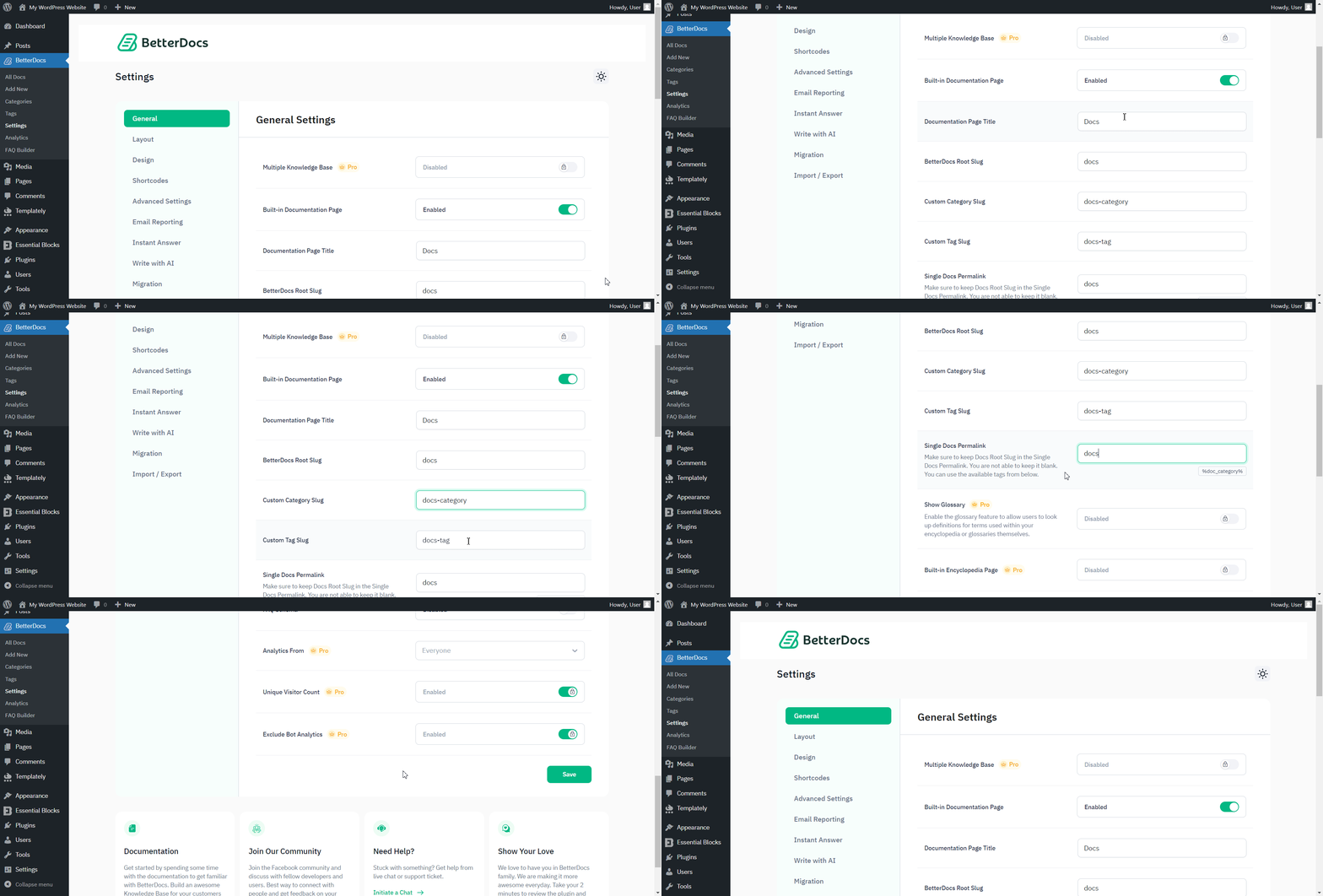
Paso 3: Afterward, you will then be redirected to BetterDocs ‘Settings’. You can change the slug of your Documentation page, BetterDocs Root, Custom Category, Custom Tag, and customize with other options.
Following these simple steps, you can install and activate BetterDocs with ease.
¿Quedarse atascado? No dude en contactar a nuestro dedicated support team for any further assistance.