
 Doc Summary

BetterDocs lets you analyze the documentation quality with AI on your website. So now users can easily check the quality of the document and improve it. You will find the analysis in every documentation and get a detailed summary of the overall quality of the doc. Follow the guidelines below to configure the Doc Quality Analysis feature of BetterDocs.
How To Configure Doc Quality Analysis In BetterDocs? #
To learn how to configure the Docs Quality Analysis in your knowledge base for WordPress websites with just a few steps, follow the step-by-step guide below.
Step 1: Add Your OpenAI API Key in BetterDocs #
To enable the Doc Quality Analysis feature, you first need to connect OpenAI with BetterDocs. To do this, obtain your API key from the OpenAI API.
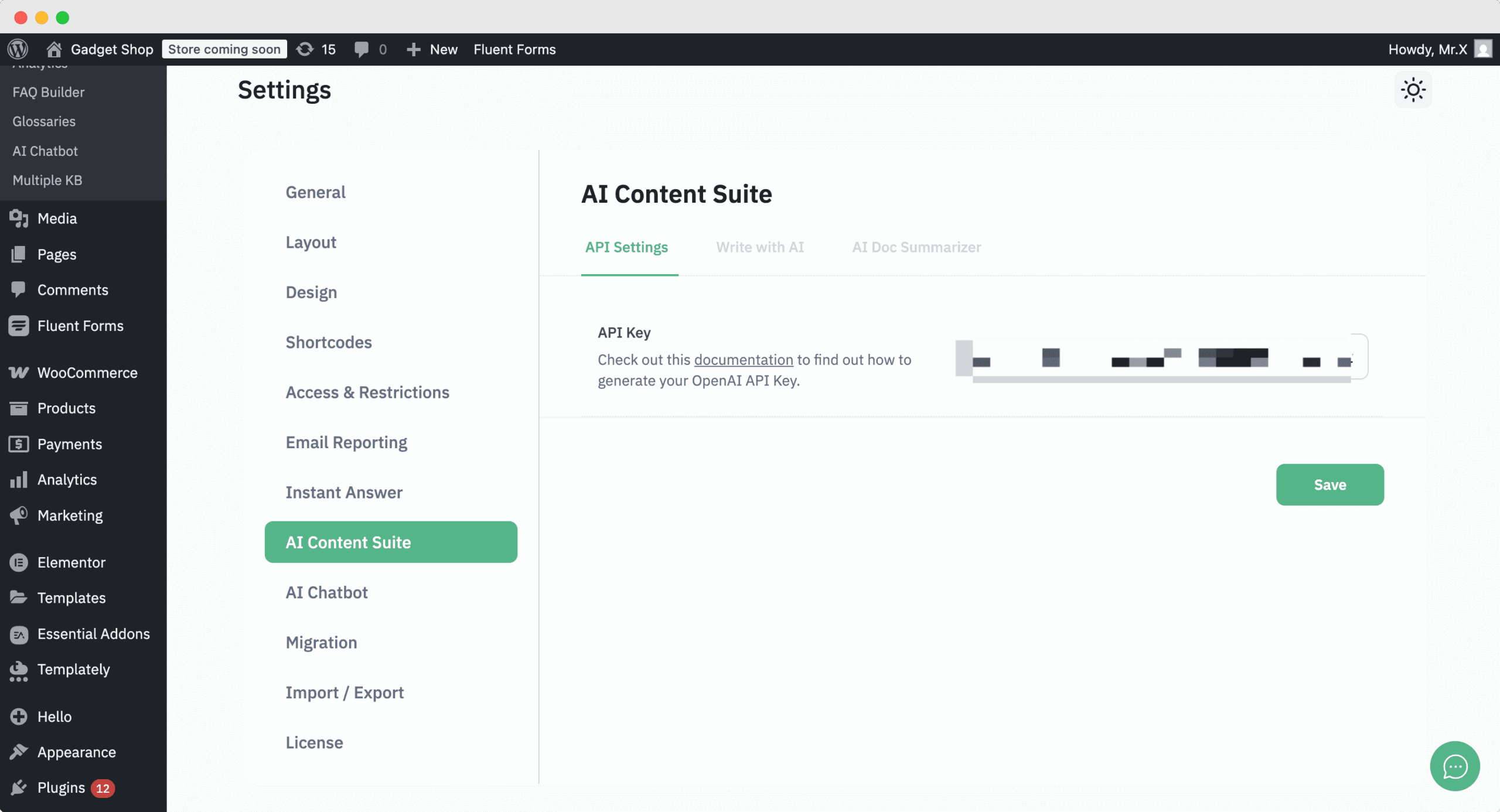
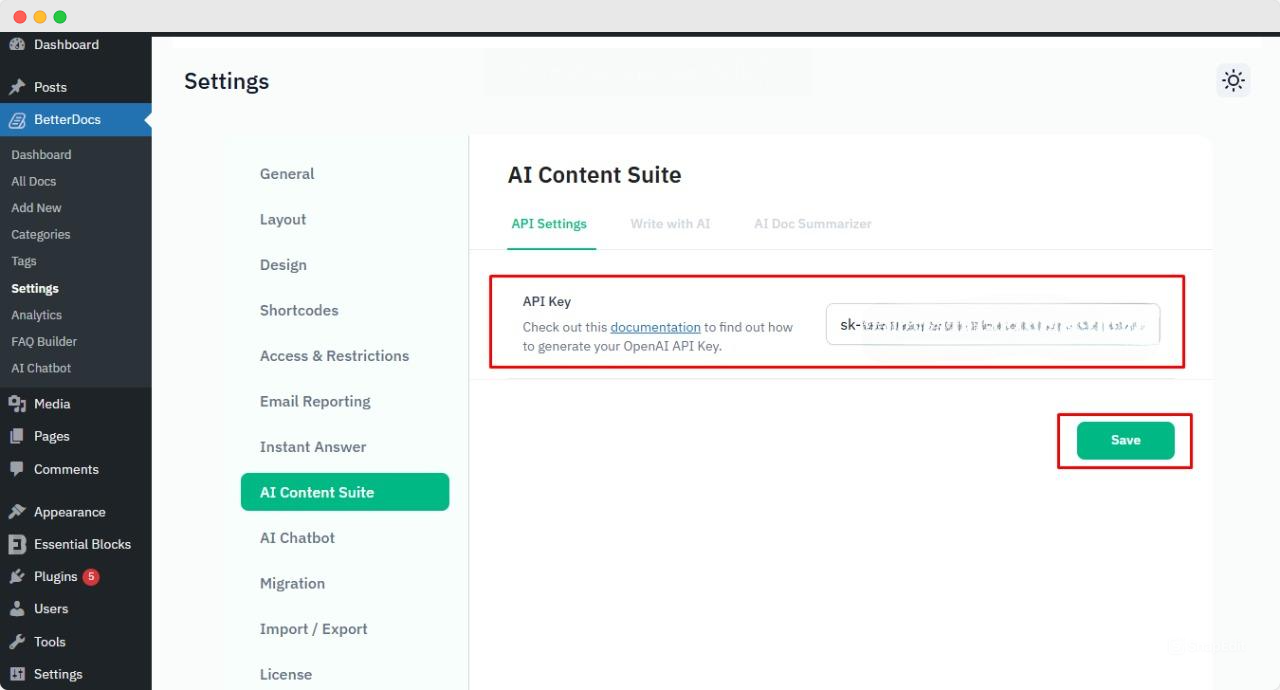
Then, from the BetterDocs dashboard, go to Settings → AI Content Suite and add the API key under the API Settings tab.
To obtain the API key, visit the OpenAI platform page and click the Create new secret key button. You can then set an API name and select the project you want to use it for.
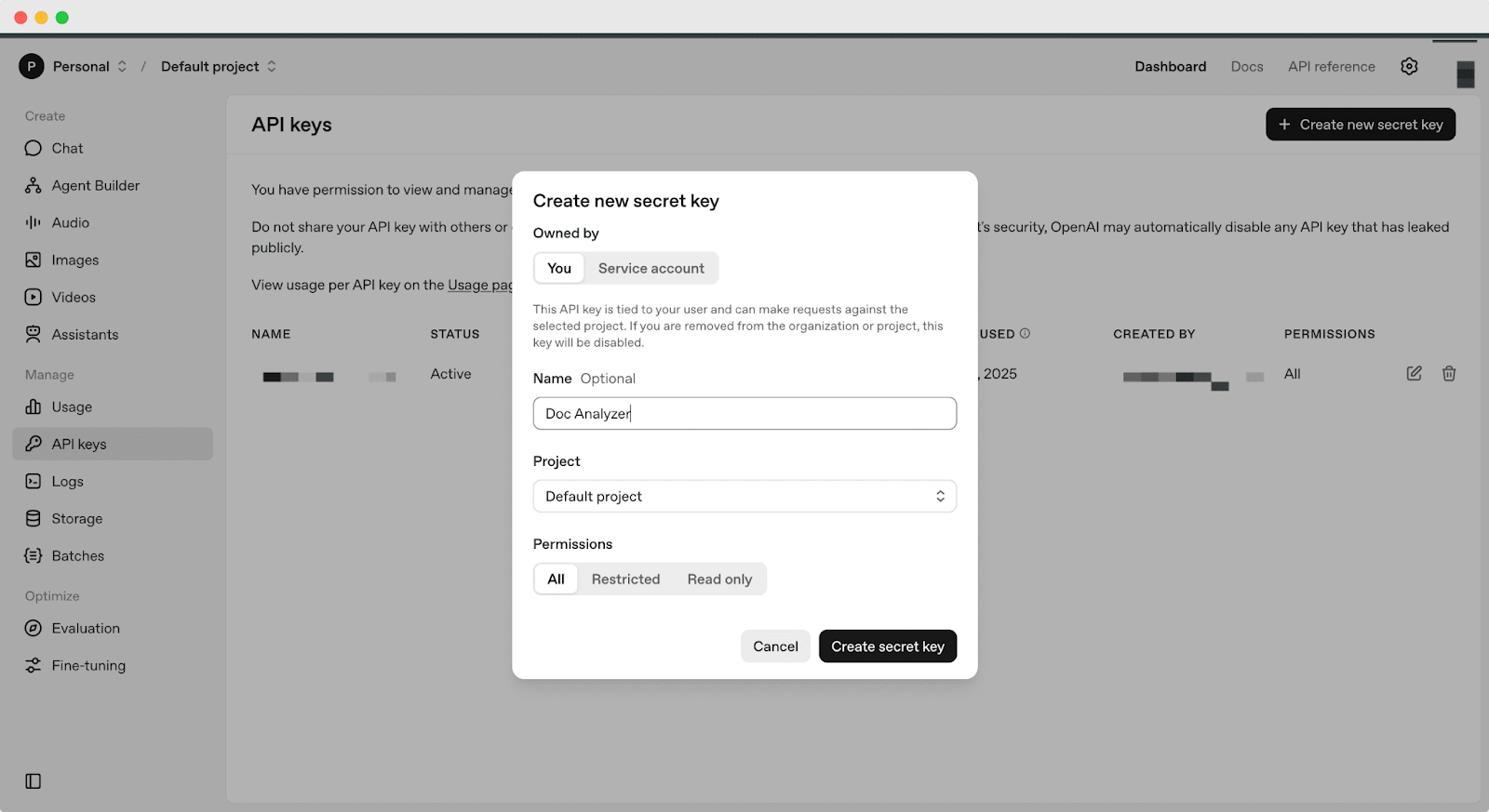
Type any name of your preference and hit the ‘Create secret key’ button. Your secret key will be generated automatically and instantly.
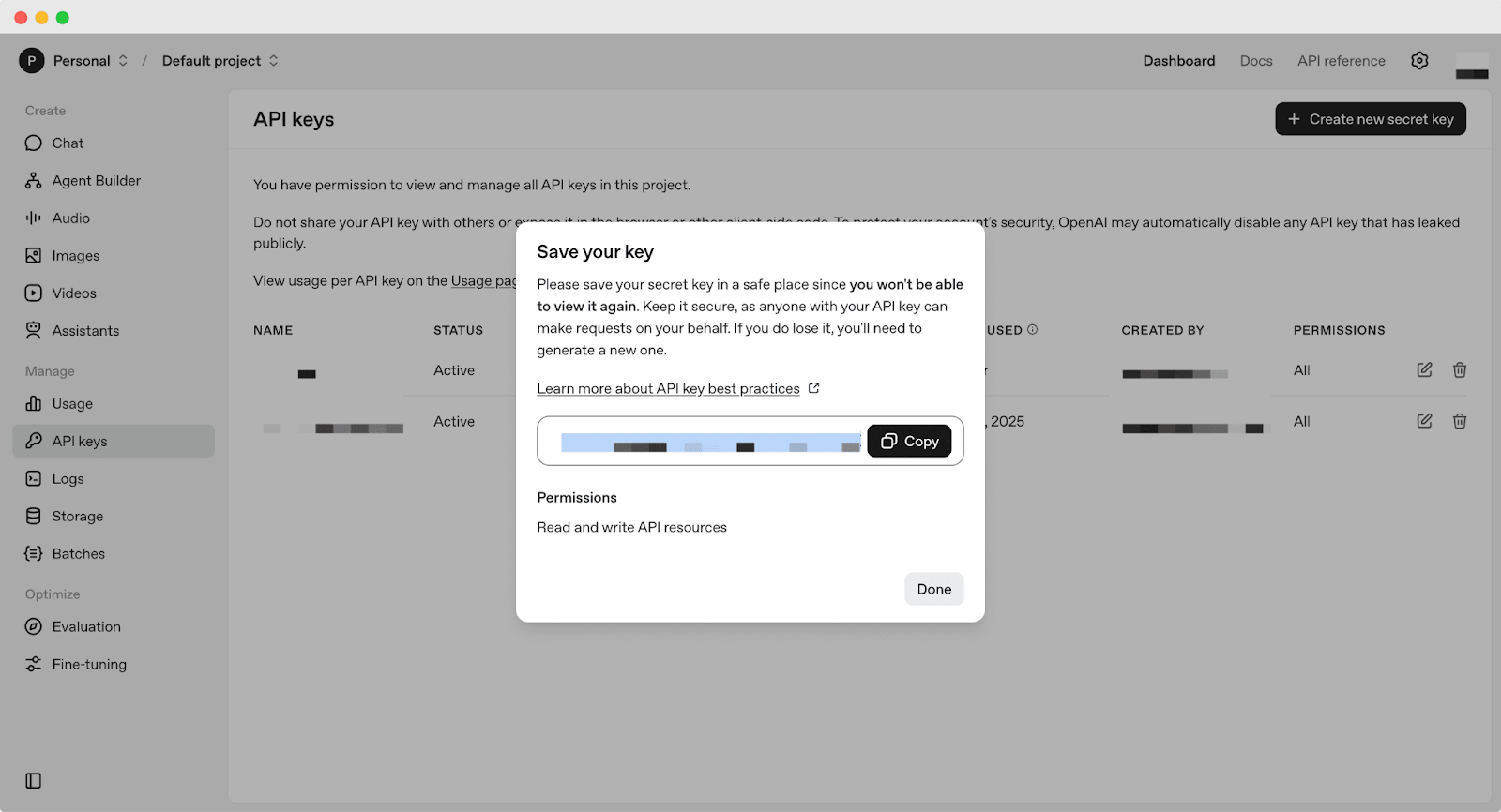
Just copy your code and paste it into the ‘API Key’ field on your BetterDocs ‘AI Content Suite’ settings. Then, hit the ‘Save‘ pulsante.
Step 2: Show the Doc Quality Analysis in the Documentation #
Now, select the single documentation where you want to see the quality analysis. From there, scroll down to the bottom and you will find ‘Doc Quality Analysis’.
From there, click on ‘Analyze with BetterDocs AI’, and it will show the overall doc analysis score and improvement areas based on some of the key metrics. These metrics include:
- Clarity: This score represents consistency in terminology, style and formatting throughout a document.
- Completeness: Assesses the degree to which all required information is present or not.
- Relevance: How relevant is the document information is with the title?
- Structure: Assesses the document’s organization and how easily users can find the information they’re looking for.
- Readability: Assess if the text is appropriate for the target audience or not.
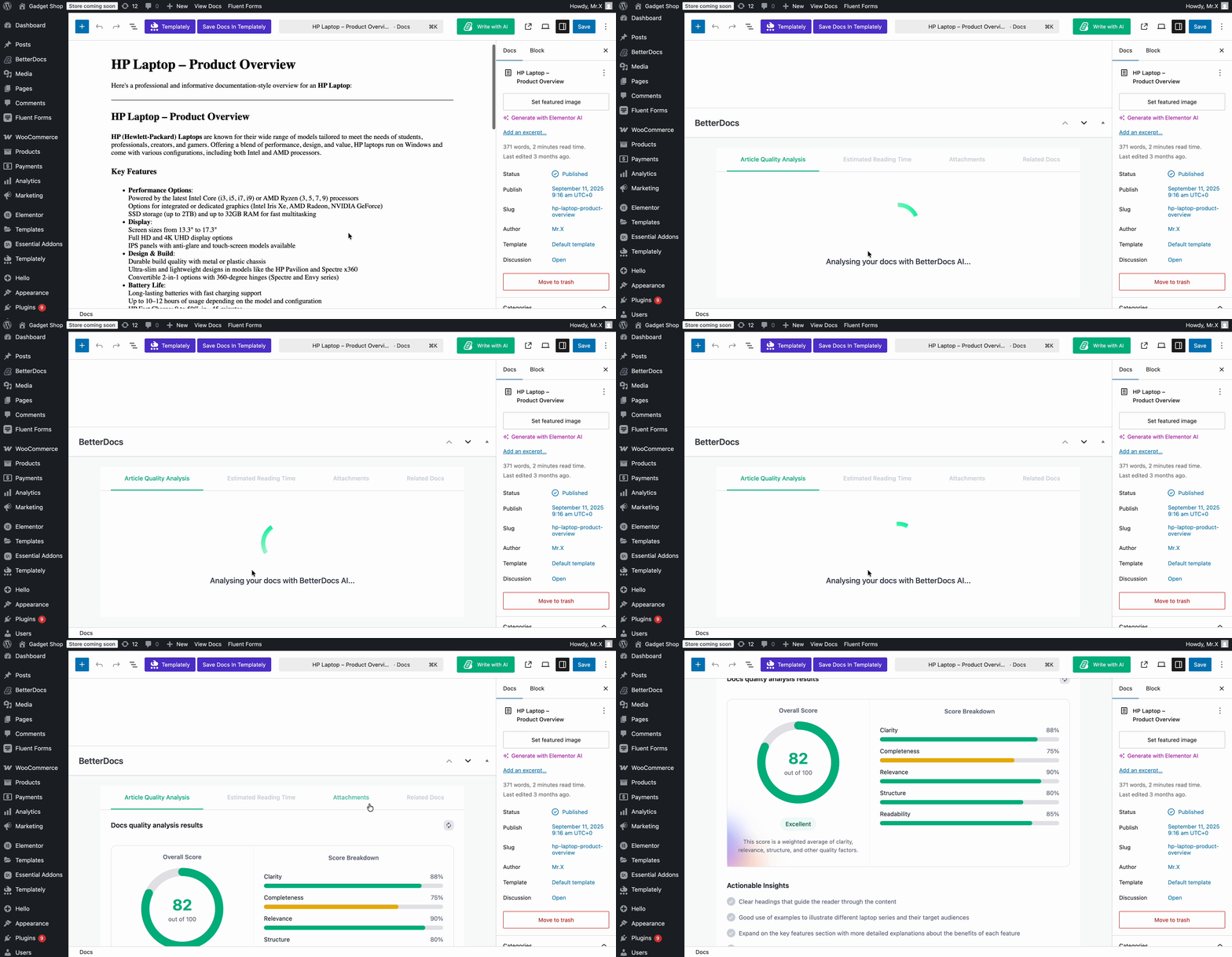
That’s how you can configure this ‘Doc Quality Analysis’ feature and assess your document easily.
Getting stuck? Feel free to contatta il nostro supporto for further assistance.


