
Categorie e tag raccontano BetterDocs which Doc should sit where. Categories are used for Broad Grouping of identical Documentation Pages. And Tags are used to narrow down the focus to a specific topic. These two combined help you to create a good taxonomy for your Documentation Page, which ultimately helps in boosting your SEO ranking.
How to Manage Categories And Tags in BetterDocs? #
First, you need to create Categories and Tags according to the number of products you have. Then, while creating Documentation Pages, assign the right Category and Tag to each Doc Page. Let us find out how to do these.
Crea una nuova categoria #
- Per creare una nuova categoria, per prima cosa apri la dashboard WordPress e vai a BetterDocs →‘Categories’.
- From here, click on ‘Add New Category’ if you want to create a new category for your docs.
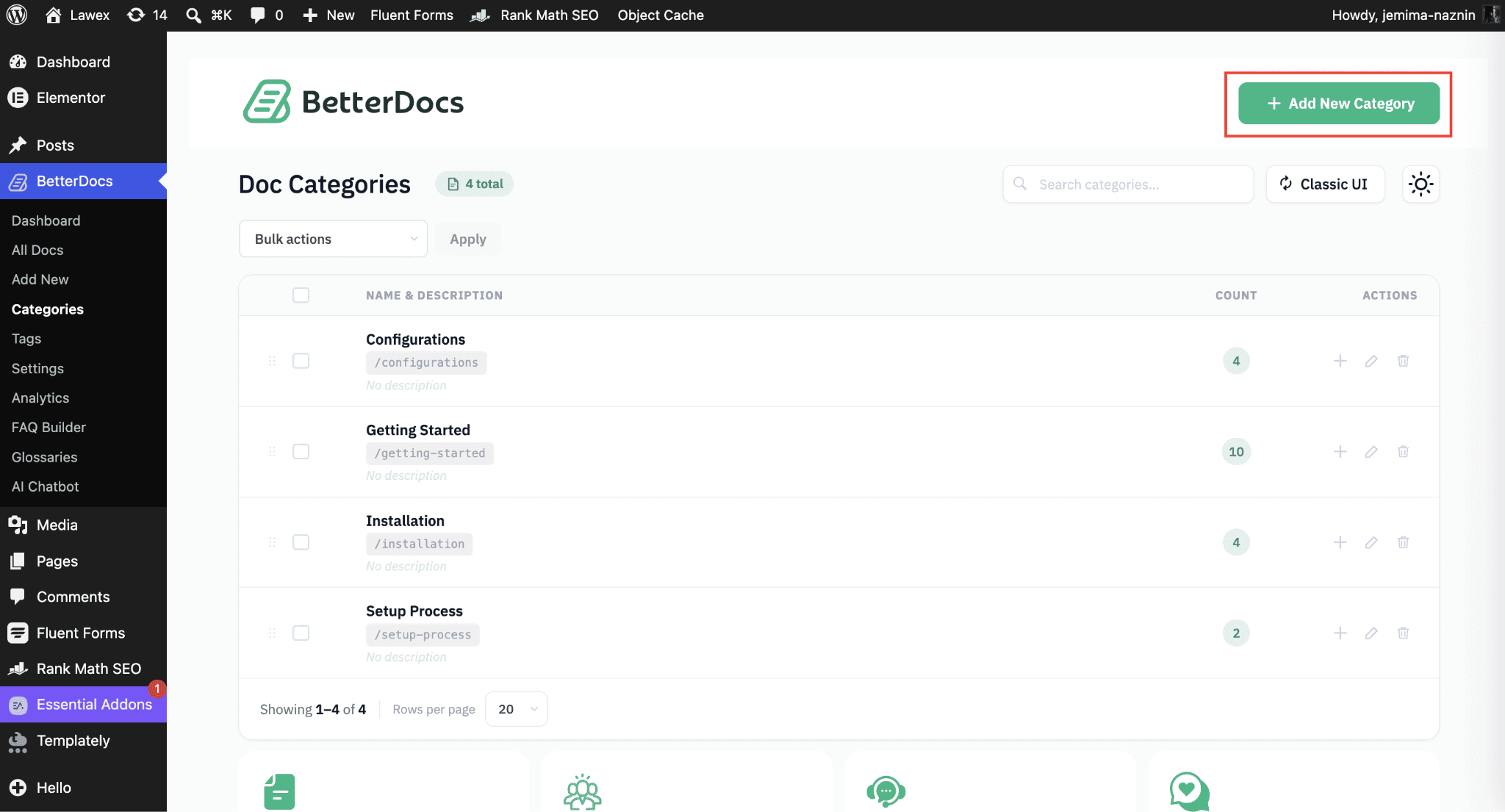
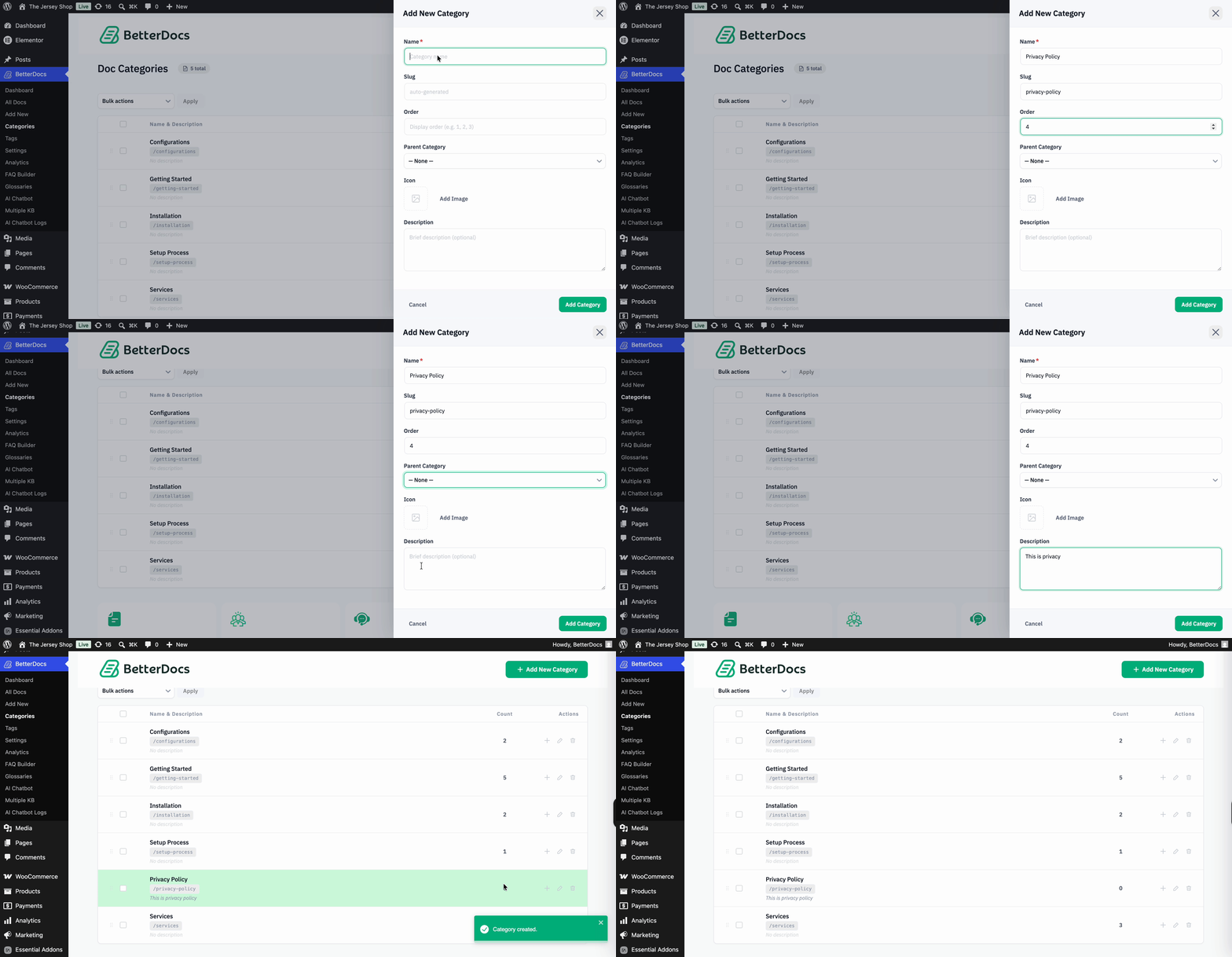
- An off-canvas sidebar will appear on the right. From there, you can set the rest of the options like Category Name, Slug, Parent Category, Category Icon, Category Description, etc. Once done, simply proceed by clicking on the ‘Add Category’ button. Your new doc category will be added to the list of doc categories.
Crea un nuovo tag #
- Similarly, to create a new Tag, from your WordPress Dashboard, navigate to the ‘Tags’ scheda.
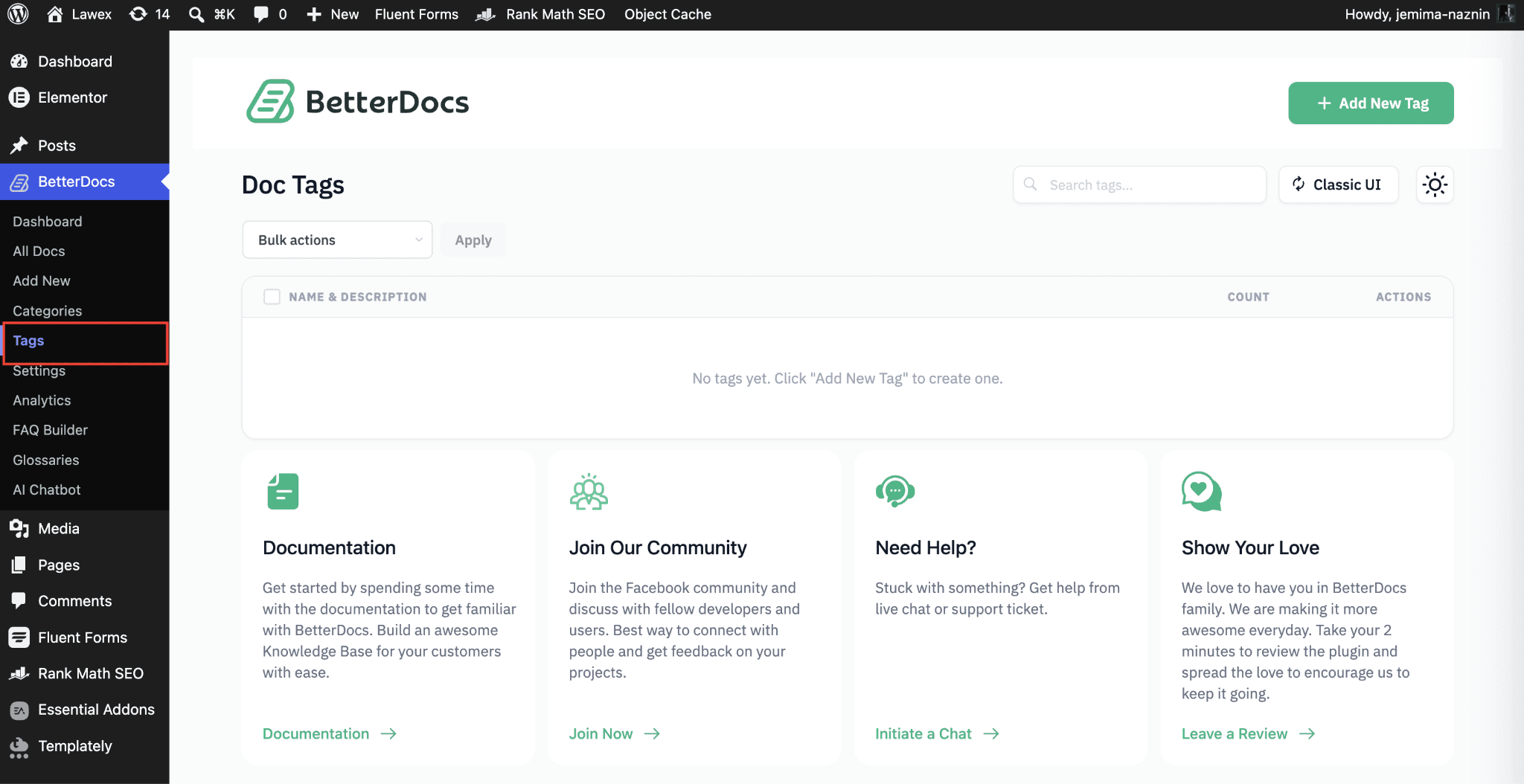
- From here, click on ‘Add New Tag’ to add tags. However, if you leave the ‘Slug’ field blank, BetterDocs will automatically create a Slug for you using the Category Name and a new tag will be created for the doc.
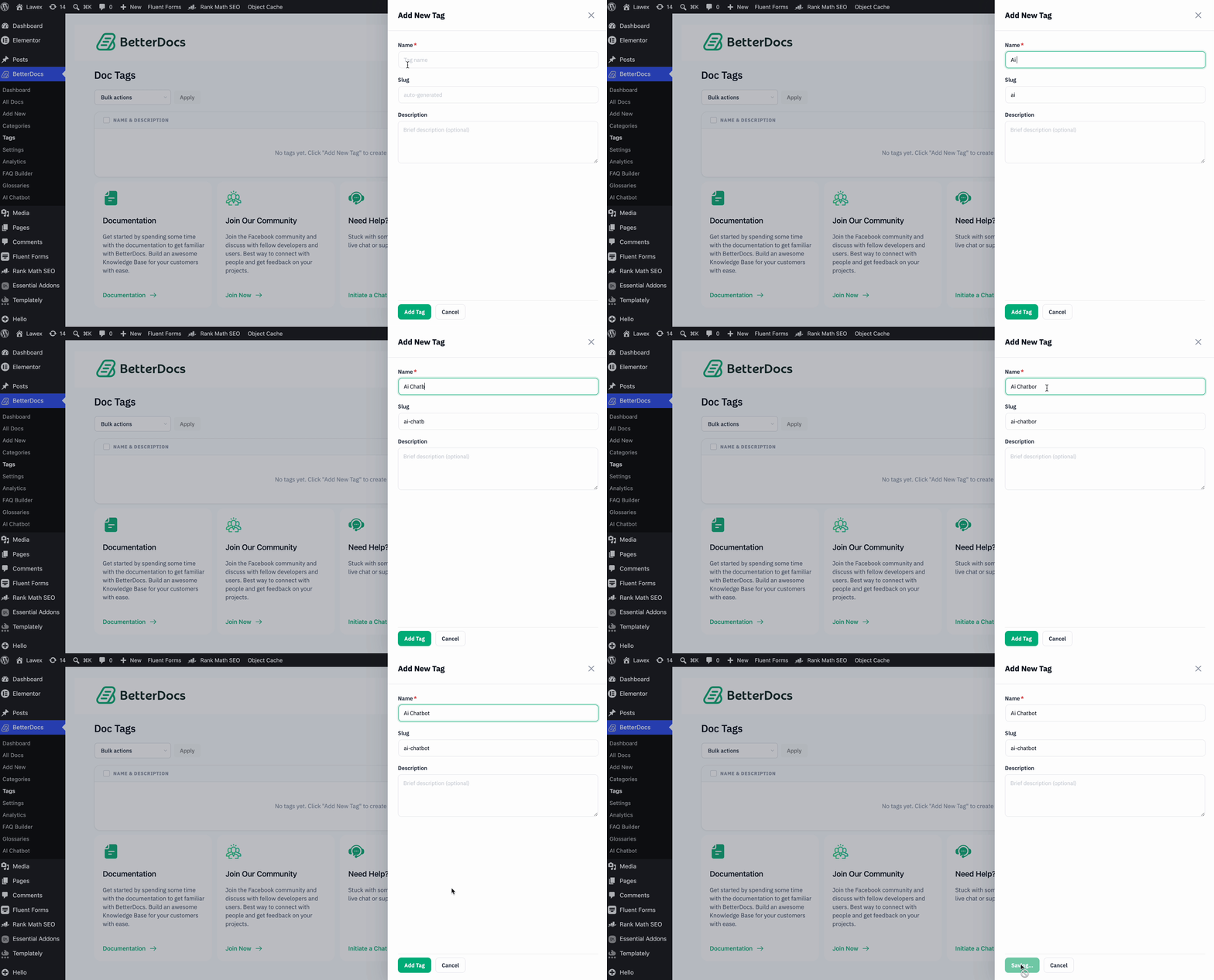
This is how you can create categories and tags in BetterDocs to manage your documentation better.
Assign Categories And Tags to Your Documentation Page #
While creating Doc Pages (BetterDocs → Add New), inside the Document Tab from the Right Sidebar you will see all the Categories and Tags List. Assign the right ones to properly describe your Documentation Page.
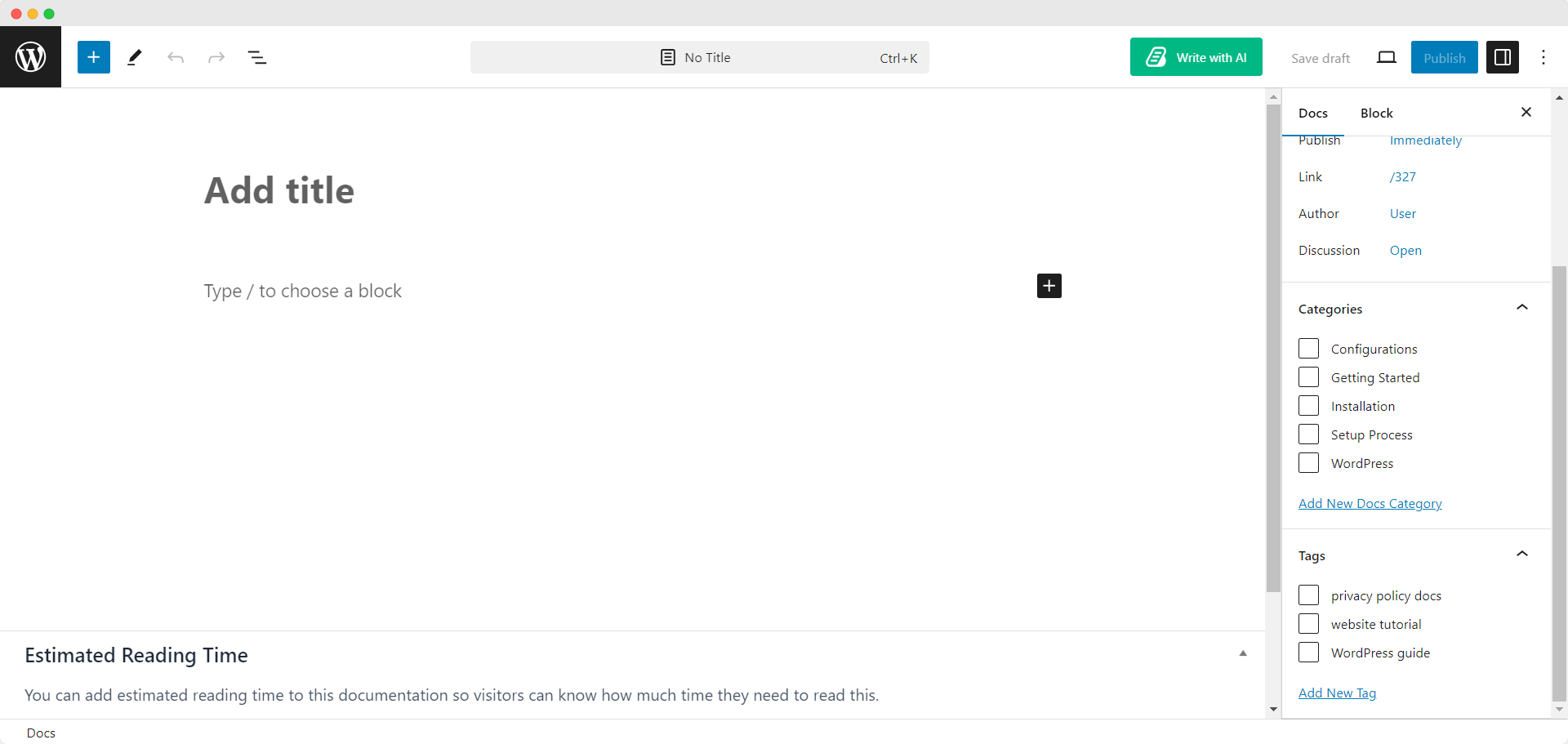
This is how easily you can manage categories & tags for your all your documentation with BetterDocs. If you face any difficulties, feel free to contact our support team.