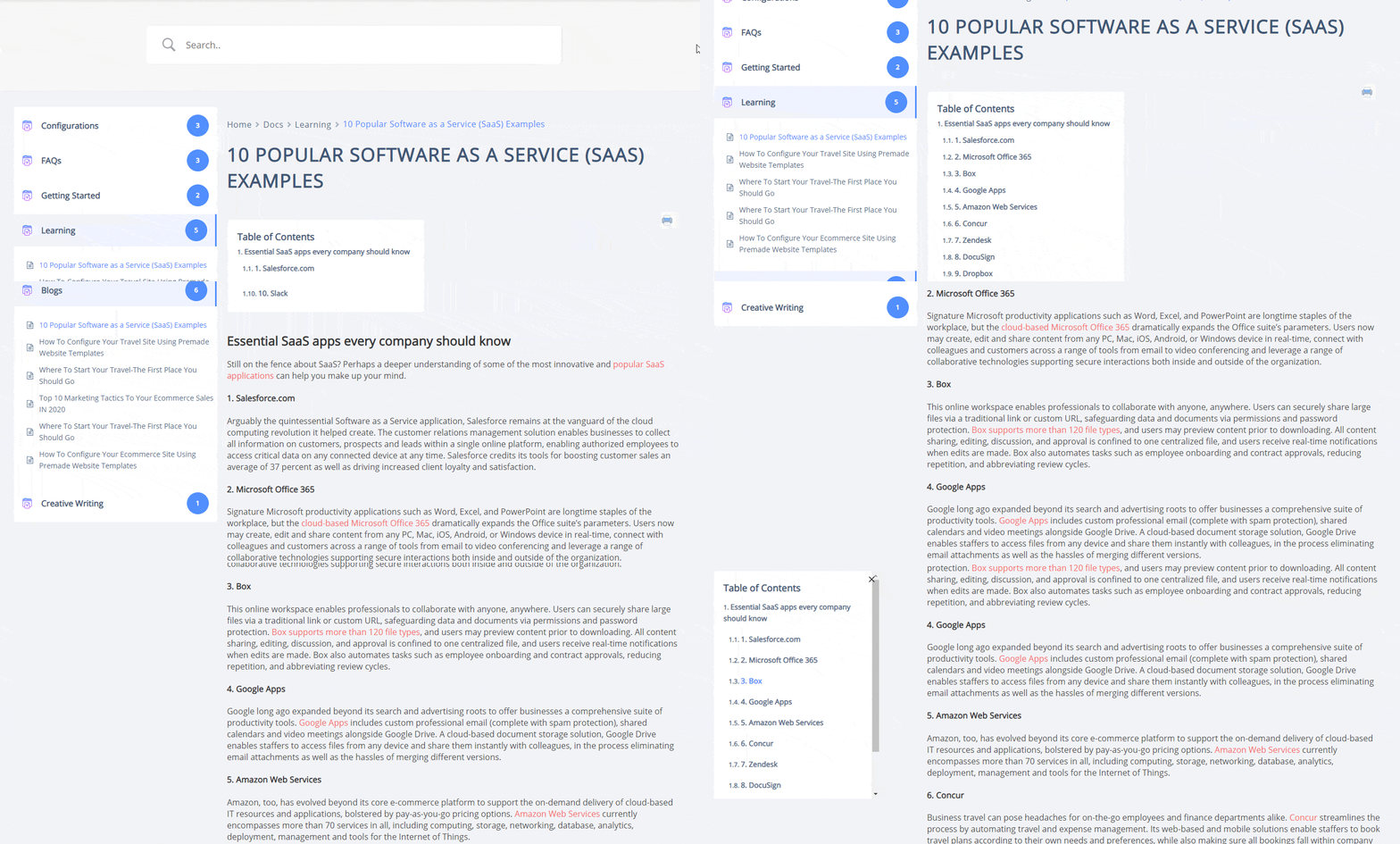
What Is Sticky Table Of Contents (TOC)? How To Enable It? #
TOC stands for Table of Contents. In many instances, you might need to use different Heading Tags inside your Doc. If you use multiple headings, BetterDocs includerà le intestazioni all'interno di una casella del sommario (TOC) che rimarrà a galla sulla pagina della documentazione.
Il vantaggio del sommario è che gli utenti possono facilmente spostarsi avanti e indietro tra le intestazioni all'interno di Doc.
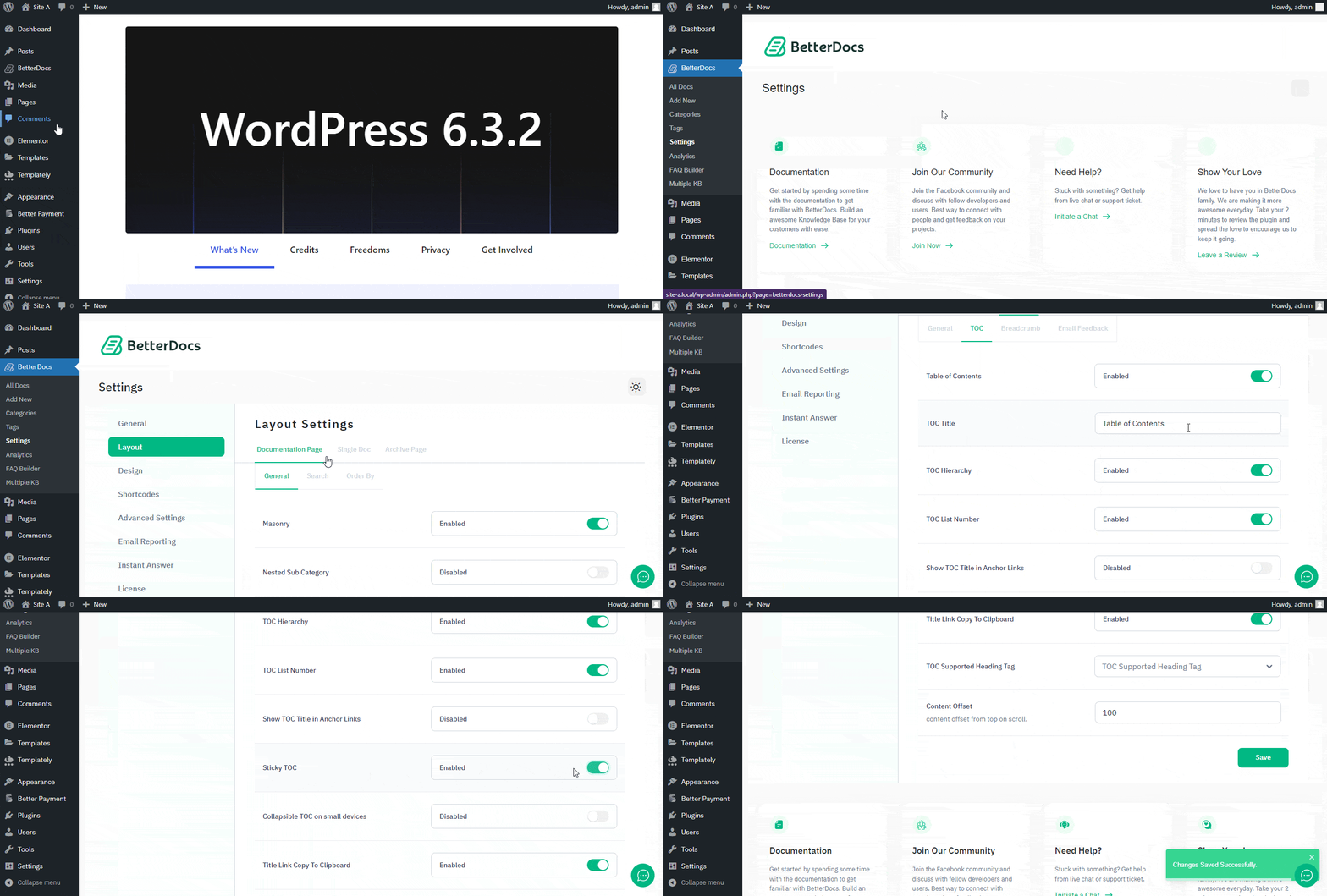
How To Enable BetterDocs TOC? #
To enable the TOC option, first open your WordPress Dashboard and navigate to BetterDocs → Settings → Layout → Single Doc → TOC.Da lì assicurati to enable Table of Content (TOC) e ‘Sticky TOC’.