
A causa di temi diversi, potresti incontrare a Sommario appiccicoso sovrapposti con il menu o il piè di pagina dell'intestazione. Però, BetterDocs gives you the flexibility to increase the z-index of Sticky TOC so that it doesn’t overlap any section of your WordPress Knowledge Base website.
To increase the z-index of Sticky TOC, go to your wp-admin →BetterDocs → Settings → Design tab. Then, click on the ‘Customize in BetterDocs’ option under the ‘Legacy Customizer’ section.
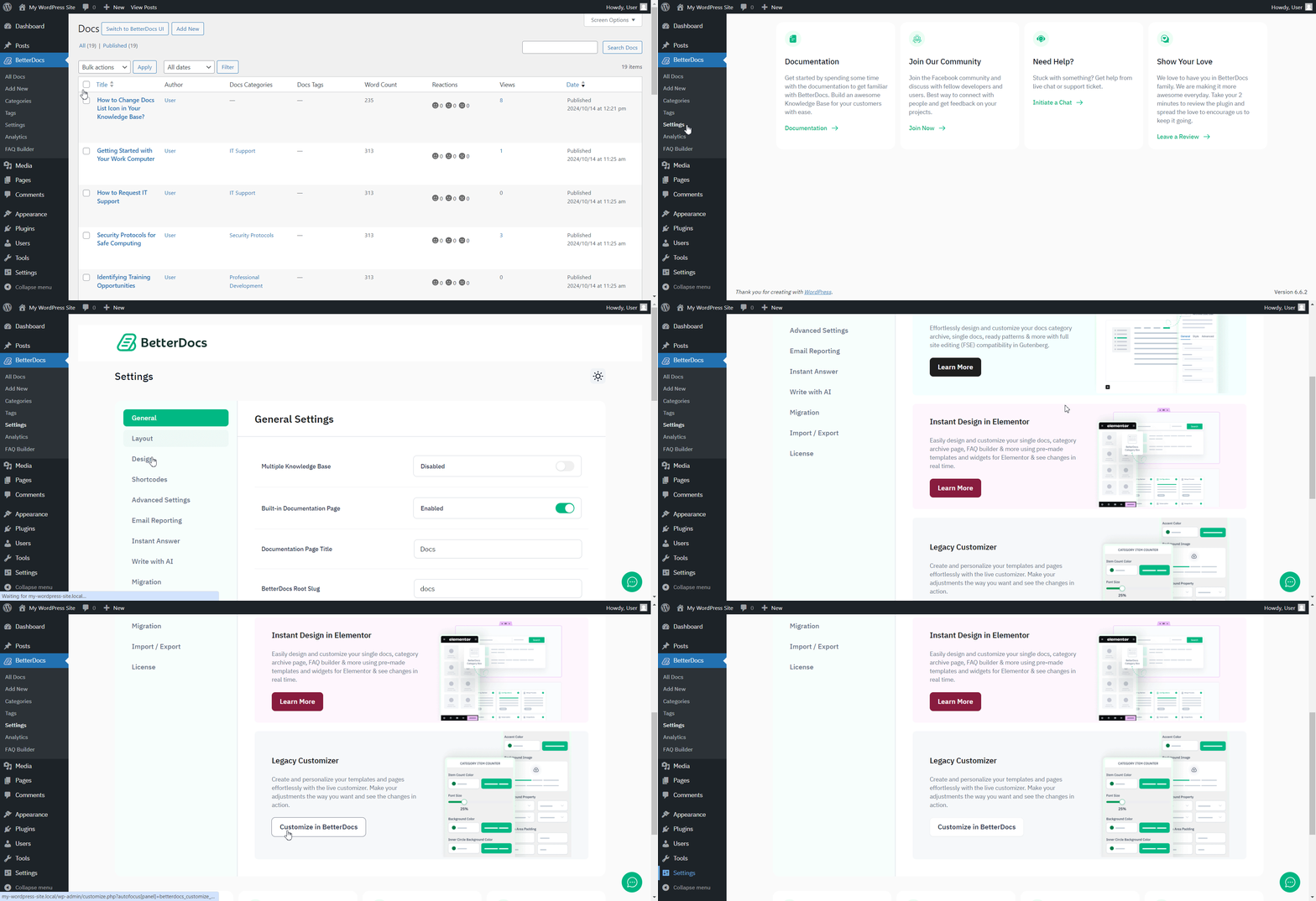
Afterwards, go to the ‘Single Doc’ page. From the 'Tabella dei contenuti' section, you will find options to increase the z-index of the Sticky Table of Content. Simply use the ‘Sticky TOC z-index’ option to increase the value, and you will be good to go.
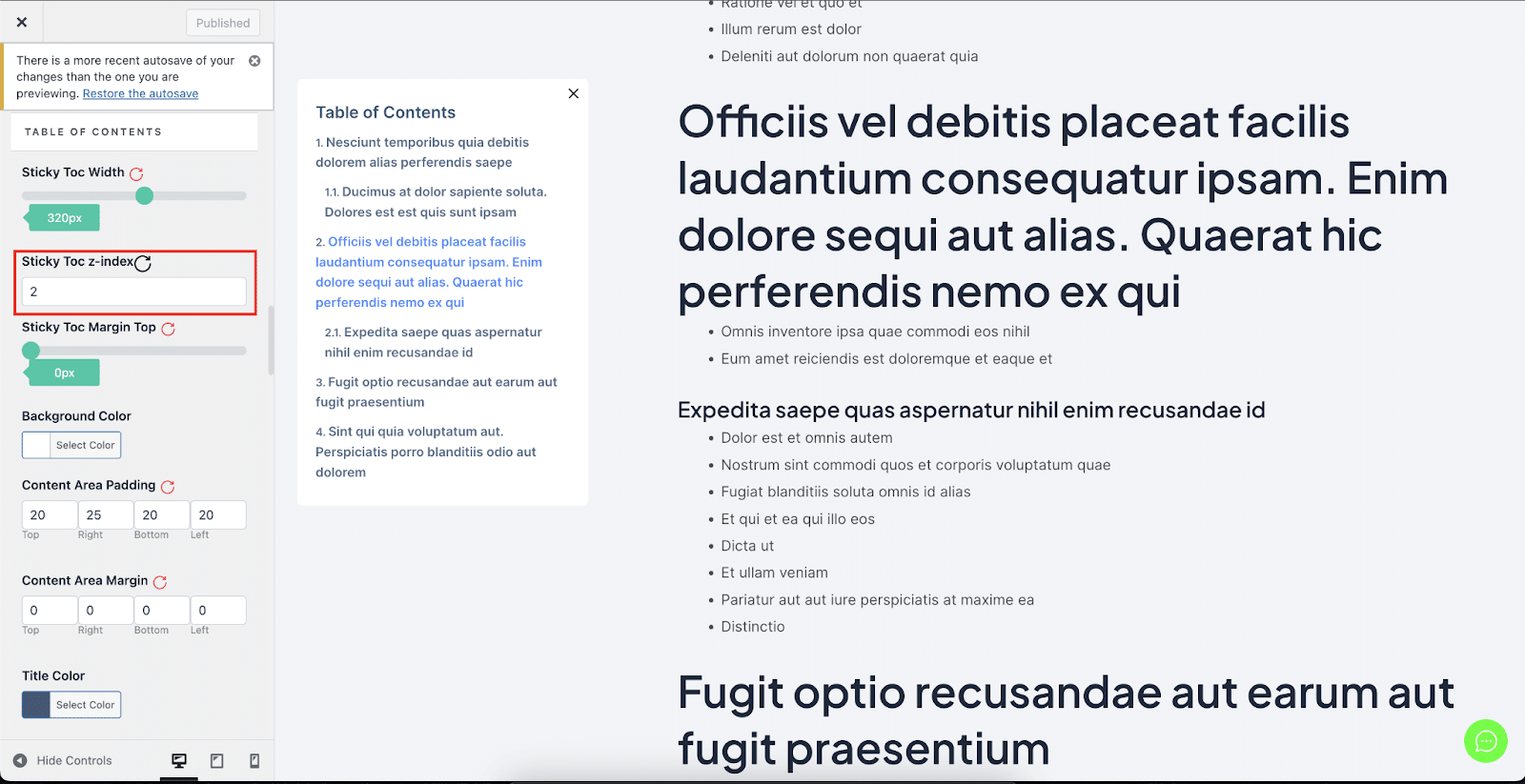
Ecco come puoi evitare Sommario appiccicoso dalla sovrapposizione con altre sezioni del sito Web WordPress in BetterDocs.